Pay-per-view (PPV) events like championship fights, WWE wrestling, and boxing are some of the most-watched live broadcasts each year. If you own an Amazon Fire TV Stick, you have several ways to stream these events directly from your couch.
This guide breaks down the best paid and free PPV apps, how to set up Kodi addons for live sports, and why a VPN matters for both access and privacy in 2026.
- ESPN+ holds exclusive UFC PPV rights in the US, with events typically priced at $79.99 each on top of the $10.99/mo subscription
- Sling TV and FITE TV offer PPV boxing and wrestling events starting around $40 per broadcast
- Free Kodi addons like The Crew and Rising Tides provide unofficial PPV streams but carry malware and legal risks
- A VPN is essential for free streams to encrypt traffic, bypass geo-blocks, and prevent ISP throttling
- Paid services deliver 4K streams with reliable uptime, while free options max out at 720p and frequently buffer
#What Is Pay-Per-View (PPV)?
Pay-per-view (PPV) refers to premium one-time live event broadcasts that viewers pay individually to access.
Unlike standard subscription streaming services or cable packages that provide continuous access to a library of on-demand content, PPV allows rights holders to sell access on a per-event basis.
PPV events tend to be high-profile, highly anticipated one-time broadcasts of major sports matches, championship fights, wrestling events, music concerts, and more. Due to production costs and talent fees involved, these special events carry a high price tag for viewers.
#Why Are PPV Events More Expensive Than Standard Streaming?
There are several key reasons why major events like championship UFC fights and WWE WrestleMania carry such steep PPV pricing:
-
Huge organizational costs — Major venues, production gear, promotion, and operational expenses involved in world-class events add up fast.
-
Massive talent fees — Top athletes and performers earn millions per event.
-
Premium branding and distribution — Big names like UFC and WWE invest heavily in marketing and broadcasting to maximize revenue.
-
Exclusivity — By making marquee events PPV rather than part of standard packages, promoters limit access and drive demand.
With such high overhead expenses involved, PPV creators could never recoup costs by including marquee events under normal subscription pricing. PPV allows them to pass the costs directly to viewers willing to pay a premium for exclusive, must-see content.
Now that you know why PPV pricing is set high, here are your streaming options.
#What Is the Best Method for Streaming PPV: Paid or Free?
When deciding how to watch PPV events on your Fire TV Stick, you essentially have two options:
#1. Paid PPV Streaming Services
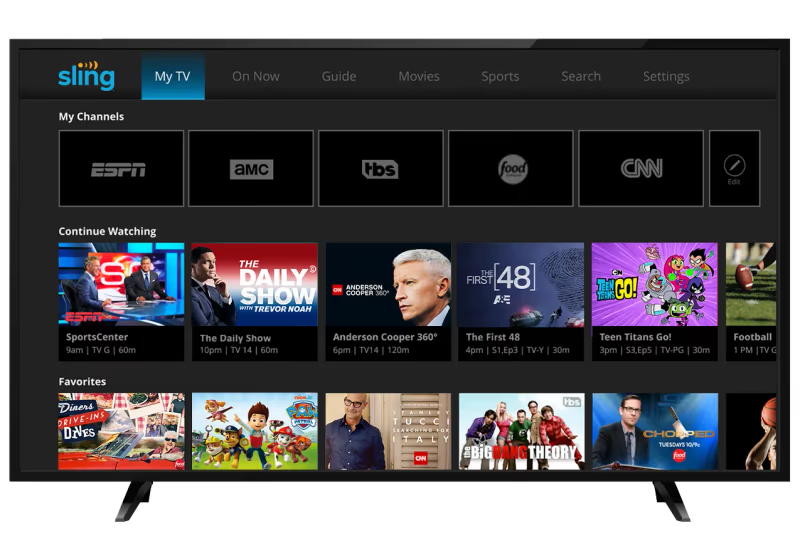
Platforms like Sling TV, FITE TV, ESPN+, and Showtime offer legal access to PPV sports for a fee.
The major perks are:
-
Reliable HD streams — Paid services invest heavily in infrastructure and bandwidth to deliver lag-free broadcasts in up to 4K resolution.
-
Multi-platform support — Access via various devices from iOS and Android mobiles to Fire TV Stick and Apple TV.
-
Security — Encrypted streams and no need for a VPN to keep your ISP off your back.
-
Legality — No need to worry about copyright infringement claims or penalties.
However, the drawbacks with paid services include:
-
Cost — PPV events typically run $40-$100 on top of any platform subscription fees.
-
Contracts — Some platforms require long-term contracts or bundles.
-
Geo-blocking — Certain platforms only broadcast events in specific countries.
#2. Free Streams and Kodi Addons
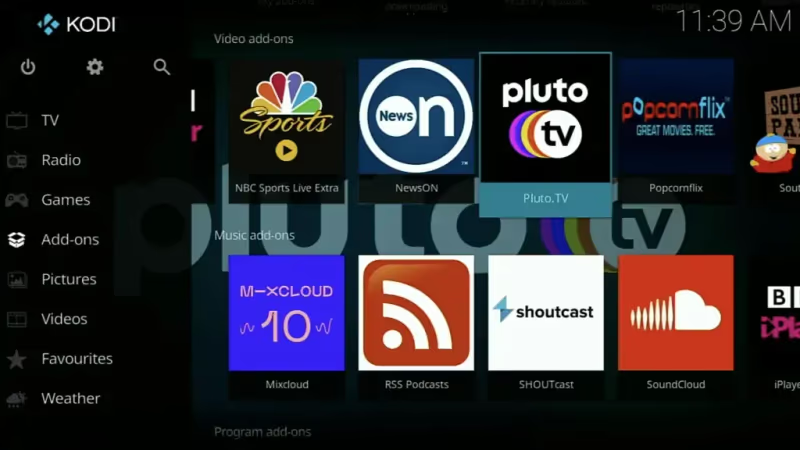
Alternatively, various free (but potentially illegal) PPV live stream sources exist online. These include:
-
Sports streaming sites
-
Reddit MMA and boxing communities
-
Free live TV apps
-
Kodi addons like Rising Tides and The Crew
Benefits of free streams include:
-
100% free access — No fees or subscriptions required
-
Anonymity — No usernames, logins, or credit card details needed
But free streams come with plenty of downsides:
-
Legality grey area — Free sources likely don’t have broadcasting rights.
-
Malware risks — Pirate sports streams are rife with harmful ads and links.
-
Poor reliability — Streams crash often and max out at 720p quality.
-
Need for VPN — ISPs monitor for traffic to pirated content sources.
-
Access limits — Free streams get overloaded and struggle with traffic.
Paid legal PPV streaming services provide the most reliable viewing experience but come at a steep price. Free streams are tempting for those wanting to save money but carry hidden costs in reliability, safety, and stress.
Here are the best paid and free PPV apps and services available in 2026.
#Best Apps for PPV Streaming on Fire TV Stick
Paid streaming platforms that offer reliable access to live pay-per-view events include ESPN+, Sling TV, FITE TV, and Showtime.
These platforms have invested heavily in digital rights and infrastructure to deliver premium live broadcasts in HD and 4K resolution. By paying for access, you avoid any legal grey areas or use of unverified apps. However, the events don’t come cheap, usually starting around $40 and going up well over $100.
In addition to PPV apps, you can also access other premium content on your Fire TV Stick like MTV, Crackle, CW, NBA, BET, and Red Bull TV.
#Free Live TV and Sports Apps
Here are 5 of the most popular free live TV and sports apps providing PPV event coverage.
While tempting, free live TV apps have a major catch. Most operate in murky legal territory regarding broadcasting rights, meaning your ISP likely frowns on their use and traffic. Accessing them represents copyright infringement you could theoretically be penalized for. Their streams also max out at 720p quality and frequently lag or crash with heavy demand.
However, if you take precautions like using a quality VPN to anonymize traffic and keep expectations reasonable on stream quality, free apps provide a workaround for those not wanting to pay inflated PPV pricing.
For more options, check out our guides on the best sports apps for Fire TV Stick, how to watch live sports on Fire TV Stick, and how to watch live TV on Fire TV Stick.
#Best Kodi Addons for Free PPV Streaming
In addition to free live TV apps, Kodi users can access PPV and premium live sports content via third-party addons like:
-
The Crew — Extremely popular all-around Kodi addon covering PPV fights, NFL games, soccer, and more. Interface similar to Netflix.
-
Rising Tides — Specializes in boxing and UFC streams. Also offers some WWE, football, and rugby.
-
Fight Globe — Another top option for MMA and boxing PPV events and replays via cached torrents.
-
NUMB3R$ — Provides links to NBA, NFL, NHL, and baseball including some Red Zone and PPV. Interface is designed primarily around North American sports.
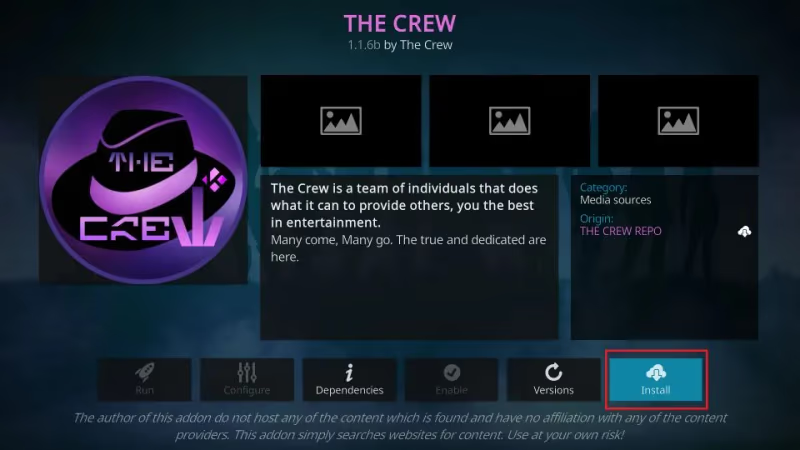
These Kodi addons pull streams from torrents, caching, and various streaming sites of dubious legality. While very handy for free PPV access, issues around stability, malware risks, and ISP threats remain.
It’s highly advisable to use a quality VPN like ExpressVPN or Surfshark for privacy and to avoid copyright penalty risks when streaming premium events via third-party Kodi addons.
#How Does a VPN Help When Streaming PPV Events?
A Virtual Private Network (VPN) provides several important benefits when streaming PPV events on your Fire TV Stick:
-
Encrypts traffic so your Internet Service Provider can’t see or throttle what sites and apps you use
-
Changes your IP address and location to bypass geographic broadcast restrictions
-
Adds critical privacy and anonymity when accessing free but legally questionable streams
-
Provides malware protection by tunneling connections
-
Unblocks streams if IP ranges get blacklisted
For example, ESPN+ carries the UFC PPV exclusively for subscribers in the United States. So if you try tuning in from Europe or Asia, you’ll hit a black screen.
Similarly, free live TV apps often get branded as pirate streaming tools and blocked by regional ISPs. A quality VPN allows you to bypass these restrictions by assigning you a new US-based IP address at the tap of a button. This allows you to stream world events anywhere securely.
The chart below compares our top recommended VPNs for streaming based on factors like speed, number of servers, pricing, and ease of setup on Fire TV Stick:
| VPN | Speed | Servers | Pricing | Easy Fire TV Setup |
|---|---|---|---|---|
| ExpressVPN | A+ | 10,000+ | $13/mo | Yes |
| Surfshark | A | 10,000+ | $2/mo | Yes |
| StrongVPN | B+ | 650+ | $3/mo | Manual |
Based on performance metrics and experience, I recommend ExpressVPN as the best Fire TV Stick VPN for streaming PPV events.
While Surfshark provides tremendous value, ExpressVPN remains virtually unrivaled in speed, which is vital for stable PPV broadcasts in HD and 4K. They also offer excellent live chat support if you run into any snags.
#Bottom Line
-
High-profile PPV events like UFC championship fights, WrestleMania, and the Super Bowl carry premium one-time pricing due to massive production costs and star fees. They cannot be bundled into normal streaming packages.
-
You can access PPV broadcasts directly on your Fire TV Stick via paid apps like ESPN+, Showtime, and dedicated combat sports platforms. However, fees typically run $40-$100 per event.
-
Free (but potentially illegal) options like live TV apps and Kodi addons pull streams from torrents and streaming sites. Quality and reliability varies greatly among these.
-
A quality VPN provides vital benefits like encrypting traffic, bypassing broadcast blackouts, and allowing anonymous access to questionable free streams.
-
For best results, use a combination of paid apps for the most reliable HD broadcasts combined with free options as backup if you want to save money but don’t mind unstable streams.
#Frequently Asked Questions
#Are free streaming sites and apps illegal?
Most free sports and PPV live stream sources operate in a legal grey area. While convenient to users, they likely don’t have broadcasting rights and directly compete with paid services. Legal action would target operations rather than viewers, but free streams still carry risks of penalties like service termination by your ISP if detected. Use common sense and tools like VPNs to protect yourself.
#Can I use a VPN on my Amazon Fire TV Stick?
Yes, most quality VPNs like ExpressVPN, NordVPN, and Surfshark offer dedicated Fire TV apps that can be installed via the Amazon App Store. This allows you to encrypt traffic and bypass geographic restrictions on your Fire TV Stick just like on a computer or mobile device.
#How can I save money on big PPV events?
If looking to watch a major upcoming fight night or wrestling event, check pricing across various platforms for deals. ESPN+, Showtime, and dedicated combat sports platforms like FITE TV all carry marquee events but offer promotions and discounted bundles periodically. Annual contracts typically save about 25% over monthly fees. Using a VPN also allows you to view international pricing and snag cheaper deals restricted to other countries.
#Can I replay PPV events after they air?
This depends on the platform. Some only carry events live, while others unlock replays and highlight packages 24-48 hours later. Paid options obviously provide more reliable ongoing access versus free sources which frequently get removed after live airing. It’s best to view live when possible if using free methods.
#Do I need a specific Fire TV Stick model for PPV streaming?
Any Fire TV Stick model works for PPV streaming, but the Fire TV Stick 4K and 4K Max deliver the best experience. These models support 4K Ultra HD and Dolby Vision, which matters for paid services like ESPN+ that broadcast PPV events in high resolution. The basic Fire TV Stick Lite works fine but caps out at 1080p.
#What internet speed do I need to stream PPV without buffering?
For a stable PPV stream, you need at least 5 Mbps for 1080p and 25 Mbps for 4K. Since PPV events are live with no buffering ahead of time, a faster connection reduces the chance of lag during critical moments. If multiple people share your network, aim for 50 Mbps or higher to keep the stream smooth.
#How do I install Kodi on my Fire TV Stick?
Kodi isn’t available on the Amazon App Store, so you need to sideload it. Go to Settings, then My Fire TV, then Developer Options, and enable “Apps from Unknown Sources.” Use the Downloader app from the App Store to navigate to the official Kodi download page and install the APK. Once installed, you can add third-party addons for PPV content.
#Is it safe to use free PPV streaming sites on Fire TV Stick?
Free PPV sites carry real risks including malware, phishing pop-ups, and ISP monitoring. Many of these sites inject ads that can redirect to harmful downloads. If you choose to use them, always run a VPN, avoid clicking pop-up ads, and never enter personal information. A paid antivirus app on your network adds another layer of protection.