Want to access NBC’s great entertainment, news, and sports programming on your Roku device? With several methods available, getting started is easier than you might expect. This guide covers multiple options for streaming NBC on Roku using an antenna, live TV streaming services like Sling TV and Hulu, or individual channel apps. We break down compatibility, required plans, and tips for accessing NBC based on your needs.
- Free OTA antennas work with most current Roku models and pull in NBC, CBS, ABC, FOX at no monthly cost
- Sling TV starts at $40/month with NBC available in select areas through the combined Orange + Blue plan at $55/month
- YouTube TV includes NBC in its base $72.99/month package along with 100+ channels and unlimited cloud DVR
- The free NBC App gives access to 5-6 recent episodes of popular shows without a subscription
- A VPN bypasses geo-restrictions so you can stream NBC on Roku while traveling outside the United States
#Why Stream NBC on Roku?
The Roku platform makes it affordable to cut cable TV and access entertainment through streaming. With Roku devices starting around $20, it provides an inexpensive way to watch top channels like NBC.
Roku also consolidates access to services like Hulu, Prime Video, Netflix and over 5,000 streaming channels. Finding NBC content is as easy as searching on your Roku home screen.
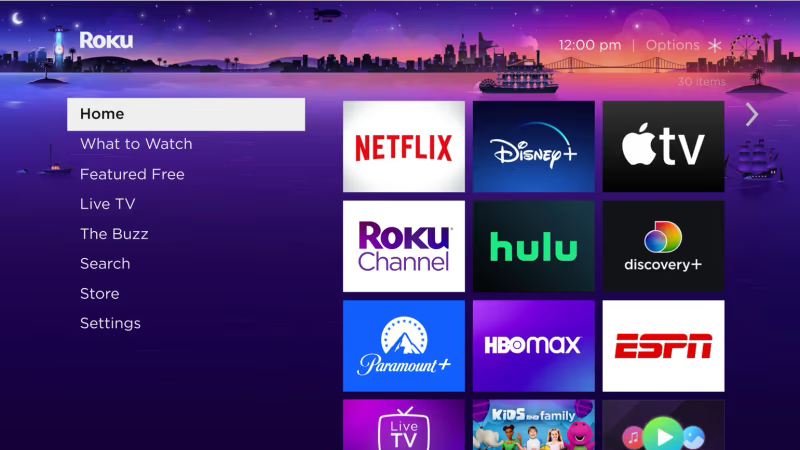
NBC has popular shows, news programs, and sports that pair well with Roku devices. As more viewers shift to streaming, accessing this major network expands your entertainment options without a costly cable package.
#How Do You Check NBC Availability in Your Area?
Before deciding on the best method to stream NBC, verify that your local affiliate is available in your area. As a national broadcast network, station availability varies by region.
To check, visit NBC’s affiliate look-up tool and enter your ZIP code. This returns your designated affiliate station and contact information.
If an NBC affiliate is available, great! Proceed to the guide for the best ways to watch it on your Roku.
If one is not provided, you still have options like the NBC App and NewsON to access some network programming. Or contact support teams from the major live streaming TV providers below to double check compatibility.
#Using an OTA Antenna to Access NBC
One free option is to use an over-the-air (OTA) antenna. Like old-school “rabbit ears” antennas, modern HD digital antennas plug directly into your TV and pull in signals from broadcast towers nearby.
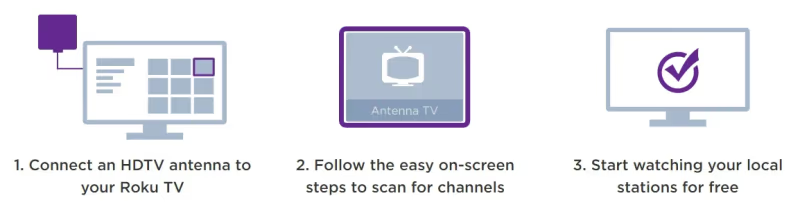
Roku devices have integrated OTA tuning and guide data in most current models. Plugging in an antenna provides free access to local stations like NBC, CBS, ABC, FOX and more depending on signal strength.
Benefits include:
-
100% free TV
-
No monthly costs
-
Access to live sports, events and programming
-
HD video quality on most primetime shows
Downsides to antennas include:
-
Inconsistent reception/signal strength
-
Manual scanning required
-
Limited channel selection
Despite some intermittent signal challenges, antennas are the most affordable way to watch NBC on Roku if available in your area.
#Which Streaming Services Carry NBC on Roku?
Paid internet live TV streaming providers grant anywhere access to NBC plus 40-80+ additional popular channels for news, sports, movies and more. Top options with NBC include:
These services replicate a full cable TV experience, minus the contracts, hidden fees and equipment rentals. Most cost $40-$75 per month and allow you to watch other major channels like Disney+, HGTV, MSNBC, CBS, TBS, ABC, and FOX.
Benefits include:
-
Stream 50-80+ live popular channels
-
Access NBC plus ESPN, TNT, FOX, etc
-
Cloud DVR for recording/replaying shows
-
Stream on phones, tablets, web
-
Try 7-day free trials
Here is a closer look at the top 4 options.
#Sling TV
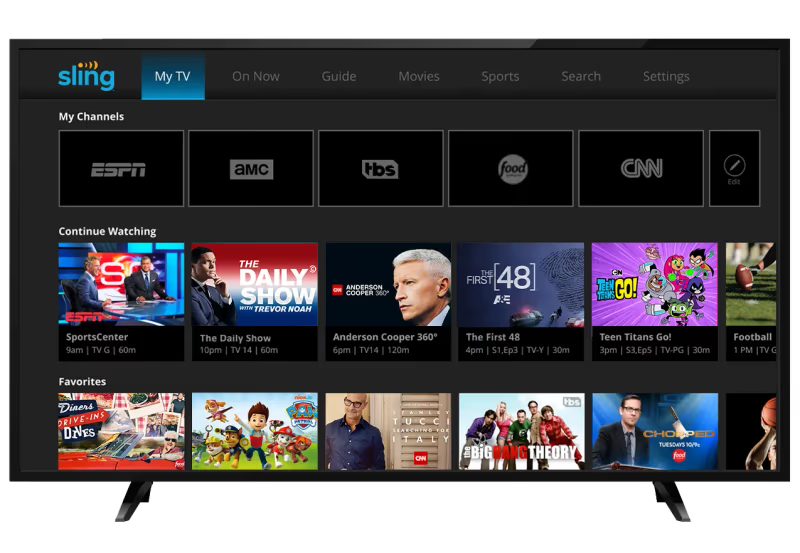
Sling TV has customized TV packages so you only pay for the channels you actually watch. Pick from packages like Sling Orange or Sling Blue then add extras like sports, comedy and more.
In total, you get 31-41 channels starting at just $40 per month. Pricing breaks down as:
Sling Orange
-
$40/month
-
31 channels
-
1 simultaneous stream
Sling Blue
-
$40/month
-
41 channels
-
Supports 3 simultaneous streams
Combined Orange + Blue
-
$55/month
-
47 channels
-
Supports 4 simultaneous streams
Sling integrates well with Roku and lets you browse live and on-demand shows directly on your home screen.
The service is known for its low prices and customization options. While the base Blue and Orange packages lack local feeds, the combined $55 plan adds NBC, FOX and other local stations in select areas.
Use Sling’s lookup tool to verify NBC is offered in your location.
#fuboTV
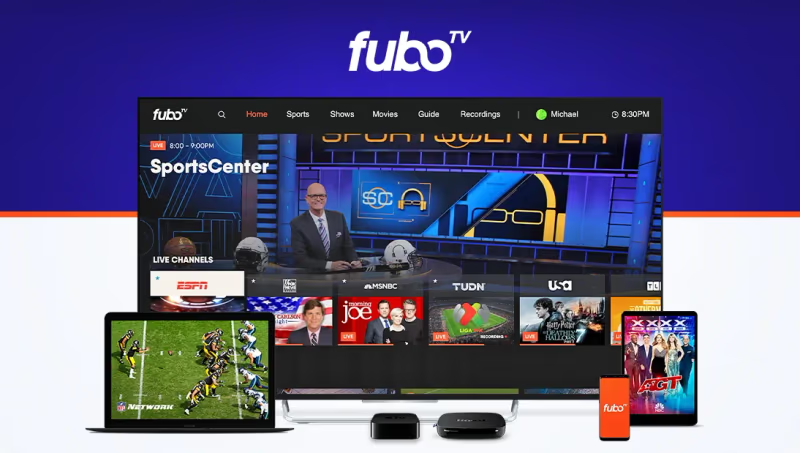
Where Sling focuses on entertainment, sports-first streamer fuboTV delivers NBC, FOX, CBS and tons more, with over 100 channels in its entry-level plan.
Fubo also carries niche channels like beIN Sports, MSG, International Soccer and more. It includes 1000 hours of DVR storage to record games and shows for replay.
Package options include:
Pro
-
$79.99/month
-
190 channels
-
Unlimited hour DVR
Elite
-
$89.99/month
-
259 channels
-
Additional sports channels
Premiere
-
$99.99/month
-
260 channels
-
Showtime included
Roku supported Fubo lists NBC availability by ZIP code on its site.
The service appeals most to sports fanatics looking for live games. With solid coverage of entertainment and news via NBC, FOX, AMC and more, it suits general audiences too.
#Hulu + Live TV
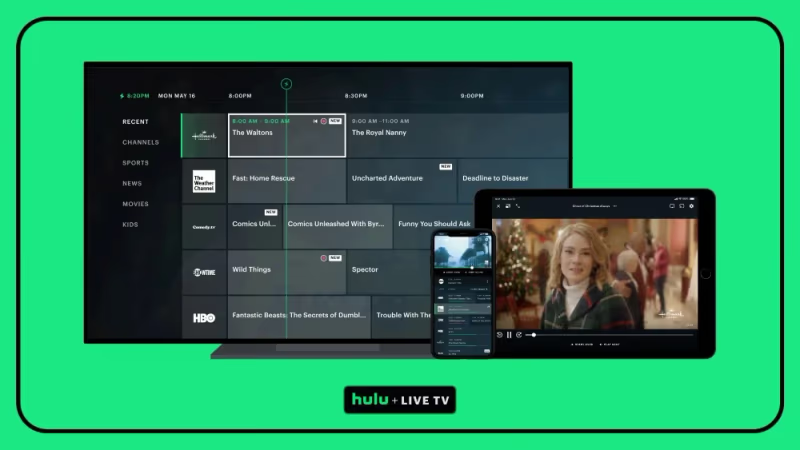
For those already subscribed to Hulu for its on-demand catalog, the Hulu + Live TV upgrade is a natural fit.
The package includes:
-
95+ live channels
-
50,000+ TV episodes & movies
-
Unlimited DVR storage
-
2 simultaneous streams
Add-ons like enhanced DVR, unlimited screens and premium channels are available too.
In total Hulu + Live TV grants access to 95+ channels including local NBC, ABC, FOX and CBS feeds in most regions. Top networks like ESPN, TNT, Bravo all come standard.
Hulu + Live TV costs $76.99 per month, but verifying NBC availability by ZIP code is easy on their site.
The service blends Hulu’s deep on-demand library with a full live TV offering. Dual access to both live NBC shows and full past season catalogs on-demand provides strong overall value.
#YouTube TV
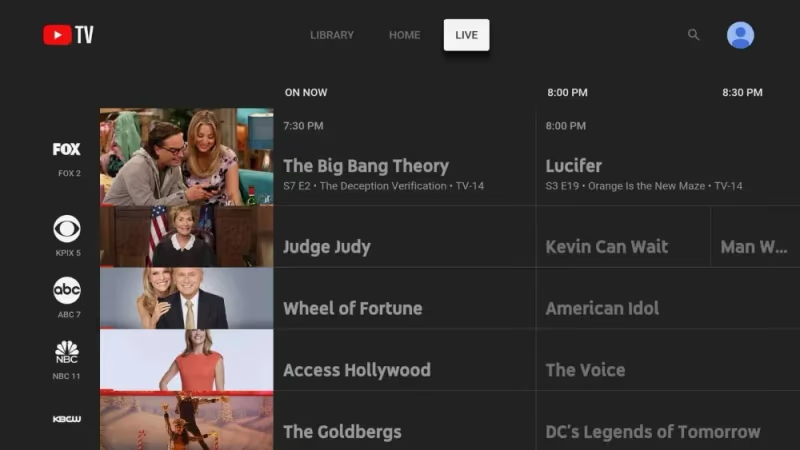
Google’s YouTube TV has a straightforward package with limited add-ons needed. For $72.99 a month you get over 100+ channels — one of the largest channel counts — plus strong features.
Standouts include:
-
100+ channels
-
Unlimited cloud DVR
-
3 simultaneous streams
-
Local NBC, CBS, FOX, ABC feeds
Sports coverage is a highlight with NFL Redzone, MLB TV and NBA TV in the base package. There’s also a Sports Plus add-on for $10.99 more each month.
YouTube TV also allows up to 6 account profiles, which is great for households sharing a subscription.
Other perks include 4K streaming for select content and availability across game consoles like Playstation and Xbox.
While a bit pricier than competitors, YouTube TV’s straightforward plans and generous features make it a top option for watching NBC and other leading stations.
#Using the NBC App
In addition to live streaming packages, NBC has its own dedicated channel app.
The NBC App grants free access to select NBC shows with 5-6 recent episodes available. Think hits like The Voice, Saturday Night Live, The Tonight Show and more.
Without signing in, content stays limited. But by authenticating the app via a participating TV provider, you unlock more content. For example, those with cable TV packages from Spectrum or Xfinity can enter credentials to view full past seasons of NBC shows on-demand.
So while less useful as a standalone option, the NBC App works well with existing cable setups. Once signed in, the wealth of archive programming makes it the best source for bingeing previous seasons of favorites like This Is Us, Chicago PD or classics like The Office.
Just don’t expect full access to live channels without a valid TV provider package or add-on streaming service.
#Other Live Streaming Services
Beyond the major four highlighted, even more live TV streaming options exist with NBC availability on Roku. Some also carry channels like NewsMax and YES Network.
Depending on your channel needs and budget, additional services to consider include:
-
Philo
-
DirecTV Stream
-
Spectrum TV Choice
Philo for example lacks local feeds but has a $25 monthly package with 60+ entertainment and lifestyle channels from partners like Discovery, A&E and Viacom.
Meanwhile, Spectrum TV Choice grants NBC and 10+ channels for only $29.99 a month, but exclusively for existing Spectrum internet customers.
Choosing the right live TV streamer depends on balancing channel needs, price, and features. With NBC widely available across providers, picking the right one rests on aligning additional factors to your preferences.
#How Can You Access NBC Outside the Country?
Services detailed above limit NBC streaming access to viewers within the United States.
If traveling or living abroad, geo-restrictions will block streaming capability even with an active subscription.
In these cases, a VPN (Virtual Private Network) provides the best way to bypass location blocks and stream anyway.
A VPN works by encrypting your traffic and routing it through remote servers in the destination country, in this case the US.
You then access US-based streaming platforms under an IP address that mimics being stateside.
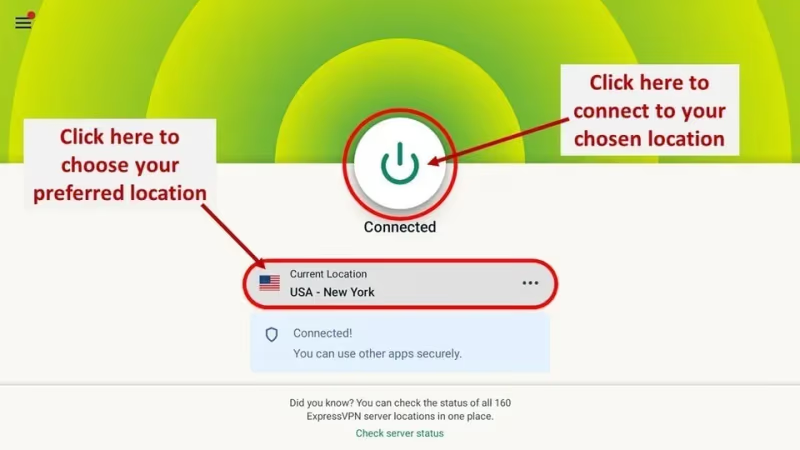
Top VPN options to try that have fast US servers include:
Enable your VPN connection, launch the streaming platform or NBC app, and enjoy your favorite shows abroad with ease.
#Bottom Line
This guide covered the main methods for watching NBC on your Roku device.
To recap, core options include:
-
Using an over-the-air (OTA) antenna. Channels are 100% free but reception can be inconsistent.
-
Subscription live TV streaming services like Sling TV, Hulu + Live TV, YouTube TV or fuboTV. Provide 45+ cable channels conveniently over internet.
-
The free NBC App has select episodes from current NBC shows. Requires TV subscription sign-in to unlock full previous seasons.
-
A VPN works around geo-restrictions to access NBC when traveling overseas.
Pick the option that best aligns with your budget, channel needs, and preferences. With NBC widely supported across free antennas to full cable replacers, getting set up takes about 30 minutes before you can stream Sunday Night Football, The Voice, Saturday Night Live and more NBC hits via Roku.
#FAQ
#How do I add the NBC app to my Roku?
Go to the Roku home screen, select “Streaming Channels,” and search for “NBC.” Click “Add Channel” to install it. The app is free to download, though some content requires a cable TV provider login to access full episodes and past seasons.
#Is NBC free on Roku without a subscription?
You can watch a limited selection of NBC content for free through the NBC App, which typically includes 5-6 recent episodes of current shows. For full access to live NBC programming and complete episode archives, you need either a cable TV provider login or a live TV streaming service like YouTube TV or Hulu + Live TV.
#Which live TV streaming service is best for watching NBC on Roku?
YouTube TV is the strongest all-around option at $72.99/month with NBC, 100+ channels, unlimited DVR, and 3 simultaneous streams. If you want a lower price, Sling TV’s combined Orange + Blue plan at $55/month includes NBC in select markets. Sports fans may prefer fuboTV for its 190+ channel lineup.
#Can I record NBC shows on Roku?
You cannot record directly through Roku itself, but all major live TV streaming services include cloud DVR. YouTube TV and Hulu + Live TV both have unlimited DVR storage. fuboTV includes 1000 hours of DVR in its Pro plan. Sling TV also has DVR capability with 50 hours included.
#Do I need a specific Roku model to watch NBC?
NBC works on all current Roku devices, including the Roku Express, Streaming Stick, and Ultra. The NBC App and all major live TV streaming services support these models. If you plan to use an OTA antenna, check that your specific Roku model has integrated OTA tuning, as not all older models include this feature.
#Does Sling TV include NBC in all areas?
No. Sling TV carries NBC only in select markets through the combined Orange + Blue plan at $55/month. The base Orange and Blue packages do not include local broadcast channels. Use Sling’s online lookup tool with your ZIP code to verify if NBC is available at your location before subscribing.
#Can I watch NBC on Roku from outside the United States?
NBC streaming services are geo-restricted to the US. To watch from abroad, you need a VPN like ExpressVPN, NordVPN, or Surfshark that routes your connection through a US server. Connect to a US server, then open your streaming app or the NBC App on Roku to access content as if you were stateside.
#What sports can I watch on NBC through Roku?
NBC carries Sunday Night Football, the Premier League, NASCAR, the Olympics, and various golf and hockey events. You can access these through any live TV streaming service that includes NBC. YouTube TV and fuboTV both add extra sports channels like NFL RedZone and NBA TV for broader coverage.