Watching NBA games for free on your Roku device is possible with a few smart moves. Several free channels in the Roku Channel Store carry basketball highlights, news, and even select live national broadcasts without requiring a cable login.
As an avid pro basketball fan for over a decade, I’ve figured out how to get courtside seats from my couch. After cutting the cord, Roku became my go-to for catching league and team coverage. With the right setup, you can access a solid amount of content without paying a dime.
- Free Roku channels for NBA — The Roku Channel, NBA app, Pluto TV Sports, XUMO Sports, and HoopsHype all carry basketball content at zero cost
- Internet speed matters — the NBA recommends at least 3 Mbps for smooth streaming, testable directly from Roku settings
- Live game access is limited — free channels mostly offer highlights and analysis, with only occasional national broadcasts
- NBA League Pass fills the gap — starting at $99/year for live out-of-market games when free options fall short
- Buffering fixes are quick — ethernet connections, closing background apps, and lowering video quality resolve most streaming issues
#How Can You Get Live NBA Games Free on Roku?
The key to streaming live sports minus the cost boils down to 3 main components – your device, internet speed, and platform. I’ll break down how to optimize each area to catch NBA matchups for free on Roku.
#1. Connect Your Roku Device
First, you obviously need a Roku streaming player or Roku TV connected to your set. Most models support the NBA app and popular free channel options outlined below.
I suggest the Roku Express 4K+ for under $40 to access all features. But even an older Roku with ethernet cables for steady internet will work to view free programming.
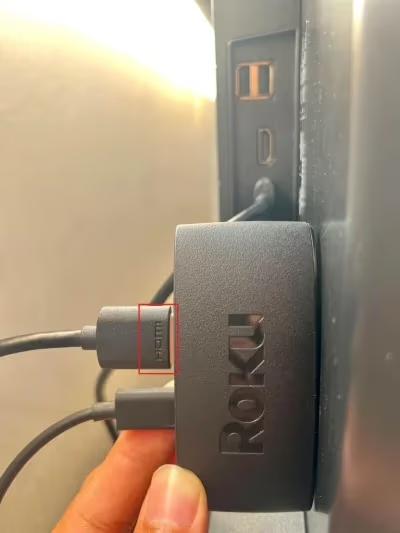
Check out our other guides on how to watch ESPN on Roku, stream MLB games, and view Disney+ content to maximize your device.
#2. Check Internet Speed Requirements
Next, verify your Wi-Fi meets minimum speed requirements for streaming sports without constant buffering. For smooth, uninterrupted video, the NBA recommends a 3 Mbps internet connection or higher.
How can you determine your speeds? On your Roku device:
-
Navigate to “Settings”
-
Select “Network”
-
Choose “Check connection”
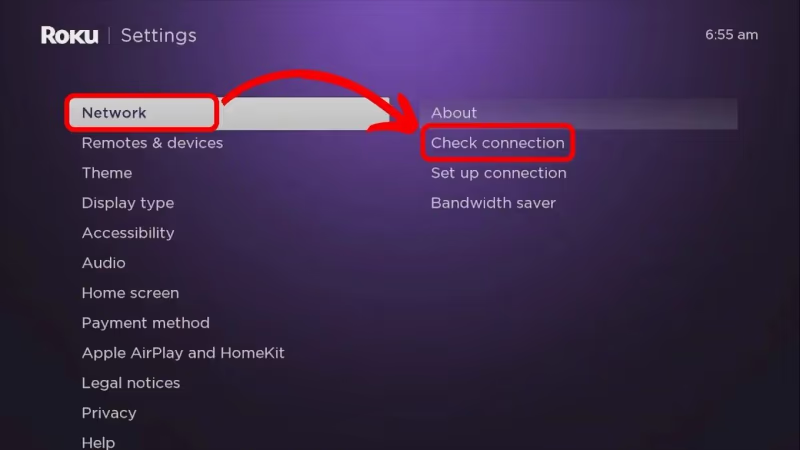
This will run a quick test showing your download speeds. If it’s lower than 3 Mbps, try moving your device closer to the router or connecting via ethernet cable instead of Wi-Fi.
You can also visit Fast.com on a computer or smartphone connected to the same network. This will tell you the Mbps to match against NBA requirements.
#3. Download Free Streaming Channels
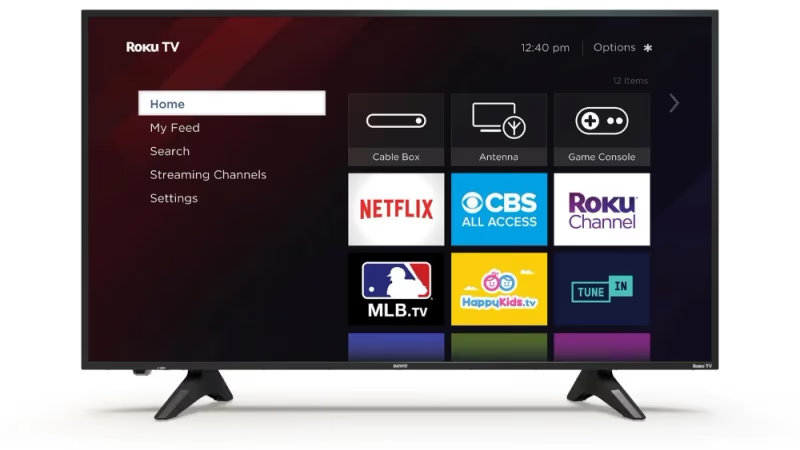
This is an easy process thanks to the Roku Channel Store. All you need to do is:
-
Click the streaming channel icon from Roku’s home screen
-
Search for the MLB channel
-
Select “Add Channel”
I’ll highlight the best free NBA providers below with more details on what type of content is available. Most allow you to stream basketball news, analysis, replays and some live national games.
While accessing every NBA game free isn’t realistic, these channels present a decent amount of content at no cost. League Pass and team subscriptions will offer fuller coverage ad-free.
#Best Free NBA Channels on Roku
Let’s explore worthwhile options to watch NBA programming and select live matchups for $0 through your Roku device and apps.
#Fox Sports

Fox Sports provides coverage of some NBA matchups throughout the season in addition to pre and post-game analysis. The FS1 Roku channel offers quality sports talk and highlights when live games aren’t airing. To stream the main Fox network on Roku, you’ll need a TV provider login.
#The Roku Channel
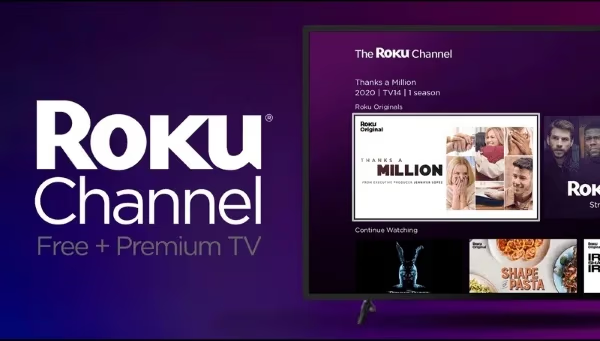
The Roku Channel has a solid sampling of NBA content among other entertainment. Offerings include:
-
Recent game highlights and player spotlights
-
Classic NBA games and documentaries
-
Sports news programs covering latest league updates
Occasionally they also stream live games when available. The channel interface makes finding basketball content easy with designated categories.
Downsides are you’ll have to watch a few ads. But that’s the trade-off for free access!
#NBA App
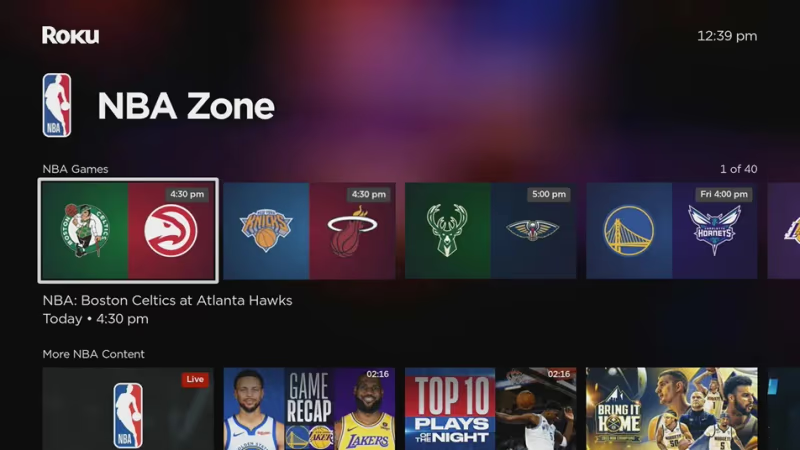
The NBA app for Roku provides all the real-time scores, schedules, stats and news a fan could ask for. Get quick game updates, watch highlight reels, and view player bios.
Occasionally free live streams of weekly matchups are available. But it’s mostly on-demand videos. Still a top pick to follow NBA action without going broke.
#HoopsHype

HoopsHype is a go-to for hardcore hoops enthusiasts covering the latest basketball news, rumors, analysis, and perspectives. It’s a reliable source covering all things NBA beyond the hardwood.
The channel also shares video clips, podcasts, mock drafts and written columns. Diehard fans will appreciate the breadth of original reporting and opinions.
#XUMO Sports

XUMO Sports is another streaming channel with NBA programming from news to analysis to classic playoffs. It aggregates content from various media brands.
Offerings range from CNN’s sports commentary to NBA documentaries to MSG Network interviews. The focus centers on talk and entertainment more so than full game replays.
#TBS

TBS occasionally airs select live NBA matchups. With the TBS app on Roku, you can access their basketball coverage – if you have a pay TV provider to log in with. The app itself is free to add but requires cable authentication for locked content.
#Pluto TV Sports

Pluto TV compiles live sports, news, highlights and commentary from various internet channels into one viewing guide. The “Pluto TV Sports” section covers all the basics to follow pro basketball happenings.
You can browse channels like Stadium, CBS Sports HQ, NBA TV, beIN Sports XTRA and more from their grid lineup. Expect more clips and chatter than live games.
#How Do You Fix Buffering While Streaming NBA on Roku?
Choppy video and constant buffering kills the game viewing experience. Luckily this headache is usually an easy fix.
Beyond meeting the minimum 3 Mbps speed benchmark, try these troubleshooting tips for interrupt-free NBA streaming on your Roku:
-
Restart your router and Roku device
-
Connect Roku to router via ethernet cable not Wi-Fi
-
Close extra apps running in background
-
Check for router firmware and Roku OS updates
-
Adjust video quality settings to lower resolution
-
Use a Roku Ultra device for increased memory
-
Re-position router and/or streaming device for best connection range
Finally, monitor internet usage across all connected devices in your household. The more bandwidth being used at once, the greater chance of lagging video.
Looking to enhance your live stream setup further? Consider adding Twitch on your Roku for interactive chats while viewing.
#Bottom Line
Free NBA streaming on Roku won’t replace a full League Pass subscription, but it gets you closer to the action than you might expect. Between The Roku Channel, the NBA app, Pluto TV Sports, and XUMO Sports, you can follow scores, watch highlights, and catch the occasional live broadcast without spending anything.
If you want every out-of-market game, NBA League Pass at $99/year is the most affordable paid option. For everything else, the free channels above paired with a solid internet connection will keep you in the loop all season. Check out our other guides on streaming Newsmax on Roku and watching the NFL on Roku for more sports coverage options.
#FAQ
#Does Roku offer any free NBA streaming channels?
Yes. The Roku Channel, NBA app, HoopsHype, Pluto TV Sports, and XUMO Sports all carry basketball content at no cost. You won’t get every live game, but highlights, news, classic games, and select national broadcasts are available.
#Does NBA League Pass work on Roku?
NBA League Pass works on most Roku devices through the NBA app. It provides access to live out-of-market games without ads. Download the app from the Channel Store and log in with your League Pass credentials.
#Can I watch NBA TV on Roku for free?
NBA TV is not free on Roku. The channel comes bundled with a League Pass subscription, or you can access it through a cable provider login. Without either, the 24/7 NBA programming stays behind a paywall.
#Does Roku offer any free trials for NBA streaming?
Roku itself does not offer free trials for sports add-ons. Third-party services like fuboTV and Sling TV have Roku apps with 7-day free previews that include live NBA games. Sign up through the service’s website, then log in on Roku.
#What is the most affordable way to stream NBA on Roku?
For full live game coverage, NBA League Pass at $99/year or $28/month is the lowest-cost paid option. If you only want news and analysis, the free Roku channels listed above cover that without any subscription. You can also time free trials from fuboTV or Sling TV around playoff games.
#Do I need a specific Roku model to stream NBA content?
Any Roku device that supports the Channel Store can stream NBA content. Older models handle highlights and news fine, but a Roku Express 4K+ or Roku Ultra gives you better video quality and faster app loading for live games. Ethernet-capable models help with buffering during streams.
#Can I watch NBA playoff games free on Roku?
Some playoff games air on free broadcast networks like ABC, which you can access through The Roku Channel or a digital antenna connected to your TV. Conference finals and the NBA Finals typically appear on national broadcasts. Regular-season free access is more limited.
#Why does my NBA stream keep buffering on Roku?
Buffering usually comes from slow internet or network congestion. Make sure your connection hits at least 3 Mbps by running a speed test in Roku’s settings under Network. Switching from Wi-Fi to an ethernet cable and closing other apps on your network often fixes the problem immediately.