Want to watch the latest theater releases without leaving your home? Here is how to stream movies currently in theaters using your Amazon FireStick and TV.
- Official apps get new movies fastest — Vudu sometimes offers rentals just 1-2 weeks after theatrical release
- Theatrical exclusivity windows range from 45-90 days — studios use this period to maximize ticket revenue before digital release
- Third-party apps like Cinema APK and BeeTV — provide access to theater movies but require a VPN for privacy and safety
- A VPN is essential for unofficial streaming — ExpressVPN protects your identity and unlocks geo-restricted content
- 4K UHD streaming is available on most official platforms — Amazon Prime Video, HBO Max, and Paramount+ all support 4K playback
#Overview
New movies typically have an exclusive theatrical release window ranging from 45-90 days for studios to profit. After that window closes, studios partner with streaming platforms to make theater releases available digitally.
With Fire TV Sticks and third-party streaming apps, some movies hit the web even earlier. However, legality depends on licensing agreements and local copyright laws. For your privacy and safety, use a VPN when streaming unofficial content.
Follow these methods at your own discretion to watch in-theater moves from your living room TV using FireStick.
#Is It Legal to Stream Movies Still in Theaters?
When a new movie is released in theaters, the studio and distribution partners rely on ticket sales to turn a profit. That’s why they grant theaters an exclusive window, typically 45-90 days, to screen the film. During this period, the movie is not legally available through any other outlet, including streaming services.
However, some third-party apps and websites make unauthorized copies of in-theater movies available to stream online. These copies usually come from two sources:
-
Camcorder recordings of theater screens, resulting in poor quality
-
Leaked studio screeners or retail discs, providing better quality
In both cases, streaming or downloading these movies is considered piracy. The legality ultimately depends on copyright laws, which vary by country. But in general, accessing copyrighted content without permission is illegal.
There are a few gray areas and loopholes, though. For example, under the “first sale doctrine,” you can legally resell, lend or give away a DVD or Blu-ray you purchased. But making duplicates or downloading additional copies is not allowed.
Some people argue that streaming movies is more of an ethical issue than a legal one. After all, the actual crime is on the part of the uploader distributing the pirated content. Viewers who only stream, not download, aren’t technically making a copy.
However, most experts agree that knowingly streaming copyrighted content without compensating the rights holders is still illegal. And many user agreements specify you cannot use a product or service for unauthorized streaming.
Enforcement of piracy laws is difficult, though. Pursuing legal action against individual streamers is usually not worthwhile for studios. Instead, they target the websites and services enabling the piracy. But new mirror sites often pop up quickly after one is shut down.
The safest approach is to wait for theater movies to become available through official channels and legitimate streaming apps. If you do choose to stream in-theater releases through unofficial sources, take precautions like using a VPN. But be aware of the potential legal and ethical risks involved.
Ultimately, the longevity and quality of the film industry depends on financial support from viewers. While a single streamed movie may seem negligible, widespread piracy limits the ability of studios to invest in future productions. The theatrical experience also becomes less viable if ticket sales decline.
So as a movie fan, consider how you can best support the art form while still conveniently accessing content. With the theater-to-streaming release window shrinking and more affordable subscription options, it’s easier than ever to enjoy new releases legally at home.
#Official Apps to Stream Theater Releases
Once a movie finishes its theatrical run, studios partner with streaming platforms to distribute digitally. You can also watch live TV, live sports, and PPV events on your FireStick. Here are the top official apps for new movie releases:
#1. Amazon Prime Video
Rent, purchase, or stream for free with a Prime subscription. Updates content daily.
#2. Vudu

Large catalog to buy or rent new releases, sometimes before other platforms.
#3. HBO Max
Warner Bros. movies stream here after theaters. Need a subscription.
#4. Paramount+
Paramount studios’ streaming service for their theater movies.
Summary table comparing key details of official apps
| App | Subscription Required? | Rental/Purchase Option | Typical Release Window | Max Video Quality |
|---|---|---|---|---|
| Amazon Prime Video | Optional (for free content) | Yes | 2-8 weeks after theaters | 4K UHD |
| Vudu | No | Yes | 1-2 weeks after theaters | HDX 1080p |
| HBO Max | Yes | No | 45 days after theaters | 4K UHD |
| Paramount+ | Yes | No | 30-45 days after theaters | 4K UHD |
Some key takeaways from this comparison table:
-
Amazon Prime Video and Vudu offer rentals/purchases of new releases without requiring a subscription.
-
HBO Max and Paramount+ provide earlier access to their studios’ movies, but require a paid subscription.
-
Vudu sometimes gets movies 1-2 weeks after theaters, the fastest turnaround.
-
Most services offer high-quality 4K UHD streams, except Vudu which maxes out at 1080p.
So the best option depends on if you want to rent, buy, or use a subscription to watch new theater releases. But all these official apps deliver reliable, high-quality streams shortly after the theatrical window.
#Best Third-Party FireStick Apps for Theater Movies
Unofficial streaming platforms allow access to movies still in theaters, though video quality varies. You can also find great free sports apps and ways to watch channels like MTV, BET, and CW on your Fire Stick. Exercise caution and use a VPN with these options:
#1. Cinema APK
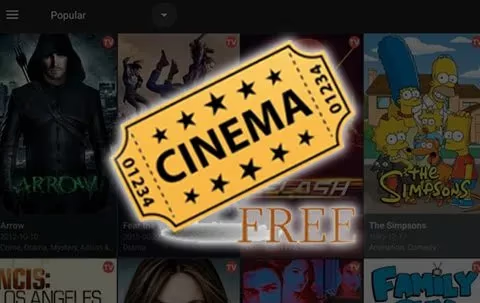
Cinema APK, or Cinema HD, is a popular FireStick app for streaming movies and TV shows, including new theater releases. It scrapes multiple sources to provide high-quality streams up to 1080p. The intuitive interface makes it easy to navigate and find content.
Pros:
-
Regularly updated library with newest movie releases
-
Integrates with Real Debrid and Trakt for premium streams
-
Supports external video players like VLC or MX Player
-
Offers subtitles and lets you download content
Cons:
-
Some streams may buffer depending on source quality
-
Contains ads unless you use an ad blocker
To uninstall Cinema APK, go to Settings > Applications > Manage Installed Applications. Select Cinema APK and click Uninstall.
#2. BeeTV
BeeTV is another reliable choice for FireStick users looking for an easy way to watch the latest theater movies for free. It provides multiple streaming links for most movies, letting you choose based on quality. The app also has a lightweight APK size, making it a good fit for low-spec devices.
Pros:
-
Clean, user-friendly layout for easy navigation
-
Supports Real Debrid integration for better streams
-
Fast streaming servers for minimal buffering
-
Option to download movies for offline viewing
Cons:
-
Occasional broken links or non-working streams
-
Limited filters to sort content
To remove BeeTV from your FireStick, head to Settings > Applications > Manage Installed Applications. Click on BeeTV and select Uninstall.
#3. TeaTV
TeaTV is a lightweight app that works smoothly on FireStick devices. It offers a wide selection of movies and TV shows, including many still in theaters. The app pulls streaming links from various online sources and organizes them neatly.
Pros:
-
Lightweight app size is easy on device storage
-
Simple interface that’s remote-control friendly
-
Lets you integrate your Real Debrid or Trakt account
-
Has a “Watching” section to track your viewing history
Cons:
-
Some streams may be low quality or contain hardcoded subtitles
-
No option to download content for offline access
If you need to uninstall TeaTV, navigate to Settings > Applications > Manage Installed Applications. Find TeaTV in the list, click it, and select Uninstall.
#4. Kodi
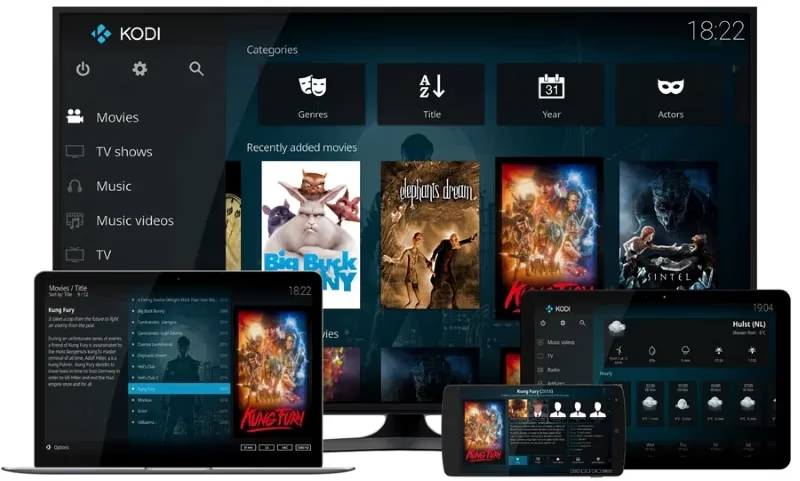
Kodi is a versatile open-source media player that you can customize with add-ons. Some Kodi add-ons, like Exodus or The Crew, let you stream theater movies. However, these add-ons can be unstable and may stop working unexpectedly.
Pros:
-
Highly customizable with a wide selection of add-ons
-
Supports multiple media formats and streaming protocols
-
Can integrate with PVR clients for live TV viewing
-
Offers a library feature to organize your media collection
Cons:
-
Complicated for beginners to set up and maintain
-
Many add-ons rely on unofficial sources and can break
-
Older versions may have security vulnerabilities
To uninstall Kodi on FireStick, go to Settings > Applications > Manage Installed Applications. Select Kodi, then click Uninstall.
#How Do You Set Up a VPN for Secure Streaming?
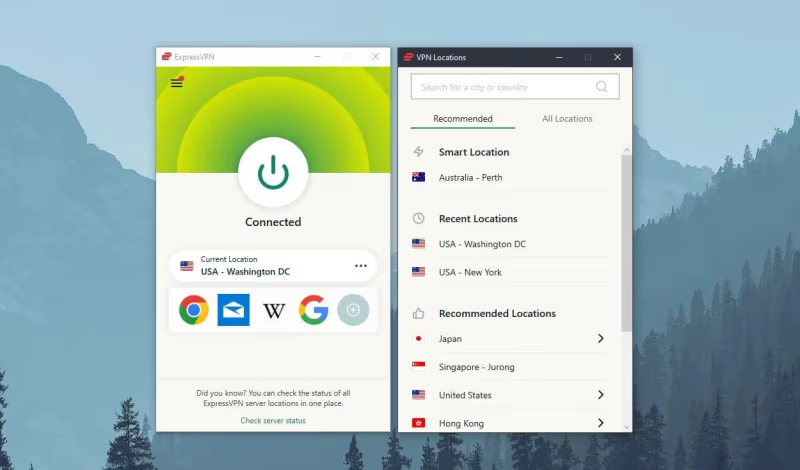
To keep your streaming activity anonymous and access geo-blocked content, use a VPN like ExpressVPN with these simple steps:
-
Sign up for a paid VPN account
-
Download the VPN app to device
-
Connect to server location of your choosing
-
Use VPN’s DNS addresses
-
Enable VPN on device and launch streaming app
#Pro Tips for the Best FireStick Theater Streaming
Follow these expert recommendations for optimal streaming:
-
Use wired internet connection for fastest speeds
-
Install Crackle or Red Bull TV for free, legal content
-
Watch NBA games through official league and network apps
-
Clear app/browser caches and update apps
-
Enable developer options to boost performance
-
Use MicroSD card to store more apps
-
Check theater movie streaming app forums for new links
-
Experiment with different VPN servers for best speeds
-
Invest in premium streaming devices like FireStick 4K
#Frequently Asked Questions
#Are apps like Showbox or MovieBox legal for streaming theater movies?
Showbox, MovieBox, and similar apps provide unauthorized streams of copyrighted content. Using them carries legal risk depending on your country’s copyright laws. Always use a VPN if you choose to access these apps.
#What is the best VPN for FireStick theater movie streaming?
ExpressVPN is the top choice for speed, reliability, and security on FireStick. NordVPN, IPVanish, and CyberGhost are solid alternatives. Look for a VPN that offers a dedicated FireStick app, fast servers, and a strict no-logs policy.
#Where can I find streams for movies still in theaters?
Developer forums and user groups for apps like Cinema APK, TeaTV, and Kodi often share working stream links. Link quality varies widely, and many sources go offline quickly.
#Can I get caught streaming pirated theater movies?
It is unlikely if you use a VPN with encrypted traffic and a no-logs policy. However, piracy laws in many countries can involve fines or even jail time, so the risk is never zero.
#Will streaming theater releases hurt box office sales?
Widespread piracy can reduce ticket sales and limit the budget studios have for future films. The exclusive theatrical window still guarantees solid opening revenue, but supporting official releases helps keep the industry healthy. Consider renting or buying through legitimate platforms when possible.
#How do I get the best playback quality on my FireStick?
Close all background apps before streaming to free up memory. Connect your FireStick to your router with an Ethernet adapter instead of relying on Wi-Fi. You can also enable hidden developer options in Settings to boost hardware performance.
#Do I need a paid subscription to watch new movie releases on FireStick?
Not always. Amazon Prime Video and Vudu let you rent or buy individual movies without a subscription. HBO Max and Paramount+ require a monthly plan but give you access to their studios’ releases shortly after theaters.
#Bottom Line
This guide covered everything you need to know to stream movies currently in theaters using your Fire TV Stick. While accessing unreleased movies legally is tricky, you now have the knowledge to safely navigate various streaming platforms.
Remember to always use a VPN for protection. And support official releases when you can to encourage growth of streaming platforms.