Want to watch live sports on your FireStick? With the right apps and add-ons, you can stream sports channels, games, tournaments and more in HD for free. This guide covers every method that works in 2026.
I’ve personally tested dozens of apps and configurations to find the best methods for the 2026 sports season. Whether you like football, basketball, baseball, hockey, soccer, UFC fights, golf, tennis or cricket, I’ve got you covered.
- Live NetTV — offers 800+ free channels including ESPN, Fox Sports, NBC Sports, and Sky Sports with no subscription
- Kodi addons — The Crew and SportsDevil stream live NFL, NBA, NHL, UFC, and boxing in HD at zero cost
- Sling TV — starts under $40/month for legal access to ESPN, ESPN2, Fox Sports, and NFL Network
- VPN pairing — NordVPN unblocks geo-restricted sports networks like Sky Sports from outside the UK
- League passes — NFL Sunday Ticket ($293/season), NBA League Pass ($99-$199), and MLB TV ($129) cover every out-of-market game
#Why Stream Sports on a FireStick?
First off – why use a FireStick to stream sports in the first place?
Benefits include:
-
Stream sports 100% free with the right apps
-
No cable subscription or expensive live TV package required
-
Watch in gorgeous HD quality, even 4K Ultra HD
-
Extreme portability – just plug into any TV
-
Intuitive interface optimized for TV screens
-
Alexa voice controls
Of course, a FireStick itself won’t magically let you watch sports without paying. You need the right apps and services to unlock free sports streaming.
The rest of this guide will reveal the best methods to watch live sports on Firestick, Fire TV, and other Fire OS devices in 2026.
#Using Live NetTV to Stream Sports
Live NetTV is one of the most popular free live TV apps, with over 800 channels spanning entertainment, movies, news, documentaries, sports and more.
It aggregates free streams from around the web, allowing you to watch a ton of content – no subscription needed.
Here’s how to install and use Live NetTV to watch sports on your FireStick:
#Step 1: Enable Apps from Unknown Sources
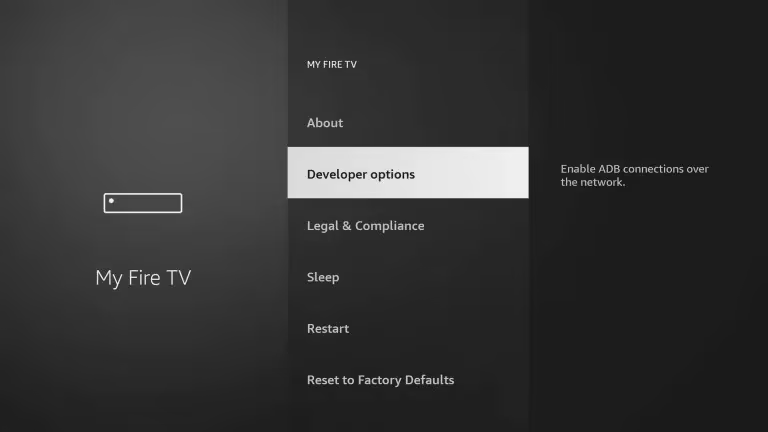
- Navigate to Settings > My Fire TV > Developer Options
- Turn on Apps from Unknown Sources
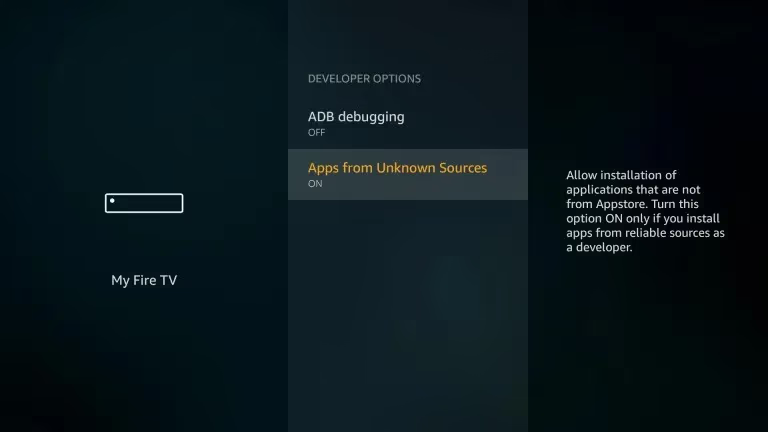
- This allows you to install unlisted third-party apps like Live NetTV
#Step 2: Download and Install Downloader App
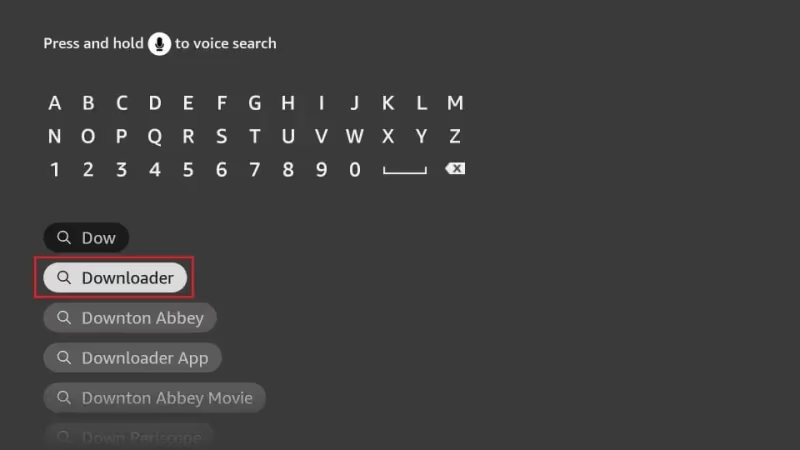
- Search for “Downloader” app in app store and install
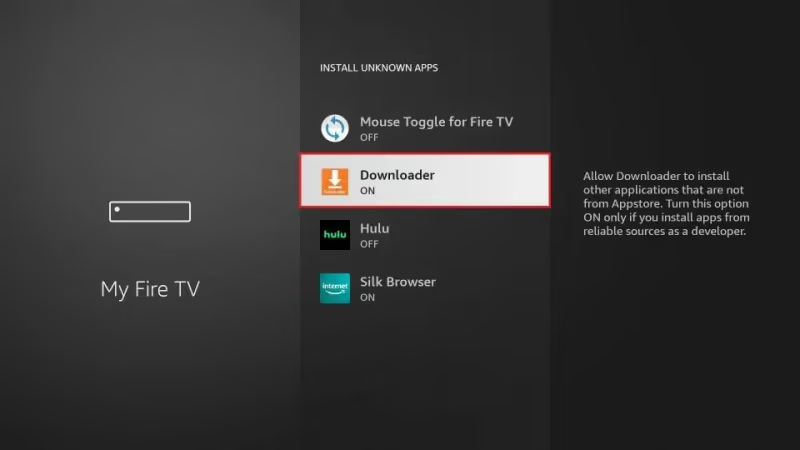
- Grant the app permissions when prompted
#Step 3: Install Live NetTV with Downloader
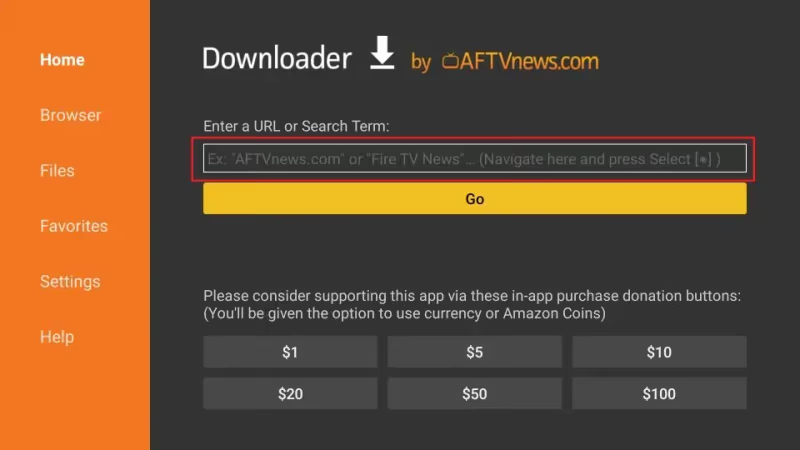
- Open the Downloader app and enter URL: http://livenettv.bz
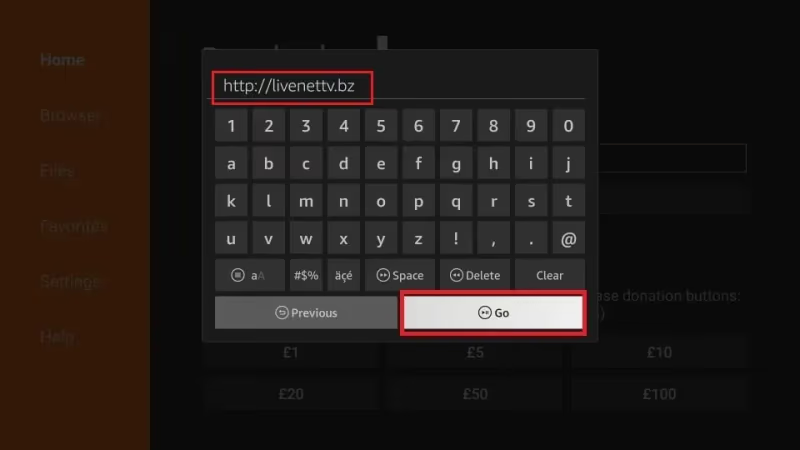
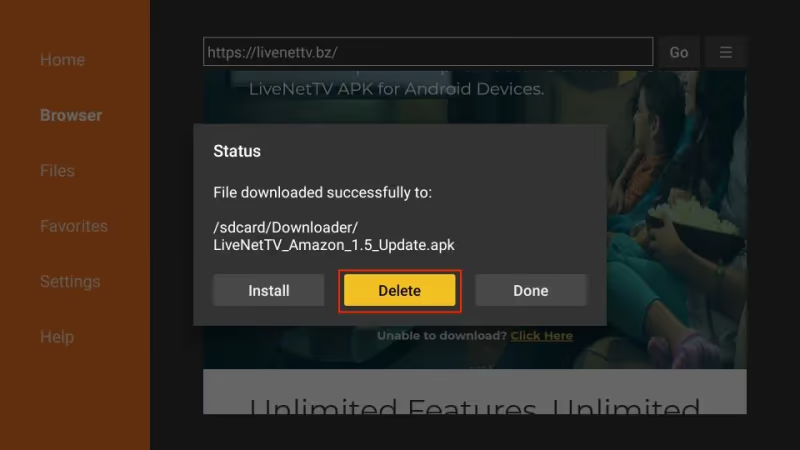
- Select Go and tap Download when prompted
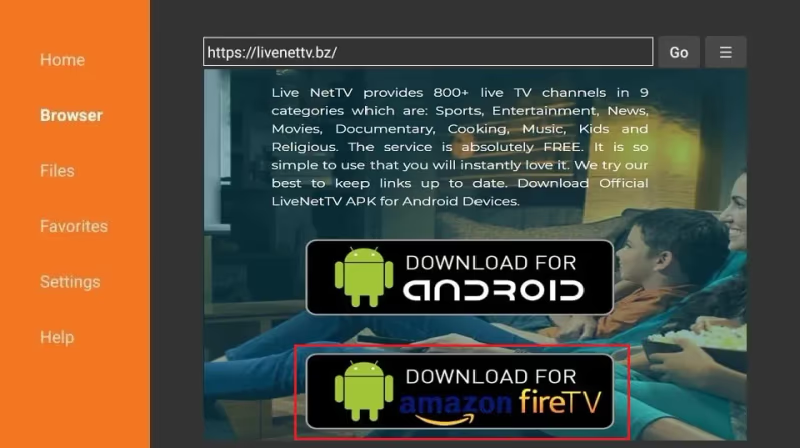
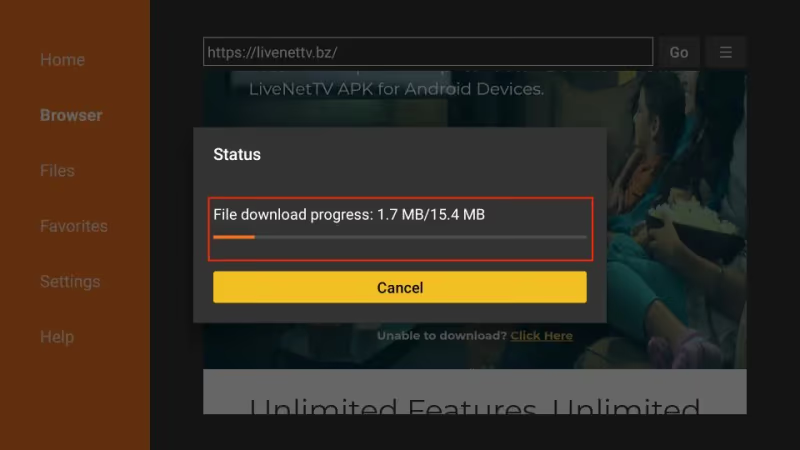
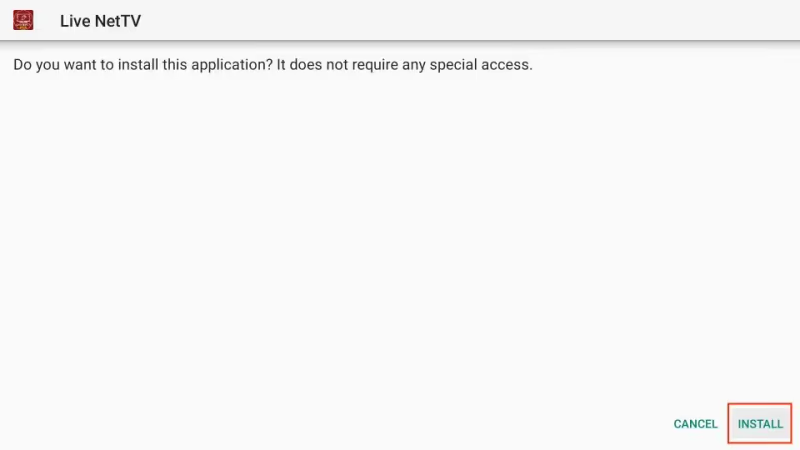
- Select Install to finish setting up the app
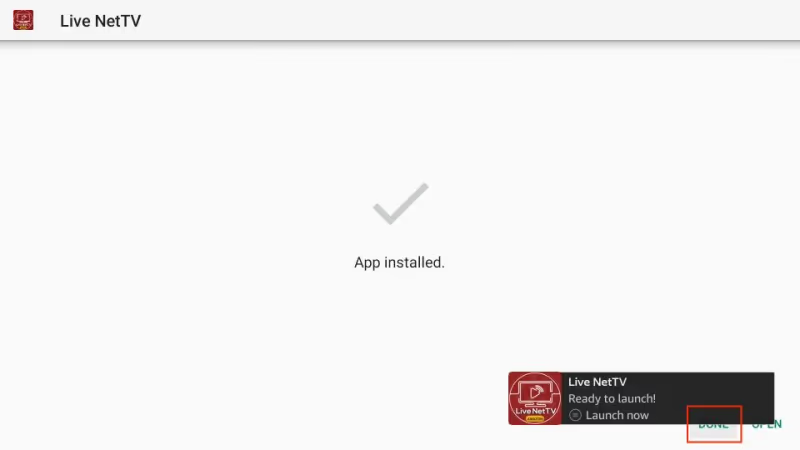
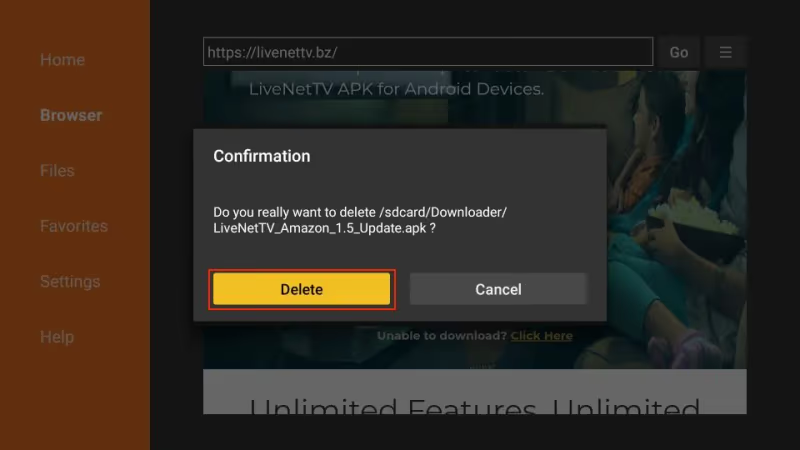
- Delete the APK installer file when done to conserve storage space
#Step 4: Stream Sports on Live NetTV
- Open Live NetTV app from your FireStick home screen
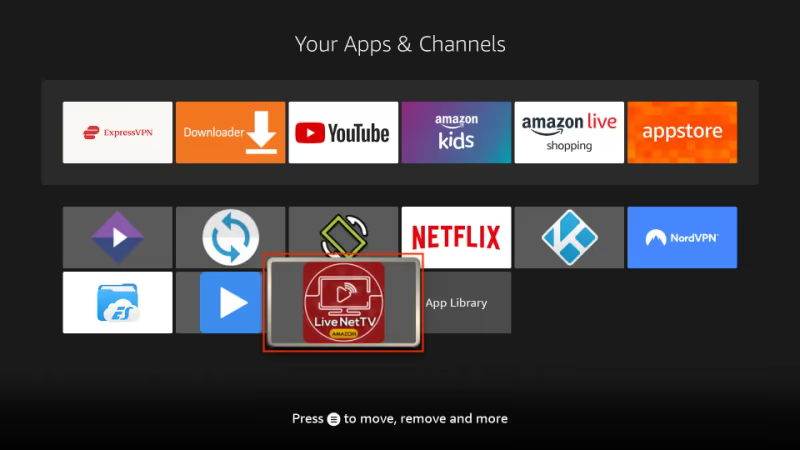
-
Browse Live TV > Sports section for tons of channels
-
Find your favorite sports match or event and start streaming!
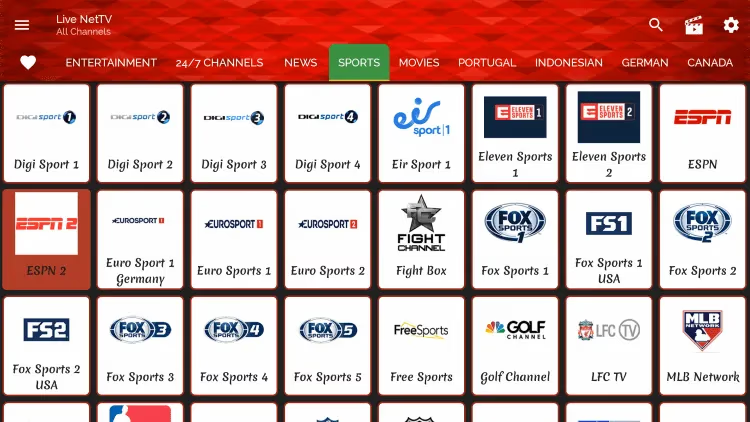
With just a few taps, you now have free access to live sports streaming from major networks around the world like ESPN, Fox Sports, NBC Sports, Sky Sports and more.
Pro Tip: If Live NetTV streams ever buffer or lag, use a FireStick VPN like NordVPN for Firestick to boost speeds.
Now let’s cover watching sports via Kodi, which offers addons that stream live games in crystal clear HD.
#Using Kodi Addons to Stream Live Sports
Kodi is a popular free media center app for FireStick. With community-built addons, Kodi becomes an incredibly powerful tool for streaming just about anything.
Here are the best Kodi addons for live sports streaming as of 2026, along with install steps:
#The Crew Kodi Addon
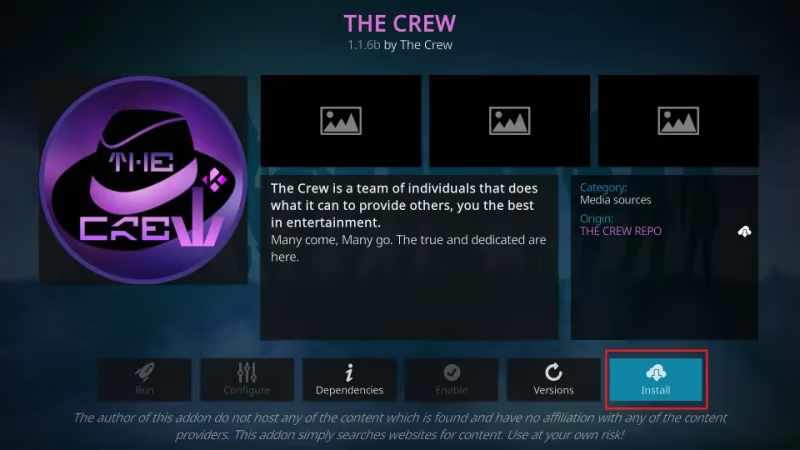
The Crew offers high-quality UFC, NBA, NHL, NFL, boxing and other sports streams from around the web. It’s fast, reliable and 100% free.
To install:
-
Open Kodi > Settings > File Manager > Add Source
-
Enter https://team-crew.github.io/ and name it “The Crew”
-
Go back to Add-ons browser in Kodi homepage
-
Select Install from Zip File > choose “The Crew” source
-
Pick plugin.video.thecrew.zip to install
Once installed, open The Crew addon Video Add-ons section to browse available sports events.
#SportsDevil Kodi Addon
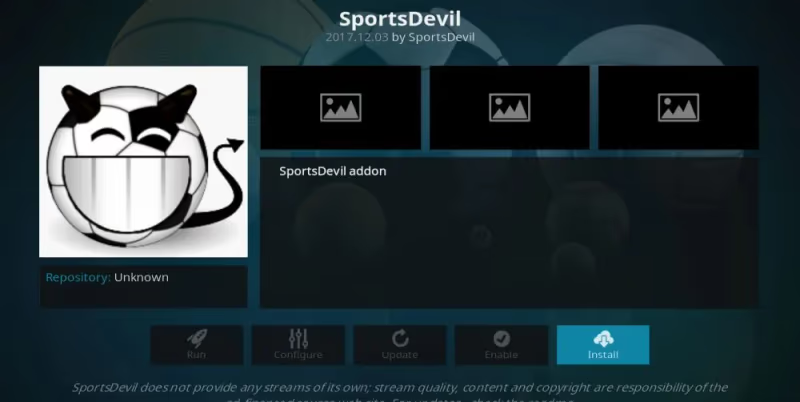
A classic Kodi addon for sports, SportsDevil aggregates streams from subreddits, sports sites and Acestream to deliver a huge selection. It’s still highly reliable in 2026.
To install:
-
Launch Kodi > Add-ons > Install from repository
-
Choose Kodi Add-on Repository
-
Video add-ons > SportsDevil > Install
Open SportsDevil and access Events section to see available games, or explore channels and categories.
#Stream Sports in Kodi Using Real-Debrid
To take your Kodi sports streaming to the next level, sign up for Real-Debrid.
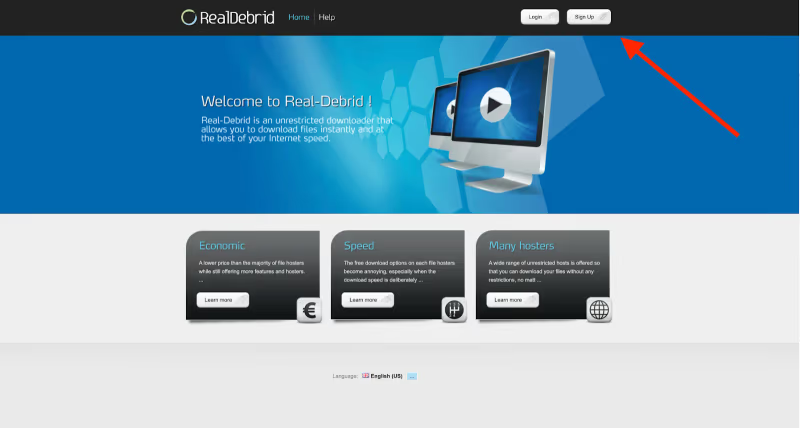
This premium account unlocks way faster streaming speeds, higher video quality, less buffering and more reliable sources across Kodi addons like The Crew.
The $5 monthly subscription is well worth it for die-hard sports fans who want the very best FireStick streaming experience.
>> Get a Real-Debrid Subscription Here
With Real-Debrid integration enabled under Kodi’s tools, sports streams will buffer far less while streaming at higher bitrates – up to crystal clear 4K quality if your Firestick supports it!
#Mobdro: Free Sports Streaming App
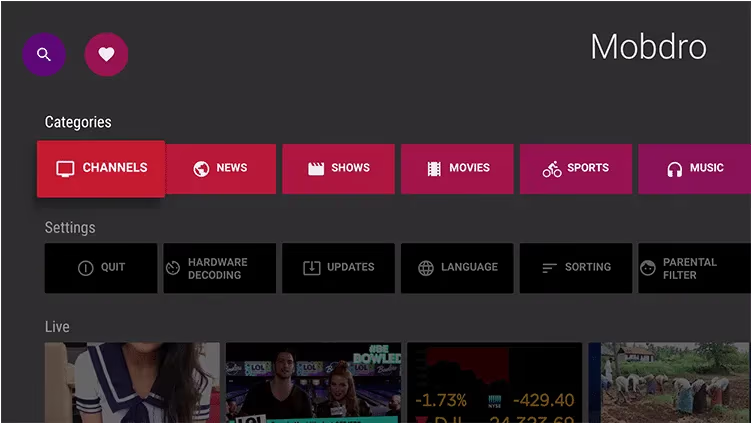
Mobdro is another free streaming app like Live NetTV that offers 100+ sports channels from around the world. It works great as a supplement or backup to apps covered already.
Install steps:
-
Download Mobdro APK file from their site
-
Sideload onto FireStick using Downloader app
-
Launch the app and enable sports streaming under Settings
-
Enjoy live sports channels under the Sports section!
Mobdro provides streaming flexibility across devices, making it easy to start watching games on your phone and resume casting to the big screen. Nice bonus!
#Watch ESPN and Other Sports Networks With Sling TV
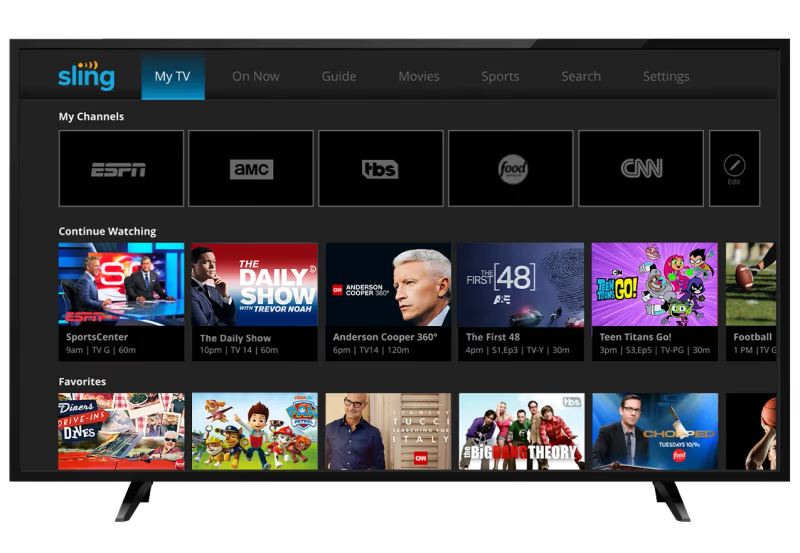
Sling TV is an inexpensive live TV streaming service with base plans starting under $40 per month.
Compared to bulky cable packages, Sling makes it easy to just pay for the sports content you actually watch.
Sling Orange plan includes:
-
30+ channels – ESPN, ESPN2, AMC, CNN, Comedy Central, TNT
-
50 Hour DVR – Record ESPN for later
-
Stream SlingTV on 3 devices simultaneously
-
Oriented around sports channels
Sling Blue plan offers:
-
40 channels – Fox Sports, NFL Network, NBC Sports Network
-
50 Hour DVR
-
Supports 3 devices
-
More balanced mix of sports + entertainment
Bundles like Sling Orange + Blue give you the benefits of both for more sports coverage.
While not 100% free, Sling TV provides reliable, direct access to live sports channels and broadcasts for a reasonable price – no cable contract headaches required!
#Watching Sky Sports on FireStick
Based in the UK, Sky Sports is a top destination for Premier League football, Formula 1, golf, cricket and rugby streaming for sports fans across Europe.
Unfortunately standard Sky Sports subscriptions only work in the UK and Ireland.
The solution?
Use a FireStick VPN like NordVPN for Firestick to safely access international sports networks from anywhere.
Follow these steps to watch Sky Sports outside the UK:
-
Sign up for NordVPN and install the Firestick app
-
Connect to a UK VPN server
-
Launch web browser and go to SkyGo site
-
Log in with your Sky account or purchase a Sky Sports pass
-
Enjoy streaming EPL, F1, cricket and more!
A reliable VPN lets you bypass geo-blocks and location checks to stream your favorite sports, news and shows worldwide.
#Can You Watch Sky Sports Through Kodi?
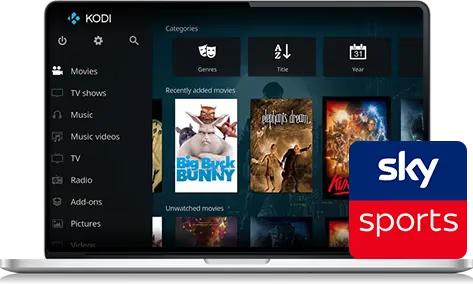
You can also access Sky Sports via Kodi using a premium IPTV service – no VPN required once set up.
The steps:
-
Purchase an IPTV subscription like Beast TV
-
Note your IPTV credentials
-
Install Beast IPTV addon in Kodi
-
Configure with your subscription login details
-
Select Sky Sports in Live TV section and start streaming!
Reliable IPTV providers offer thousands of premium international channels, making them a smart choice for sports fans wanting broad coverage.
#Streaming NFL, NBA, MLB and More
Beyond the networks and services covered already, there are a few other options for streaming popular American sports leagues:
#NFL on FireStick
-
Purchase NFL Sunday Ticket ($293/season)
-
Includes live regular season games, Redzone, Fantasy channels
-
Add NFL+ ($29/season) for live out-of-market preseason
#NBA on FireStick
-
Get NBA League Pass ($99-$199/season)
-
Watch out-of-market live regular season + playoff games
#MLB on FireStick
-
Buy MLB TV Premium ($129/season)
-
Includes all out-of-market regular season games
-
MLB TV Single Team also available
As you can see, most major sports leagues offer premium packages or channel add-ons to stream every game live without cable.
Combining these season passes with free Firestick sports streaming options covered earlier makes it easy to cut the cord while following all your favorite teams.
#Do You Need a VPN for FireStick Sports Streaming?
To make your live sports streaming experience even better, I highly recommending pairing your Firestick with a fast, reliable VPN.
Benefits include:
-
Lightning fast speeds for HD and 4K sports
-
No more ISP throttling during peak times
-
Bypass blackouts and regional restrictions
-
Enhanced privacy and security
-
Unblock international sports networks worldwide
I personally use and recommend NordVPN for FireStick. With dedicated apps, 3000+ servers and reliable connections, NordVPN has earned the endorsement of leading sites like CNET, TechRadar, and more.
#Bottom Line
I hope this guide has shown you everything needed to turn your regular Firestick into the ultimate sports streaming machine.
Here’s a quick recap of best practices:
-
Enable apps from Unknown Sources under Settings
-
Install trusted streaming apps like Live NetTV, Mobdro, Kodi
-
Explore addons like The Crew + SportsDevil for HD sports
-
Consider SlingTV for legal live ESPN/Fox Sports streaming
-
Use a VPN provider for faster speeds + access abroad
-
Check sports league sites for premium packages + passes
Now you have all the tools needed to cut cable TV and stream live sports on-demand on your Firestick 100% free. No more paying a fortune just to watch the big game live!
Have fun streaming and go cheer for your favorite teams. Feel free to drop any questions below.
#FAQ
#Is it legal to sideload sports streaming apps on FireStick?
Sideloading apps is legal since Amazon allows installing apps from unknown sources in the device settings. However, the legality depends on the content you access. Free apps like Live NetTV and Mobdro may stream copyrighted content without authorization, which could violate local laws. Paid services like Sling TV and official league passes are fully legal alternatives.
#Do I need a VPN to watch live sports on FireStick?
A VPN is not required for most sports streaming apps, but it helps in several situations. If your ISP throttles streaming traffic, a VPN can restore full speeds. You also need one to access geo-restricted networks like Sky Sports from outside the UK.
#Which free app is best for live sports on FireStick?
Live NetTV is the top choice for free sports streaming in 2026. It has over 800 channels covering ESPN, Fox Sports, NBC Sports, Sky Sports, and other major networks worldwide. The Crew addon for Kodi is a strong runner-up, especially for UFC, NBA, and NFL coverage.
#Can I watch NFL games on FireStick without cable?
Yes. NFL Sunday Ticket costs $293 per season and includes every out-of-market regular season game plus Redzone. NFL+ at $29 per season covers live out-of-market preseason games. Free options like The Crew Kodi addon and Live NetTV also carry NFL streams, though reliability varies.
#What is Real-Debrid and is it worth it for sports streaming?
Real-Debrid is a premium link service that costs about $5 per month. It unlocks faster streaming speeds, higher video quality, and more reliable sources within Kodi addons like The Crew. For fans who watch multiple games per week, the investment pays for itself in fewer buffering interruptions.
#How do I fix buffering when streaming sports on FireStick?
Start by connecting your FireStick to your router with an ethernet adapter instead of Wi-Fi. Close background apps to free up memory. If buffering continues, try a VPN to bypass ISP throttling. Signing up for Real-Debrid also reduces buffering by providing premium streaming sources with higher bandwidth.
#Does Sling TV have all the major sports channels?
Sling TV covers many major sports channels but not all of them. The Orange plan ($40/month) includes ESPN and ESPN2, while the Blue plan adds Fox Sports, NFL Network, and NBC Sports Network. Combining both plans gives the widest coverage, though some regional sports networks and premium channels like ESPN+ require separate subscriptions.
#Can I use the same sports apps on Fire TV Cube and Fire TV Stick 4K?
Yes, all apps and methods in this guide work across Fire TV Stick, Fire TV Stick 4K, Fire TV Stick Lite, and Fire TV Cube. The installation process is identical since they all run Fire OS. The Fire TV Cube and Stick 4K offer better performance for 4K sports streams thanks to faster processors.