Hulu works natively on Apple TV, giving you access to on-demand shows, Hulu Originals, and live TV channels directly from your home screen. This guide walks through every step from downloading the app to fixing playback problems, so you can get Hulu running on your Apple TV without guesswork.
- Apple TV HD (4th gen) and Apple TV 4K support Hulu — 3rd generation and earlier models cannot run the app
- Installation takes under 2 minutes — search the App Store, download, and sign in with your Hulu email and password
- Hulu + Live TV works on Apple TV — access 95+ live channels including ESPN, ABC, and local networks
- 4K HDR content requires Apple TV 4K — the Apple TV HD maxes out at 1080p resolution
- Most streaming issues resolve with a restart — force quit the app, then restart the Apple TV box if problems continue
#Which Apple TV Models Support Hulu?
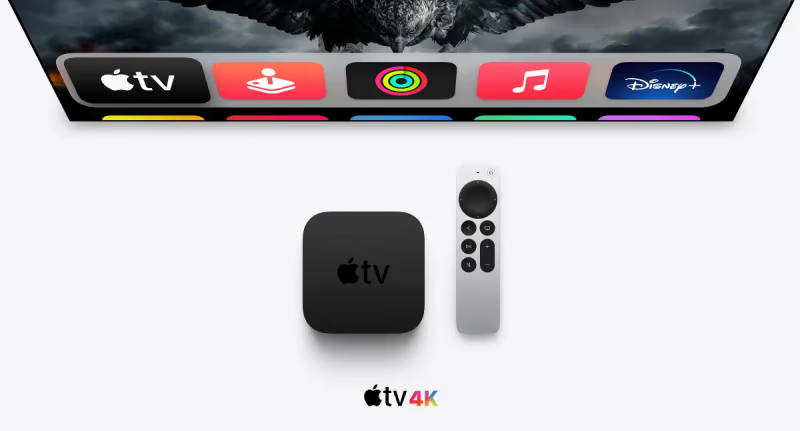
Not every Apple TV can run Hulu. Here is the full compatibility breakdown:
| Model | Hulu Support | Max Resolution |
|---|---|---|
| Apple TV 4K (3rd gen, 2022) | Yes | 4K HDR / Dolby Vision |
| Apple TV 4K (2nd gen, 2021) | Yes | 4K HDR / Dolby Vision |
| Apple TV 4K (1st gen, 2017) | Yes | 4K HDR |
| Apple TV HD (4th gen, 2015) | Yes | 1080p |
| Apple TV (3rd gen, 2012) | No | N/A |
| Apple TV (2nd gen, 2010) | No | N/A |
The 3rd generation Apple TV and older models run a different operating system that does not support the modern App Store. If you own one of those, your best option is to use AirPlay to mirror Hulu from an iPhone or iPad.
#How Do You Install Hulu on Apple TV?
Getting Hulu onto your Apple TV takes just a few taps on the Siri Remote. Follow these steps:
#1. Open the App Store
From the Apple TV home screen, select the App Store icon. If you do not see it, swipe right on the top row until it appears.
#2. Search for Hulu
Click the search icon (magnifying glass) at the top of the App Store. Type “Hulu” using the on-screen keyboard or hold down the Siri button and say “Hulu” to search by voice.
#3. Download and Install
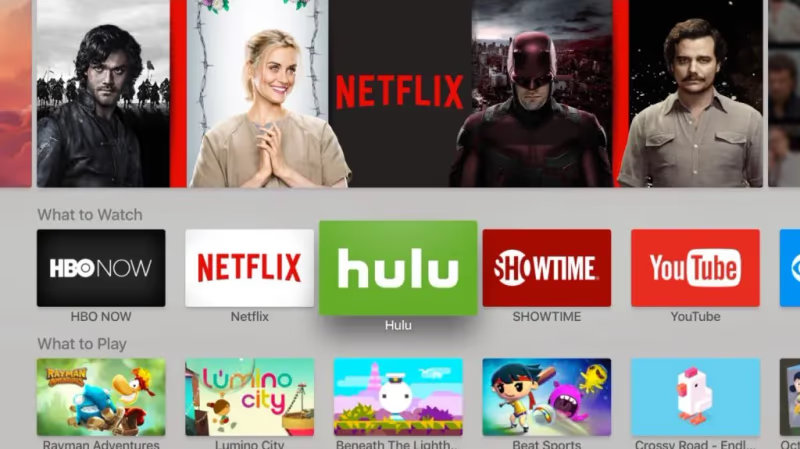
Select the Hulu app from the search results and click “Get” to download it. The app is free to download, though you need a paid Hulu subscription to watch content.
#4. Sign In to Your Account
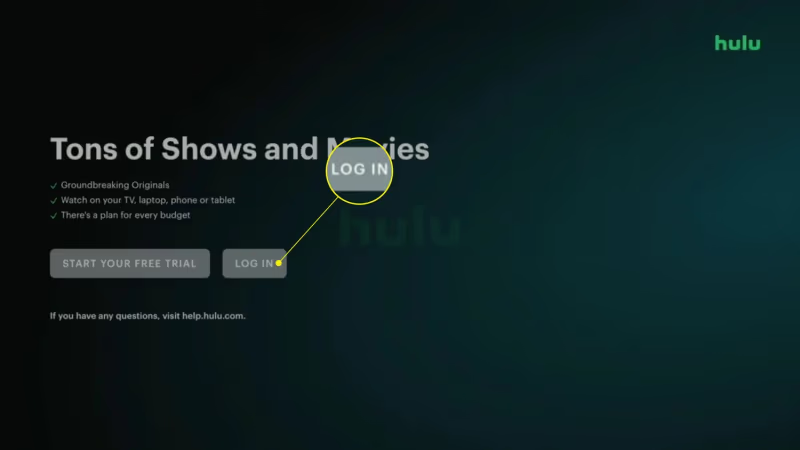
Open the Hulu app after installation. You have two sign-in options:
- On-screen login: Enter your email and password using the Siri Remote. This works but typing with the remote can be slow.
- Activation code: Select “Log in on a computer” and visit hulu.com/activate on your phone or laptop. Enter the code shown on your TV screen. This method is faster since you can use a full keyboard.
#5. Start Watching
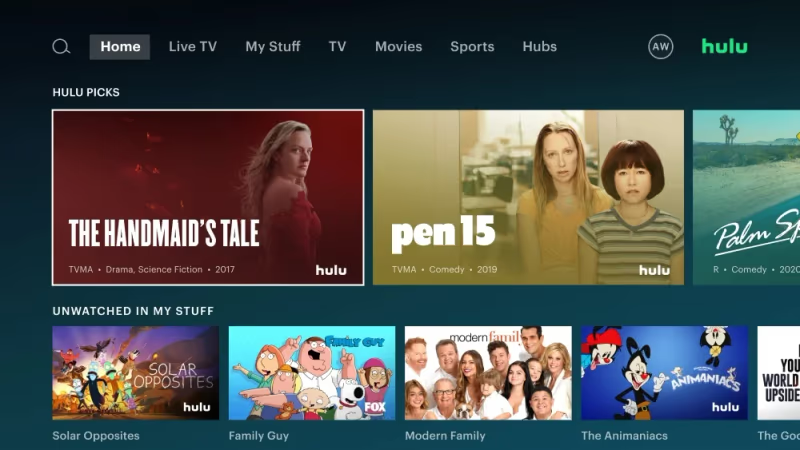
Browse the Hulu library or search for a specific show. Your watchlist and viewing history sync across all devices tied to your Hulu account.
#Hulu Plans and What You Get on Apple TV
Hulu offers several plans, and all of them work on Apple TV. Here is a quick comparison of what each plan includes:
| Plan | Price (2026) | Ads | Live TV | Downloads |
|---|---|---|---|---|
| Hulu (With Ads) | $9.99/mo | Yes | No | No |
| Hulu (No Ads) | $18.99/mo | No | No | Yes (mobile only) |
| Hulu + Live TV | $82.99/mo | Yes (on-demand) | 95+ channels | No |
| Hulu + Live TV (No Ads) | $95.99/mo | No | 95+ channels | Yes (mobile only) |
One thing to note: Hulu’s download feature only works on phones and tablets, not on Apple TV. If offline viewing matters to you, plan to download episodes on your iPhone or iPad before a trip rather than relying on the Apple TV app.
The Hulu + Live TV plan bundles Disney+ and ESPN+, which makes it a strong alternative to cable. You can access all three services from the same Hulu app on your Apple TV.
#How Do You Get the Best Streaming Quality?
Picture quality on Apple TV depends on your internet speed, your Hulu plan, and your Apple TV model. A few adjustments can make a noticeable difference.
Check your internet speed. Hulu recommends at least 8 Mbps for live TV streams and 16 Mbps for 4K content. Run a speed test on your Apple TV by going to Settings > Network and checking the connection status. If speeds fall below 8 Mbps, move your router closer to the Apple TV or connect with an Ethernet cable. The Apple TV 4K has a built-in Ethernet port (128GB model) or you can use a USB-C to Ethernet adapter.
Adjust video quality settings. Open the Hulu app, go to your profile icon, select Settings, then “Video Quality.” Choose “Best Available” for the sharpest picture. If you experience buffering, switch to “Data Saver” temporarily.
Enable Dolby Vision and Atmos. On Apple TV 4K, go to Settings > Video and Audio. Set the format to “4K Dolby Vision” and turn on “Dolby Atmos” if your soundbar or TV supports it. Hulu streams select content in Dolby Vision, including some Hulu Originals like “Only Murders in the Building.”
If your Apple TV keeps buffering during playback, the issue is almost always network-related. Switching from Wi-Fi to a wired Ethernet connection fixes buffering problems in most cases.
#Troubleshooting Hulu Problems on Apple TV
Hulu occasionally runs into issues on Apple TV. Here are the most common problems and tested fixes.
Hulu app won’t open or crashes on launch. Double-press the TV button on the Siri Remote to open the app switcher. Swipe up on Hulu to force close it, then reopen. If it still crashes, delete the app (long-press the icon on the home screen and select Delete), then reinstall from the App Store.
Login fails or you see error codes. Check that your Hulu subscription is active at secure.hulu.com/account. Error codes like RUNUNK13, P-DEV320, or P-TS207 usually clear up after restarting the Apple TV. Go to Settings > System > Restart. For persistent login problems, try the activation code method instead of typing your password.
Video plays but no sound. Go to Settings > Video and Audio on Apple TV. Change “Audio Output” to match your actual setup (TV speakers, soundbar, or HomePod). If you use a soundbar connected via HDMI ARC, confirm that CEC is enabled on your TV.
Poor video quality or constant buffering. Restart your router and Apple TV. Then check if other devices on your network are consuming bandwidth. Closing background apps on the Apple TV can also help free up resources. For a detailed walkthrough, see our guide on Hulu not working on Apple TV.
“Content not available in your location” error. Hulu is only available in the United States and U.S. military bases overseas. If you are traveling, Hulu will block playback based on your IP address. VPN connections may also trigger this restriction.
#Using Hulu Live TV on Apple TV
Hulu + Live TV turns your Apple TV into a cable replacement with 95+ channels. The channel guide inside the Hulu app works similarly to a traditional cable box.
Swipe down on the Siri Remote while watching live TV to see channel info and switch channels. You can also browse the guide by pressing the Menu button and selecting “Live TV” from the navigation bar.
Cloud DVR comes included with every Hulu + Live TV plan. You get unlimited recording hours with recordings stored for 9 months. Set a show or series to record, and every new episode records automatically. Recordings are accessible from the “My Stuff” section.
One useful feature: if you miss the start of a live broadcast, Hulu lets you rewind live TV up to 2 hours on most channels. This works on Apple TV just like it does on other devices. For sports fans who also want ESPN content, check out how to watch ESPN on Apple TV for additional setup tips.
#Bottom Line
Getting Hulu on Apple TV takes about 2 minutes: download the app, sign in, and start watching. The Apple TV 4K gives you the best experience with 4K Dolby Vision support, but the Apple TV HD handles Hulu just fine at 1080p. If you run into problems, restart the app and the Apple TV box first. For streaming quality, a wired Ethernet connection beats Wi-Fi every time. Pair Hulu + Live TV with the built-in cloud DVR, and your Apple TV becomes a full cable replacement.
#FAQ
#Does Hulu work on older Apple TV models?
No. The 3rd generation Apple TV (2012) and earlier models do not have access to the App Store and cannot download the Hulu app. Your only workaround is AirPlay mirroring from an iPhone, iPad, or Mac. Keep in mind that AirPlay requires both devices to be on the same Wi-Fi network, and video quality depends on your local network speed rather than the Apple TV’s own processing power.
#Can you subscribe to Hulu directly through Apple TV?
Yes, you can sign up for Hulu through the app on Apple TV, and Apple handles billing through your Apple ID. However, subscribing directly through hulu.com is usually better because Apple takes a commission on in-app purchases, which can limit promotional pricing. Managing your subscription is also more flexible through Hulu’s website.
#Is Hulu + Live TV worth it on Apple TV?
The Hulu + Live TV plan gives you 95+ live channels plus the full on-demand Hulu library, Disney+, and ESPN+ in a single bundle. At $82.99/month, it costs less than most cable packages when you factor in all three services. The unlimited cloud DVR with 9-month storage is a significant advantage over YouTube TV’s 9-month limit and Sling TV’s 50-hour cap on its base plan.
#How do you fix Hulu error code P-TS207 on Apple TV?
This error means the Hulu app cannot connect to Hulu’s servers. Restart your Apple TV by going to Settings > System > Restart. Then power cycle your router by unplugging it for 30 seconds. If the error persists, delete and reinstall the Hulu app. Check Hulu’s error code page for server-side outage notifications.
#Can you watch Hulu in 4K on Apple TV?
4K streaming on Hulu requires an Apple TV 4K and the Hulu (No Ads) plan or Hulu + Live TV (No Ads) plan. The standard plans with ads are capped at 1080p. You also need an internet speed of at least 16 Mbps and a 4K-capable TV connected via HDMI 2.0 or later.
#Does Hulu support multiple profiles on Apple TV?
Yes, Hulu allows up to 6 user profiles per account on Apple TV. Each profile keeps its own watchlist, viewing history, and content recommendations separate. You can also set up a Kids profile that restricts content to age-appropriate shows and movies. Switch between profiles by selecting the profile icon in the top-right corner of the Hulu app.
#Why does Hulu keep buffering on my Apple TV?
Buffering almost always points to a network problem rather than an issue with Apple TV or Hulu itself. Test your connection speed in Settings > Network. Hulu needs at least 3 Mbps for standard definition, 8 Mbps for live TV, and 16 Mbps for 4K. If your speed is adequate but buffering continues, try switching from the 2.4 GHz Wi-Fi band to 5 GHz, or use Ethernet. Restarting both the Apple TV and your router clears most temporary network glitches.
#How do you cancel Hulu on Apple TV?
If you subscribed through the Hulu app on Apple TV, go to Settings > Users and Accounts > your Apple ID > Subscriptions, find Hulu, and select “Cancel Subscription.” If you signed up on hulu.com, you need to cancel through your account page at secure.hulu.com/account instead. Apple cannot cancel subscriptions billed directly by Hulu.