#Introduction to BET
BET (Black Entertainment Television) is a popular TV channel and streaming service focused on entertainment, culture and programming for the African-American audience.
The channel was launched in 1980 as the first TV network providing content relevant to Black culture and communities. Over the years, BET has expanded into additional TV spinoffs like BET Her, BET Gospel and BET Hip Hop.
Some of the popular programmes you can catch on BET channels include hit shows like The Family Business, Games People Play, Twenties as well as BET Movie specials, reality TV, comedy shows, news and documentaries.
BET also has a premium subscription service called BET+ that offers over 1000 hours of exclusive Black movies, TV shows, comedy specials and originals all in one place.
With the growth in cord-cutting and streaming TV, many viewers are looking for ways to watch BET without a traditional cable subscription.
The good news is that BET can be easily streamed on media devices like Fire TV Sticks and Fire TV boxes with just a few steps.
This guide covers the main methods to get BET on FireStick and Fire TV, including:
-
Installing the BET+ app with subscription
-
Using Live TV streaming platforms
-
Accessing the free BET channel on Pluto TV
-
Using a VPN to watch from outside the US
We also cover tips, steps and information on the best deals, subscription comparisons and more.
- BET+ app costs $9.99/month and gives you 1000+ hours of on-demand Black entertainment with a 7-day free trial
- Live TV services like Hulu ($76.99/month) and Sling TV ($40/month) include BET as part of their channel packages
- Pluto TV streams BET for free with ad-supported programming and no subscription required
- A VPN unblocks BET+ outside the US by routing your connection through an American server
- FireStick supports up to 4 registered devices on a single BET+ account with 2 concurrent streams
#How Do You Watch BET on FireStick and Fire TV?
Fire TV Sticks provide a convenient way to stream internet video and apps right onto your TV screen.
Here are the top methods for watching BET channels and content by installing apps on your Amazon FireStick or Fire TV device:
#Method 1: Install BET+ App (Paid Subscription)
The BET+ app offers the most complete access to BET programming right within a slick streaming interface.
With a paid subscription to BET+ ($9.99/month or $59.99/year after a 7-day free trial), you get:
-
✔️ Original BET Shows and Series
-
✔️ Exclusive BET Movies and Specials
-
✔️ 1000+ Hours of On-Demand BET Classics
-
✔️ No ads or limitations
Here are the steps to install and watch with a paid BET+ account:
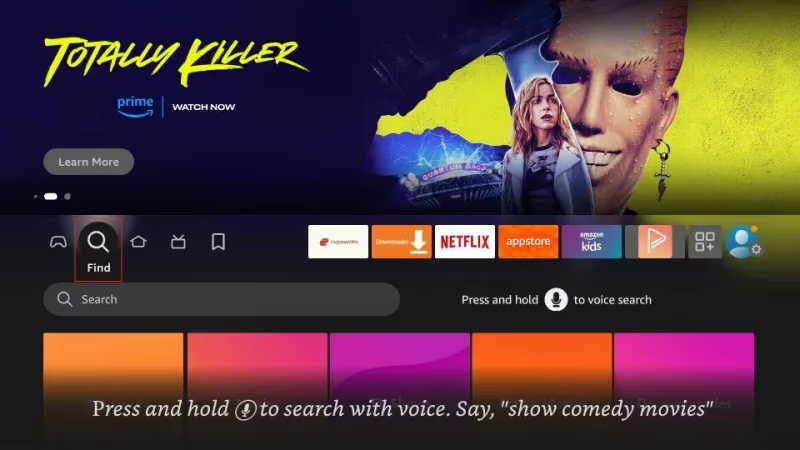
Step 1: From the FireStick or Fire TV home screen, go into the “Search” function.
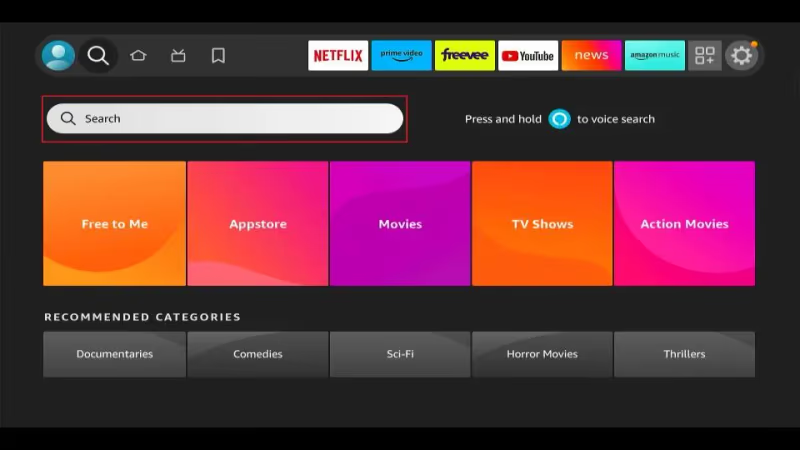
Step 2: Search for “BET+”. Select the BET+ app from the results list.
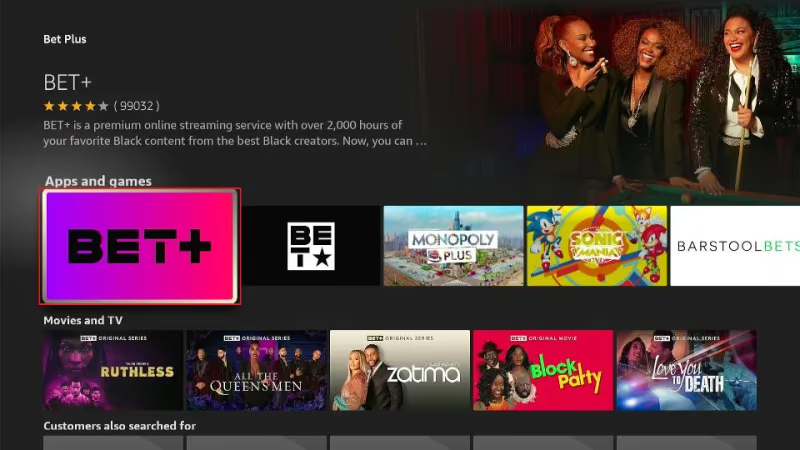
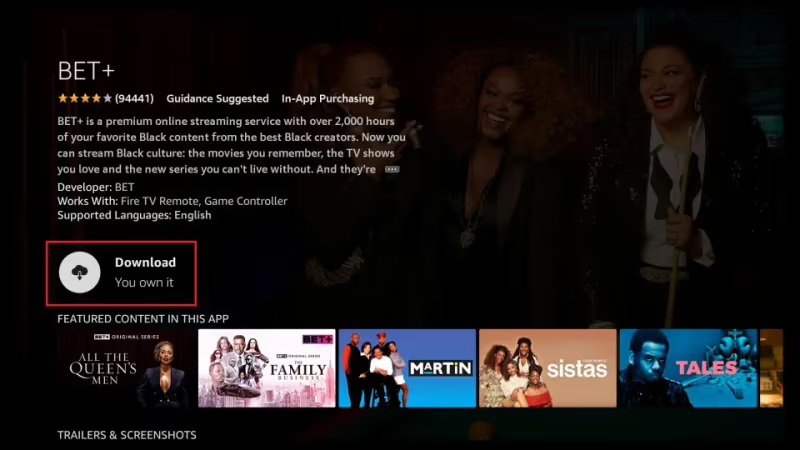
Step 3: Choose “Download” and let the BET+ app installation complete.
Step 4: Once installed, launch the BET+ app.
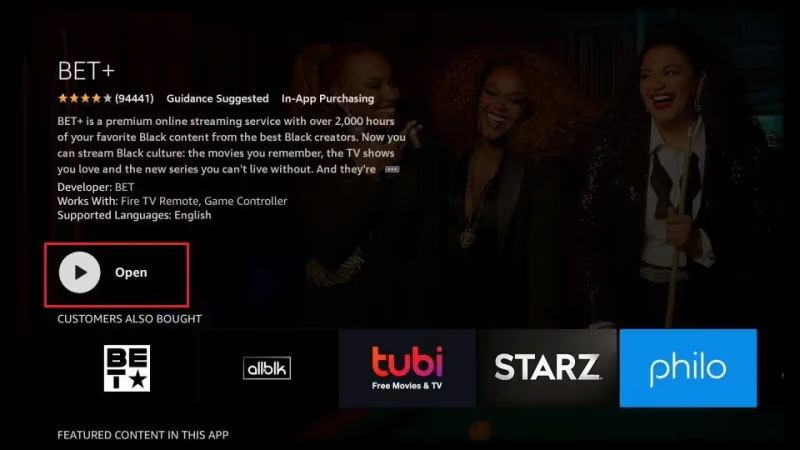
Step 5: Sign up for a new account right within the app or login with your current subscription.
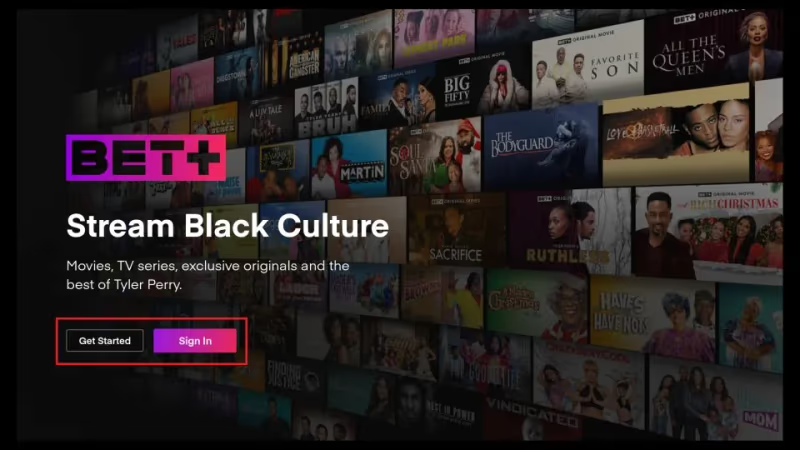
Step 6: Browse and watch any show, movie or BET original!
With your BET+ subscription linked to the app on FireStick/FireTV, you now have unlimited on-demand access to all your favorite Black entertainment whenever you want.
#BET+ App Content Highlights
The BET+ app makes it really easy to find and stream top shows with:
-
Original BET+ shows – Like First Wives Club, Bruh, Ruthless and American Gangster Trap Queens
-
In-app subscriptions – Link Hulu/Prime Video/Paramount+/Showtime accounts
-
New releases section – Latest movies and episodes
-
BET Classics – Old hit series and specials
-
Download shows – For offline viewing
-
User profiles – Personalized watchlists and recommendations
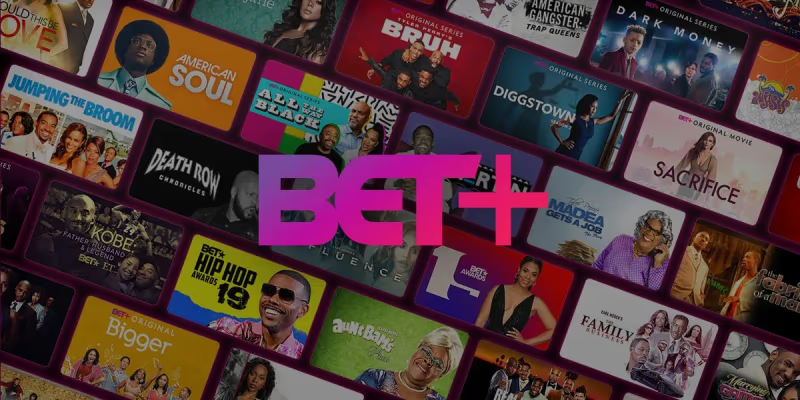
With your subscription, you can binge top BET shows like Sistas, Twenties, Tales along with exclusive BET+ originals and classics.
There’s also a huge catalog of comedy specials, movies, reality TV, lifestyle programs and more to choose from.
For more streaming options, check out our guides on how to watch MTV on Firestick or stream sports apps on Firestick.
#Method 2: Use Live TV Streaming Platforms
Another good option is using streaming TV platforms like Hulu, Sling TV and YouTube TV that carry the BET channel as part of their channel packages.
The major services that offer live BET streaming access are:
#Hulu + Live TV
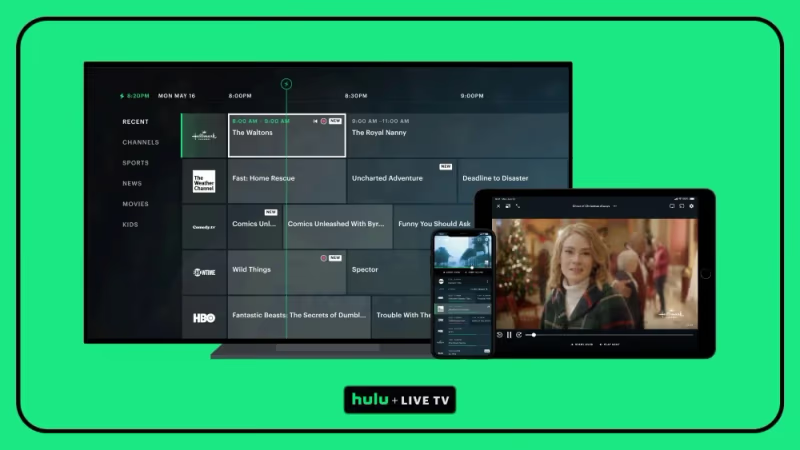
Hulu’s live TV plan includes 95+ channels like BET, Comedy Central, Food Network and more for $76.99/month. You also get full access to Hulu’s on-demand streaming library of shows, movies and Hulu Originals.
Availability: USA. Free trial available.
#Sling TV
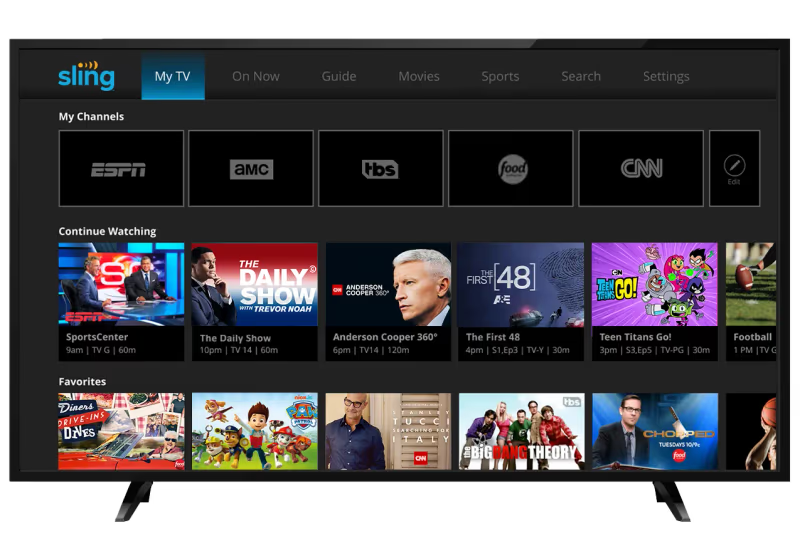
With Sling TV’s Orange plan ($40/month), you can get 32 channels including BET along with 50 hour DVR, On Demand shows and some other add-ons.
Availability: USA. Free trial available.
#Other Options
Philo TV and fuboTV also carry BET and offer free trials for new users. YouTube TV includes BET in their channel package too.
Live TV streaming services are also great for watching live sports on Firestick and streaming the CW network on Fire TV.
The benefit of using a Live TV streaming platform is getting BET along with many other popular channels, often at a lower combined cost than buying multiple individual streaming services.
However, the drawback is that you won’t get BET+ originals or full access to BET’s on-demand catalogue. Streaming reliability may also vary depending on your internet connection speed and quality.
#Method 3: Watch BET Channel on Pluto TV (Free)
Pluto TV is an entirely free streaming TV service that lets you watch select BET programming without any subscription.
It operates more like a customizable TV guide rather than true on-demand streaming. But the major perk is 100% free access funded by ads.
Here’s how to watch BET on Pluto TV:
Step 1: From your FireStick/Fire TV home screen, search for and install the Pluto TV app
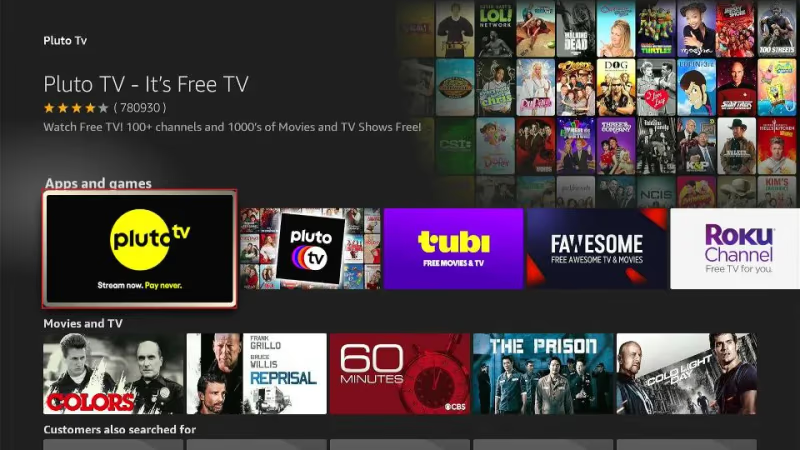
Step 2: Open Pluto TV app and click on Guide or use the Search to find BET channel
Step 3: Select the BET channel feed and start watching live or upcoming shows
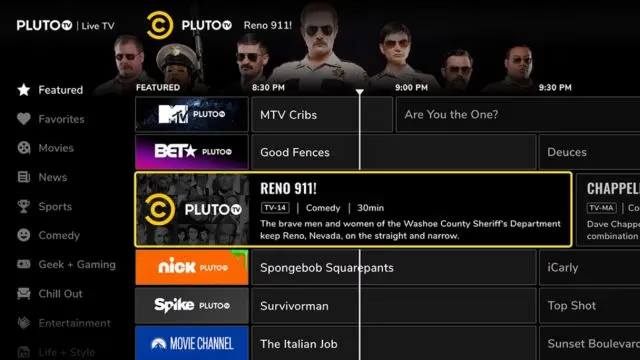
You can browse Pluto’s entire channel guide and also find some BET movies, reality shows and comedy reruns on other channels.
Just keep in mind that you’re getting a broadcast-style experience so your ability to pause, rewind or replay shows is limited. But it’s a handy free option for BET fans on a budget.
Pluto TV also hosts the free Crackle movie streaming service on FireStick which is another great source of entertainment.
#Method 4: Use a VPN to Access BET+ or BET from Other Countries
Services like BET and BET+ limit most of their programming access to viewers located within the United States due to content licensing restrictions.
So if you are traveling abroad or living outside the US, the channels or apps may be geo-blocked for your location.
This is where a VPN (Virtual Private Network) comes in handy!
A VPN allows you to change your device’s virtual location by routing your internet traffic through servers based in other countries.
So by connecting to a US-based VPN server, your FireStick can trick apps and websites like BET+ into thinking you are accessing from America regardless of where you actually are.
Our recommendation is to use ExpressVPN which offers fast US-based connections that work well for streaming.
Follow these steps to set up ExpressVPN and watch BET abroad:
Step 1: Sign up for ExpressVPN – plans start from $8.32/month
Step 2: Download and install ExpressVPN app on your FireStick
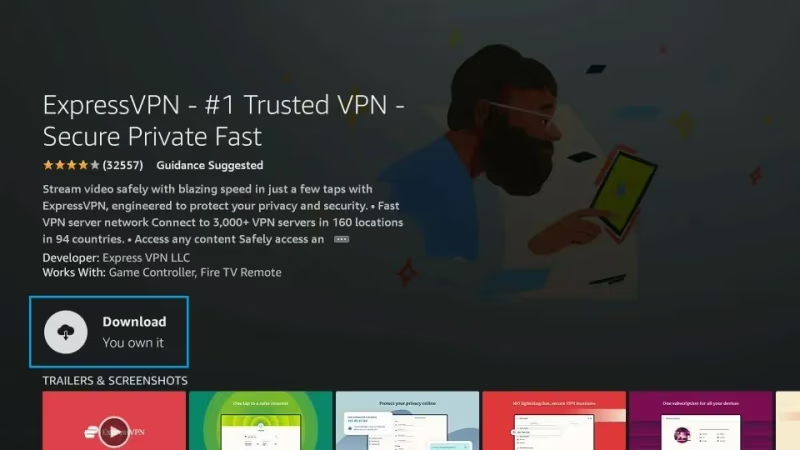
Step 3: Run the ExpressVPN app and connect to a US VPN server location
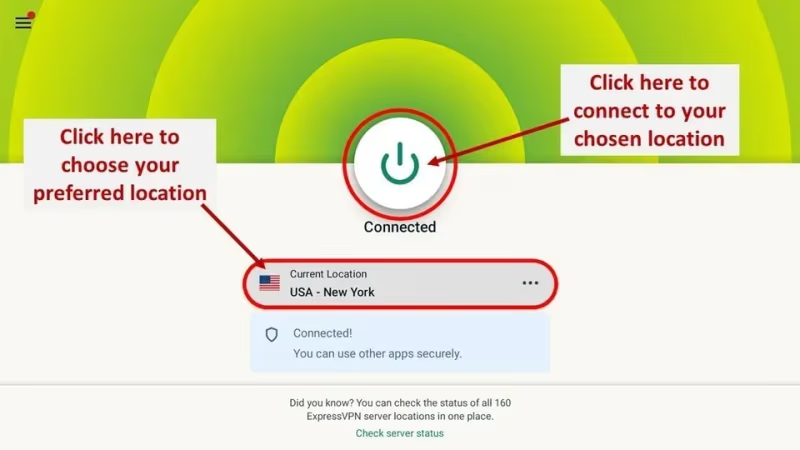
Step 4: Now open BET+ app or access US streaming sites. Your virtual location will be within United States!
Using a VPN for FireStick unblocks geo-restrictions, boosts streaming speeds and also adds important privacy protections while accessing the internet. It’s a very useful utility for cordcutters across the globe.
#What Are Some Tips for Watching BET on FireStick?
To get the best experience and value while watching BET on your Fire TV, keep these handy tips in mind:
-
Check for any free 1-week trials on BET+ or Live TV streaming sites before paying. This lets you evaluate channels/content before committing.
-
Use a VPN for security and privacy whenever you stream. A VPN encrypts all traffic which prevents snooping or throttling by ISPs.
-
Compare streaming quality across apps and during different times of day. Internet speeds often dip during peak evening hours which affects video quality.
-
Try out the built-in Alexa voice remote to quickly search for shows or control playback hands-free.
-
Re-position Wi-Fi router closer to FireStick if video quality is frequently pixelated or buffering occurs.
-
Monitor your home internet data usage if on a capped plan. Video streaming consumes ~3GB per hour for HD quality.
-
Set up user profiles so each person accessing TV has their own watch history and recommendations.
-
Use headphones for private listening so you don’t disturb others. FireStick supports Bluetooth headphones or route audio through mobile apps.
-
Enable parental controls and set restrictions to prevent kids from accessing mature content or making unauthorized purchases.
Also see our guides on streaming NBA games on FireStick, watching movies in-theaters at home, and watching PPV on FireStick.
#What Does BET and BET+ Offer on FireStick?
A few highlights of using the main BET apps:
#BET+ App Highlights
-
Slick modern interface
-
Original shows and movies
-
Download for offline viewing
-
4 concurrent streams
-
User profiles
-
Alexa voice control
#BET Content Library
-
Iconic shows from the 2000s
-
BET Movie specials
-
Afro-LatinX programs
-
Comedy, drama, action
-
Latest chart-topping music
Both apps make it easy to find and stream your favorite Black entertainment at home or on the go.
For more options, check out our list of best free live TV streaming apps on Firestick and how to stream Red Bull TV on Firestick.
#Bottom Line
This guide has covered all your options for streaming BET channels and content on your FireStick or Fire TV.
Whether you want free viewing through Pluto TV, paid access via BET+ or the flexibility of Live TV streaming services, your best BET is now easy to set up.
Explore a wealth of Black movies, series, comedy, news and much more. Discover new favourites and revisit classics from the past 40 years.
Let us know if have any other questions in the comments!
#FAQ
#Do I need a paid subscription to watch BET on FireStick?
Not necessarily. BET+ requires a paid subscription at $9.99/month, but new users get a free 7-day trial. You can also watch BET for free through Pluto TV, which carries BET programming with ads and requires no account or payment.
#How do I install the BET+ app on my FireStick?
Go to the Search function on your FireStick home screen and type “BET+.” Select the app from the results, click Download, and wait for the installation to finish. Once installed, open the app and sign in or create a new account.
#Can I watch BET on FireStick for free?
Yes. Pluto TV carries a BET channel feed at no cost. Install the Pluto TV app on your FireStick, open the channel guide, and find the BET channel. The content is ad-supported and plays on a broadcast schedule rather than on-demand.
#Which live TV streaming services include BET?
Hulu + Live TV ($76.99/month), Sling TV Orange ($40/month), Philo, fuboTV, and YouTube TV all carry the BET channel. Each service offers a free trial so you can test the channel lineup before committing to a monthly plan.
#Can I download BET+ shows for offline viewing on FireStick?
The BET+ app lets you download movies and episodes directly to your device. This is useful when you want to watch during travel or in areas with unreliable internet. Downloaded content stays available as long as your subscription is active.
#How do I watch BET on FireStick from outside the United States?
You need a VPN that connects to a US-based server. Install a VPN app like ExpressVPN on your FireStick, connect to an American server, then open BET+ or any US streaming service. The VPN masks your real location so the app treats you as a US viewer.
#How many devices can I use with one BET+ account?
A single BET+ account supports up to 4 registered devices. You can stream on 2 of those devices at the same time, which is enough for most households.
#Why does BET+ block my VPN connection?
BET+ actively detects and blocks many VPN IP addresses due to content licensing restrictions. Free or low-quality VPN services are blocked most often. A premium VPN provider like ExpressVPN regularly rotates its IP addresses, which helps bypass these blocks more reliably.