Want to access thousands of free movies, popular TV shows and new releases on your Firestick? This simple guide shows you how to install and use the Vudu app on any Firestick or Fire TV device. Vudu has fast become a favorite Firestick app providing extensive on-demand content to watch for free or rent/buy without any ongoing subscription fees. With 10 minute set up time you can be streaming top movies like Titanic, Jurassic Park, The Mummy and much more in HD quality.
- Vudu is available on all Firestick models — download it free from the Amazon App Store in under 2 minutes
- No subscription required — Vudu charges per rental ($3-6) or purchase ($10-25), with no monthly fees
- Hundreds of free movies and shows — ad-supported titles stream at no cost across every genre
- 100,000+ titles in the catalog — one of the largest on-demand libraries of any streaming provider
- Vudu rebranded to Fandango at Home — same app, same library, same account and pricing
#What is Vudu & What’s Available to Watch?

Vudu is an online streaming and rental service offering thousands of movies and TV shows without requiring an ongoing subscription. It’s owned and operated by Walmart.
Vudu is now Fandango at Home! Our name’s changing, but your experience remains the same.
Unlike Netflix or Hulu, Vudu users only pay a small fee to rent or buy the particular movie/show they are interested in viewing. There are also hundreds of titles available to stream for free.
Vudu has one of the largest on-demand libraries out of any streaming provider. The extensive catalog spans all genres including comedy, action/adventure, family, drama plus new releases and cinema blockbusters.
Some examples of popular movies available on Vudu are:
-
Titanic
-
Jurassic Park
-
The Mummy
-
Jaws
-
The Hunger Games
-
Elf
-
Top Gun
-
Forrest Gump
#Install Vudu on Firestick
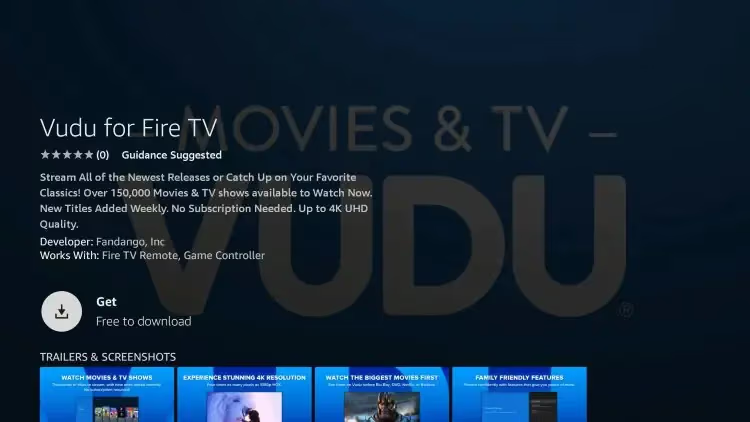
Vudu is now readily available to install on Firestick/Fire TV devices right from the Amazon App Store.
Simply search Vudu in Apps, select and download to get setup in minutes.
#Sign Up for a Vudu Account
Creating a free Vudu account takes just a couple minutes. This allows you to access all the available content.
You’ll only need to enter payment details later if you decide to rent or purchase a movie.
Follow these easy steps to sign up on your Firestick:
-
Open the Vudu app and select Sign Up
-
Enter your email and create password
-
Check your email inbox on another device and click the welcome image
-
You’ll be redirected to vudu.com to complete sign up
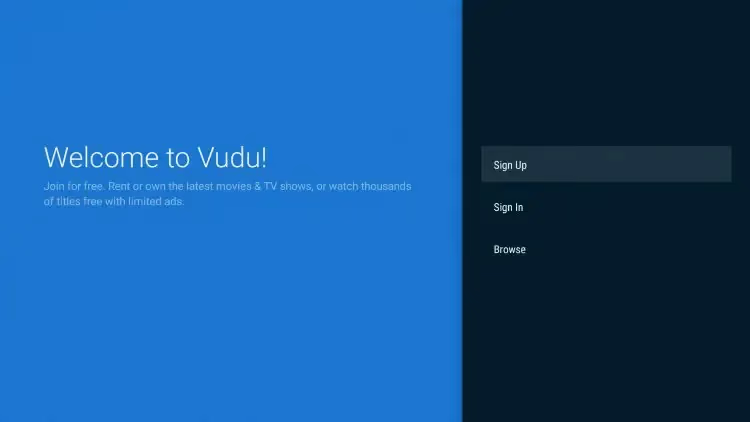
Once your Vudu account is created, simply sign in on any device to start watching.
If you have issues resetting your Vudu password, check out this guide on resolving Vudu password problems.
#Access & Navigate the Vudu App
Using the Vudu interface feels similar to other popular streaming platforms like Netflix making it intuitive to find top movies.
Key sections of the app include:
-
My Vudu – Your rental library, purchased videos and watchlist
-
Movies – Extensive movies catalog with filters by genre, ratings, release date etc
-
TV – Popular shows across networks and genres
-
Free – Browse free ad-supported movies and series
-
Deals – Current specials when renting or buying
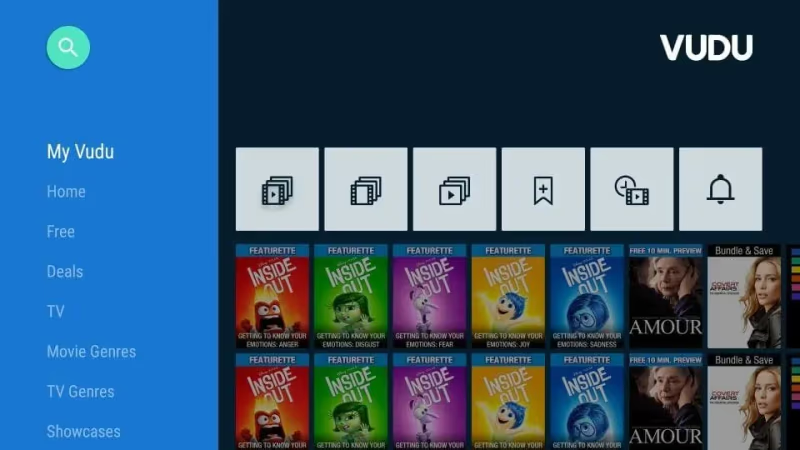
The Vudu Firestick app provides an intuitive interface to find top movies and shows
Finding movies is made even easier with built-in search allowing you to look up an actor, director or movie title instantly.
#Watch Vudu via Web Browser on Firestick
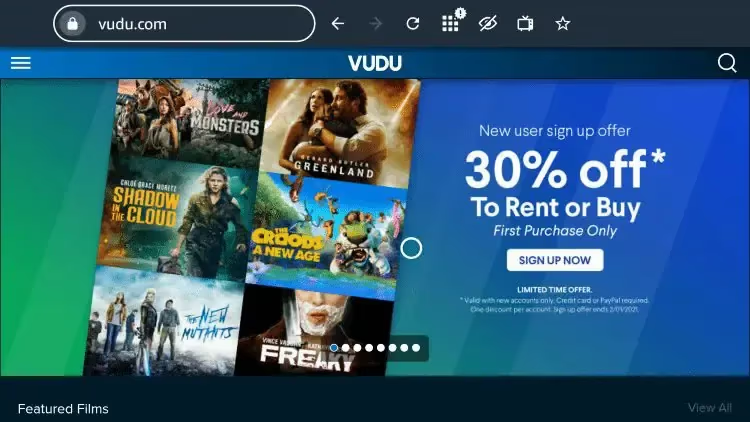
Don’t want to install another app? You can also watch Vudu by visiting their website directly in a web browser like Silk.
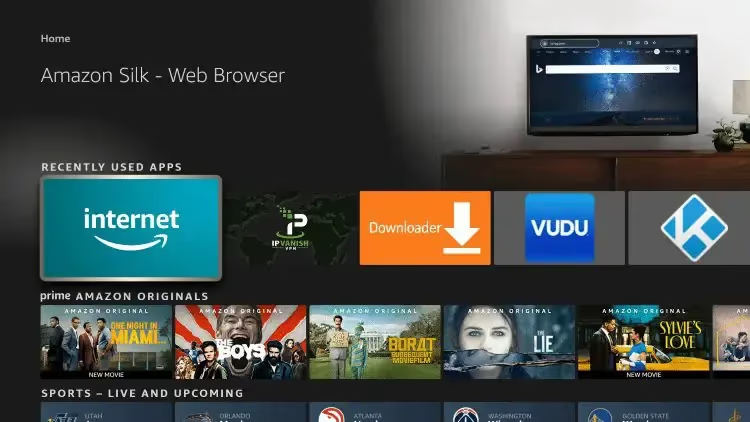
This provides similar functionality as the app allowing you to browse the full movies library after logging into your account.
Type vudu.com directly in the Silk Browser address bar then bookmark the site for quick access later.
#Popular Movies and Shows on Vudu
Vudu delivers an extensive range of new release blockbusters plus older classic films and popular TV series.
While availability can change, below are some top movies and shows found on Vudu during January 2026:
#Popular Free Movies
-
Titanic 2
-
Ravage
-
The Contract
-
12 Feet Deep
#Popular Free TV Shows
-
Hell’s Kitchen
-
3rd Rock from the Sun
-
Unsolved Mysteries
-
Forensic Files
#New Release Rentals
-
Top Gun: Maverick
-
Bullet Train
-
Nope
-
The Black Phone
#Is Vudu Free to Use?
There are two ways to watch content on Vudu:
-
Stream for free with ads – Vudu provides hundreds of movies and TV episodes that are free including older titles and B-movies. These feature advertisements periodically through each video.
-
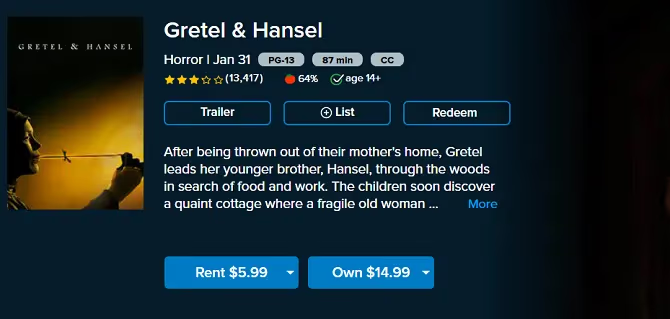
Rent or buy latest releases – Brand new movies or current TV shows require paying a rental fee (typically $3-6) or buying a digital copy to own ($10-25). After rental period expires, video access ends. Purchased videos are viewable any time.
So yes, you can absolutely use Vudu 100% free if you don’t mind ads or watching older movies from their catalog.
Accessing the very latest blockbusters or shows will incur rental costs per view but is often cheaper than alternatives like PPV on cable.
#Vudu Features Summary
-
Extensive catalog – 100,000+ movies & TV episodes spanning every genre
-
Free ad-supported content – Movies, shows and more available free
-
Hot new releases – Latest cinema movies ready to rent or buy
-
Intuitive interface – Finding movies is easy via search/browse
-
No subscription needed – Only pay per movie/show rented or purchased
-
Access anywhere – Available on iOS, Android, Roku, game consoles & more
-
Link to Movies Anywhere – Movies purchased via Vudu integrate with your unified digital movie library
Give Vudu on Firestick a try and within minutes you’ll be streaming top movies! Leave any questions below in the comments.
You can also access Vudu easily on your Samsung TV – find out how to get Vudu on Samsung smart TVs.
#FAQs About Vudu on Firestick
#Is Vudu available on Firestick in 2026?
Yes, Vudu (now Fandango at Home) is fully available on all Firestick and Fire TV models. You can download it directly from the Amazon App Store by searching “Vudu” or “Fandango at Home.” The app works on every Fire TV generation released since 2014.
#Do I need to pay to use Vudu on Firestick?
No, Vudu offers hundreds of movies and TV episodes completely free with ads. You only pay when you choose to rent a new release (typically $3-6) or buy a digital copy to own ($10-25). There is no monthly subscription fee at all.
#What is the difference between Vudu and Fandango at Home?
They are the same service. Walmart sold Vudu to Fandango in 2020, and the app was rebranded to Fandango at Home in 2024. Your existing Vudu account, purchased movies, and watchlist all carried over automatically with no action needed.
#Can I watch Vudu on Firestick without the app?
Yes, you can stream Vudu through the Silk Browser on your Firestick by visiting vudu.com and logging into your account. This method works well if you prefer not to install another app, though the dedicated app provides a smoother experience with Alexa voice search integration.
#How much internet speed do I need for Vudu on Firestick?
Vudu recommends at least 1 Mbps for SD content, 4.5 Mbps for HDX (720p/1080p), and 11 Mbps for UHD 4K streaming. For the best experience without buffering, a stable connection of 25 Mbps or higher is ideal, especially if other devices share your network.
#Does Vudu support 4K and Dolby Atmos on Firestick?
Vudu supports 4K UHD, HDR, and Dolby Atmos on compatible Firestick models like the Fire TV Stick 4K and Fire TV Stick 4K Max. Not every title offers these formats, but thousands of movies in the rental and purchase catalog include premium audio and video options. Free ad-supported content typically streams in SD or HD only.
How does Vudu stack up against other popular streaming video services like Amazon Prime Video and Hulu?
And if you still have questions on whether Vudu is worth using, read our latest Vudu streaming service review.