Experiencing sound but no picture on your Vizio TV? This frustrating technical issue has several possible causes and solutions. Below we cover the most common reasons for sound without video on a Vizio television and provide fixes to help restore the picture.
- Loose cables and wrong input sources cause most Vizio TV sound-but-no-picture problems and take under a minute to fix
- Power cycling your Vizio TV for 60 seconds clears temporary glitches that can knock out the display
- LED backlight failure is the most common hardware cause and can be confirmed with a simple flashlight test in a dark room
- T-Con board and power supply board failures require professional repair, typically costing $150-$400 depending on the part
- Surge protectors and regular firmware updates help prevent future sound-without-picture issues on Vizio TVs
#What Are the Basic Troubleshooting Steps?
Before looking into specific issues that could cause sound without video, try these basic troubleshooting steps first:
#Double Check All Connections
Loose cables are one of the most common culprits behind sound but no picture. Here’s what you should verify:
-
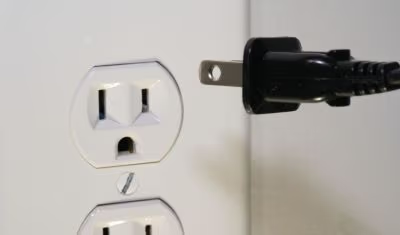
Inspect the power cable connected to the TV and wall outlet. Unplug and firmly reconnect both ends.
-
Check HDMI cables linking devices like a cable box, Blu-ray player, or game console. Remove and re-insert if loose.
-
Try connecting devices to different HDMI ports on the TV to isolate the problem.
#Confirm Input Source
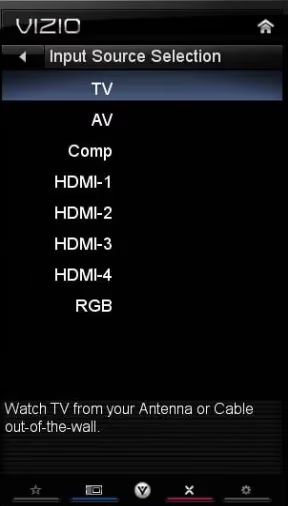
If you have the TV connected to external devices like a Roku player or Blu-ray console, make sure the correct input source is selected using the buttons on your Vizio TV remote or by accessing the input menu.
-
Press the Input or Source button on Vizio remote.
-
Cycle through options like HDMI-1, HDMI-2, etc until picture returns.
-
Match input selected to device ports on the TV.
#Check for Firmware Updates
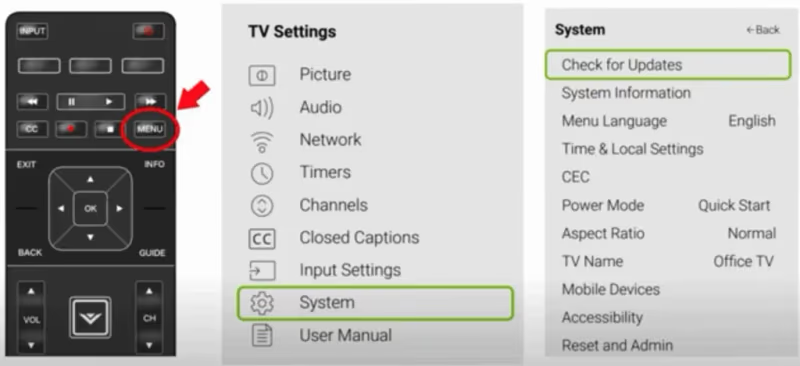
Software bugs can sometimes cause technical issues like sound without video. Here’s how to check for updates:
-
Using Vizio remote, select Menu > System > Check for Updates
-
Install any available firmware updates.
-
Perform power cycle after update completes.
#What Causes Sound but No Picture on a Vizio TV?
If basic troubleshooting steps don’t restore the picture, the issue may require component testing, replacement, or professional service:
#Faulty LED Backlights
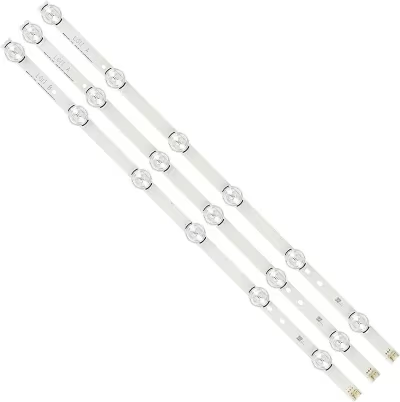 LED Backlights
The LED strips at the back of the TV provide backlight to illuminate the screen. If they malfunction, sound may still work while the picture disappears to black. This backlight failure can cause a Vizio TV black screen.
To test for faulty backlighting:
-
Shine a bright flashlight on the screen in a darkened room. If a faint image appears, the LEDs likely need replacement.
-
Contact Vizio service center since backlight strip repair involves opening up the TV panel.
#Failed Power Supply Board
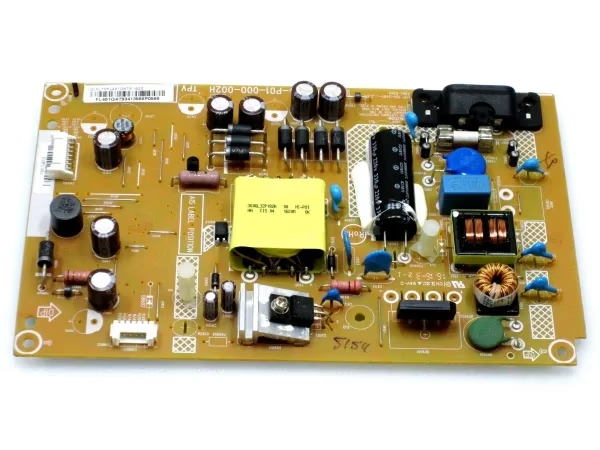 Power Supply Board
The electric supply board manages and distributes voltage to TV components. If it fails, the TV may power on without activating the display panel.
Power supply board replacement should be done by a repair center or technician:
-
Contact Vizio support online or call (844) 254-8087 for repair instructions.
-
Setup service appointment for a certified repair center or technician to swap out power supply.
Buy Power Supply Board on Amazon
#Bad T-Con Board
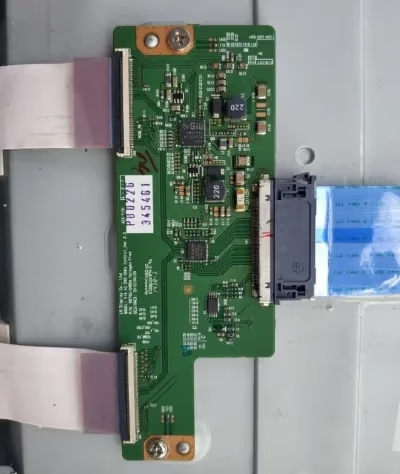 T-Con Board
The T-Con, or timing control board, processes video signals for display on the screen. A malfunctioning T-Con might generate sound but no picture:
-
Use flashlight test previously mentioned to check if screen is still intact.
-
If image appears, T-Con may need professional repair or replacement.
#Loose or Damaged Ribbon Cable
The ribbon cable connects the TV’s mainboard to display panel, transmitting video data. Loose connections or damage can cause picture problems:
-
Professional repair required to check ribbon cable since panel disassembly needed.
-
Experienced technicians can troubleshoot and replace bad ribbon cables.
#Faulty Main Board
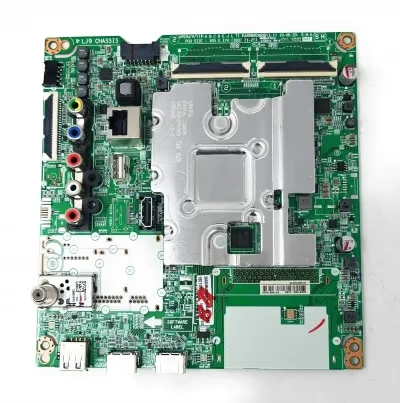 Main Board
The TV’s main logic board controls all processing for audio and video output. If it malfunctions, sound and video issues can occur:
-
Contact Vizio support for mainboard troubleshooting. Complete board replacement likely required.
-
Setup repair service for motherboard swap by certified professional.
#Preventing Future Sound and Picture Issues
While many causes of sound without video require professional service, there are a few preventative measures to avoid technical problems like Vizio TV turning on randomly or other quirky glitches:
-
Connect all devices to a surge protector to minimize electrical damage from power fluctuations.
-
Ensure HDMI cables are secured firmly on both ends and replace aging cables.
-
Situate TV away from external sources of electrical interference like wireless routers or subwoofers.
-
Keep the back of the TV accessible in a well-ventilated location to prevent overheating issues.
-
Install firmware updates for the TV and connected devices regularly.
#Bottom Line
-
Double check input source is set correctly and cables are firmly connected.
-
Test for faulty backlights using flashlight method to diagnose problem.
-
Setup repair or replacement of internal components like power supply or T-Con board by certified professionals.
-
Connect devices to surge protector and maintain accessibility for ventilation.
#Frequently Asked Questions
#What should I do if a hard reset doesn’t restore the picture?
A hard reset means unplugging the TV for 60 seconds while holding the power button to drain residual energy. If this doesn’t restore video, the problem is almost certainly a hardware failure. Contact Vizio support at (844) 254-8087 to schedule a professional diagnosis.
#Does the Vizio warranty cover sound but no picture issues?
It depends on the specific failure and your warranty status. Bad LED backlights, faulty T-Con boards, and internal component failures are typically covered under the original or extended Vizio warranty. Contact Vizio support or file a claim through their website to start the process.
#How much does it cost to repair a Vizio TV with no picture?
Backlight repair typically runs $150-$300, while a mainboard replacement costs $250-$400. T-Con board replacements usually fall somewhere in between. Local labor rates and whether you use Vizio’s own service or a third-party shop also affect the final price.
#Can I use external speakers if only the picture is broken?
You can connect external speakers through the 3.5mm headphone jack, RCA, optical cable, or HDMI ARC port. A soundbar paired via Bluetooth also works. However, adding speakers only addresses audio and the missing picture still needs repair.
#How do I perform a flashlight test on my Vizio TV?
Turn off all lights in the room and shine a bright flashlight directly at the TV screen from about 2 inches away. If you can see a faint image behind the dark screen, the LED backlights have failed. This confirms the display panel itself still works and only the backlights need replacement.
#Is it worth repairing an older Vizio TV with no picture?
If your TV is under 5 years old and the repair costs less than half the price of a new model, repair usually makes sense. For TVs older than 7 years, replacement is often the better financial decision. Get a repair estimate before committing either way.
#Can a bad HDMI cable cause sound but no picture?
Yes, a damaged or loose HDMI cable is one of the most common causes. HDMI carries both audio and video, but a partially failed cable can transmit sound while dropping the video signal. Try a different HDMI cable and port before assuming a hardware fault inside the TV.