If you own a Vizio TV, your Android phone can double as a full-featured remote control. The Google Play Store has several solid apps that replace or back up your physical remote. As an A/V installation professional with over 10 years of experience working with Vizio TVs, I’ve tested dozens of these apps to find the very best ones. Here are my top 6 picks, with key features, pricing, and compatibility details for each.
- SURE Universal is the top all-around pick — it supports voice control, media streaming, and works with Vizio plus other smart TV brands
- VIZIO SmartCast Mobile is best for SmartCast owners — the official app offers the deepest settings and app-launch integration
- IR-based apps need a phone with an IR blaster — Peel Remote and VizRemote require line-of-sight hardware most newer phones lack
- Wi-Fi apps work from any room — VizControl and SmartCast Mobile connect over your home network with no line-of-sight needed
- All six apps are free to download — only SURE Universal charges for a premium tier starting at $4.99
#Why Use a Vizio TV Remote App on Android?
There are several scenarios where having a TV remote app on your phone comes in handy:
-
Your original Vizio remote is lost, damaged, or has dead batteries. If your Vizio remote is not working, an app can be a quick fix.
-
You prefer the convenience of controlling your TV from the phone that’s always with you
-
You want to use advanced features like voice control and personalized recommendations
-
Your Vizio remote doesn’t have a full keyboard for easier text input
-
You need to turn on your Vizio TV without the remote
With the right app, your Android phone can be a complete replacement for your physical remote. Many apps also offer additional features beyond the standard remote functions.
#Top Vizio TV Remote Apps
#1. SURE Universal Smart TV Remote
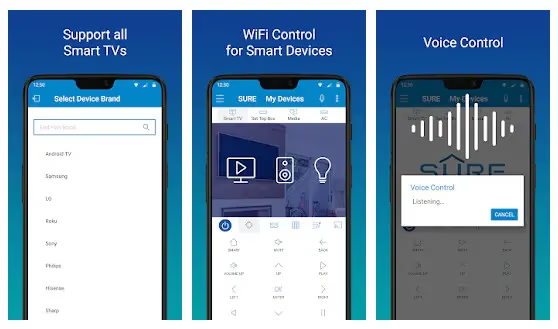
SURE Universal is an award-winning remote app that works with a wide range of smart TVs and streaming devices, including Vizio SmartCast TVs. It offers powerful features like voice control, media streaming from your phone, and the ability to control smart home devices.
Key Features:
-
Control Vizio and other smart TVs, media streamers, and smart home devices
-
Use voice commands to control your devices hands-free
-
Browse and stream your own music and videos to your TV
-
Transfer files between your phone and other devices on your network
Pricing: Free basic plan, premium plans start at $4.99
Compatibility: Android 5.0+
Downloads: 10,000,000+
#2. Peel Remote Universal Smart TV
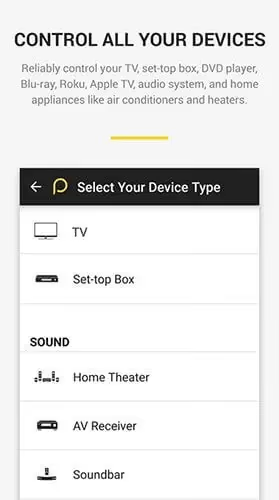
Peel is a popular universal remote app that combines remote control functions with a personalized TV guide. The Mi Remote version is optimized for Xiaomi phones with IR blasters.
Key Features:
-
Reliably control your Vizio TV and set-top box using your phone’s built-in IR blaster
-
Get personalized show and movie recommendations based on your viewing habits
-
See live TV listings organized in an intuitive interface
-
Set reminders so you never miss your favorite shows
-
One of the best remotes for YouTube TV and other streaming apps
Pricing: Free
Compatibility: Android 4.1+, requires phone with IR blaster
Downloads: 1,000,000+
#3. VIZIO SmartCast Mobile™
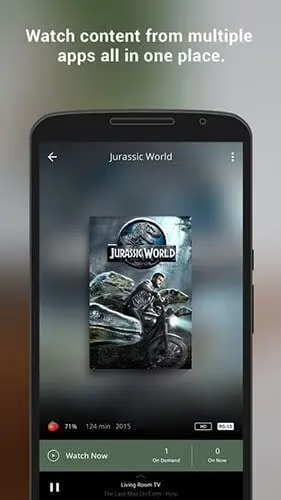
The official Vizio remote app for controlling SmartCast TVs. It lets you power your TV on and off, launch apps, play/pause, adjust settings and more.
Key Features:
-
Full control of your Vizio SmartCast TV and soundbar
-
Discover trending content and launch apps directly from the app
-
Use your phone’s keyboard for easy text entry on your TV
-
Quick-access advanced TV settings like input, aspect ratio, and picture calibration
Pricing: Free
Compatibility: Varies by Vizio SmartCast device
Downloads: 1,000,000+
#4. TV remote for Vizio SmartCast
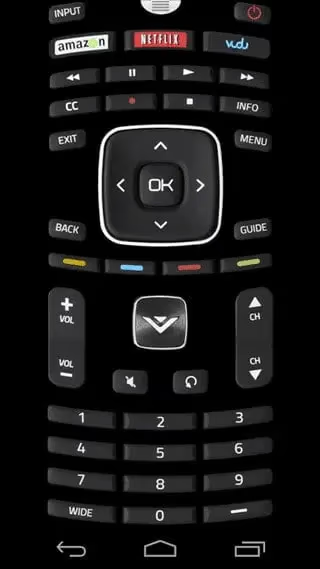
A lightweight yet fully-featured IR remote app designed specifically for Vizio TVs. Useful as a backup or replacement remote.
Key Features:
-
Clean interface that closely mimics a physical Vizio remote
-
Uses IR so no setup is required – just point at your TV
-
Supports a wide range of Vizio TV models
-
Customize the button layout to your preferences
Pricing: Free, ad-supported
Compatibility: Android 4.0.3+, requires phone with IR blaster
Downloads: 100,000+
#5. TV Remote Control for Vizio TV
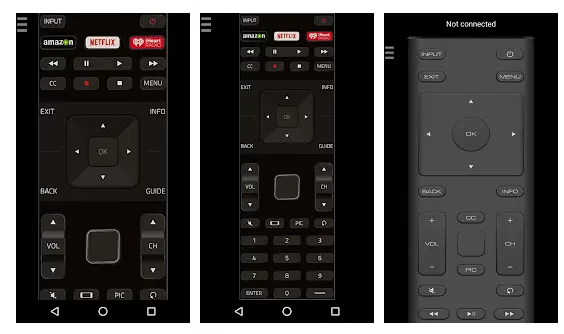
VizControl is a sleek network-based remote app for controlling modern Vizio SmartCast TVs. It can also control older Vizio models via IR.
Key Features:
-
Control SmartCast TVs via Wi-Fi for extended range
-
Supports IR control up to 15 ft on compatible phones
-
Attractive UI with vibration feedback
-
Launch apps like Netflix and Prime Video directly
Pricing: Free
Compatibility: Android 4.4+
Downloads: 100,000+
#6. VizRemote
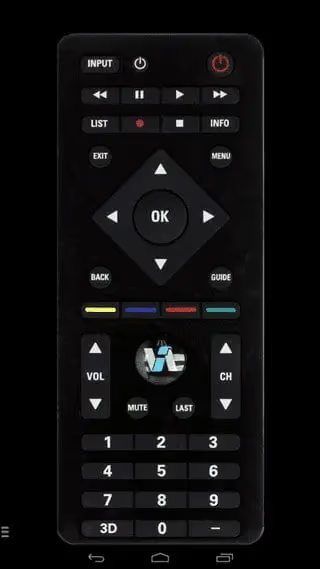
A basic but reliable IR remote app for Vizio TVs. Great for replacing a lost or broken physical remote.
Key Features:
-
Simple interface focused on core remote functions
-
Doesn’t require any setup – just point and control
-
No ads or unnecessary permissions
-
Completely free with no in-app purchases
Pricing: Free
Compatibility: Android 4.4+, requires phone with IR blaster
Downloads: 100,000+
#What Should You Look for in a Vizio Remote App?
When deciding which Vizio remote app is right for you, keep these factors in mind:
-
Compatibility: Make sure the app supports your specific Vizio TV model and your phone’s Android version. Some only work via IR while others use Wi-Fi.
-
Features: Consider which features are most important to you, such as voice controls, personalized recommendations, or a TV guide.
-
Ease of use: Look for an app with a clean, intuitive interface that’s easy to navigate.
-
Permissions: Be cautious about apps that require a lot of unnecessary permissions or that look suspicious.
-
Ads and in-app purchases: Some “free” apps are ad-supported or require extra purchases to unlock all features. Factor this into your choice.
#Frequently Asked Questions
#Can I use these apps to control a Vizio soundbar?
Yes, VIZIO SmartCast Mobile can control both SmartCast TVs and compatible soundbars from a single interface. Check the app description for your specific soundbar model before downloading.
#Do I need to be on the same Wi-Fi network?
IR-based apps like Peel Remote and VizRemote don’t need Wi-Fi at all since they communicate through your phone’s infrared blaster. Network-based apps such as VizControl and SmartCast Mobile require your phone and TV to share the same Wi-Fi network.
#What if my phone doesn’t have an IR blaster?
Use a Wi-Fi-based app like VizControl or Vizio’s official SmartCast Mobile app instead. You can also buy an external IR blaster dongle that plugs into your phone’s USB-C port, though Wi-Fi apps are generally more reliable.
#Can I control my TV from another room?
Wi-Fi apps work from anywhere in your home as long as your phone and TV are on the same network. IR apps require direct line of sight to the TV’s sensor, so they only work in the same room.
#Are these apps safe to use?
All six apps listed here are available on the Google Play Store and have been downloaded by hundreds of thousands of users. Stick to well-known apps and avoid any that request permissions unrelated to remote control, such as access to your contacts or call history.
#Will these apps work with an older Vizio TV?
Most of these apps support Vizio TVs made in the last 5 to 10 years. IR-based apps tend to have the widest compatibility with older models, while Wi-Fi apps typically require a SmartCast TV from 2016 or later. Check the app listing for your specific model number.
#Do any of these apps support voice control?
SURE Universal is the only app on this list with built-in voice commands. It lets you change channels, adjust volume, and launch apps by speaking into your phone’s microphone. The feature is available on both the free and premium plans.
#Can I use multiple remote apps at the same time?
You can install as many apps as you like, but only one should actively send commands at a time. Running two IR apps simultaneously can cause conflicting signals. For Wi-Fi apps, your TV will accept commands from whichever app sends them first.
#Bottom Line
After testing all six apps, SURE Universal Smart TV Remote stands out as the best overall pick for its voice control, media streaming, and wide device support. The premium version is worth the $4.99 if you use multiple smart devices.
For SmartCast TV owners, the official VIZIO SmartCast Mobile app is hard to beat since it offers the deepest settings access and app integration. If you have an older Vizio TV with no Wi-Fi, grab VizRemote and pair it with your phone’s IR blaster for a simple, ad-free experience.
Try two or three of these apps to see which one fits your setup best. They’re all free to download, so there’s no risk in experimenting.