Streaming STARZ on your Apple TV gives you easy access to all their popular original shows, hit movies, and more without needing a cable subscription. This guide will walk you through signing up for STARZ, downloading the app on Apple TV, navigating the interface, troubleshooting issues, getting the most out of your subscription, and additional tips for an optimal viewing experience.
- STARZ costs $8.99/month on Apple TV with a 7-day free trial for new subscribers
- All Apple TV models support the STARZ app as long as they run tvOS 12 or later
- 4K HDR and Dolby Atmos are available on Apple TV 4K (2nd gen and newer) with 25+ Mbps internet
- Up to 4 simultaneous streams are included with a single STARZ subscription across devices
- Offline downloads are supported with up to 100 titles saved at once for viewing without internet
#Overview of STARZ and Apple TV
STARZ is a premium streaming service with thousands of hours of critically-acclaimed original series, Hollywood blockbusters, and more. Their platform competes with services like HBO Max, Showtime, and Epix with fan favorite shows like “Outlander,” “Power,” “P-Valley,” and “Gaslit.” See how it compares to Showtime and Cinemax.
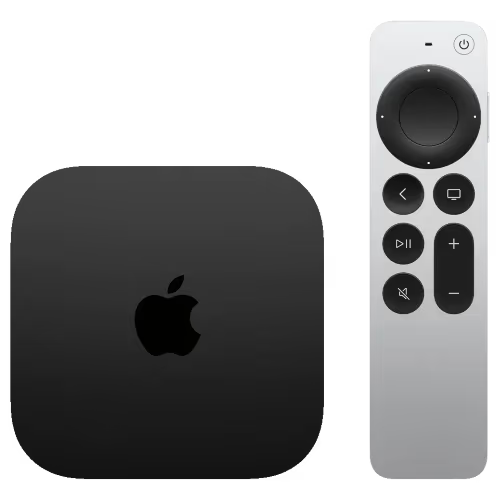
Apple TV is a digital media player developed by Apple that streams content to your TV. There are various models including Apple TV HD and Apple TV 4K that work well with other Apple devices. The tvOS platform and App Store give access to top streaming services, music, podcasts and more.
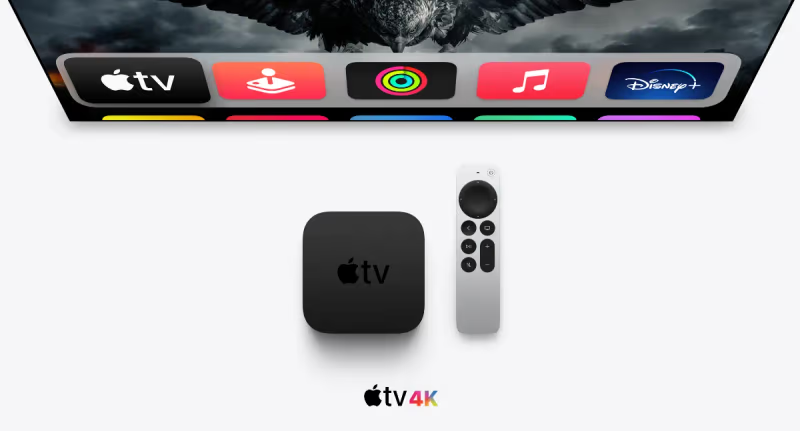
Bundling STARZ with Apple TV gives you an upgraded viewing experience with access to Dolby Atmos audio and 4K HDR picture quality for select titles. But if you encounter issues, check our guide on troubleshooting STARZ on Apple TV.
#What’s on STARZ?
Some highlights of STARZ programming includes:
-
Originals: “Outlander,” “Power,” “Gaslit,” “P-Valley,” etc.
-
Hit Movies: Spiderman: No Way Home, Jumanji: Welcome to the Jungle, Bad Boys for Life
-
Documentaries: #MeToo, How to Fix a Drug Scandal, Kennedy Curse
-
Curated Content: STARZ channels organized by genre
-
STARZ ENCORE – a sister service with even more movies
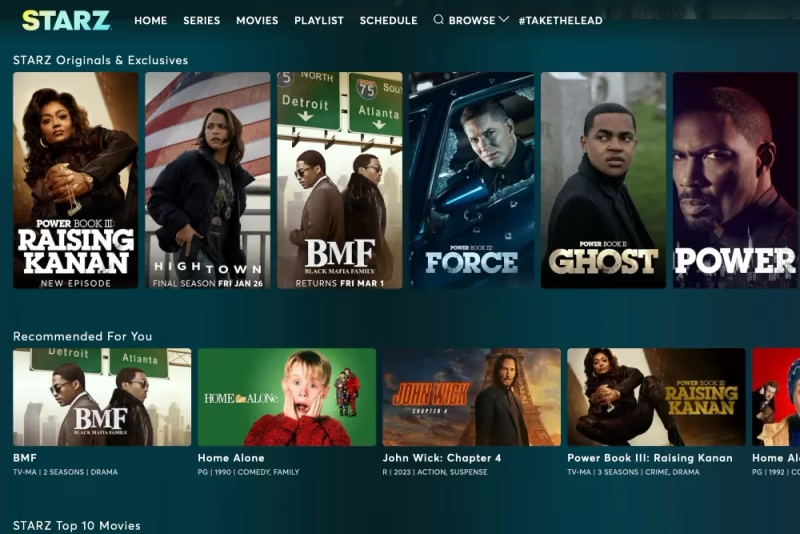
They are constantly adding new original series, documentaries and hit movies from Sony Pictures, Disney, and other studios.
#How Do You Sign Up for STARZ on Apple TV?
Here are step-by-step instructions to subscribe to STARZ and install the app on your Apple TV:
-
Subscribe to STARZ – Visit starz.com to create an account and purchase a subscription starting at $8.99/month.
-
Download the app – On your Apple TV, open the App Store, search for “STARZ” and install the app.
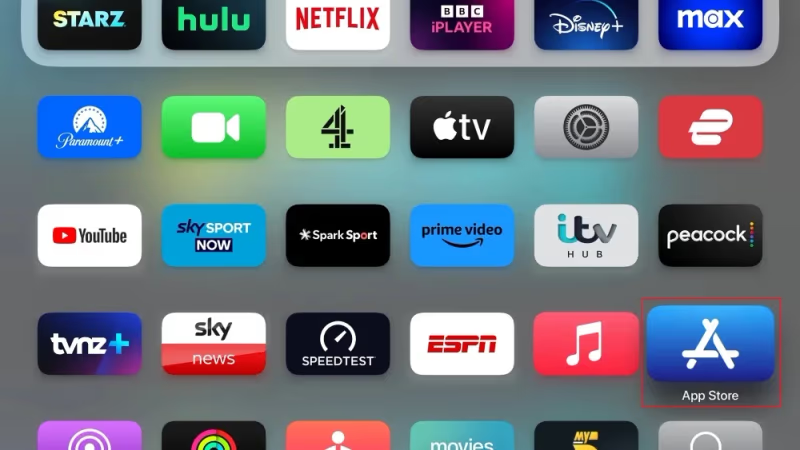
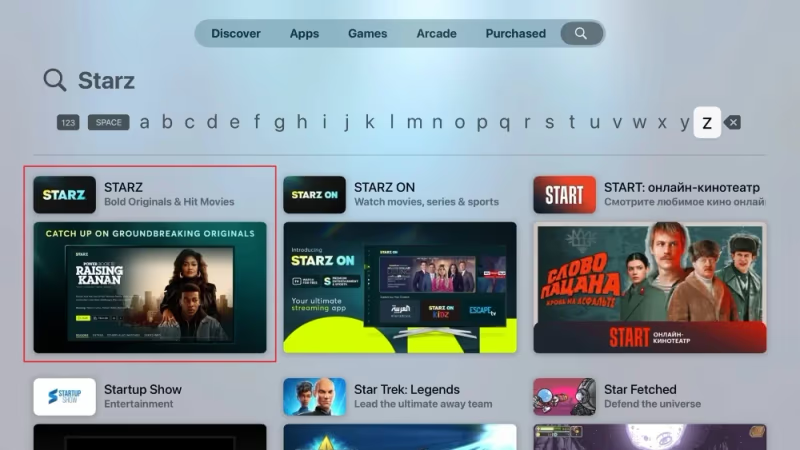
- Log in – Open the STARZ app and sign in using your STARZ credentials to start streaming.

The sign up process takes just a few minutes. Once logged into the app, you can browse and stream all of their available on-demand movies, shows, originals and live feeds.
#Supported Apple TV Models
The STARZ app is supported on all Apple TV models:
-
Apple TV HD
-
Apple TV 4K (1st gen)
-
Apple TV 4K (2nd gen)
As long as your Apple TV is running tvOS 12 or later, you’ll be able to install and use the STARZ app.
#Navigating STARZ on Apple TV
The STARZ app for Apple TV has a slick, easy to use interface. Here’s a quick overview of key sections and how to get around:
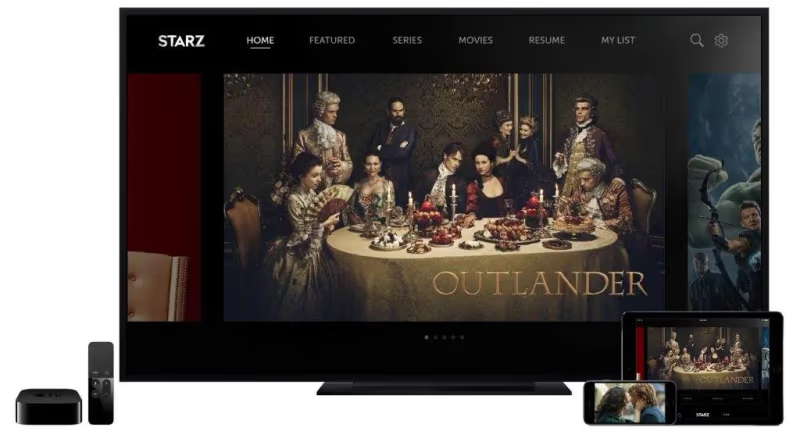
#Home/Featured Tab
The Home tab shows curated collections of STARZ originals, popular and timely content:
-
Continue Watching
-
Just Added Movies
-
New Episodes
-
Popular Movies
-
STARZ Originals
#Movies Tab
The Movies section contains:
-
Recently Added
-
Action
-
Comedy
-
Drama
-
Family
-
Horror
-
Romance
-
And more genres
Use the search option to find something specific.
#Series Tab
The Series tab shows:
-
Recently Added Series
-
STARZ Originals
-
Dramas
-
Comedies
-
Miniseries
-
Docuseries
-
And more genres
You can select a show and browse seasons or just play a specific episode.
#Live TV
Watch linear STARZ channels live including:
-
STARZ
-
STARZ Encore
-
STARZ Encore Action
-
STARZ Encore Black
-
STARZ Encore Classic
-
And more ENCORE channels…
#My List
Easily track shows and movies you want to watch by adding them to My List from any title’s details page.
#Downloads Tab
Download select movies and episodes to your device so you can watch offline. This is great for flights, road trips, or other times you’ll lack WiFi/cell signal.
#Search Tab
Quickly lookup and play specific movies or series using the Search feature. Results will show the closest matches as you type.
This covers the key sections of the interface. Navigating is fast and intuitive, and you can smoothly scroll, browse content, and tap to play titles.
#Profile & Account Management
Managing your STARZ account on Apple TV is simple:
-
Open the Settings menu from the homepage
-
View account details
-
Manage profiles
-
Change streaming quality
-
Log out
You can have up to 5 viewer profiles within a single account. This allows personalized watch history, recommendations and saved shows for different household members.
#What Streaming Quality Does STARZ Support on Apple TV?
STARZ streams films and series in standard definition (SD), high definition (HD), 4K and HDR formats. Streaming quality depends on a few factors:
-
Your model of Apple TV
-
Your TV display
-
Your internet speed
Here are the technical requirements for streaming quality:
4K HDR Streaming
-
Apple TV 4K (2nd or 3rd gen)
-
Display with 4K / HDR / Dolby Vision support
-
Minimum internet speed of 25Mbps
HD Streaming
-
Apple TV HD or 4K model
-
Display with 1080p HD support
-
Internet speed 25Mbps
SD Streaming
-
Any Apple TV model
-
Internet speed 5Mbps+
Under the settings you can manually select your preferred streaming quality based on bandwidth limits.
#Enjoy STARZ on Apple TV
Once signed in, you’ll have unlimited streaming access to the STARZ catalog of hit original series, movies, documentaries and more.
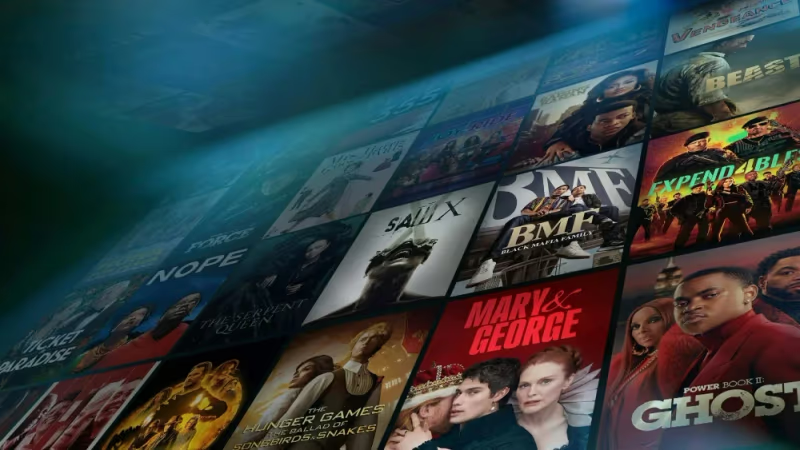
Here are just a few shows and films to check out:
#Hot STARZ Originals
-
Outlander – Epic tale of time travel and romance
-
Power Book II: Ghost – Sequel series continuing the Power franchise
-
P-Valley – Gritty drama about a Mississippi delta strip club
-
Gaslit – Darkly comedic take on Watergate scandal
#Blockbuster Movies
-
Spiderman: No Way Home
-
Jumanji: Welcome to the Jungle
-
Bad Boys for Life
#Docuseries
-
#MeToo – Chronicles the global movement against sexual harassment
-
How to Fix a Drug Scandal – True crime tale of crime lab corruption
And much more! Use search tools or browse sections like “Recently Added” to discover new content.
#How Do You Download STARZ Content for Offline Viewing?
One of the best features of the STARZ app is downloading movies, episodes and shows to watch offline. This lets you view content on the go when you don’t have an internet connection.
Here’s how to download from STARZ on Apple TV:
-
Find a movie or series with the download icon visible on the details page
-
Tap on the cloud download icon
-
Select video quality – SD, HD or 4K
-
Downloads begin automatically
-
Cancel downloads or view progress in the Downloads section
Downloads will save to your Apple TV or iCloud account. You can have up to 100 concurrent STARZ downloads.
Offline viewing is perfect for long flights, road trips, subway commutes or other times you’ll lack internet/cell signal.
#Watching STARZ on Multiple Devices
A single STARZ account supports streaming on up to 4 devices simultaneously. This allows different family members to watch on various supported platforms at the same time.
In addition to Apple TV, you can also watch STARZ on:
-
iPhone and iPad
-
Android phones & tablets
-
Computers and laptops
-
Gaming consoles
-
Select smart TVs like Samsung TVs (though issues may arise)
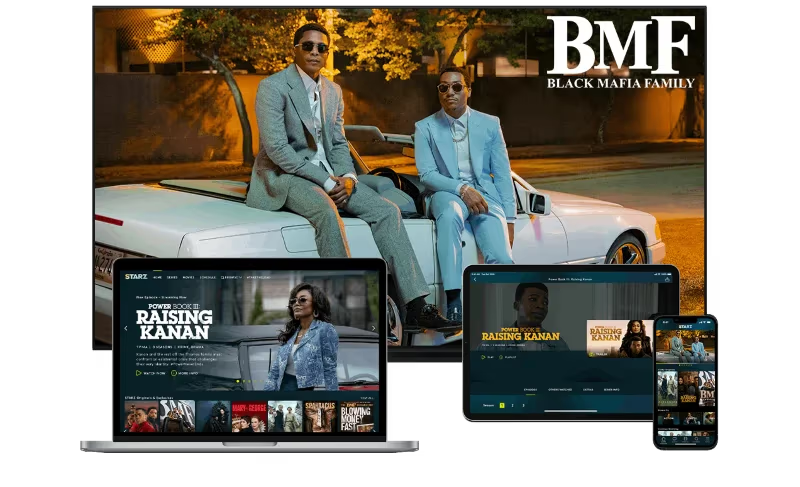
Your STARZ login gives you access to online, mobile and TV apps across a wide array of platforms. Streaming progress and watch history is synchronized across devices.
#Troubleshooting STARZ on Apple TV
In rare cases, you may run into technical glitches getting STARZ up and running. Here is some troubleshooting advice:
Can’t sign into STARZ app – Reset your STARZ password at starz.com and try logging in again on Apple TV.
App crashes or bugs – Try force quitting the app, restart your Apple TV and reload the STARZ app. Update to latest tvOS version. Reinstall as last resort.
Buffering issues – Check your internet speeds. For HD you need 25+ Mbps and 4K requires even faster speeds. Or try adjusting to a lower quality stream.
Missing downloads – Check Downloads section to see status of downloads. Connection issues may disrupt downloads so try again.
Other issues – Visit Apple TV or STARZ help forums, contact customer service or try general streaming troubleshooting steps.
In most cases, problems are temporary glitches that can be resolved with basic troubleshooting. If issues persist, reach out to Apple or STARZ support.
#Tips for Getting The Most Out of STARZ on Apple TV
Below are some additional pointers to improve your STARZ viewing experience:
-
Take advantage of 4K HDR video and immersive Dolby Atmos audio for select titles if your setup supports it
-
Create personalized profiles so everyone gets tailored recommendations
-
Follow STARZ social accounts for updates on new releases
-
Enable auto-play of next episodes to easily binge shows
-
Use AirPlay to mirror STARZ from Apple devices right to your TV
-
Add movies, shows or series to your queue to bookmark content for later
-
Only download WiFi-intensive 4K videos when home network speeds can handle it
-
Upgrade internet speeds if you consistently get buffering at higher video qualities
Review Apple TV and STARZ device compatibility lists to ensure your hardware supports all features.
These tips will help you get the most of the impressive STARZ library, best enjoyed on a large screen 4K TV with surround sound speakers!
#Bottom Line
Getting set up with STARZ on your Apple TV is quick and easy following these key steps:
-
Visit STARZ website to create an account and subscribe
-
Download the STARZ app from the Apple TV App Store
-
Log in to activate your subscription access
-
Browse or search for movies, original series and more
-
Stream instantly or download for offline viewing
-
Manage profiles and streaming quality preferences
-
Enjoy top-tier entertainment from STARZ and ENCORE channels!
STARZ brings premium content directly to your living room across all genres: exciting originals, new movie releases, true crime series, comedies, dramas and more. Paired with the stellar performance and gorgeous display of Apple TV devices, it makes for an exceptional viewing experience.
For any issues getting your STARZ subscription up and running, refer to the troubleshooting tips outlined above. Now grab your popcorn and get ready to binge!
#FAQs
#Does Apple TV offer a free trial for STARZ?
Yes, new STARZ subscribers on Apple TV can access a 7-day free trial. This lets you test out the service before paying. Just be sure to cancel STARZ before the trial ends if you don’t want to continue the subscription.
#How much does STARZ cost on Apple TV?
STARZ on Apple TV costs $8.99 per month after any free trial period. Discounted 6-month and yearly subscriptions may also be available. Check the Apple TV Channels section for current promotional pricing.
#What Apple TV models support the STARZ app?
The STARZ app works on all models including Apple TV HD and Apple TV 4K (1st, 2nd, and 3rd generation). For the best experience with 4K and Dolby Atmos, the 3rd generation Apple TV 4K is recommended. Your device needs tvOS 12 or later installed.
#Can you get STARZ as an Apple TV channel?
Yes, STARZ Premium is available as an Apple TV channel at $8.99/month. This gives you access directly within the Apple TV interface and supports features like Shared Family Library Access. You can subscribe and manage billing right through your Apple account.
#Does the STARZ app on Apple TV allow offline viewing?
Yes, select titles on STARZ can be downloaded to your Apple TV for offline viewing. You can store up to 100 downloads at once, which is great for long trips or flights. Downloaded titles appear in the Downloads section of the app.
#How many devices can stream STARZ at the same time?
A single STARZ subscription supports up to 4 simultaneous streams across different devices. This means multiple family members can watch different content at the same time. Supported devices include Apple TV, iPhone, iPad, Android, Roku, and Fire TV.
#What internet speed do you need for STARZ in 4K on Apple TV?
You need at least 25 Mbps for 4K HDR streaming on STARZ through Apple TV. HD streaming also requires 25 Mbps, while SD content works with just 5 Mbps. If you experience buffering, try lowering the video quality in the app settings.
#Can you add multiple profiles to STARZ on Apple TV?
Yes, STARZ supports up to 5 viewer profiles within a single account. Each profile maintains its own watch history, recommendations, and saved shows. This makes it easy for different household members to have a personalized experience.