Having issues streaming Starz on your Apple TV? You’re not alone. Many users face problems like blank screens, login failures or missing content. This guide covers every troubleshooting tip you need to get Starz working again on Apple TV models like 4K and HD.
- Starz needs at least 2 Mbps internet speed for stable streaming on Apple TV, and ethernet outperforms Wi-Fi for consistency
- Force quitting the Starz app and reopening it clears most temporary glitches without losing any settings
- Reinstalling Starz from the App Store fixes corrupted app data that causes crashes and black screens
- Starz limits accounts to 4 simultaneous streams so exceeding this cap triggers playback errors on additional devices
- VPN connections and non-US locations block Starz access entirely due to geographic licensing restrictions
#What Causes Starz to Stop Working on Apple TV?
Before jumping into solutions, it helps to understand potential causes of Starz playback problems on Apple TV:
-
Outdated software version
-
Temporary glitch with the app
-
Internet connectivity issues
-
Incorrect account login credentials
-
Streaming limit exceeded
-
Using VPN or accessing outside the US
#How Do You Fix Starz Streaming Issues on Apple TV?
Follow these proven troubleshooting steps to resolve various Starz errors and get back to uninterrupted streaming:
#1. Check Your Internet Connection
The most common culprit behind Starz playback failures is spotty internet.
Starz recommends a minimum 2 Mbps connection speed for smooth streaming. Using ethernet instead of Wi-Fi delivers more consistent bandwidth.
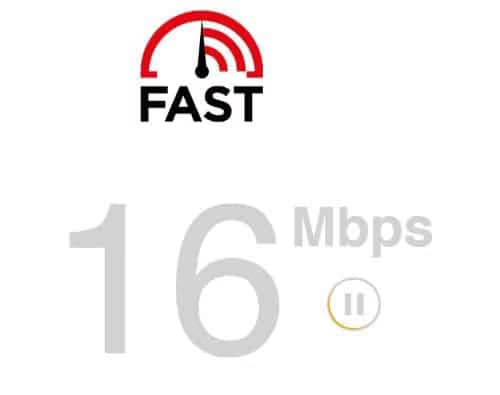
On Apple TV try fast.com to test your actual speed. If it’s under 2 Mbps, switch connections or contact your ISP.
#2. Update Software to Latest Version
Outdated software often creates compatibility issues causing Starz to crash.
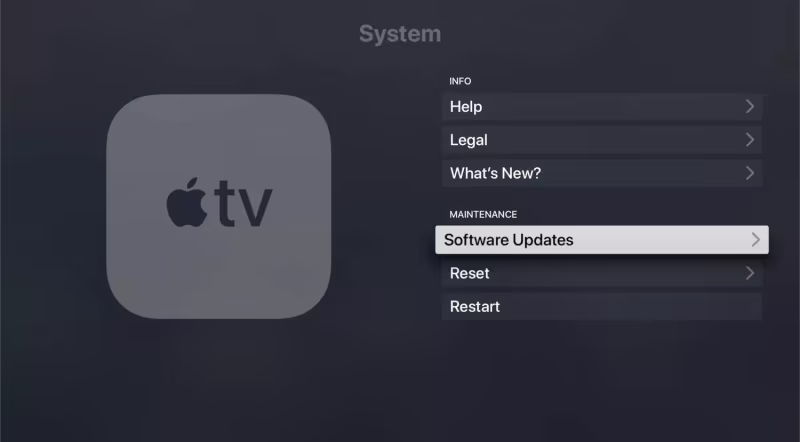
Updating to the latest tvOS version prevents glitches. On Apple TV go to Settings > System > Software Updates to install updates.
#3. Force Quit and Reopen the Starz App
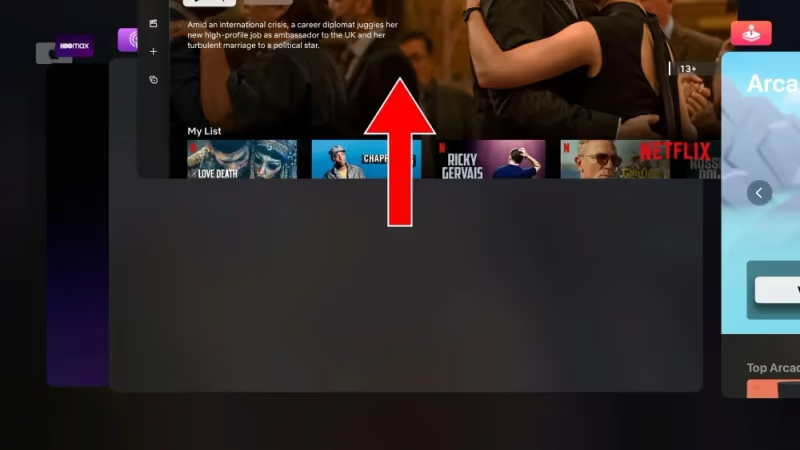
A simple app restart clears any temporary bugs. Double click the home button on your Siri remote to bring up open apps. Swipe up on the Starz preview to fully force quit. Then reopen the app.
#4. Check if Streaming Limit Is Exceeded
Starz allows simultaneous streaming on up to 4 devices. If you get an error about exceeding streams, make sure you meet requirements.
Check account activity under Settings to see currently active streams and disconnect any unused ones.
#5. Reinstall the Starz App
A corrupted install can prevent the app from opening. Delete and reinstall the app by long pressing on the icon until the x appears. Redownload from the App Store.
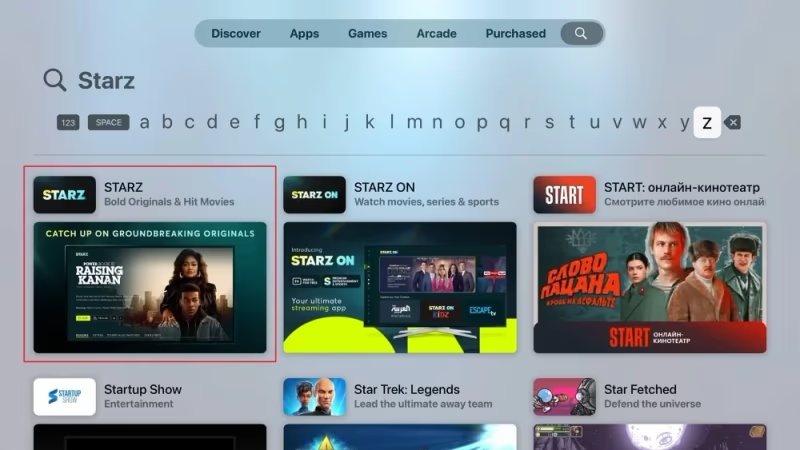
Make sure you activate Starz again after reinstalling.
#6. Restart Your Apple TV Device
If other troubleshooting steps fail, restarting the Apple TV hardware may be necessary to clear any system-level glitches.
Press and hold both the TV button and Volume Down simultaneously for 5 seconds, then release.

#7. Reset Apple TV to Factory Settings
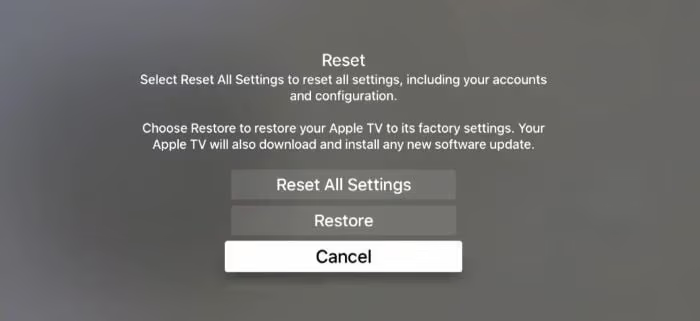
Resetting completely erases all data and settings, acting as a hard restart. This should only be done as a last resort if no other fixes work.
Go to Settings > System > Reset and choose Reset All Settings.
#8. Check Account and Login Details
Can’t login to Starz on Apple TV at all? Verify your username, password and subscription status are valid.
If based outside the US or connecting via VPN, Starz access will be blocked.
#9. Contact Starz Customer Support
For continued Starz login problems, missing episodes or other unresolved issues, reach out to the customer care team for dedicated troubleshooting assistance.
#Why Does Starz Keep Crashing on Apple TV?
Before troubleshooting, it helps to review common reasons Starz may fail on Apple TV:
#Outdated Software Causing Compatibility Issues
Like any streaming app, the Starz app needs up-to-date Apple TV software for full compatibility. Outdated versions lead to crashes, blank screens or playback failures. Regularly installing the newest tvOS updates prevents this.
#Internet Connectivity Problems
Without stable high-speed connectivity, streaming is impossible. Slow internet shows up as endless buffering while no connection gives error messages.
Always test your network first when troubleshooting Starz. Ethernet provides the most consistent bandwidth for Apple TV.
#Exceeded Number of Streams Limit
Starz allows 4 simultaneous streams per account, usually enough for most households. But larger families can hit this limit, resulting in errors when streaming on additional devices like Apple TV.
Check account activity to disconnect unused streams. Upgrading your Starz subscription plan increases the number of concurrent streams allowed.
#Incorrect Sign In Details
Simple login problems like wrong usernames or passwords prevent accessing Starz. Verify your credentials are accurate.
Also, Starz streaming access varies globally. Make sure your location or VPN setup allows Starz.
#Temporary Tech Glitches
Like any streaming app, Starz isn’t 100% perfect or glitch-proof. Router hiccups, signal drops, app crashes and other temporary technical issues can also break streaming.
Quick troubleshooting steps like restarting hardware and software typically resolve these types of problems.
#Bottom Line
-
Start troubleshooting by testing your internet connection first on Apple TV. Slow speeds under 2 Mbps cause streaming failures.
-
Updating to the latest Apple TV and Starz app version prevents compatibility issues down the road.
-
Glitches happen! Simple fixes like force quitting or reinstalling the Starz app often resolve temporary issues.
-
Beyond DIY troubleshooting, reach out to Starz customer support for extra help identifying more complex problems.
-
Consider upgrading to ethernet or a faster internet plan if Wi-Fi problems persist for reliable streaming across all apps.
-
Don’t forget to check account status, login details, and streaming limits when troubleshooting Starz issues.
Keep your software updated, use ethernet for streaming devices whenever possible, and regularly clear caches to prevent technical issues on Apple TV. Following these best practices helps minimize problems accessing streaming services like Starz.
#Frequently Asked Questions
#Why does Starz crash on my Apple TV?
The most common causes are internet connectivity problems, outdated tvOS software, or exceeding the 4-stream limit per account. Start by checking your internet speed and updating your Apple TV software.
#How do I fix Starz buffering and lag on Apple TV?
Buffering and lag when streaming Starz typically point to network issues. Try connecting your Apple TV via ethernet if possible, or test your internet speeds. Starz requires consistent speeds above 2 Mbps, so upgrading your Wi-Fi router or internet plan may help.
#What should I do when Starz shows a black screen on Apple TV?
A black screen with audio indicates a streaming failure. Restart the Starz app or Apple TV device first since this fixes most temporary glitches. If problems persist, check your internet connection stability and try reinstalling the app.
#Why won’t Starz load content on my Apple TV?
Content may fail to load if there are software compatibility issues or problems with your network connection. Make sure your Apple TV runs the latest tvOS version. Also test speeds to confirm your internet meets the 2 Mbps minimum requirement.
#How do I troubleshoot Starz login failure on Apple TV?
Double check your credentials are entered correctly first. If the password is right, login issues typically point to an account access or location restriction. Verify your subscription status, then contact Starz support for further investigation.
#Can I use Starz on Apple TV outside the United States?
No. Starz is only available for streaming within the US due to geographic licensing restrictions. If you’re traveling abroad or using a VPN that routes through a non-US server, the app will block access. Disable any VPN connections and confirm your location settings.
#How many devices can stream Starz at the same time?
Starz allows up to 4 simultaneous streams per account. If someone else on your account is already using all four slots, you’ll see an error on your Apple TV. Check your account activity to see active streams and disconnect any devices you’re not using.
#Comparing Starz on Different Platforms
In addition to streaming on Apple TV, Starz is available through a variety of other services and devices:
Curious how Starz compares to other premium channels? Check out these breakdowns: