Sling TV on Firestick gives you live cable channels without the cable bill. After years paying over $100 a month for cable, I finally cut the cord for good. The solution? Sling TV paired with my Firestick media streamer.
Now I enjoy all my favorite shows for just $35 a month. No contracts, no hidden fees. The setup took minutes, and the picture quality beats my old cable box.
As an early adopter and cord-cutting enthusiast, I’ve learned all the ins and outs of using Sling on Firestick.
- Sling TV starts at $40/month — less than half the average cable bill for 30+ live channels
- Installation takes under 5 minutes — download directly from the Amazon Appstore, no sideloading needed
- Three package options available — Sling Orange ($40), Sling Blue ($45), or both combined ($60)
- Stream on up to 4 devices at once — the combined Orange + Blue plan supports 4 simultaneous streams
- Cloud DVR costs $5/month extra — record up to 200 hours of programming and fast forward through commercials
#What Exactly Is Sling TV?

Launched in 2015 as a subsidiary of Dish Network, Sling TV aimed to disrupt the traditional pay TV model.
For a low monthly fee, Sling TV provides live, streaming access to some of cable’s most popular channels. Packages start at just $40 a month, less than half the average cable bill.
The genius lies in the delivery. Sling TV works on nearly any internet-connected device, no cable box required. As long as you have decent broadband speeds, you can stream Sling TV:
-
On mobile devices via the Android or iOS apps
-
Through media streamers like Firestick, Roku, and Apple TV
-
Via smart TV platforms from LG, Samsung, Sony and more
-
On gaming consoles such as Xbox One
-
In web browsers on your laptop or desktop computer
This plug-and-play flexibility made Sling an instant hit among cord-cutters. Since launch, millions have moved from traditional pay TV services to Sling.
Key Benefits
-
Stream 30+ live popular cable channels
-
Low monthly prices starting at $40
-
No contracts or hidden fees
-
Hundreds of On Demand movies and shows
-
Cloud DVR service available
-
Stream on nearly any device
For Firestick owners like myself, Sling TV is an affordable live TV streaming solution. Here is a look at the packages and pricing.
#What Packages and Channels Does Sling TV Offer?
One of the best parts of Sling is the flexibility. With access to over 50 channels in the combined package, you can pick and choose the exact programming you want.
Here’s an overview of the available Sling TV packages:
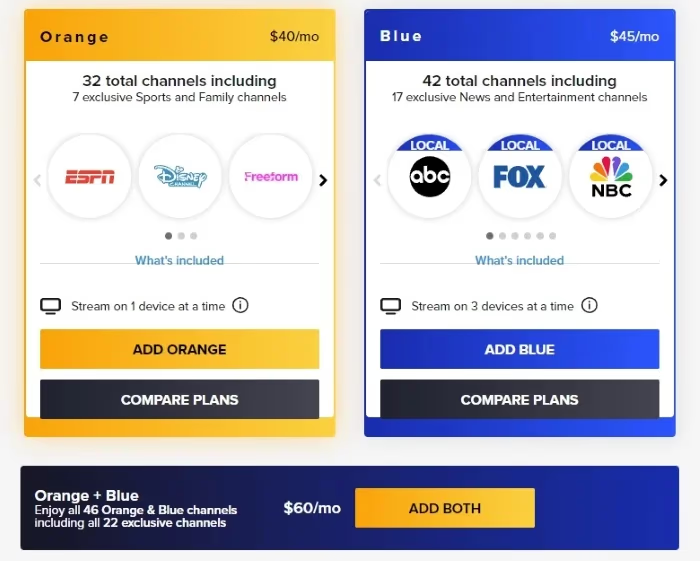
#Sling Orange
-
$40 per month
-
32+ channels
-
Ideal for sports (ESPN, Stadium) and families (Disney Channel, Freeform)
-
Only streams to 1 device at a time
#Sling Blue
-
$45 per month
-
42+ channels
-
More news, entertainment and drama channels
-
Streams to 3 devices simultaneously
#Sling Orange + Blue
-
$60 per month
-
Combined channel lineup from Orange and Blue
-
Over 46 popular live TV channels
-
Streams to 4 devices simultaneously
You’re not locked in forever either. Change your package anytime to align with sports seasons or when new shows release.
Pausing service for a few months? No contracts so you won’t pay a penny.
#Premium Channel Add-Ons
Beyond the base packages, you can always splurge on premium channels. Popular options include:
-
HBO – $15 per month
-
SHOWTIME – $10 per month
-
Starz – $9 per month
-
EPIX – $6 per month
These give you access to even more movies, original series, and events. Of course they do tack on an additional fee.
#Extras, Sports and Comedy Packs
For as little as $6 per month, enhance your channel selection with one of the specialty channel packs.
Recent options included:
-
Kids Extra – BabyTV, Duck TV, TeenNick
-
Hollywood Extra – HDNet Movies, REELZ, Sony Movie Channel
-
Sports Extra – NBA TV, NHL Network, Outside TV
-
Comedy Extra – MTV, Logo, Fuse
#Cloud DVR Service
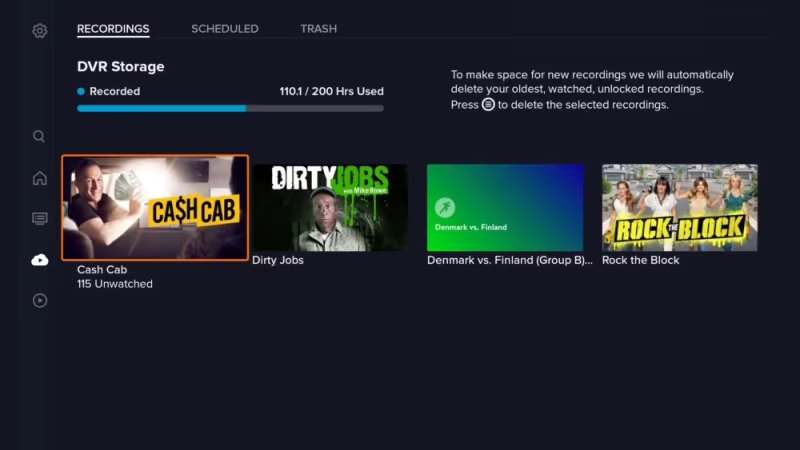
Want to record shows to watch later? Add Cloud DVR for $5 per month extra:
-
Record up to 200 hours of programming
-
Access recordings for up to 30 days
-
Fast forward through commercials
-
Available on single streams only
Now that you know the Sling TV channels and packages available, let’s get it installed on your Firestick.
#How Do You Install Sling TV on Firestick?
Thanks to the Amazon Appstore, getting Sling TV on your Firestick takes just minutes. No sketchy sideloading required.
What You’ll Need
-
Firestick remote
-
Wi-Fi internet connection
-
Amazon account
Steps to Install
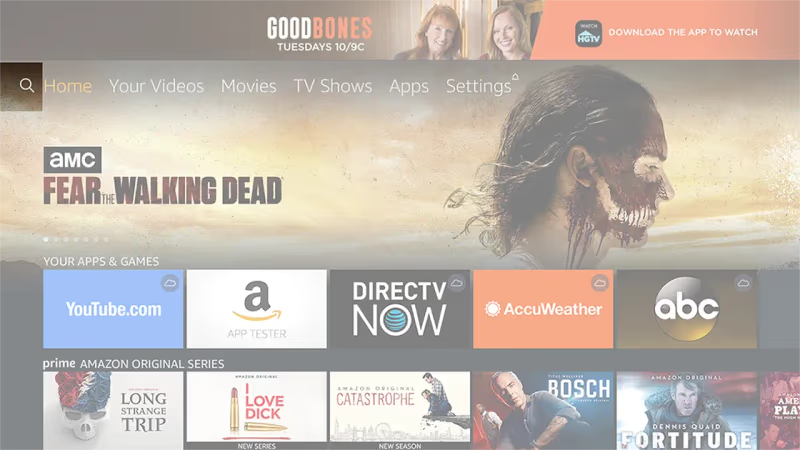
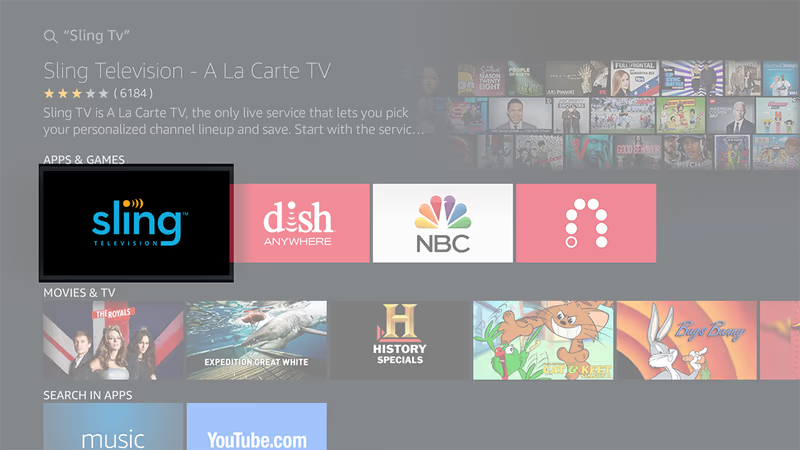
- From Firestick home screen, select the Search icon (magnifying glass)
- Type in “Sling TV” using the on-screen keyboard
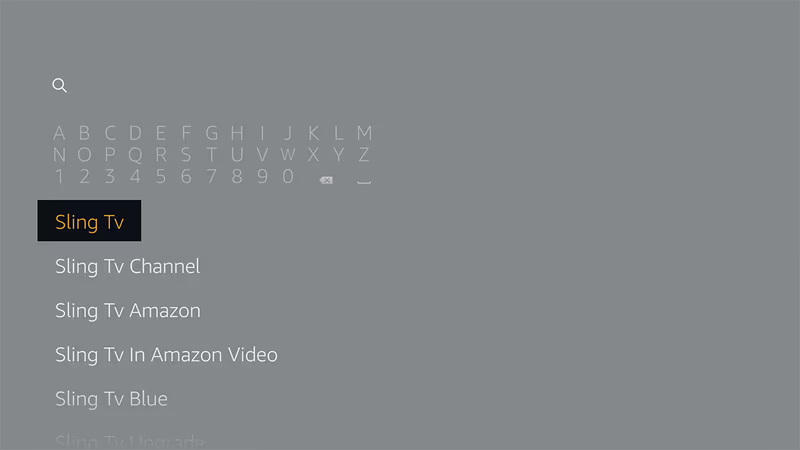
- Select the Sling TV app from the list
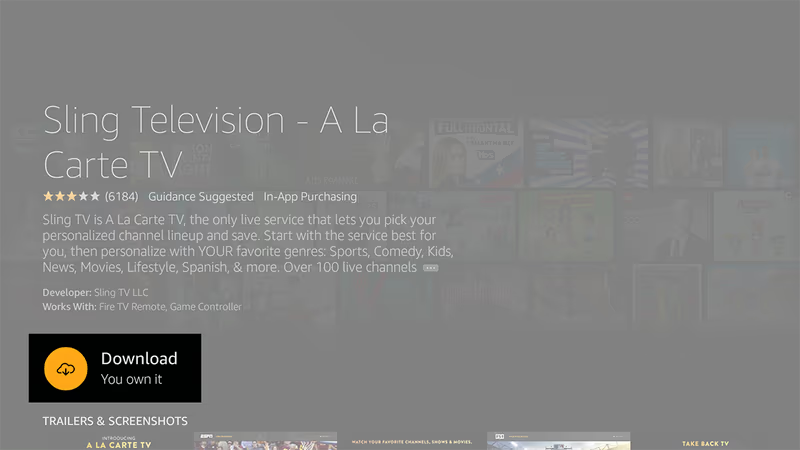
- Choose Download
- Once finished, select Open to launch
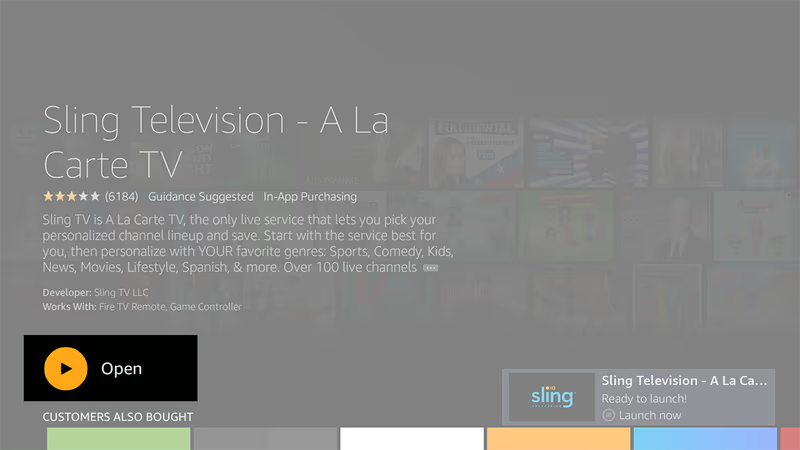
That’s all it takes to get up and running. Pretty straightforward right?
Now I’ll show you how to sign up.
#How to Sign Up for Sling TV on Firestick
You can register for Sling TV one of two ways:
-
Through the Sling website
-
Directly in the Fire TV app
Either works fine, so choose the method you prefer below.
#Sign Up on Sling TV Website
Benefits
-
View all packages/channels in detail
-
Enter CC# securely on computer
How To Sign Up Online
-
Visit www.sling.com on a laptop or tablet
-
Select “TRY US TODAY”
-
Choose your preferred package
-
Personalize with Extras/premiums (optional)
-
Enter email and payment information
-
Use your email and password to sign into Firestick app
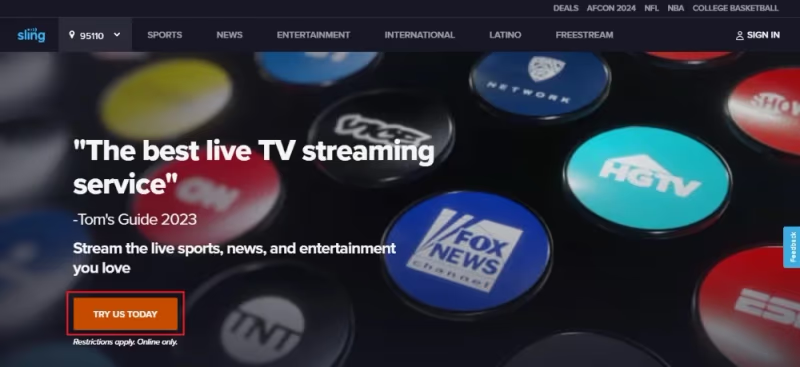
Once registered, you can stream instantly with nothing else to install or set up.
#Sign Up in the Sling Fire TV App
Provided your Firestick is linked properly to your Amazon account and payment method, you can sign up directly in the app. Make sure your Amazon account has a valid credit card on file or it won’t work. Learn more in my Sling TV on LG / Samsung TV setup guide.
How To Sign Up in App
-
Open Sling TV app on your Firestick
-
Select “Watch Now 7 Days Free”
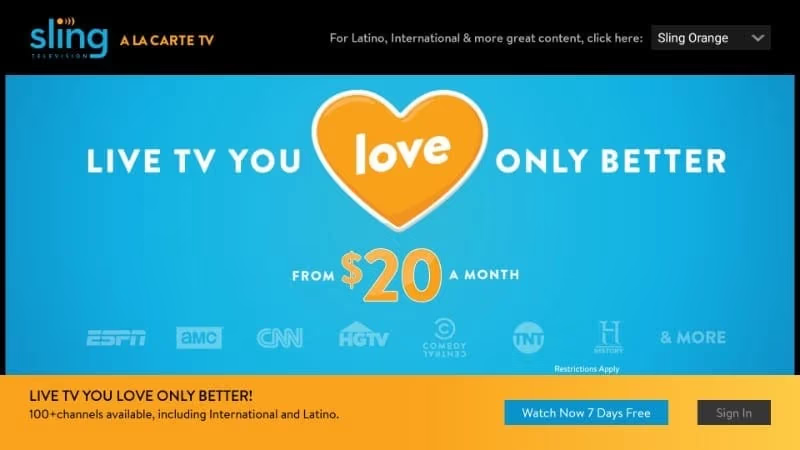
- Pick your base package
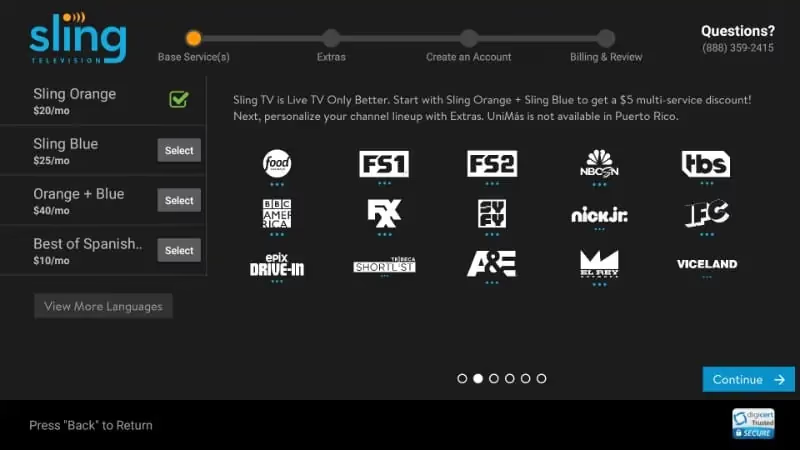
- Optional: Enable extras or premiums
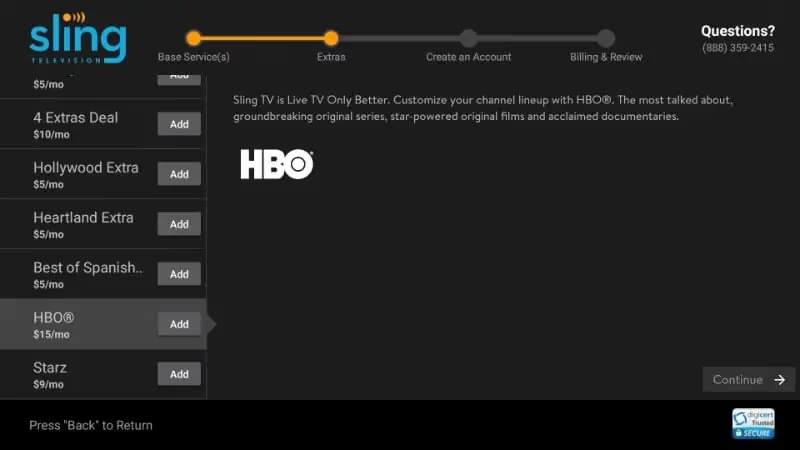
- Follow on-screen prompts to create account and enter payment
Make sure your Amazon account has a valid credit card on file or it won’t work.
And just like that, you now have access to stream live TV channels through Sling!
#Using Sling TV on Your Firestick
The Sling TV interface works smoothly on Firestick with big images and intuitive menus. Operation mirrors traditional cable TV in a lot of ways.
Here I’ll break down the main sections and how to stream.
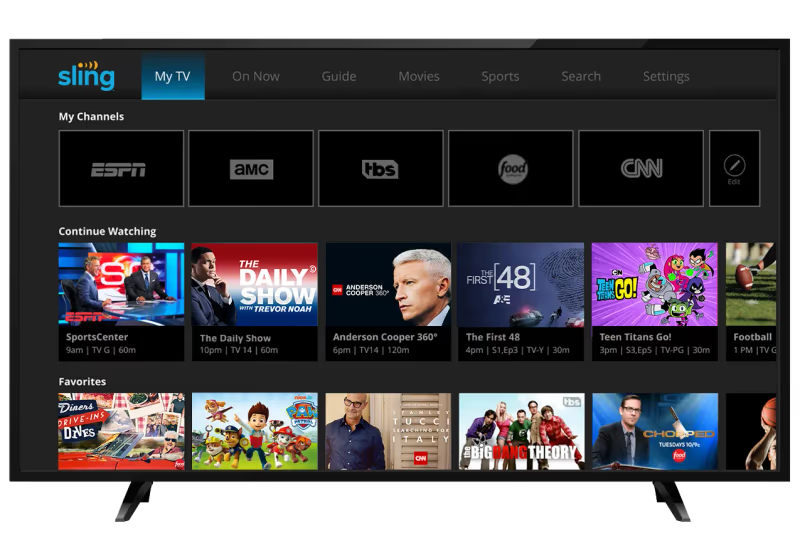
#My TV
The My TV area greets you first on the Sling home screen. This shows personalized recommendations and curated picks. It’s also where you’ll add favorite channels for quick access.
Use the channel guide (left) or cover art view (right) to start streaming live TV.
#On Now
See what’s currently playing on every channel across categories like News, Sports, Comedy and Lifestyle. Flip through each section horizontally.
#TV Guide
Get the full programming schedule in an easy grid format. Scroll left/right to move in time and up/down to view channels. You can surf 2 weeks ahead to plan recordings.
#Movies
Browse and stream hundreds of movies from the on-demand catalog. Filter by genre, channel source or rating to narrow down your options.
#Shows
Same concept as Movies but pulls from a deep pool of TV series instead. Always fresh episodes streaming on-demand.
#Sports
The Sports section organizes available live events and athletics programming by league. Check upcoming matchups and see schedules for your favorite teams.
#Premium Channels
If you spring for Starz, Showtime, or any premium add-ons, access begins here. Download new releases or browse full series on-demand with the standalone apps.
That covers the main functionality on Sling TV Firestick edition. I find performance very responsive with crisp HD quality across my shows.
Now I’ll quickly go over troubleshooting before wrapping up.
#How Do You Fix Sling TV Issues on Firestick?
These steps fix 90% of streaming issues:
-
First, restart your Firestick by holding the power button for 30 seconds
-
Next, reinstall the Sling app then reopen
-
Check your internet speeds at Fast.com
-
If speeds fall below 25 Mbps, contact your ISP
-
Enable location permissions for Sling in Firestick Settings
Other users have had success assigning a static IP address to the Firestick or adjusting their router channel settings.
A basic reboot and reinstall will solve most problems. If issues persist, compare your setup with the Sling vs YouTube TV or Sling vs fuboTV guides to see if another service fits your network better.
#Bottom Line
-
Sling TV is an affordable live TV streaming option starting at $40 per month
-
Packages like Sling Orange and Sling Blue provide 30+ must-have cable channels
-
Easily install Sling TV on Fire TV using the Appstore
-
Sign up directly through sling.com or in the Firestick app
-
Stream to 3 devices simultaneously (4 with combined package)
-
Add premium networks like HBO and Showtime a-la-carte
-
Record shows to Cloud DVR for playback later
-
Available on nearly any phone, tablet, streaming device or computer
Give Sling TV a shot free for 7 days through your Amazon Firestick.
Then take it for a spin on phones when away from home or tablets for another room. One Sling TV subscription covers streaming to multiple devices at once. You can also check out Sling vs Philo if you want a cheaper alternative with fewer channels.
Review the table below for full compatibility across platforms:
| Platform | Sling App Available |
|---|---|
| iOS and Android | Yes |
| Fire TV and Firestick | Yes |
| Roku | Yes |
| Apple TV | Yes |
| Android TVs | Yes |
| Xbox One | Yes |
| Oculus | Yes |
| Chromecast | Yes |
| Web Browsers | Yes |
#Frequently Asked Questions
#Does Sling TV have local and regional sports networks?
Local channel availability depends on your location. Sling generally carries major locals like ABC, NBC and Fox, but coverage varies by market. Regional sports networks are limited compared to YouTube TV or fuboTV. Check sling.com for specifics in your area.
#Can you use Sling TV outside the United States?
Sling TV only works inside the United States. You would need a VPN router to access the streaming servers from abroad, though Sling’s terms of service discourage this. Most users traveling internationally switch to a local streaming option until they return home.
#How many devices can stream Sling TV at the same time?
Sling Orange allows 1 stream at a time. Sling Blue supports up to 3 simultaneous streams, and the combined Orange + Blue plan allows up to 4. If you have a large household, the combined plan gives the most flexibility.
#Is Cloud DVR included with Sling TV?
Cloud DVR is not included in the base plan. It costs $5 per month as an add-on and lets you record up to 200 hours of programming. Recordings stay available for 30 days, and you can fast forward through commercials on most channels.
#Does Sling TV offer a free trial?
New users get a 7-day free trial on any package. If you don’t cancel before the trial ends, your card on file will be charged the monthly rate automatically. Set a calendar reminder so you don’t forget.
#Can you customize Sling TV channel packages?
There are no fully custom packages. You pick from the core plans (Orange, Blue, or both) and then add premium channels or genre-based Extras packs like Sports Extra or Kids Extra. This mix-and-match approach keeps costs down while letting you tailor the lineup.
#What sports channels does Sling TV include?
Sling Orange includes ESPN and ESPN2, making it a solid pick for sports fans on a budget. You can also add the Sports Extra pack for channels like NFL RedZone, NBA TV, NHL Network, and MLB Network. College sports coverage depends on which conferences air on the included channels.
#How does Sling TV compare to YouTube TV and Hulu + Live TV?
Sling TV costs less than both YouTube TV and Hulu + Live TV, but it has fewer channels and more limited DVR storage. YouTube TV includes unlimited DVR and more local channels. The right choice depends on your budget and which channels matter most to you.