Seniors looking to cut the cord and start streaming may find themselves trying to decide between two of the most popular streaming devices on the market – Roku and Amazon Firestick. But when it comes to ease of use and senior-friendly features, which one comes out on top?
- Roku wins for seniors overall — larger text, high-contrast menus, and a traditional remote make daily use straightforward
- Firestick leans on Alexa — great voice control, but the graphics-heavy interface overwhelms many older users
- Setup is nearly identical — both devices plug into HDMI and take under 10 minutes to configure
- Roku offers 10,000+ free channels — budget-conscious seniors get more content without extra subscriptions
- Entry-level pricing starts around $30 — Roku’s base models tend to cost a few dollars less than comparable Fire TV Sticks
#Introduction
With large buttons on traditional cable remotes getting harder to see and click, more seniors are switching to simple streaming devices. Both Roku and Firestick allow you to access all your favorite streaming apps and channels on an easy to navigate interface.
But subtle differences in setup, menus, remotes, and voice controls may make one better suited for elderly users than the other. This guide examines over a dozen key features to crown the superior streamer for seniors.
#Bottom Line
-
Roku’s simplified menus with large text make it most senior-friendly
-
Firestick has smaller icons and more cluttered home screen
-
Roku remote resembles a traditional TV clicker
-
Both have excellent streaming channel availability
-
Roku is slightly cheaper for those on budgets
-
Amazon offers better tech support resources
#Overview: Roku vs Amazon Fire TV Stick
#What is Roku?
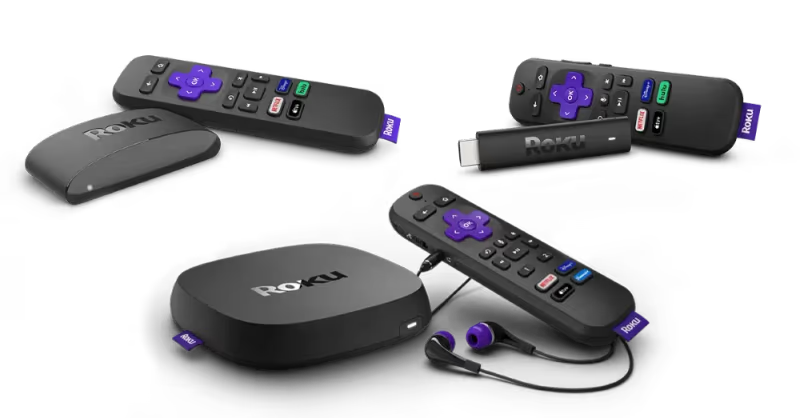
Roku is a line of digital media streaming players that allows you to stream content from various channels and apps right onto your TV. No cable box or antenna is needed. There are several Roku models available at different price points with features like:
-
Streaming in HD, 4K, HDR
-
Roku OS interface to navigate channels
-
Ability to download apps like Netflix and connect subscription services
-
Roku remote with shortcut buttons
#What is Amazon Firestick?
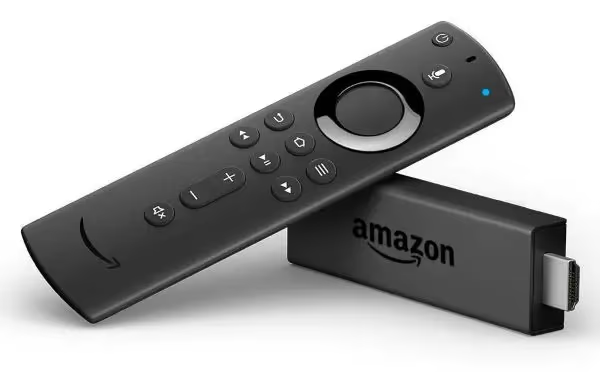
Amazon’s Fire TV Stick works much the same way as Roku, giving you access to streaming services like Prime Video, Netflix, Hulu, live TV and more straight through your TV. Models with 4K streaming and Alexa voice remote provide additional features.
#How are Roku and Firestick Different?
While Roku and Firestick share similarities, there are some key differences when it comes to elements like:
-
Interface and Menus: Roku has larger text and icons while Firestick’s interface is more graphics and image-focused
-
Remote control: Firestick remote is thinner, Roku more traditional TV remote
-
Voice Assistant: Roku remote has some voice commands, Firestick full Alexa voice assistant integration
-
Channels & Content: Roku has more free channel options, Firestick tailored more to own Prime Video content
Understanding these key differences and evaluating the needs of elderly users is crucial when determining if Roku or Firestick better serves seniors looking to stream.
#Setup and Installation
Ease of initial setup plays a major role in ensuring elderly users can get streaming without frustration.
#The Initial Setup Process
Fortunately, both Roku and Amazon Firestick have straightforward processes when it comes to the initial setup:
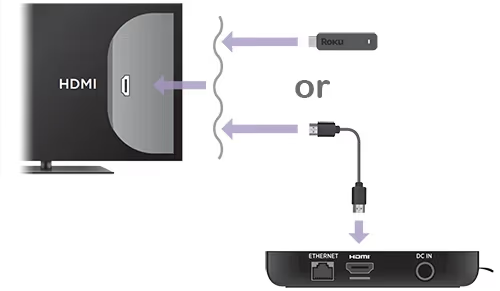
Roku:
-
Plug Roku device into TV HDMI port
-
Connect Roku to internet via WiFi or ethernet
-
Create Roku account
-
Walk through on-screen prompts about preferences
-
Add streaming channel apps
Firestick:
-
Insert Firestick into TV HDMI slot
-
Connect stick to WiFi
-
Sign into or create an Amazon account
-
Answer settings questions
-
Add preferred apps
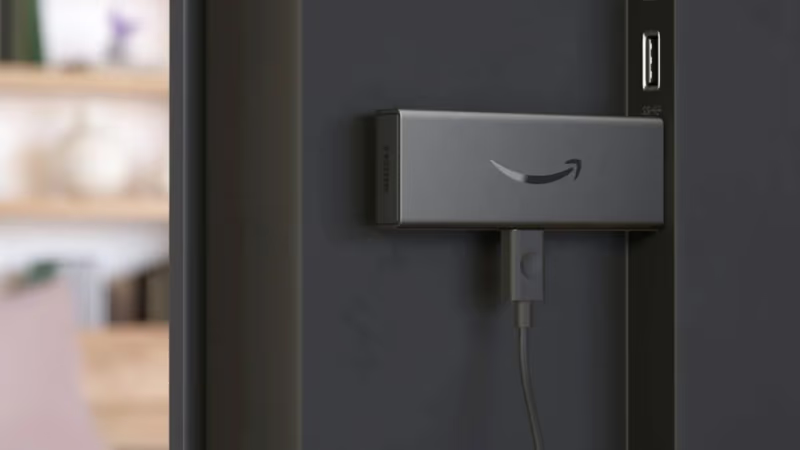
As is evident, the steps are virtually identical. Both allow you to establish connectivity, make an account, personalize settings, and download your must-have streaming platforms.
The interfaces asking you questions are graphical and easy to follow. Assuming already connected to WiFi, setup takes just 5-10 minutes for both Roku and Firestick.
#Internet Connectivity
In order for any streaming device to work properly, a strong internet connection is required. Roku and Firestick can connect either via WiFi or an Ethernet cable.
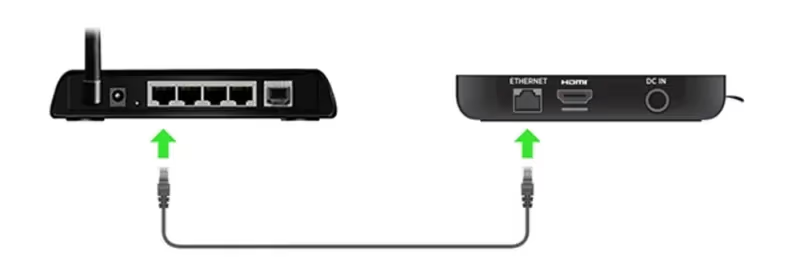
Weak WiFi signals can disrupt streaming quality, so having the ability to hardwire with an ethernet cable is useful. All high-end Roku devices offer ethernet ports, while only Firestick’s most expensive Cube has one built-in.
Both platforms provide the ability to access hidden WiFi networks – useful in nursing homes, hospitals, rehabs and other senior living situations restricting open networks.
The Winner: Draw. The setup process and internet connectivity options are similar enough between both devices that neither gains a significant advantage when it comes to installation.
#Which Device Has Easier Menus for Seniors?
Navigating menus and finding content is critical for user experience. The interface layout and design influence how easy it is to use each streaming device.
#Home Screen
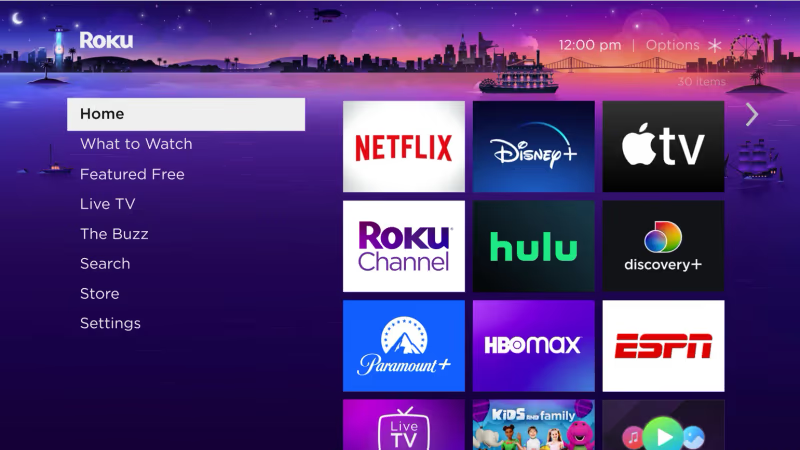
Roku: Simple home screen shows apps/channels plus left-side menu categorizing channel types like Live TV, Sports, News, etc. Minimal interface makes finding streaming channels straightforward.
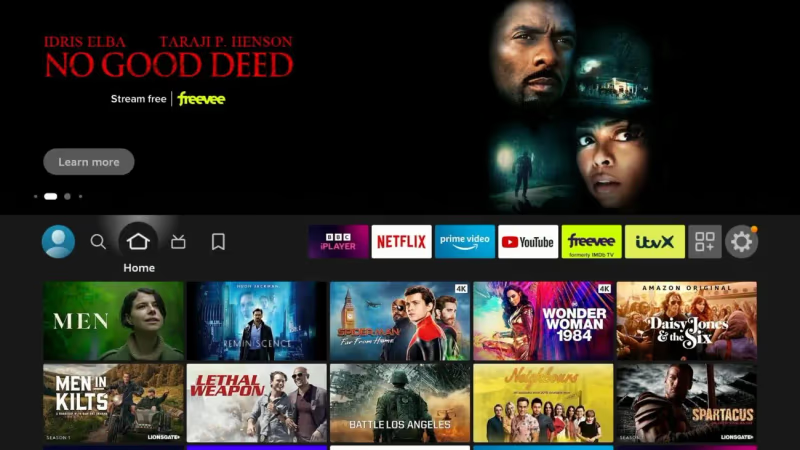
Firestick: More visually dynamic home page featuring carousels of Amazon Prime Video content. Apps live in top menu but require more clicks to access and organize compared to Roku’s display all apps interface.
#Organization
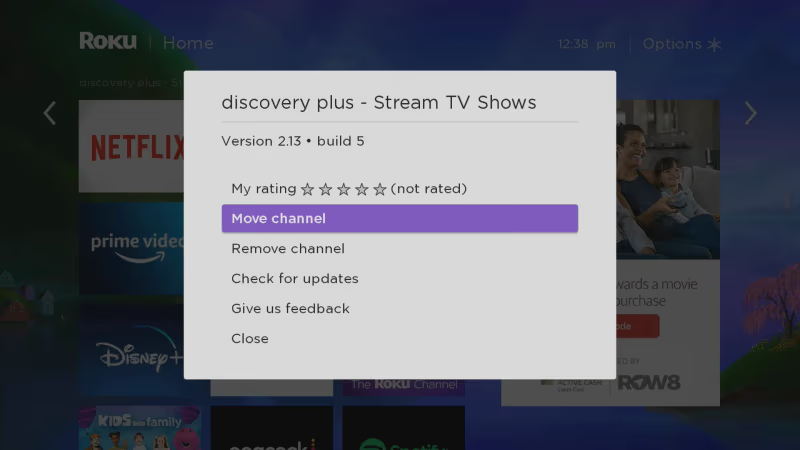
Roku: Channels can be customized so favorites appear first on home screen.
Firestick: No ability to re-arrange apps – always defaults to most frequently used ones up front.
#Browsing Experience
Roku: Simple text menus, ability to identify content by language, captioning services and other accessibility features. Less risk of information overload.
Firestick: Richer graphical elements like hero images and sliders looking beautiful but busier overall. Relies more on images than text for navigation.
The Winner: Roku’s simplicity gives it the edge for seniors struggling with cluttered screens or searching through lots of menus. Larger icons and text plus greater customization ability make accessing content simpler. Firestick pushes Prime Video content more aggressively.
#Remote Control
Both Roku and Firestick come with remote controls suited to their individual interfaces. Factors like button layout,built-in microphone for voice control, ability to control TV power and volume, size, and weight all contribute to ease of use.
#Buttons & Ergonomics
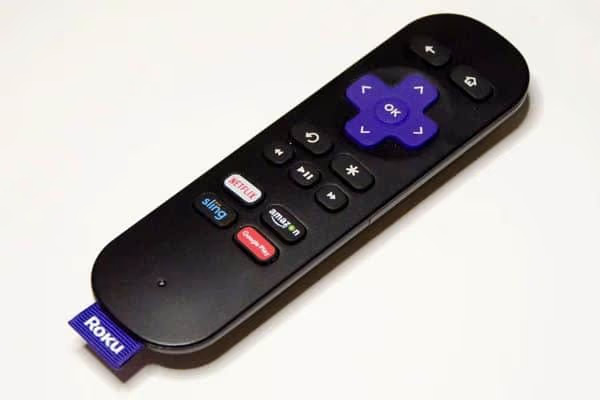
Roku: Offers remotes ranging from simple IR versions with just basic controls to higher-end Bluetooth enabled ones with audio buttons, voice support, headphone jacks and more. Resembles traditional TV clicker. Can program Roku universal remote codes as well.
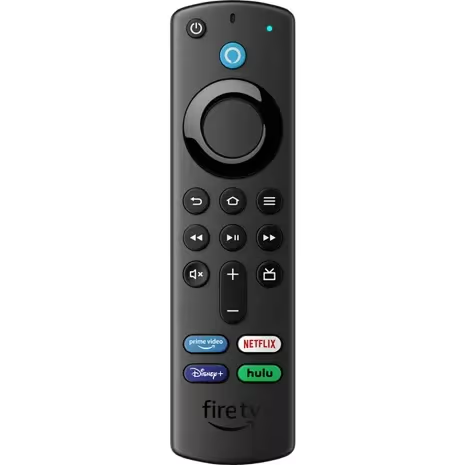
Firestick: Single remote model for all Firesticks with thinner, lightweight design. Flat buttons with silhouetted shapes are modern but sacrifice intuitiveness.
#Voice Commands
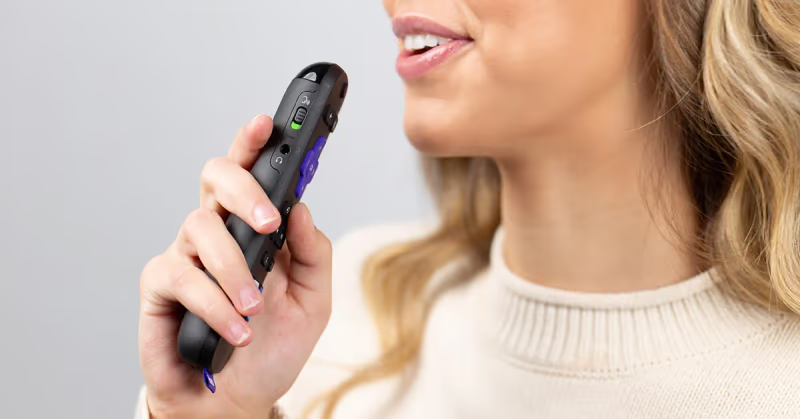
Roku Remote: Some have push-to-talk microphone to speak voice commands. Trigger includes using Wake word “Hey Roku”. Can open apps, search by title, actor, director, genre.
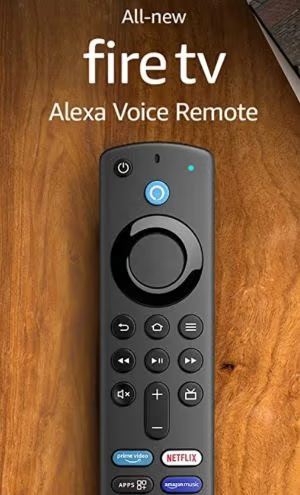
Firestick Remote: Built-in Alexa allows extensive voice control functionality. Push microphone button then make request. Familiar Alexa activation phrase, “Alexa…”. Controls TV functions beyond just content search.
The Winner: While Firestick remote design arguably more senior-friendly being lighter, thinner and having Alexa, Roku remote’s old school looks, button labels and optional voice support edge it out. Large print channel shortcut buttons help those with dexterity and sight issues. Voice useful but not essential.
#Streaming Channels and Content
Access to popular streaming services essential. Must determine channel availability and ability to find desired programming.
#Channels and Apps
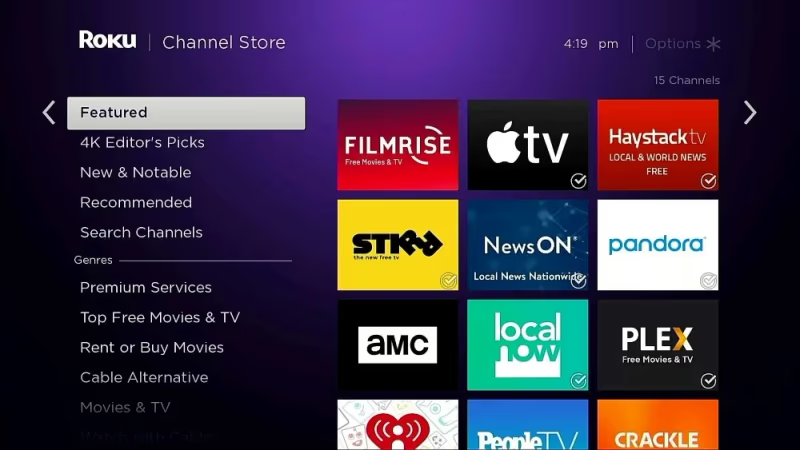
In total Roku offers over 10,000 streaming channels – ranging from free, ad-supported Roku channels to paid services like Netflix and Disney+, and premium subscriptions channels like HBO Max. Offers virtually every streaming option imaginable.
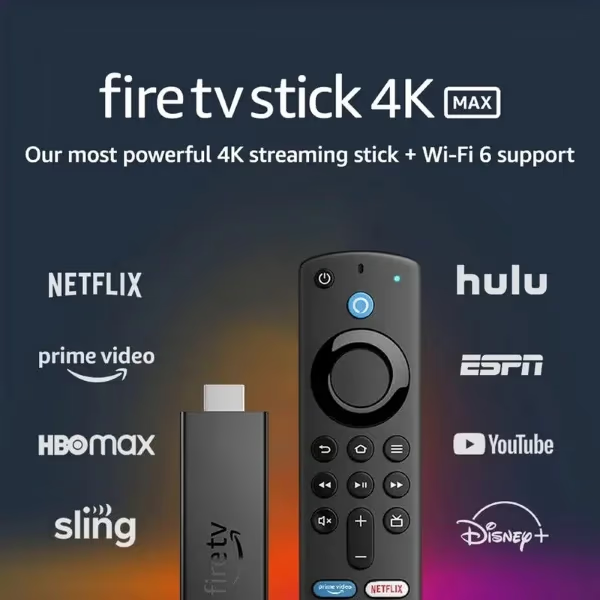
Firestick also grants access to the most popular streaming platforms like Prime Video, Netflix, Hulu, YouTubeTV, SlingTV and more. But overall channel count significantly smaller than Roku ecosystem of offerings.
#Free Content
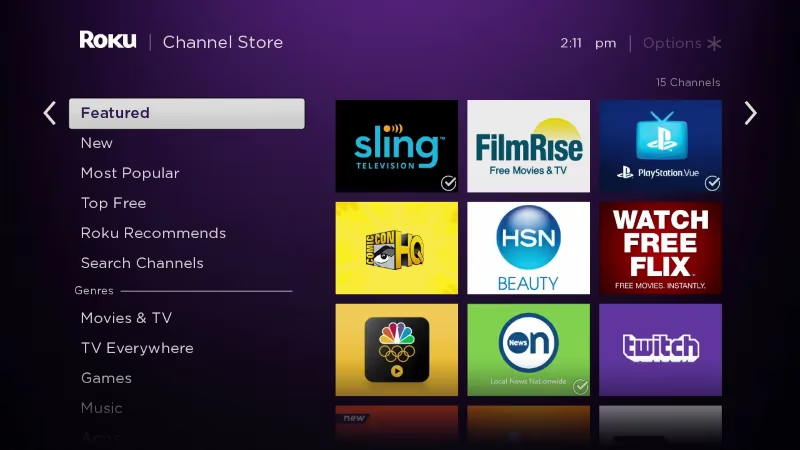
One advantage Roku touts over Firestick is the thousands of free streaming television channels available spanning categories like news, sports, movies, music and more. Examples include ABC News Live, PBS Kids, PBS Masterpiece, FirstOne FreeMovies and over a hundred free live TV channels.
Firestick technically also provides free movies, TV show episodes, live news through IMDb TV – but it’s Amazon owned so just a vehicle to push Amazon content.
The Winner: Channel availability basically a wash when it comes to paid streaming services. But breadth of free ad-supported content gives Roku the edge for budget-conscious seniors.
#What Other Features Matter for Elderly Users?
Taking a look at a few other senior-specific concerns impacting user experience.
#Text Readability
Roku wins hands down for ease of reading critical elements like menus, text labels and search results. Default font size quite large, high contrast colors between background and text makes screens more readable.
#Accessibility & Motion Sensitivity
Under accessibility settings both platforms allow you to turn on closed captioning as well as video description services that provide audio descriptions of scenes for the visually impaired.
Those sensitive to motion can minimize trailers autoplaying and turn off parallax scrolling effects which can induce nausea. Firestick has more built-in motion effects senior users may want to disable.
#Budget & Cost
Given most seniors on fixed income, affordability essential. All Roku and Firestick models quite reasonably priced starting between $30-$50 for base streaming devices, no ongoing fees beyond channel subscriptions. Higher priced players with 4K HDR available. Compare how Roku stacks up to cable and DirecTV price wise.
The Winner: Roku edges out Firestick overall based on lower prices for those entry-level models senior stick to basics will likely purchase. Elderly less concerned about advanced performance.
#The Verdict: Best Streaming Device for Seniors
Based on our extensive comparative analysis, Roku emerges as the superior streaming option for older users thanks to:
-
Simplified interface and menus
-
Larger text and icons
-
Traditional remote control Buttons
-
Lower cost entry level models
-
Greater breadth of free streaming content
Firestick certainly also a solid choice but better geared towards tech-savvy users thanks to advanced Alexa integration, graphic-intensive interface. Resembles smartphone app environment elderly may reject.
Ultimately Roku’s simplified navigation and basic streaming all channels approach caters nicely to seniors abandoning cable. See how Roku compares to other top streaming options like AppleTV as well.
#Still Not Sure? Try Both!
Fortunately both Roku and Firestick sell affordable streaming sticks allowing you to try each platform for under $30. Pick up a Roku Express and Firestick Lite to test head-to-head before committing.
Provide the senior in your life whichever device offers simplest cord cutting experience – chances are that will be Roku. But user testing for yourself may prove most constructive.
#FAQs About Roku & Firestick for Seniors
#Which has easier menus to read?
Roku’s menus feature larger, high contrast text on a black background by default which makes screens far easier to read for seniors versus the darker grayscale text on Firestick’s busier interface.
#Do I need a smart TV?
No – you can use both Roku or Firestick even with a non-smart, regular television set. The devices handle all the streaming functionality.
#Does Roku or Firestick cost more?
Both start at price points around $30 for base models. Roku caters toward budget users so they sell lots of lower cost streaming sticks making it generally more affordable overall for cost-conscious seniors.
#Can I customize the interface?
Roku offers significantly greater home screen customization – including ability to only display favorite installed channels plus re-order based on personal preferences. Firestick lacks that flexibility.
#Do channels cost extra money?
Over 10,000 free streaming channels are available on Roku, rivaling cable variety. Premium options like Netflix and Amazon Prime Video carry monthly fees just like cable. Learn how to log out of Roku TV if subscriptions end.
#Can someone with arthritis use these remotes comfortably?
Roku’s remote is wider and has raised, tactile buttons that are easier to press with limited hand dexterity. The Firestick remote is thinner and lighter, which some seniors prefer, but its flat button design can be harder to feel without looking. Either way, voice commands on both devices let users skip button presses entirely for common tasks like searching or launching apps.
#Is an internet connection fast enough at a senior living facility?
Most assisted living communities and nursing homes provide Wi-Fi that handles standard HD streaming without trouble. If the connection feels slow, plugging in an ethernet cable to a Roku Ultra or Fire TV Cube delivers a more stable signal. Both platforms also support connecting to hidden networks, which many facilities use for security.