Deciding between Roku and DirecTV Stream for your home entertainment? This guide breaks down the pros and cons of each platform so you can pick the right fit for your viewing habits and budget.
- Roku players start at $25 — you only pay for the streaming apps you actually want, with no bundle required
- DirecTV Stream costs $70-$150/month — closer to traditional cable pricing but includes live channels like ESPN and Fox News
- Roku supports 4K HDR video — DirecTV Stream currently maxes out at 1080p HD
- DirecTV Stream includes a 20-hour cloud DVR — Roku devices have no built-in recording capability
- Roku works on thousands of devices — DirecTV Stream lacks a native Roku app and skips game consoles entirely
#Introduction
With rising cable costs and better streaming technology, more consumers are ditching traditional pay TV for internet-based services. Two popular options for cord cutters are Roku and DirecTV Stream. But how do you decide which is better for your needs?
This guide provides a side-by-side comparison of Roku vs DirecTV Stream. We cover pricing, channel lineups, ease of use, streaming quality and more to help you find the best option for your viewing habits.
#What Does Roku Offer as a Streaming Platform?
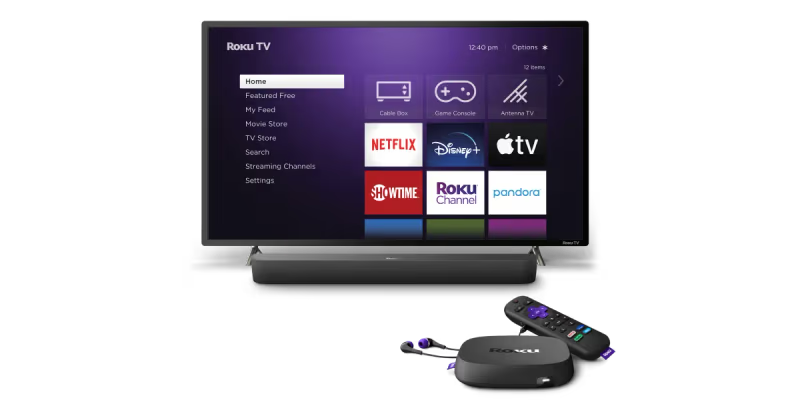
Launched in 2008 as a digital video player, Roku has evolved into one of the most popular dedicated streaming platforms on the market. Roku streaming players and Roku smart TVs grant access to thousands of streaming channels and services in an easy-to-use interface.
With a wide variety of affordable devices and flexible channel packages available, Roku appeals to both novice and experienced streamers. It’s also our top recommended device for cord cutters based on testing and reviews across various sources like CNET, Tom’s Guide and Wirecutter.
#Roku Pros
-
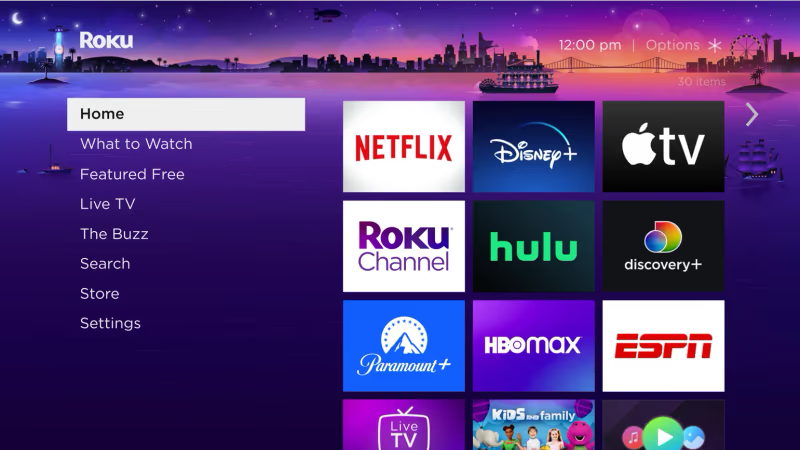
User-friendly interface: Easy enough for beginners but plenty of customization options for tech enthusiasts. Homogenized home screen makes browsing services simple.
-
Broad app support: Access virtually all major streaming services including Netflix, Prime Video, Disney+, HBO Max and thousands more. New apps constantly added.
-
Affordable players: Inexpensive streaming sticks start around $25. High-end 4K players available for under $100. All support the same apps.
-
Cross-device search: Search by movie/show across installed channels rather than within each individual app.
-
No monthly cost: Only pay for the streaming services you want rather than a locked in cable contract. Some free streaming content available.
#Roku Cons
-
No live TV: Roku devices themselves do not directly provide access to live television channels. You’ll need subscriptions to live TV streaming services.
-
No built-in storage: You can’t save shows locally or record live TV. Roku only streams content on-demand from installed apps.
-
Fewer channels than traditional cable: While thousands are available, channel selection doesn’t match the breadth of traditional pay TV. Niche channels may not be available.
#How Does DirecTV Stream Compare to Cable?
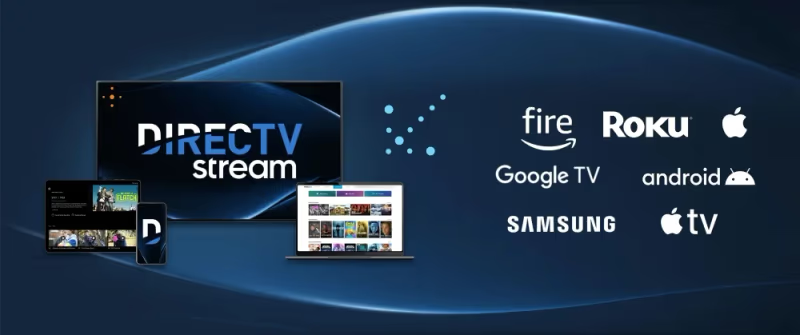
Brought to you by the satellite leader, DirecTV Stream (formerly known as AT&T TV and AT&T TV Now) grants access to live news and sports from major cable channels without requiring a satellite dish or cable box.
While more expensive than standalone streaming devices, DirecTV makes it easier for existing pay TV subscribers to transition to a streaming-based alternative while retaining a similar experience and their favorite channels.
#DirecTV Stream Pros
-
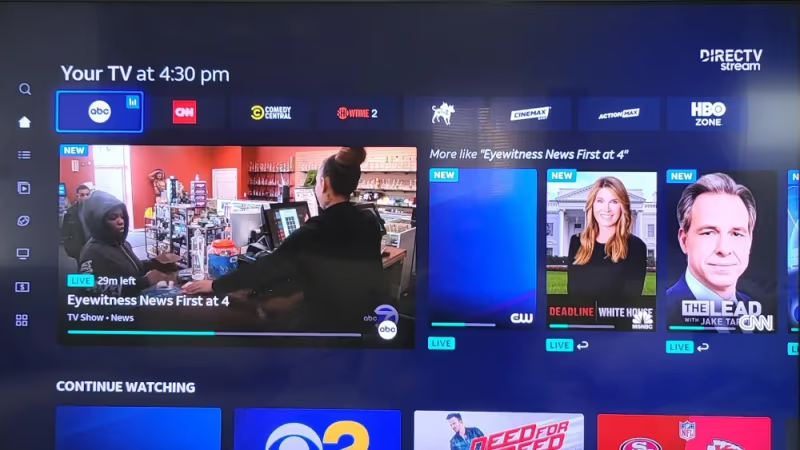
Wide channel lineup: Access popular national cable networks like ESPN, Fox, Discovery, Bravo, FX, USA and more. Options closest to regular DirecTV.
-
Included cloud DVR: Record an included 20 hours of your favorite shows to replay whenever convenient. Upgrade for more hours.
-
Accessibility features: Closed captions supported on all channels. Multiple audio tracks available for surround sound or descriptive video.
-
Watch away from home: Stream on tablets, phones and laptops anywhere you go so you always stay connected to entertainment.
-
No contract requirements: No long term commitments. Cancel anytime without early termination fees.
#DirecTV Stream Cons
-
Pricier than most streaming: Packages from $70-150 per month rivals cost of regular cable/satellite. Lots of fees drive up overall costs.
-
Limited streaming devices supported: Supported on mobile devices, computers and Fire TV. No native app for Roku or game consoles.
-
Confusing tiered packages: With 4 price tiers each with different channels, navigating options is frustrating. Most expensive packages offer best value.
-
Spotty video quality: Maximum available 1080p quality can’t match 4K HDR streaming standards on other devices and services.
Now that we’ve covered the basics on Roku devices and DirecTV Stream, let’s do a detailed breakdown on how they compare across key decision making factors.
#Roku vs DirecTV Detailed Feature Comparison
| Factor | Roku | DirecTV Stream |
|---|---|---|
| Cost | Only pay individually for streaming apps you want. No bundles required. Players start around $25. Best value. | Multiple package tiers from $70-$150 per month. Lots of extra fees like taxes and regional sports drive up price. |
| Channel Selection | Thousands available a la carte across various services. Custom build your package. Niche options limited. | Around 140 channels depending on tier. Access popular national cable networks. Closer to regular DirecTV. |
| Supported Devices | Compatible with 1000s of Roku players, smart TVs, streaming sticks/boxes, mobile devices, gaming consoles, and PCs. Very flexible. | Supported mobile devices, browsers, Amazon Fire TV, Apple TV. No native Roku app limits use. |
| Video Quality | Up to 4K HDR based on internet speeds and content provider. Standards consistently improving. | Currently maxes out at 1080p HD quality. Lags behind other premium streaming. |
| DVR Options | Limited and varies individually for each streaming app. Some offer cloud DVR upgrades. | Includes 20 hour cloud DVR standard. Upgrade available for more hours and tuners. |
| On-Demand Library | Hundreds of thousands of shows and movies available on-demand across installed streaming apps. Content comes and goes. | Thousands available across channel on-demand libraries. Pay per movie/show via DirecTV PPV. |
| Audio Options | Varies by app from Stereo to Dolby Atmos immersive audio. Many support descriptive video tracks. | Typically 5.1 Dolby Digital surround sound available. Descriptive video and alternate language tracks on most channels. |
| Accessibility Features | All apps support closed captions. Some described video available. Voice commands available. Screen reader capability varies individually per app. Roku mobile app helpful for those with mobility issues. | Full accessibility with closed captions, descriptive video and multiple audio tracks on every channel. Voice commands accepted. |
| User Experience | Simple, intuitive interface built for streaming. Content organized across channels rather than network or show. Easy for anyone. | More complex grid-style channel guide like traditional TV. Improved personalization recommendations and voice navigation assistance available. |
| Account Sharing | Create multiple personalized profiles with individual watch histories and recommendations. Account holder controls permissions. | Supports account profiles to keep preferences and watch history separate. SIMultaneous streaming allowance based on package. |
| Number of Streams | No limit set by Roku. Varies individually depending on capabilities and permissions of installed streaming apps. | Number of devices that can stream simultaneously depends on package tier purchased. Entry level permits 2. |
| Watch Away from Home | Varies individually depending on streaming apps. Some allow downloading shows offline on mobile devices. Performance reliability varies. | Yes, stream anywhere in U.S. on supported device plus connected mobile apps. Number of devices limited by package. |
| Free Content | Hundreds of free streaming channels available spanning movies, viral videos, music, sports clips, kids shows, indie films and more. Quality wildly varies. | Limited. News clips available from live TV streaming. Otherwise need subscriptions. |
| Contract Requirement | None | No long term contracts. Pay month to month. Cancel anytime. |
#Frequently Asked Questions
#Does DirecTV Stream have the same channels as satellite DirecTV?
No. DirecTV Stream carries popular cable channels like ESPN, TNT, TBS and Fox News, but the overall lineup differs from satellite DirecTV. Local broadcast station availability tends to be more limited, and sports packages vary by tier.
#Can I get local channels on Roku without cable?
Yes, you can pick up free local broadcasts like ABC, CBS, NBC and Fox with a digital TV antenna. Streaming services like Sling TV may also provide local feeds in select markets. Pairing an antenna with a Roku player gives you local channels at no monthly cost.
#Which platform is better for watching sports?
DirecTV Stream provides a stronger sports experience because national cable sports networks come included across all packages. Roku also supports sports streaming through add-on services like ESPN+, NFL Sunday Ticket and DAZN, though each requires its own subscription fee. For fans who follow multiple leagues, DirecTV Stream’s bundled approach tends to be more convenient.
#Does Roku support pay-per-view movies and events?
Yes. Apps like Vudu, Google Play Movies and Apple TV let you rent or buy the latest movie releases directly on your Roku. Live event options like WWE Network and UFC Fight Pass are also available through their respective apps.
#Can I customize my DirecTV Stream channel lineup?
Only to a limited extent. You can add premium networks like HBO or Showtime to your base package for extra fees. However, the core channel groups within each tier cannot be broken apart or excluded, so you pay for the full bundle regardless.
#Which device has better voice control?
Roku wins here. Its remotes have built-in microphones for spoken commands without needing a separate smart speaker. DirecTV Stream supports voice control through Alexa or Google Assistant integration, but the extra step of using an external device makes it less convenient. Roku’s voice search also works across multiple apps at once.
#What happens if I forget my Roku PIN?
You can reset your PIN from your Roku account page in any web browser. If you no longer have access to the email on file, contact Roku Support directly for help recovering your account.
#Does Roku have a cloud DVR option?
Roku devices do not have built-in DVR capability. However, streaming apps available on Roku like YouTube TV, Hulu + Live TV and Sling TV each offer their own cloud DVR features as part of their live TV packages.
#Which Should You Choose: Roku or DirecTV Stream?
#Choose Roku If You…
-
Want maximum flexibility to build your own customized package across standalone apps
-
Care most about affordability and minimizing monthly costs
-
Prefer a simpler, more straightforward viewing experience
-
Own a smart TV, game console or other device lacking a native DirecTV app
-
Demand consistently improving 4K HDR video quality as standard
#Choose DirecTV Stream If You…
-
Want closest experience to regular cable/satellite without dish requirement
-
Care about access to national cable news/sports channels like ESPN
-
Like traditional channel surfing and grid-style guide navigation
-
Prefer built-in DVR capability to record shows and movies
-
Own multiple supported devices and want to stream simultaneously
For additional guidance cutting the cord and comparisons of other popular streaming devices beyond Roku and DirecTV, visit Chromecast vs Roku, Firestick vs Roku or Apple TV vs Roku. What streaming option works best for your home? Let me know in the comments!
#Bottom Line
While Roku wins out for affordability, flexibility and ease of use, DirecTV Stream prevails for those wanting closest experience to regular cable/satellite with sports/news channels included.
For most cord-cutters, Roku player coupled with a few choice streaming subscriptions represents better overall value and room for growth as streaming evolves. But DirecTV makes the transition away from cable/satellite simpler for existing subscribers accustomed to a certain package of channels.
This look at Roku vs DirecTV highlights the key pros, cons and differences to inform your buying decision. With the streaming device market continuing to expand, it pays to understand your viewing priorities and preferred experience.
Both Roku and DirecTV will meet essential entertainment needs, but small factors like channel selection, pricing models and supported devices can determine long term satisfaction. Use this guide as a trustworthy resource while evaluating home entertainment options.
For additional guidance cutting the cord and comparisons of other popular streaming devices beyond Roku and DirecTV, visit SmartTVs. What streaming option works best for your home? Let me know in the comments!