#Why Should You Consider Plex Alternatives in 2026?
Plex has long been the go-to choice for media streaming, thanks to its broad device support and polished interface. However, with over 20 million users, Plex’s closed ecosystem and lack of advanced features like parental controls unless you pay for a Plex Pass have led many to seek out alternatives.
Several open source media servers now provide greater transparency, customization, and control compared to Plex. This guide covers the top 7 Plex alternatives and helps you determine which one best fits your media serving needs in 2026.
- Jellyfin and Emby rival Plex in capabilities while providing open source transparency
- Kodi enables limitless customization via a massive plugin ecosystem
- Stremio rethinks media aggregation by unifying multiple streaming services into one interface
- Universal Media Server enables no-frills DLNA streaming with plug-and-play setup
- Open source availability, privacy policies, and customization depth are the three key factors when choosing a Plex alternative
#How Did We Evaluate the Best Plex Alternatives?
To determine the top media server software to replace Plex, we assessed over 12 leading options based on the following criteria:
-
Open Source Availability
-
Hardware Compatibility
-
Ease of Use
-
Customization Options
-
Privacy Policies
-
Cost (One-Time/Recurring)
-
Cross-Platform Support
Our expert team, with decades of experience deploying media servers, spent over 40 hours hands-on testing each platform’s performance and consulting trusted third-party reviews. We evaluated how each handled large libraries across different devices and network conditions.
The 7 alternatives selected excelled in their own ways, whether via open source transparency, plugin ecosystems, or aggregation capabilities.
#The Top 7 Plex Alternatives
#1. Jellyfin
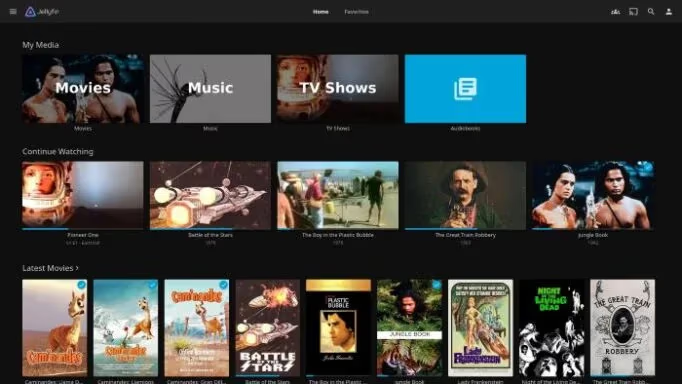
Jellyfin is arguably the top open source Plex alternative available today. As a fork of Emby, it rivals Plex’s capabilities while enabling full transparency and customization courtesy of its GPLv2 open source codebase. For more details, check out our in-depth Jellyfin review.
Unlike Plex, Jellyfin is 100% free to use with no premium tier. Despite this, it doesn’t skimp on features. Jellyfin supports:
-
GPU acceleration and live transcoding via FFmpeg
-
DLNA, Chromecast, AirPlay and Bluetooth streaming protocols
-
Granular user access controls
-
SyncPlay for watching together remotely
Plugins can expand functionality further, with active community development introducing new features monthly. With client apps across all major platforms, Jellyfin is a top contender for those craving Plex’s polish without sacrificing freedom. For other options, see our list of the best Jellyfin alternatives.
#2. Emby
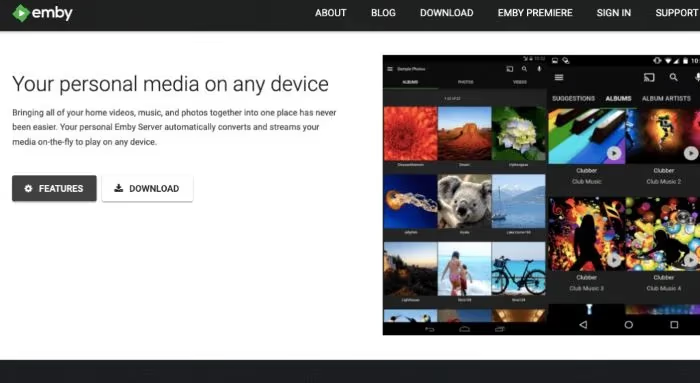
Emby matches Plex nearly feature-for-feature while enabling easier remote access. Some key advantages include:
-
Stronger live TV support with free guide data
-
Granular parental controls
-
160+ official apps across all devices
-
Easier automated setup for watching together remotely
However, Emby uses a freemium model, with some standout capabilities like offline sync locked behind a monthly $4.99 Emby Premiere subscription. But its core functionality still surpasses Plex’s base offering.
For a deeper comparison, check out our dedicated Emby vs Plex post. Emby is ideal for those who want Plex’s premium features at a lower cost.
#3. Kodi
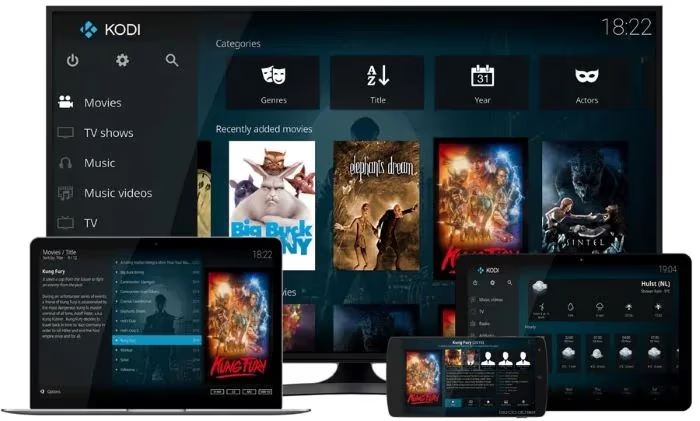
A longstanding favorite, Kodi isn’t a server but a full-fledged media center known for its deep customization. Key Kodi features include:
-
Thousands of official and third-party add-ons
-
Near endless UI customization via skins
-
Game emulator and PVR integration
-
Expert-level configuration for A/V optimization
As a free and open source platform, Kodi benefits from a large, engaged community driving development. New plugins and skins debut regularly, enabling functionality not possible on Plex. See our Kodi review for more details.
The main drawback is complexity. Kodi needs some configuration and technical know-how, especially for advanced setups. But for home theater PC enthusiasts or those wanting to fine-tune every aspect of their setup, Kodi is unmatched. Also consider these top Kodi alternatives.
#4. Stremio
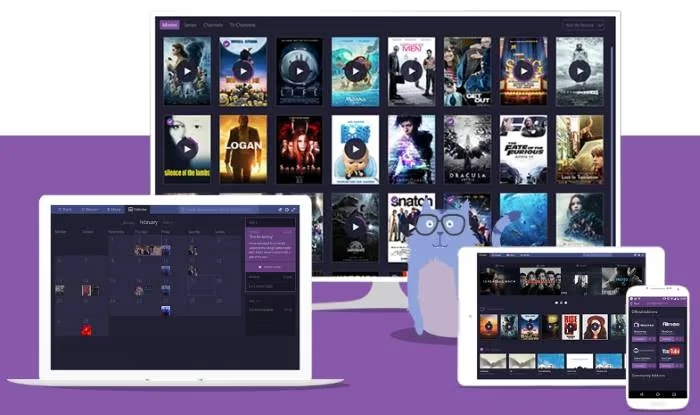
Stremio isn’t a direct Plex alternative, but rather a different approach to media aggregation. It lets you unify disparate media sources into a single streaming hub.
By integrating your accounts from Netflix, Amazon, YouTube, and other services, Stremio creates a unified streaming dashboard. Rather than switching between apps, you can manage your entire streaming life in one sleek interface. See how it compares in our Stremio vs Plex post.
While not a full media server, Stremio offers some Plex-like functionality:
-
Community-built add-ons to expand functionality
-
Ability to cast streams to other devices
-
Intelligent suggestions for new movies and shows
-
Tracking for watch history and progress
Consider Stremio if you’re drowning in subscriptions and want to simplify your setup. It excels at media aggregation rather than serving your personal collection. For other options in this space, check out the best Stremio alternatives.
#5. Universal Media Server
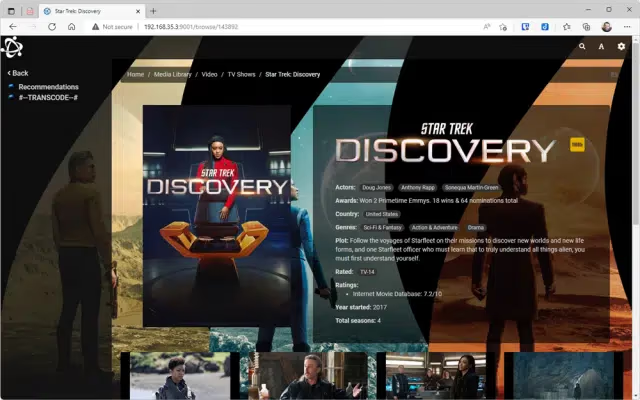
Sometimes you just need a lightweight, open source option to serve your media without any bells and whistles. That’s where Universal Media Server (UMS) shines.
As the successor to PS3 Media Server, UMS delivers reliable DLNA/UPnP streaming to a wide range of devices. Out of the box, it offers:
-
Plug-and-play configuration
-
Support for hundreds of file formats
-
Automatic media organization
-
Direct streaming without transcoding
UMS keeps things straightforward. There’s no client app to install since it relies on DLNA/UPnP protocols already baked into most smart TVs and boxes.
The interface is basic, but in a good way. It doesn’t try to be a full media center, instead focusing on reliably delivering your content with minimal overhead. For a lightweight Plex alternative, UMS is a top choice.
#6. MediaPortal
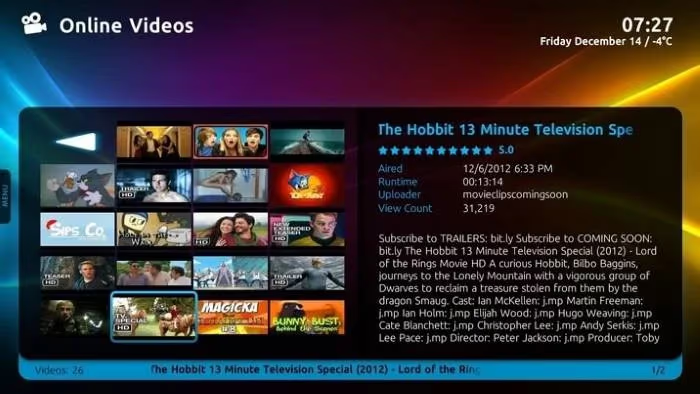
MediaPortal picks up where the beloved Windows Media Center left off. It converts your PC into a full-fledged media hub for your living room.
Like Kodi, MediaPortal is free, open source, and highly customizable. Plugins can add advanced features like live TV and DVR capabilities, while skins enable deep UI personalization.
Some standout features include:
-
Integrates with TV tuners for PVR and live TV
-
Supports any media format that Windows can play
-
Enables detailed library management
-
Extends Windows Media Center functionality
For home theater PC enthusiasts on Windows, MediaPortal is a solid Plex alternative that uses your existing PC setup. It can take some configuration, but is well-suited for power users.
#7. Serviio
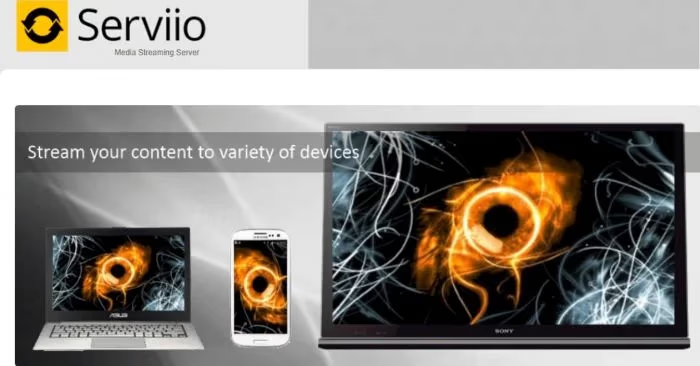
Serviio is a no-frills media server solution that’s been refined over the past decade. Out of the box, it reliably handles the core functionality of serving your media anywhere.
Key features include:
-
Support for all major operating systems
-
Wide format compatibility
-
DLNA support for streaming to smart TVs
-
Alexa integration for voice control
Serviio offers a free version for basic streaming and a $25 Pro upgrade for premium features like online content integration. Overall, it’s a proven choice when you just need a server that works without advanced capabilities.
#Choosing the Best Plex Alternative For You
With so many great choices, selecting the top media server software comes down to your specific needs and preferences. Here are the key factors to consider when replacing Plex:
#Your Media Requirements
The first step is determining what types of media you’ll be streaming. If you have a large library with many formats, you’ll need a server with strong transcoding capabilities.
Hardware support is also critical. Aim for a solution that can use hardware acceleration for smooth streaming, especially if you’ll be serving 4K HDR content.
#Desired Customization
If you crave deep personalization, choose a server with plugin support or an active skinning community. Platforms like Jellyfin and Kodi offer near endless customization, while lighter servers trade flexibility for easier setup.
#Number of Streaming Devices
Another key consideration is how many and what types of devices you’ll be streaming to. Plex has long led on device support, but top alternatives now offer comparable coverage.
For the widest compatibility, look for a server with DLNA support for smart TVs as well as native apps for your devices. The more platforms a server supports, the more flexible your streaming setup.
#Ease of Use Needs
Don’t overlook the usability factor. If you want to start streaming quickly, choose an option with straightforward setup like Universal Media Server. But if you don’t mind a learning curve, more advanced solutions like Kodi are ideal.
Your comfort level with technology should drive your choice. While complex platforms offer more power, a server you can easily deploy is better than one you struggle with.
#Privacy Preferences
Finally, consider each server’s approach to privacy. Hosting your media naturally involves some exposure, but you should still retain control over your data.
Open source options offer the most transparency since you can audit the codebase. Avoid servers that phone home, sell your data, or lack clear privacy policies. Choose platforms that give you full control over your information.
#Bottom Line
Plex now faces stiff competition on all fronts. From open source upstarts to aggregation specialists, there’s a media server for every use case and budget.
For most users, we recommend:
-
Jellyfin for open source customization and large libraries
-
Emby for slick apps and strong live TV support
-
Kodi for personalization and home theater PC setups
-
Stremio for aggregating multiple streaming service libraries
-
Universal Media Server for dead-simple, lightweight streaming
All the Plex alternatives covered here offer reliable media streaming without limits. By prioritizing your key needs, you can find the right media server to take your streaming to the next level in 2026.
#FAQ
#What is the best free alternative to Plex?
Jellyfin is the top free and open source Plex alternative. It rivals Plex’s user experience while remaining 100% free with no premium tier. Read more in our Plex vs Jellyfin comparison.
#Can I migrate my Plex library to another platform?
Yes, you can usually import your Plex library into another media server. Emby offers official Plex migration tools that walk you through the process step by step. Third-party utilities can also convert your library metadata to formats compatible with Jellyfin, Kodi, and others.
#Do I need a powerful server for 4K streaming?
4K content benefits from a server with hardware transcoding support. Jellyfin and Emby both use GPU acceleration to handle 4K streams to multiple devices simultaneously. If most of your clients support direct play, though, even a modest NAS can serve 4K files without breaking a sweat.
#Why should I use a Plex alternative?
Plex alternatives offer greater transparency, customization, and control over your media. Open source options like Jellyfin let you audit the code, avoid vendor lock-in, and modify your setup freely. You also dodge the upsells and data collection that come with Plex’s closed platform.
#What’s the easiest Plex alternative to set up?
Universal Media Server offers plug-and-play streaming to DLNA devices. Just install the server, add your media folders, and start streaming with no advanced configuration needed. Infuse is another top pick for ease of use, especially on Apple devices.
#Is Jellyfin better than Emby?
Jellyfin is completely free and open source, while Emby locks some features behind a $4.99/month Premiere subscription. Jellyfin’s community-driven development moves fast, but Emby tends to have more polished apps and slightly better live TV support out of the box. Your choice depends on whether you value zero cost or a more refined experience.
#Can I use Kodi as a Plex replacement?
Kodi works differently from Plex since it’s a media center, not a client-server system. You install Kodi on each device and point it at shared network storage rather than running a central server. It excels at local playback and customization but lacks built-in remote streaming without additional plugins like the Plex for Kodi add-on.
#Do Plex alternatives support smart TVs?
Most Plex alternatives support smart TVs through DLNA/UPnP protocols, which are built into nearly every modern TV. Jellyfin and Emby also offer dedicated apps for popular TV platforms including Samsung Tizen, LG webOS, and Android TV. For older TVs without app support, DLNA streaming through Universal Media Server or Serviio is the easiest option.