Deciding between Philo and YouTube TV for cord-cutting in 2026? This guide compares pricing, channels, DVR, streams, devices and more to help you pick the best live TV streaming service.
- Philo costs $25/month — nearly 3x less than YouTube TV’s $72.99/month base price
- YouTube TV has 100+ channels — including local broadcasts and 30+ sports networks that Philo lacks entirely
- Both offer unlimited DVR — Philo keeps recordings for 1 year vs YouTube TV’s 9 months
- Each service allows 3 simultaneous streams — YouTube TV adds unlimited home streams with its 4K Plus upgrade
- Both have free trials — Philo gives 7 days free, YouTube TV offers 5-7 days to test before committing
#Introduction
Cutting cable TV cords is easier now than ever thanks to the rise of live TV streaming services. Options range from budget “skinny bundles” like Philo to larger, sports-heavy packages like YouTube TV.
Figuring out which service to choose can be a challenge, though. This Philo vs YouTube TV comparison covers all the key factors:
-
Pricing and Plans
-
Channel Lineups
-
DVR and On-Demand
-
Supported Devices
-
Simultaneous Streams
-
And More
Read on for a full feature-by-feature breakdown to help you determine the best cord-cutting live TV service for your needs.
#Quick Comparison Overview
Before diving into a detailed analysis, here is a high-level Philo vs YouTube TV comparison:
| Feature | Philo | YouTube TV |
|---|---|---|
| Price | $25/month | $72.99/month ($62.99/mo for your first 3 months) |
| Free Trial | 7 days | Variable |
| # of Channels | 70+ | Over 100+ |
| Sports Channels | None | 30+ |
| Simultaneous Streams | 3 | 3 |
| DVR Storage | Unlimited, 1 Year | Unlimited, 9 Months |
| Top Devices | Roku, Fire TV, Apple TV | Roku, Apple TV, Smart TVs |
#Why Choose Philo?

-
Starts at just $25/month
-
Huge on-demand library
-
Keep shows for 1 year
#Why Choose YouTube TV?

-
Local broadcast and sports
-
100+ channels from $72.99/month ($62.99/mo for your first 3 months)
-
Premium add-ons available
#How Do Pricing and Plans Compare?
The most obvious difference between Philo and YouTube TV is cost. Here’s how their pricing and plans break down:
#Philo Pricing
Philo keeps things straightforward with just one main package:
- Philo Base Plan – $25/month
70+ channels
-
Unlimited Cloud DVR (1 Year storage)
-
3 Simultaneous Streams
-
7-day free trial
-
Add-Ons – Starts at $3/month
-
Movies & More – $3/month
-
Starz – $9/month
-
Epix – $6/month
Even with all add-ons, Philo still comes out to less than $45/month. That makes it the lowest-priced live TV streaming service on the market.
#YouTube TV Pricing
YouTube TV has more base channels for over 2.5x the price of Philo:
- YouTube TV Base Plan – $72.99/month ($62.99/mo for your first 3 months)
Over 100+ channels
-
Unlimited DVR (9 months storage)
-
3 Simultaneous Streams
-
Variable length free trial
-
Add-Ons – Starts at $7/month
-
Sports Plus – $10.99/month
-
HBO Max – $14.99/month
-
Showtime – $11/month
With add-ons, YouTube TV can surpass $100/month, making it one of the more expensive live TV options.
Winner: Philo at $25/month costs far less than YouTube TV, making it the best option for cord-cutters on a budget.
#What Channels Does Each Service Include?
Philo and YouTube TV take very different approaches when it comes to channel offerings.
#YouTube TV Channels
With over 100+ base channels, YouTube TV focuses on quality over quantity. Highlights include:
-
Local Broadcast – ABC, CBS, Fox, NBC
-
Sports – ESPN, FS1, MLB Network, NBA TV
-
News – CNN, Fox News, MSNBC
-
Entertainment – AMC, Cartoon Network, HGTV, TBS, TLC
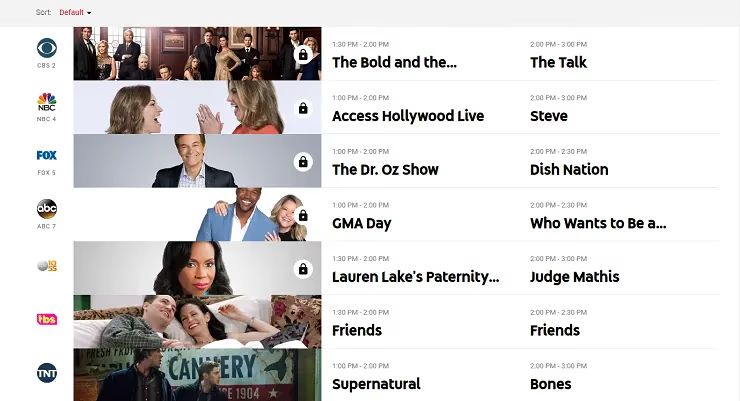
YouTube TV also allows you to add premium channels like HBO Max, Showtime, and Starz à la carte. As well as bundles like Sports Plus and Entertainment Plus.
#Philo Channels
Instead of expensive sports fees, Philo focuses its 70+ channels on entertainment favorites like:
-
Entertainment – AMC, Comedy Central, Discovery, Food Network, Hallmark, MTV
-
Lifestyle – HGTV, Lifetime, OWN, Tastemade, VH1
-
News & Info – AXS TV, Cheddar, Comedy Dynamics, Reuters
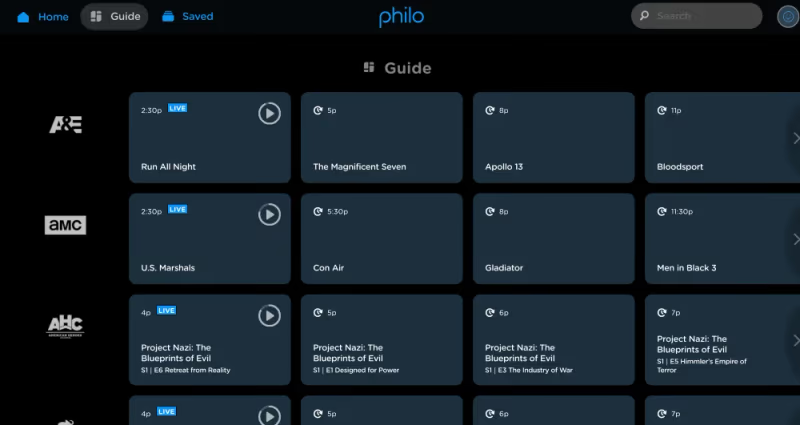
If you want entertainment and lifestyle channels at a low price, Philo fits the bill. But YouTube TV is better for sports fans and local programming.
Winner: YouTube TV for more well-rounded channel offerings. But Philo better targets entertainment cord cutters.
And if NBC or other channels aren’t loading check these YouTube TV channel troubleshooting suggestions.
#DVR and On-Demand Libraries
Both Philo and YouTube TV allow you to “record” and replay content thanks to cloud DVR capabilities. Here’s how their DVR and on-demand libraries compare:
#YouTube TV DVR & On-Demand
YouTube TV has:
-
Unlimited DVR Storage
-
Recordings Saved for 9 Months
-
On-Demand Library with over 80,000 titles
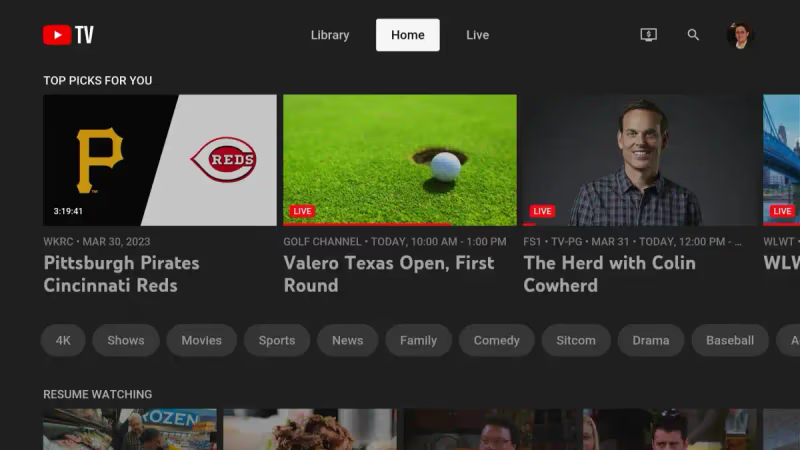
With no recording limits, you can save any show airing in the next 9 months to replay whenever you want.
The on-demand library also gives access to current season episodes from many popular shows.
#Philo DVR & On-Demand
Philo also includes:
-
Unlimited DVR Storage
-
Recordings Saved for 1 Year
-
On-Demand Library with 60,000+ movies and shows
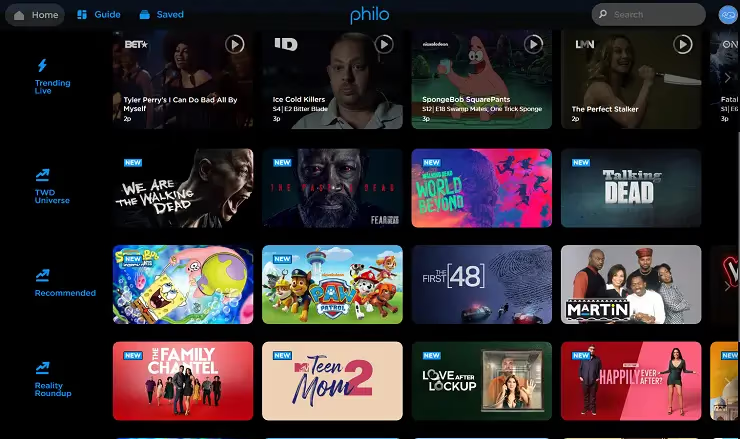
Giving subscribers a full year before DVR’ed recordings get deleted beats out YouTube TV’s 9 month limit.
Philo’s VOD library also tops most competitors with tens of thousands of shows and movies to stream on-demand.
Winner: Tie – Both offer generous unlimited DVR and large on-demand libraries.
#Which Service Supports More Devices?
You want flexibility in where you can access these streaming services. So device support is key.
#YouTube TV Devices
YouTube TV is compatible with one of the widest ranges of streamers, smart TVs, mobile devices and more. Supported platforms include:
-
Streaming Boxes – Roku, Apple TV, Fire TV, Chromecast
-
Game Consoles – PlayStation, Xbox
-
Smart TVs – Android TV, LG, Samsung, Vizio
-
Mobile Devices – Android, iOS, tablets
-
Web Browsers – Chrome, Firefox, Safari
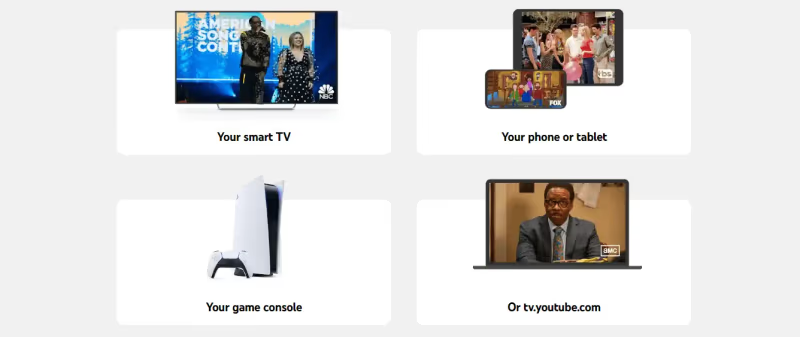
YouTube TV also has a desktop website for streaming from any computer.
With support across all major streaming platforms, it’s easy to take YouTube TV’s live channels on the go.
Having issues getting YouTube TV to work on your Firestick? Read this troubleshooting guide for Firestick problems.
#Philo Devices
Philo supports most popular streaming devices like:
-
Smart TVs – Vizio, Samsung
-
Mobile Devices – iOS, Android phones/tablets
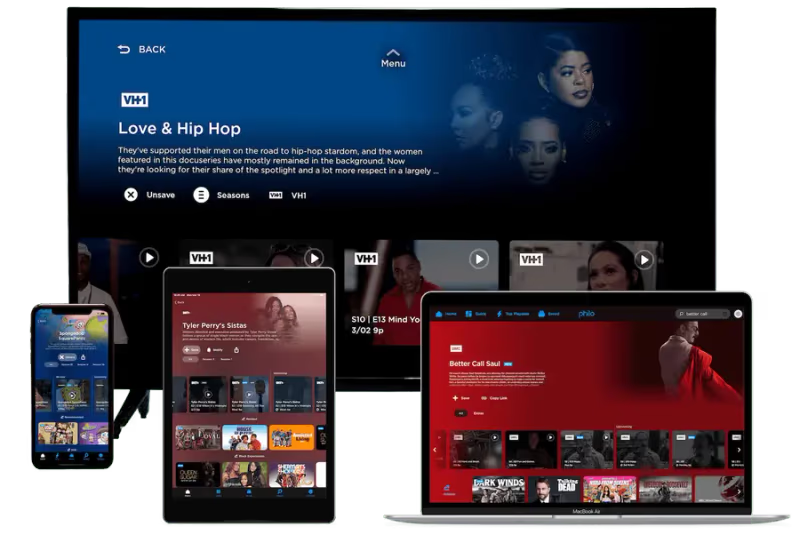
Winner: YouTube TV for wider, multi-platform device support. But Philo still hits the most-used streamers.
#Simultaneous Streaming Limits
Do you need multiple people to stream shows simultaneously from different devices? Here’s how Philo and YouTube TV compare:
#YouTube TV Streams
The YouTube TV base plan allows up to 3 simultaneous streams on different devices.
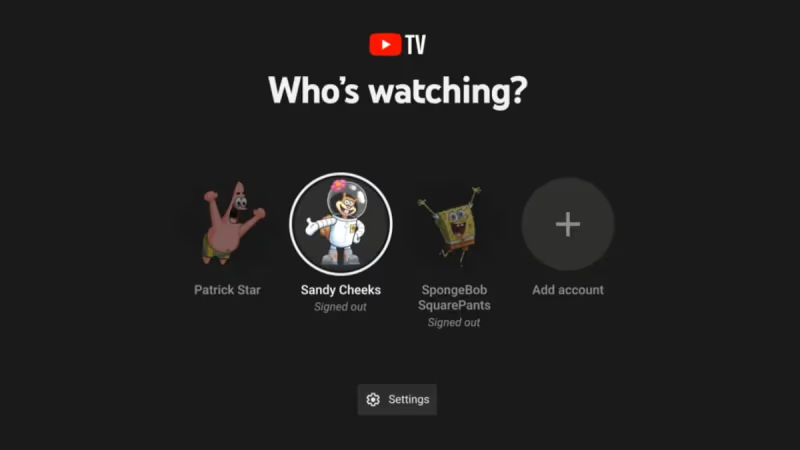
You can create up to 6 user profiles for easier multi-user access.
Upgrading to 4K Plus allows unlimited streams on your home Wi-Fi, which makes YouTube TV great for larger families.
#Philo Streams
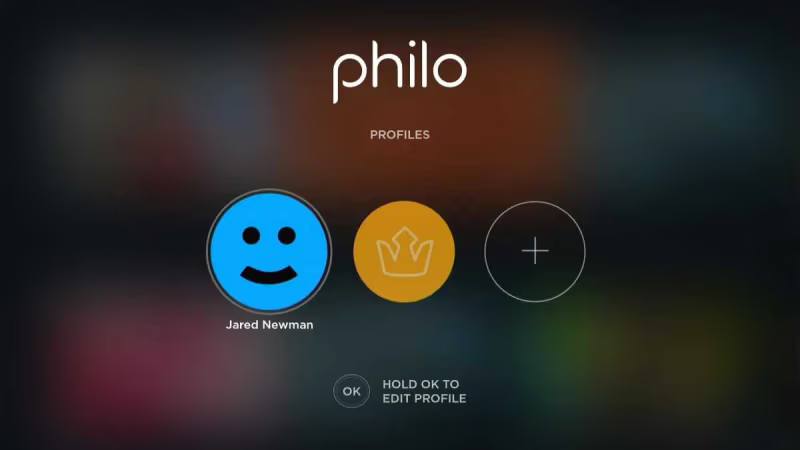
Like YouTube TV, Philo’s base plan supports up to 3 concurrent streams on different devices.
It also allows separate user profiles to keep watch history and recommendations personalized for each viewer.
But there is no “unlimited streams” upgrade currently available.
Winner: Tie – Both Philo and YouTube TV offer 3 simultaneous streams. But YouTube TV adds more via its 4K Plus upgrade.
If you want to change your location on YouTube TV, check out this guide on changing location.
#Special Extras Worth Knowing
Beyond core functionality like channel lineups and DVR, here are some extra perks each service brings:
#YouTube TV Extras
YouTube TV has nice upgrades like:
-
4K Plus Add-On ($19.99/month) – 4K streams plus unlimited home streams
-
Temporary Pause Subscription – Flexibility if traveling
-
YouTube Originals – Exclusive shows & movies
#Philo Extras
Philo allows you to:
-
Pause Subscription – Flexibility for traveling subscribers
-
Create Multiple User Profiles – Personalized recommendations
Philo has fewer add-ons and upgrades. But core functionality serves most needs well.
Winner: YouTube TV has more advanced extras and upgrades. Philo focuses on fundamentals.
#Which Is Better for You?
So which service should you choose in the battle between Philo vs YouTube TV?
#Choose Philo If:
-
You want the lowest cost with 70+ entertainment channels
-
Larger channel bundles feel like overkill
-
Local sports and news aren’t deal-breakers
-
Saving money is your #1 priority
If you want more sports channels, see how Fubo and Philo differ in this fuboTV vs Philo guide.
#Choose YouTube TV If:
-
You want 100+ channels including sports/locals
-
Cost < $100/month is in your budget
-
Streaming from many devices is important
-
Channel variety trumps low prices
Both streaming services have strengths and weaknesses covered above. Choose the one matching your needs and budget best.
#Still Undecided? Try Them Free!
Still can’t pick between Philo or YouTube TV? Both offer free trials so you can experience them first-hand:
-
Philo: 7 days free
-
YouTube TV: 5-7 days free
Sign up to test channel lineups, DVR quality, and streaming performance at no cost.
#Bottom Line
This Philo vs YouTube TV comparison for 2026 should help you decide the best live TV streaming service for your needs.
Here’s what it comes down to:
-
Philo wins for lowest cost at $25/month
-
YouTube TV has more channels, sports, and premium upgrades
-
Both offer generous free trials to experience firsthand
-
Pick the one aligning closest with your budget and priorities
Still on the fence or have questions? Leave a comment below with any other topics you want compared between Philo and YouTube TV.
#FAQ
#Is Philo or YouTube TV better for sports fans?
YouTube TV is the clear winner for sports. It includes 30+ sports channels like ESPN, FS1, MLB Network, and NBA TV in its base plan. Philo has zero sports channels, so it won’t work if live sports matter to you.
#Can you get local channels on Philo?
No, Philo does not include any local broadcast channels like ABC, CBS, Fox, or NBC. If you need local channels, YouTube TV includes all four major broadcast networks. You could also pair Philo with an over-the-air antenna to get locals for free.
#How much can you save by choosing Philo over YouTube TV?
Philo costs $25/month compared to YouTube TV’s $72.99/month, saving you about $48 per month or $576 per year. Even with all of Philo’s add-ons, you’d still pay less than YouTube TV’s base price alone.
#Does Philo have a free trial?
Yes. Philo offers a 7-day free trial for new subscribers. YouTube TV also has a free trial, though the length varies between 5 and 7 days depending on current promotions.
#Which service has better DVR storage?
Both Philo and YouTube TV offer unlimited DVR storage, so you’ll never run out of recording space. The key difference is retention: Philo keeps your recordings for a full year, while YouTube TV deletes them after 9 months.
#Can you watch Philo and YouTube TV on a Roku device?
Yes, both services work on Roku players and Roku TV models. YouTube TV also supports game consoles like PlayStation and Xbox, which Philo does not. Both services run on Fire TV, Apple TV, Chromecast, and most smart TVs.
#Is YouTube TV worth the higher price?
That depends on what you watch. If you follow live sports, need local broadcast channels, or want premium add-ons like HBO Max and Showtime, YouTube TV’s $72.99/month price tag delivers real value. For viewers who mainly watch entertainment and lifestyle content, Philo’s $25/month plan covers most of the same cable favorites at a fraction of the cost.