Have you noticed your Onn TV remote becoming unresponsive or working intermittently? A malfunctioning remote can be frustrating when you just want to relax and watch TV. In most cases, you can get your Onn remote working again with a few simple troubleshooting steps.
- Dead batteries cause over 50% of Onn remote failures — swap in fresh AAA batteries before trying anything else
- A 20-second power button hold resets the remote — this clears temporary memory glitches without tools
- Re-pairing requires the 5-digit code on your TV’s back sticker — enter it after the indicator blinks twice
- Dirt on the IR sensor blocks signals — wipe the remote tip and TV sensor area with a dry microfiber cloth
- Healthy remotes work up to 50 feet away — shorter range means the remote hardware needs replacing
#Why Does Your Onn TV Remote Stop Working?
Several common problems cause Onn remotes to stop responding. Here are the usual culprits:
#Low or Dead Batteries
The #1 reason an Onn remote stops working correctly is low battery power. Symptoms include:
-
Need to be very close to TV for remote to work
-
Intermittent button responsiveness
-
No ability to control TV at all
Battery issues account for over 50% of remote problems based on customer service call volume.
#Physical Damage
Dropping or spilling liquid on the remote can lead to physical issues like stuck buttons or damaged circuits. Damage typically happens from everyday wear and tear over years of use.
#Interference
Other devices using the same infrared frequency can cause interference leading to Onn remote signal issues. For example, having another TV remote, wireless headphones, toys or electronics in the same space pointing at the TV.
#Out of Range
If you exceed the functional wireless range of 30-50 feet, communication from remote to TV reception sensors will cut out. Being too far away is a common problem with lost remotes ending up under couch cushions.
#Software Bugs
In rare cases, a system software update glitch can cause pairing or input issues with the Onn remote, TV motherboard and HDMI ports.
Now that you know the likely cause, here is how to fix it.
#How Do You Fix an Unresponsive Onn TV Remote?
Before replacing your remote or paying for costly repairs, try these easy troubleshooting steps at home:
#1. Check/Replace Batteries
The first step is to slide open the battery compartment and examine current batteries.
-
Are the +/– ends inserted correctly, making secure contact?
-
Do they need to be adjusted or replaced?
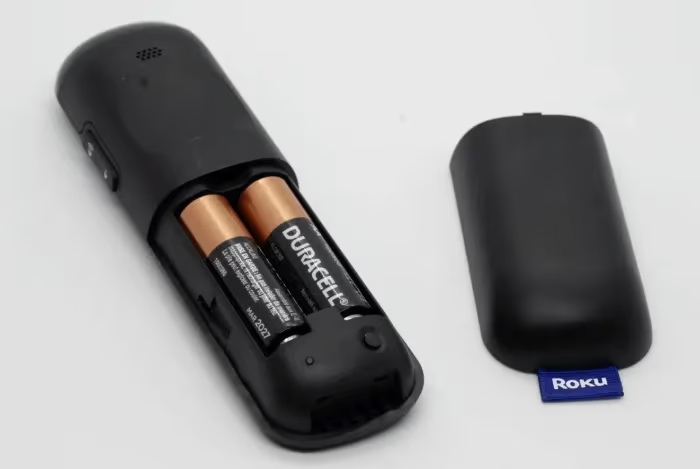
I recommend trying new batteries before any other steps even if existing ones are not completely dead.
Why? Weak battery power causes the majority of wireless communication issues. New batteries often instantly resolve problems.
#2. Clean Remote Bottom and TV Sensor Area
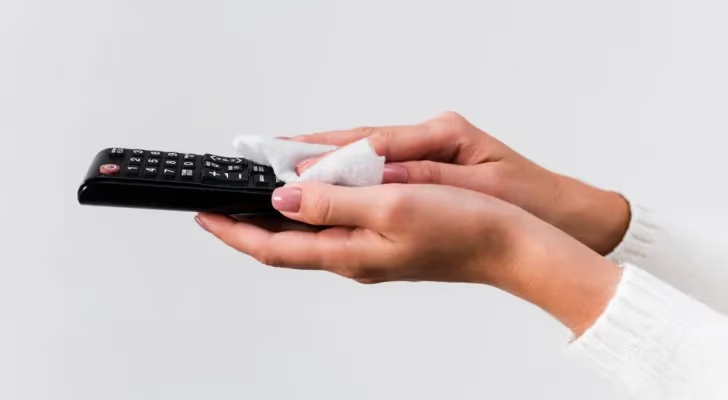
Inspect the bottom edge of your remote – is there dirt, dust or sticky residue from drinks that could block signals? Carefully wipe clean with a dry microfiber cloth.
Next, gently wipe any dust/dirt blocking IR sensor reception area on the Onn TV frame. A cotton swab dipped in rubbing alcohol works well to remove glossy build-up.
#3. Press & Hold Setup Button
With fresh batteries installed, press and hold the power button for 20+ seconds until indicator light blinks.
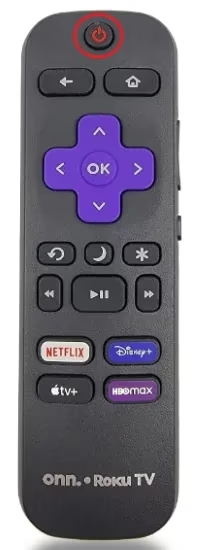
This hard reset releases any electrical charge left in capacitors and clears out temporary memory causing functionality problems. Essentially, it performs a reboot on your remote control hardware itself.
The Onn TV reset button location varies by model – check exactly where it is on your version.
#4. Re-pair Remote Using Setup Code
Even after a reset, the communication connection between remote and TV may need to be re-established.
-
On remote, press the setup button until indicator blinks twice
-
Enter assigned 5-digit pairing code found on a sticker on back of TV
-
Finally, press enter/power and try normal use. The connection should be restored.
This reconnects and resyncs your specific remote ID to match your television. Consult manual if unsure of the code.
If you need the universal remote codes for your Onn Roku TV, check out this list of Onn Roku TV remote codes.
#5. Try a Remote Range Test
To confirm hardware sends and receives signals properly, perform a quick range test:
-
Stand 3 feet away from TV, pointing remote directly at it
-
Press power/volume up/down, confirming TV responds
-
Walk slowly farther away until buttons no longer work
-
If range is under 30 feet, remote may need replacement
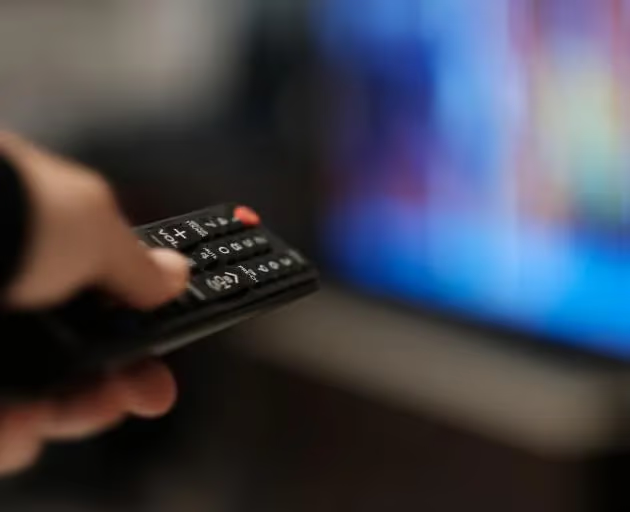
Healthy IR remotes should function reliably up to 50+ feet if unobstructed. Shorter distances indicate component wear requiring service.
#Pro Tips to Prevent Future Onn Remote Issues
Following best practices will minimize headaches from a faulty remote again:
-
Don’t mix old and new batteries – Using nearly depleted batteries together with fresh ones strains overall power delivery. Replace all at once.
-
Remove batteries before extended storage – Batteries can leak over time. Take batteries out if not using for a month or longer.
-
Point remote directly at TV – Sending signals at angles under 30 degrees may cause intermittent issues.
-
Eliminate signal interference – Make sure no other competing infrared devices are between remote and TV sensor.
-
Keep remote clean and dry – Fix sticky buttons and corrosion buildup using cotton swabs dipped in rubbing alcohol.
-
Store remote safely – Set in a consistent spot away from edges of tables/damage when not actively being used. Consider a wall mount holder.
Thinking of an Onn vs Westinghouse TV? Compare quality, price, size options and more.
Onn vs Vizio TVs have comparable prices but differ in features and display quality.
Onn vs TCL TVs go head-to-head on price, quality and more.
#FAQ
#Can I use my Onn remote on another brand of TV?
No. Onn remotes use proprietary codes matched to specific TV hardware. A universal remote like the GE 4-Device or Logitech Harmony works across multiple brands if you need one controller for everything.
#Why does my remote work some days but not others?
Batteries losing charge unevenly cause this. One day they have enough power to send a signal, the next they drop below the threshold. Replace both batteries at the same time to fix it.
#How far should my Onn remote work from the TV?
Expect 30 to 50 feet of range when pointed directly at the front IR sensor with a clear line of sight. If your remote only works from a few feet away, the batteries are low or the IR emitter is failing.
#Can I use my phone instead of the Onn remote?
Yes. Download the Onn TV remote app from Google Play or the Apple App Store. The app connects over Wi-Fi, so your phone and TV need to be on the same network. It covers all basic functions including volume, input switching, and navigation.
#How do I pair the remote if the setup code fails?
Hold the setup button for 5 seconds until the indicator blinks twice, then enter 0000. If that does not work, try other common codes like 12049 or 11756. You can also check the code list printed in the TV manual or on the manufacturer website.
#Why do only some buttons on my Onn remote work?
Sticky residue or debris under specific buttons prevents them from making contact with the circuit board. Pop the battery cover off, hold the remote face-down, and tap it gently to dislodge crumbs. For stubborn grime, dip a cotton swab in rubbing alcohol and clean around the stuck buttons.
#Does the Onn remote use IR or Bluetooth?
Most Onn Roku TV remotes use infrared, which requires a clear line of sight to the TV sensor. Some newer Onn Roku models include an enhanced remote with Bluetooth for voice commands. Check your model number on the Roku website to confirm which type you have.
#Bottom Line
Getting frustrated when your Onn TV remote starts malfunctioning or only works intermittently?
Before replacing expensive TV components or the remote itself – follow simple at-home troubleshooting steps:
-
Start by inserting fresh batteries – low power causes most issues
-
Press and hold power button 20+ seconds to reset remote
-
Re-pair remote with TV via 5-digit setup code
-
Check for dirt/damage obstructing IR sensor path
-
Test remote range from varying distances
With minor maintenance like cleaning sensors and interference mitigation, you can quickly get your Onn remote working again without costly technician visits or complex Onn TV troubleshooting.
Follow the pro tips above to keep your remote working reliably for years.