The ONN TV red light blinking error is a common issue that points to a problem with the power supply or motherboard. This guide walks you through every fix, from a quick power cycle to replacing internal hardware.
- Power cycle first — unplug for 60 seconds and hold the power button for 10 seconds before reconnecting
- HDMI and cable faults — loose or damaged connections cause blinking in roughly 30% of reported cases
- Firmware updates fix software glitches — download the latest version from Onn’s website to a USB drive
- Replacement parts cost $25 to $150 — power supply boards ($35-$65), LED strips ($25-$40), motherboards ($65-$150)
- Professional repair runs $125 to $350 — check warranty coverage before paying out of pocket
#What Causes the ONN TV Red Light to Blink?
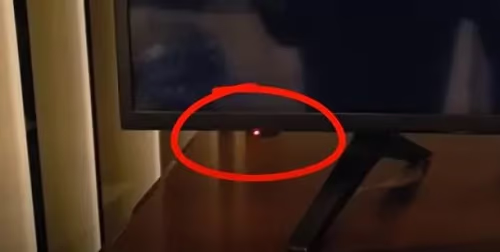
When your ONN TV red light blinks instead of staying solid, the television cannot fully power on. The standby light sits on the lower front of the set. It should glow solid red when the TV is off and turn off completely when powered on.
Several internal faults trigger the blinking:
- Faulty or loose cable connections
- Outdated firmware needing an update
- Failed internal hardware (power supply, motherboard, LED backlights)
- Overheating from poor ventilation
- Power surges or interrupted electricity
Ignoring the blinking red light risks further damage. The flickering indicator means your ONN TV needs troubleshooting and likely repair or part replacement.
#How Do You Fix the ONN TV Red Light Blinking Error?
Begin with these basic steps before attempting advanced hardware repairs.
#Power Cycle the ONN TV
Power cycling resets software issues that cause the blinking:
- Unplug TV from power source and wait 60 seconds
- Press and hold power button on TV for 10 seconds
- Release button and plug TV power back in
- Power on using remote or power button
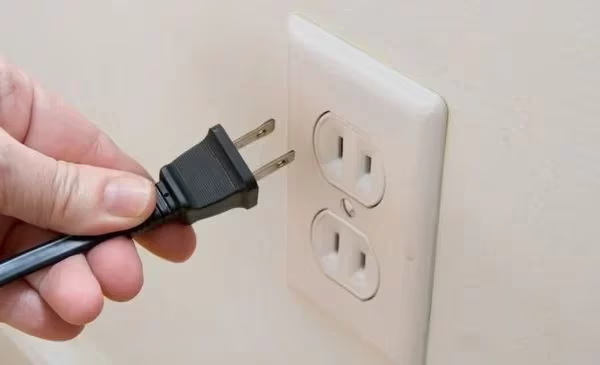
If the red light stops blinking, the power cycle resolved the issue.
#Check Cable and HDMI Connections
Loose connections can also cause blinking power lights. Check:
- Coaxial cable from TV to antenna/cable source
- HDMI connections to devices like a Roku or Blu-ray player
- Remove and re-seat cables to get a solid connection
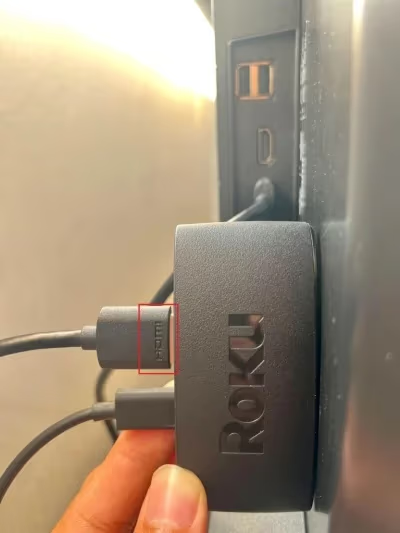
If the light still blinks, try connecting devices to different HDMI ports. Disconnect all devices and power cycle the TV again with only the power cable attached.
#Reset and Update ONN TV Firmware
Outdated firmware can also create blinking red light problems:
- Consult manual for factory reset instructions
- Check the Onn website for your model’s latest firmware
- Download update to USB drive and install on TV
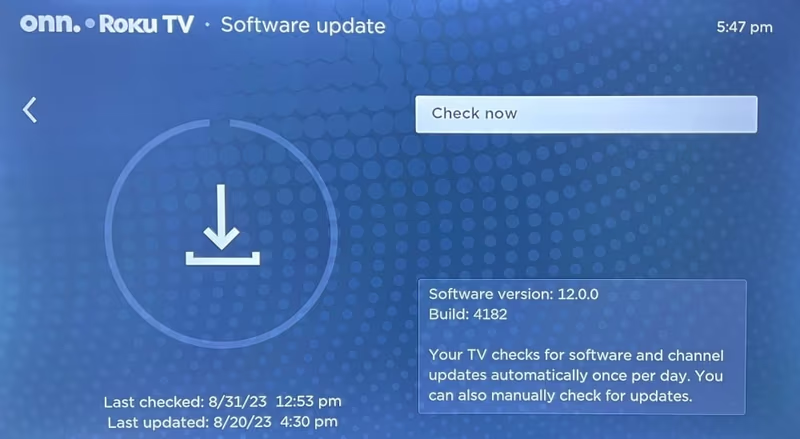
Firmware updates or factory resets often resolve software glitches triggering the blinking error.
#Advanced Troubleshooting Solutions
If basic troubleshooting steps don’t stop the ONN TV red light from blinking, hardware-level fixes may be needed.
#Factory Reset the ONN TV
A factory reset goes deeper than a standard reset and can clear persistent software issues:
- Power off TV
- Press and hold power + input + channel down simultaneously for 10 seconds
- Release, then turn TV back on
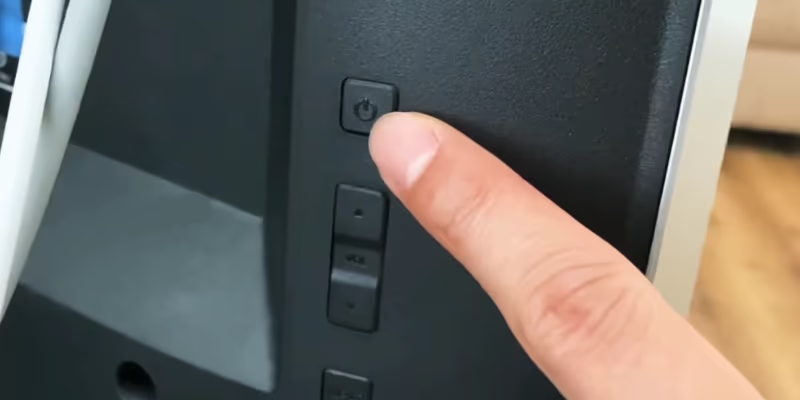
All customizations will be erased, but this can clear glitches that a regular power cycle misses. If your TV still won’t turn on at all, check our guide on ONN TV won’t turn on for additional steps.
#Replace Faulty Hardware
Components known to fail and cause blinking include:
- Power Supply Board provides electricity to all components
- LED Strips provide backlighting behind the panel
- Motherboard processes inputs and outputs the video signal
Use a voltmeter to check components. Swap in replacement parts from electronic stores or Onn’s parts website.
Opening the TV and working on internal components carries a risk of electric shock. If you are not comfortable with electronics repair, consult a professional technician.
Common replacement costs:
- Power Supply Board: $35 to $65
- LED Strips: $25 to $40
- Motherboard: $65 to $150
Compare these costs to a new TV, especially if your set is an older model.
#Model-Specific Solutions
Popular ONN models may have slightly different fixes for blinking red lights:
Onn 100012587
- Unplug external devices
- Check HDMI pin damage
- Attempt factory reset
Onn 100018254
- Ensure cables are securely connected
- Perform firmware update
- Power cycle TV before reset
Onn 100005843
- Replace remote batteries
- Toggle off HDMI-CEC settings
- Test the electrical outlet for issues
Consult your user manual for tailored troubleshooting steps. Onn’s support site also has model-specific help.
#Preventative Measures
Preventative maintenance won’t fix a current blinking light, but it can stop future issues from developing.
#Use Surge Protectors
Protect against electrical spikes damaging components. An uninterruptible power supply (UPS) adds another layer of protection during outages.
#Ensure Proper Ventilation
Overheating shortens component lifespan. Give your TV at least 4 inches of airflow space on all sides and clean dust buildup monthly. Poor ventilation can also trigger ONN Roku TV overheating errors.
#Stay Up-to-Date on Firmware
Outdated firmware causes compatibility and connectivity problems. Regularly check Onn’s site for TV updates.
#Adjust HDMI-CEC Settings
HDMI-CEC allows devices to communicate and control your TV. However, malfunctions in this feature can trigger power issues. Toggle it off temporarily to rule it out.
#Professional Repair: Costs & Considerations
Hiring a professional makes sense if you lack the technical skill, time, or confidence to perform internal repairs. ONN TV repair costs typically range from $125 to $350.
Factors impacting repair pricing:
- TV model year and screen size
- Part availability and costs
- Local labor rates and technician expertise
Also weigh costs compared to:
- Replacing the entire TV
- Ongoing frustration if issues continue
- Loss of TV use while waiting on parts
Professional repair often includes a warranty on the work (ask before booking). If your TV is less than 2 years old, call Onn support about potential warranty coverage before paying a third party.
If you decide to replace rather than repair, compare a new ONN TV against other brands like ONN vs Philips, ONN vs Samsung, and ONN vs Hisense when shopping.
#FAQ: ONN TV Red Light Blinking
#What are common ONN TV red light blinking patterns?
A solid red light when the TV is off is normal standby behavior. When the light blinks repeatedly as you try to power on, it signals an internal fault. Some ONN models use specific blink counts to indicate different hardware failures, so count the blinks and check your user manual for a diagnostic code.
#How long does troubleshooting take?
Basic steps like power cycling and checking cables take under 30 minutes. Advanced fixes such as opening the TV to test components with a voltmeter can take 1 to 3 hours. Professional repair turnaround is typically 1 to 5 business days depending on part availability.
#Can a power cycle fix the blinking red light permanently?
Yes, in many cases. A power cycle clears temporary software glitches that prevent the TV from booting. If the blinking returns after a few days or weeks, the root cause is likely a failing hardware component rather than a software bug.
#Will I need to replace my ONN TV entirely?
Not always. If you can identify and fix the faulty component, replacement parts cost between $25 and $150. Compare that to the price of a new TV. If your set is under warranty, you may qualify for a free replacement through Onn support.
#Does troubleshooting void my TV warranty?
Basic steps like power cycling, checking cables, and factory resetting do not void coverage. Opening the TV to replace internal hardware will void the warranty unless an authorized service provider performs the work. Contact Onn support before attempting internal repairs.
#Why does my ONN TV red light blink after a power surge?
Power surges can damage the power supply board or motherboard. A surge protector or UPS prevents this in the future. After a surge, try unplugging the TV for several minutes before powering on again. If the blinking persists, the power supply board likely needs replacement.
#How do I know if the power supply board is bad?
Common signs include the red light blinking in a pattern, a clicking sound when you try to power on, and no picture or sound at all. You can test the board with a voltmeter to check for correct output voltages. Replacement boards for ONN TVs cost $35 to $65.
#Should I repair or replace an older ONN TV?
If repair costs exceed 50% of a new TV’s price, replacement usually makes more financial sense. ONN TVs are budget-friendly sets, so a new 50-inch model often costs under $250. Factor in the age of your current TV and whether other components might fail soon.
#Bottom Line
A blinking red light on your ONN TV is fixable in most cases. Start with the basics: unplug the TV, check your cables, and update the firmware. If those steps don’t work, a factory reset or hardware replacement should get your set running again.
For stubborn issues, professional repair runs $125 to $350 and often includes a warranty on the work. Check your ONN TV warranty status before spending money on third-party service. If the repair cost approaches the price of a new TV, replacement is the smarter move.
Take preventative measures like surge protectors and proper ventilation to avoid problems like screen flickering or random shutdowns down the road.