Programming an ONN universal remote control takes just a few minutes once you have the right codes for your devices. This guide covers all the codes and programming steps to control your TV, DVD player, audio system and more using an ONN remote.
- ONN remotes control up to 4 devices — TVs, DVD players, cable boxes and audio receivers from one remote
- Two programming methods available — auto code search cycles through 5,000+ codes, or enter a specific 4-digit code directly
- Common ONN TV codes are 3552, 3543, 3560 — Samsung uses 3528/2482, LG uses 3534/2098, and Vizio uses 3533/2501
- Streaming device codes use the Stream button — Roku (2097, 8975), Fire TV (8977), and Apple TV (8974)
- Try multiple codes per brand — if the first code does not work or some buttons respond incorrectly, enter the next code from the list
#What Devices Can an ONN Universal Remote Control?
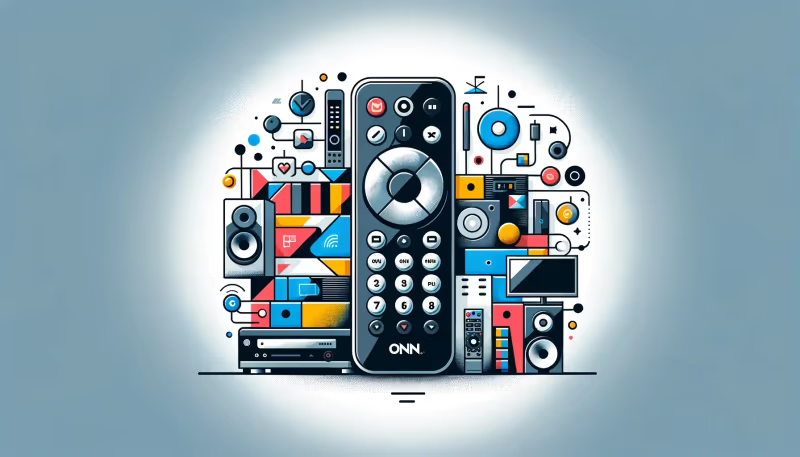 An ONN universal remote can control up to 4 audio/video devices including:
- Televisions
- DVD & Blu-ray players
- Cable boxes
- Satellite receivers
- Audio receivers
- Streaming devices
ONN remotes support major brands like Samsung, LG, Sony, Vizio, Roku and more.
You can program an ONN remote in two ways:
- Auto Code Search — The remote cycles through codes in its database to find a match.
- Direct Code Entry — Manually enter a device code from a reference list.
#Why Use a Universal Remote Instead of Multiple Remotes?
Universal remotes cut down on clutter and give you single-handed control over your entire setup:
- Control multiple devices from one remote.
- Reduce clutter from multiple remotes.
- Customizable buttons for favorite commands.
- Macros to execute sequences with one button press.
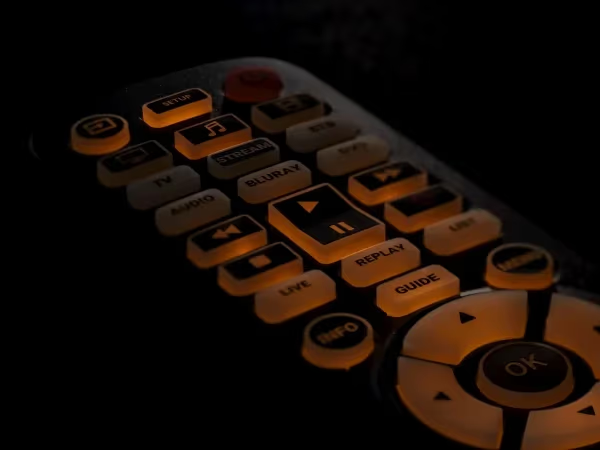
- Backlit keys for visibility in the dark.
#How to Program an ONN Remote Without a Code
This auto code search method cycles through ONN’s database of over 5,000 codes:
-
Turn on the device you want to control (TV, DVD player etc).
-
Press and hold the Setup/Program button until the power button blinks.
-
Press the button for the device type (TV, DVD etc). The power button will stay lit.
-
Point remote at device and press and hold OK. The remote sends each code.
-
When the device turns off release OK – the code is set!
-
Press power to confirm programming and test other buttons.
Tip: If some buttons don’t work, repeat steps to find another code.
#How to Program an ONN Remote With a Code
To manually program the remote:
-
Turn on the target device you want to control.
-
Find the 4-digit setup code for your brand
-
Press and hold the Program button until Power lights up.
-
Press button for device type (TV, Audio etc).
-
Enter the 4-digit code using number keys.
-
Point remote at device and press Power to test.
https://stream.mux.com/lqKNmubt7nSplrTiWwTH62XijCYuie9Z/high.mp4
If device doesn’t respond, re-enter the code. Try other codes from the list if available.
#ONN Universal Remote Codes for TVs
Below are ONN universal remote codes for the most popular TV brands:
| Brand | Setup Codes |
|---|---|
| Apex Digital | 2497, 2499, 0424 |
| Element | 1025, 3000, 4056 |
| Hisense | 3537, 0182 |
| Hitachi | 0088, 0137 |
| Insignia Roku | 0135, 1160, 0167 |
| JVC | 65, 69, 197 |
| LG | 3534, 2098, 0338 |
| ONN | 3552, 3543, 3560 |
| Panasonic | 3005, 2484 |
| Philips | 1154, 2477 |
| Roku TV | 2491, 3531 |
| Samsung | 3528, 2482 |
| Sharp | 2464, 0223 |
| Sony | 3536, 2438 |
| TCL Roku | 3532, 2493 |
| Toshiba | 0109, 0117 |
| Vizio | 3533, 2501 |
Tip: Try multiple codes if the first one doesn’t work.
Comparing specs and reviews of ONN vs brands like LG TV, Samsung TV and Vizio TV can help make an informed smart TV purchase if abandoning ONN.
#What Are the Streaming Device and Cable Box Codes?
Use the Stream button for Roku, Fire TV and Apple TV devices:
| Device | Setup Codes |
|---|---|
| Roku | 2097, 8975 |
| Amazon Fire TV | 8977 |
| Apple TV | 8974 |
| Comcast Cable | 1561, 1601 |
| DirecTV | 1178, 1019 |
| Dish Network | 504, 627 |
If you experience frequent ONN TV problems, you might also want to compare alternate TV brands like Hisense TVs or Westinghouse TVs.
#Bottom Line
- ONN remotes support thousands of devices using auto code search or direct code entry.
- Code lists are available for major TV, streaming player and cable box brands.
- Programming involves enabling code search mode and entering a setup code.
- Try multiple codes if buttons don’t function properly.
- Newer ONN remotes have streaming and cable dedicated buttons.
#Frequently Asked Questions
#Why won’t my ONN remote turn on my TV or device?
Start by replacing the batteries, since weak power is the most common cause. Then re-program the remote following the auto code search or direct code entry steps above. Make sure you are pointing the remote directly at the device’s IR sensor during programming.
#What should I do if auto code search can’t find a working code?
Look up your device brand and model number, then search online for the specific setup code and enter it directly. The ONN remote codes database may list additional codes not stored in the remote’s built-in memory.
#Can one ONN remote control multiple TVs?
Yes, you can program a separate device mode button for each TV. Auto code search works fastest for setting up multiple devices. Keep in mind that the ONN remote supports up to 4 devices total, so plan your button assignments accordingly.
#How do I reset my ONN universal remote?
Press Setup once to exit any stuck mode. Then hold Setup for 5 or more seconds until the Power button blinks twice, which clears all stored codes. After the reset, reprogram each device using either the auto search or direct code entry method.
#Do ONN universal remotes work with Roku streaming devices?
Yes, ONN remotes work with Roku players using codes 2097 and 8975. Press the Stream button on the remote when programming it for a Roku device. Some newer ONN remotes have a dedicated Roku button that simplifies the setup process.
#What TV brands are compatible with ONN universal remotes?
ONN remotes support most major brands including Samsung, LG, Sony, Vizio, TCL, Hisense, Toshiba, Panasonic and Philips. Each brand has multiple setup codes, so try the next code on the list if the first one does not give you full button control.
#Why do some buttons work but others don’t after programming?
This happens when the remote locks onto a code that partially matches your device. Repeat the auto code search or try the next code in the list for your brand. A different code from the same brand often activates the remaining buttons that were unresponsive.
#Can I use an ONN remote with a soundbar or audio receiver?
ONN universal remotes can control audio receivers and soundbars using the AUX or Audio device button. Check the code list that came with your remote for audio device codes. Not all soundbar brands are supported, so auto code search is your best option if your brand is not listed.