Is your Vizio sound bar not working properly? Whether you’re experiencing no audio, distorted sound, or an unresponsive remote, resetting your sound bar to factory settings can often resolve these frustrating issues. As an audio expert with over a decade of experience troubleshooting home theater equipment, I’ll walk you through the quick and simple process to reset any Vizio sound bar model, with or without the remote.
- Factory reset takes under 2 minutes — use the remote menu or the physical Bluetooth + Volume Down buttons on the sound bar itself
- LED indicators flash 3 times — this confirms a successful reset when using the button method without a remote
- All custom settings are erased — EQ presets, paired Bluetooth devices, and saved input preferences revert to factory defaults
- No dedicated reset button exists — Vizio sound bars require either the remote menu path or a specific two-button combination
- Firmware updates reduce reset frequency — keeping your sound bar software current prevents the glitches that trigger most resets
#Why Would You Need to Reset Your Vizio Sound Bar?
There are a few common scenarios that warrant a factory reset of your sound bar:
#No Sound Coming From Speakers
If you’re not getting any audio from your Vizio sound bar, first double check that it’s powered on and all cables are securely connected. If everything looks good but you still have no sound, try resetting the sound bar. This will clear any temporary glitches that could be preventing normal operation. If the issue persists, consult our guide on troubleshooting Vizio TV no sound.
#Audio Cutting In and Out
Intermittent audio that keeps cutting in and out is not only annoying but could indicate a problem with the sound bar’s internal software. Resetting will revert any changed settings that may be causing the issue and allow you to start fresh.
#Remote Not Responding
Is your sound bar not reacting when you press buttons on the remote? Before replacing the batteries, attempt a quick reset. This re-establishes the connection between the sound bar and remote control. For more tips, check out our article on fixing a Vizio remote that’s not working.
#How Do You Reset a Vizio Sound Bar Step by Step?
The process to factory reset your Vizio sound bar differs slightly depending on if you have the remote handy or not. Both methods only take a minute or two.
#Using the Remote to Reset
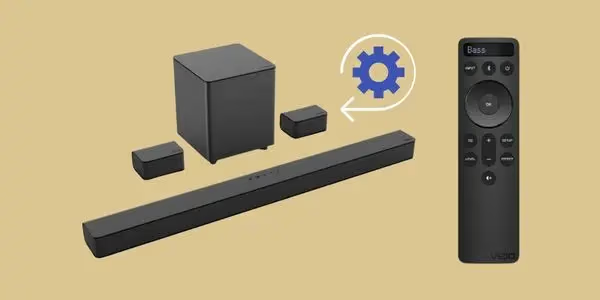
-
Locate and press the Menu button on your Vizio remote
-
Use the arrow buttons to scroll to System > Reset & Admin
-
Select Reset to Factory Settings
-
Press OK to confirm the reset
Your sound bar will power off and back on, with all settings reverted to their original defaults.
#Resetting Without a Remote
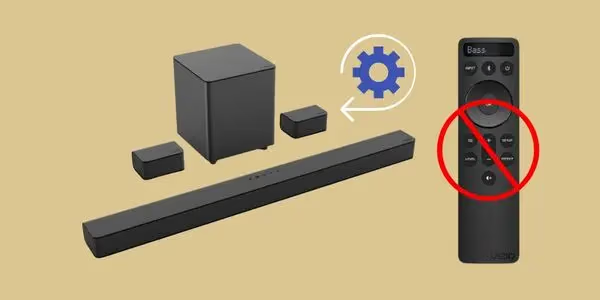
If your remote is lost or not working, you can still reset the sound bar using the buttons on the device itself:
-
Ensure the sound bar is powered on
-
Locate the Bluetooth and Volume Down buttons
-
Press and hold both buttons simultaneously for 5 seconds
-
Release the buttons when the LED indicators flash 3 times
After a successful reset, the sound bar will automatically power cycle off and on again. All custom settings will be cleared.
#How Can You Avoid Having to Reset Your Vizio Sound Bar?
While resetting is a handy troubleshooting step, there are some best practices that can prevent issues in the first place:
-
Always turn the sound bar off before unplugging or removing any connected cables
-
Use the power button to turn the unit off when not in use rather than leaving it in standby mode
-
Keep the sound bar firmware up-to-date by enabling automatic updates in the settings menu
-
Avoid placing the sound bar in direct sunlight or near heat sources which could cause overheating
-
Ensure proper placement to prevent the sound bar from blocking the TV sensor
#Frequently Asked Questions
#How do I know if I need to reset my Vizio sound bar?
Common signs include no audio from the speakers, distorted or intermittent sound, and an unresponsive remote control. If basic troubleshooting like checking cables and power cycling doesn’t fix the problem, a factory reset is your next step. Most audio glitches caused by software bugs or corrupted settings clear up after a single reset.
#Will I lose my custom settings and preferences by resetting?
Yes, a factory reset reverts the sound bar to its default, out-of-the-box state. You will need to re-enter EQ settings, re-pair Bluetooth devices, and reconfigure any programmed inputs. Write down your preferred settings before resetting so you can restore them quickly afterward.
#Is there a reset button on Vizio sound bars?
No, Vizio sound bars do not have a dedicated reset button. You can reset using either the remote control menu path (Menu > System > Reset & Admin) or by holding the Bluetooth and Volume Down buttons simultaneously for 5 seconds.
#Can I reset my Vizio sound bar without the remote?
Absolutely. Press and hold the Bluetooth and Volume Down buttons on the sound bar itself for 5 seconds. The LED indicators will flash 3 times to confirm the reset was successful, and the unit will power cycle automatically.
#How long does the reset process take?
The entire factory reset takes under 2 minutes from start to finish. The sound bar powers off, restarts, and loads the default firmware configuration. You can begin using it again as soon as the power LED stays solid.
#Will a factory reset fix Bluetooth pairing problems?
In most cases, yes. A reset clears all stored Bluetooth connections, which resolves pairing conflicts and connection drops. After the reset, put your sound bar into pairing mode and reconnect your phone, tablet, or TV as if it were a brand-new device. This is one of the most reliable fixes for Bluetooth audio that keeps cutting out.
#Does resetting my Vizio sound bar delete firmware updates?
No, a factory reset does not roll back firmware. The sound bar keeps whatever firmware version was last installed and only clears user-configured settings like EQ, input assignments, and paired devices. If you suspect a firmware bug, check the Vizio support site for a newer update after resetting.
#Bottom Line
-
Resetting your sound bar can resolve audio issues like distortion or no sound
-
You can reset using either the remote control menu or buttons on the sound bar
-
The reset process takes under 2 minutes in most cases
-
Resetting will return the sound bar to factory default settings
-
Proper usage and care can prevent the need to frequently reset the sound bar
By following the simple steps outlined in this guide, you can quickly reset your Vizio sound bar anytime you encounter issues and get back to enjoying your audio experience. While resetting is an effective troubleshooting tool, preventing problems with proper maintenance will provide the best long-term performance.
If you continue to have problems after multiple resets, contact Vizio support for further assistance or consider upgrading to a new sound bar. And for related tips, learn how to connect your Vizio sound bar to an LG TV or enable the optical audio out on your Vizio TV.