Want to stream hit HBO series like Game of Thrones, Euphoria and Succession direct from your Apple TV? Or binge acclaimed Max Originals such as Station Eleven, The Staircase and Peacemaker? By downloading the HBO Max app, you can access over 13,000 hours of on-demand entertainment on one of the best media streamers available.In this complete how-to guide, we’ll walk you through everything you need to know to get HBO Max on your Apple TV.
By the end of this guide, you’ll be streaming the latest HBO Max movies and bingeing hit series in no time on your Apple TV.
Let’s get started!
- Apple TV 4K and Apple TV HD both support HBO Max — older Apple TV models (3rd gen and earlier) are not compatible
- tvOS 12 or later is required — update your software under Settings > System > Software Updates before installing
- HBO Max offers 13,000+ hours of on-demand content — including HBO originals, Warner Bros. films, and Max exclusives
- Two subscription tiers are available — ad-supported at $9.99/month and ad-free at $14.99/month
- Apple TV 4K streams Max in 4K Dolby Vision with Dolby Atmos — the Apple TV HD maxes out at 1080p resolution
#What is Apple TV?
Before we download HBO Max, let’s clarify exactly what Apple TV is.
Apple TV is a digital media streaming box developed by Apple. It connects to your TV to aggregate all your favorite streaming services, cable channels, music, podcasts, and games in one intuitive interface.
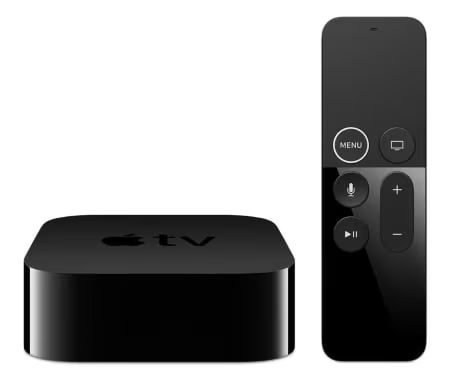
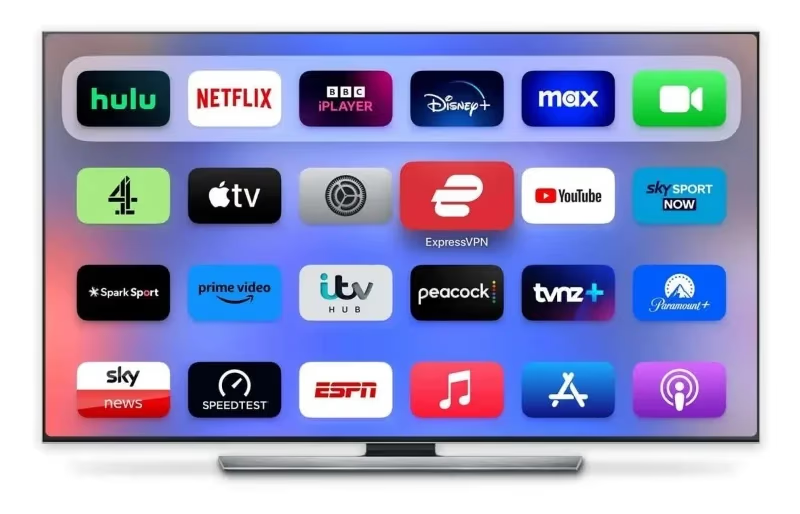
Image: The Apple TV homepage brings together streaming apps, music, cable channels and more
Importantly, Apple TV is not a TV itself, nor is it the same as Apple TV Plus. Rather, it’s a set-top box you connect to your existing TV set.
You’ll also need to purchase the Apple TV hardware separately. Here are the two models currently available:
-
Apple TV 4K (2021): $179
-
Apple TV HD: $149
The main difference is the 4K model supports higher resolution video formats like 4K, Dolby Vision and HDR. It also has a faster A12 bionic processor compared to the Apple TV HD’s A10X chip.
Once you have the Apple TV device set up, it puts multiple streaming services at your fingertips through individual apps, including rivals like Netflix, HBO Max, Disney+ and Hulu. There’s also the Apple TV Plus app for accessing Apple originals available to subscribers.
Next, let’s go over how to get HBO Max downloaded onto your Apple TV.
#Checking Apple TV Compatibility
Before installing any app, it’s important to check your Apple TV has the right hardware and software capabilities.
The HBO Max app requires:
-
Apple TV 4K or Apple TV HD: Older Apple TV models aren’t supported.
-
tvOS 12 or later: Check your tvOS version under Settings > System > About. Update to the latest if needed.
Updating tvOS is straightforward:
-
Go to Settings
-
Select System
-
Choose Software Updates
-
Click Update Software
-
Follow the on-screen prompts
If your Apple TV meets these requirements, you’re all set to install HBO Max.
#How to Download HBO Max on Apple TV
Ready to get HBO Max on your Apple TV? Here is the complete walkthrough:
#Step 1: Sign Into Your Apple ID
You need an Apple ID to access the App Store and download apps on Apple TV.
If you aren’t already signed in:
-
Go to Settings
-
Choose Users and Accounts
-
Select Sign In
-
Enter your Apple ID and password
-
Click Sign In
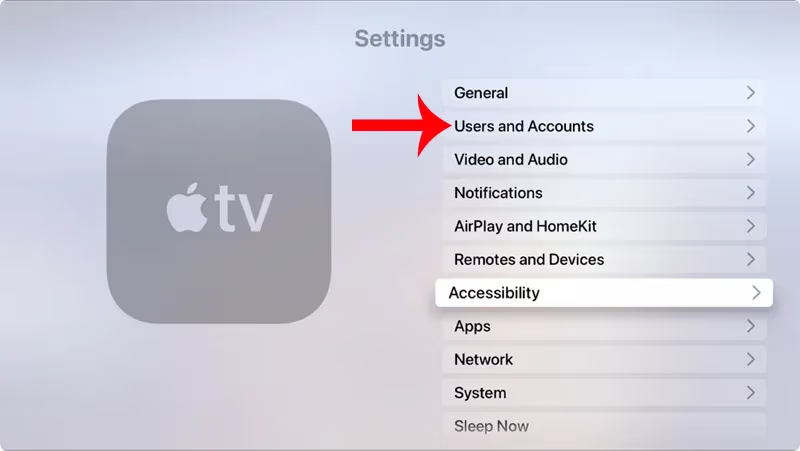
Once signed into your Apple ID, you can access the App Store.
#Step 2: Open the App Store
Now open the App Store to search for and install apps.
-
Go to the Home Screen
-
Select the App Store icon
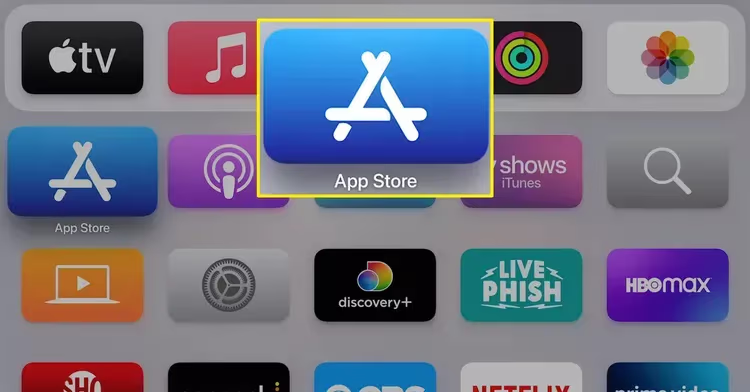
- Choose the “Search” tab
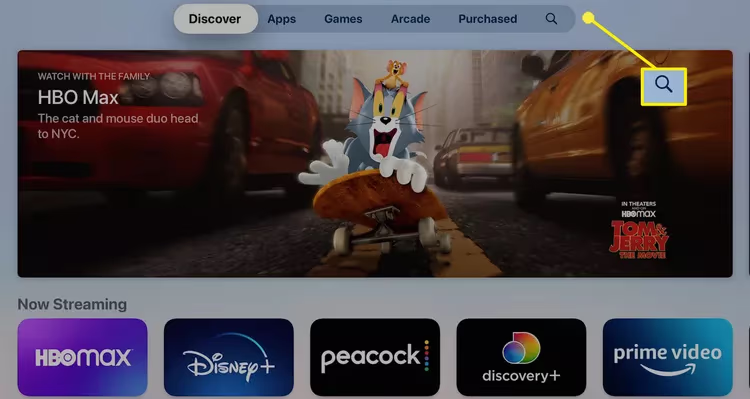
You’ll then be able to search for specific apps like HBO Max.
#Step 3: Search for “HBO Max”
With the App Store open, it’s time to find HBO Max.
-
Select Search
-
Type “HBO Max”
-
Choose HBO Max from the list
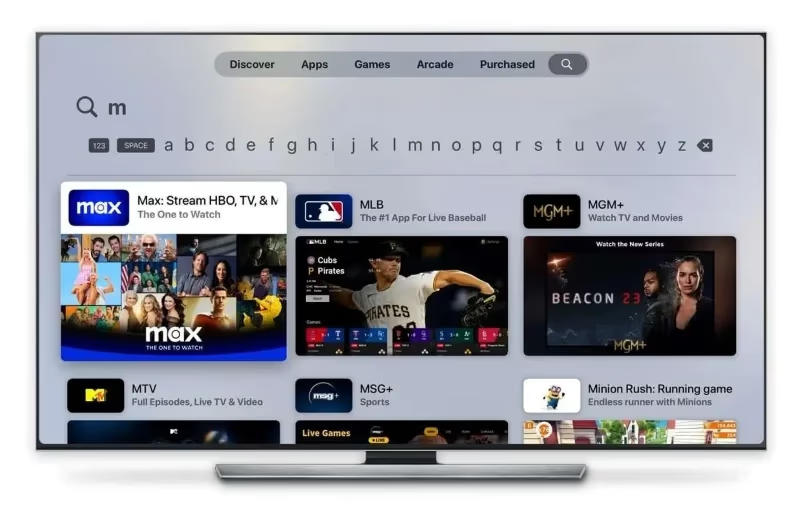
Make sure you select the official HBO Max app published by Warner Bros. Discovery.
#Step 4: Download HBO Max
Once you’ve found HBO Max, it’s time to download it.
-
Choose HBO Max app
-
Click “Get”
-
Tap “Install”
-
Enter Apple ID password to confirm
Sit back while HBO Max downloads and installs automatically. The icon will change from Downloading to the HBO Max logo when complete.
#Step 5: Open HBO Max and Sign In
You’re all set to start streaming!
-
Go back to the Home Screen
-
Find and select the HBO Max app
-
Choose Sign In
-
Select your provider
-
Input credentials to sign in
-
Start watching!
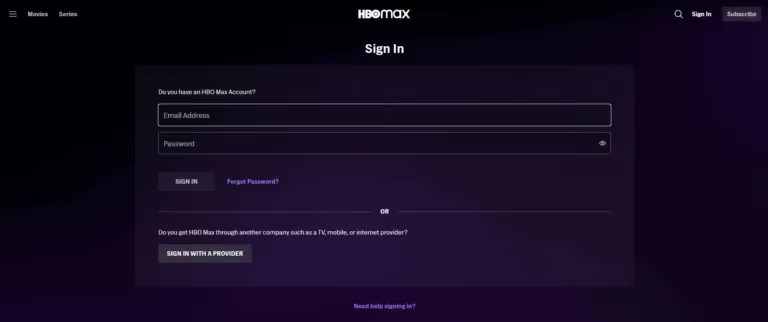
And that’s it! Within minutes you can access and stream thousands of hours of on-demand entertainment through HBO Max.
#What Can I Watch on HBO Max?
Now for the best part: seeing everything you can stream on HBO Max.
A standard subscription unlocks over 13,000 hours of on-demand content without ads. This includes:
-
Iconic HBO series: Game of Thrones, Sopranos, Westworld, Big Little Lies, Euphoria, White Lotus, etc.
-
Hit Max Originals: The Flight Attendant, Hacks, Peacemaker, Tokyo Vice
-
Beloved sitcoms: Friends, Big Bang Theory, Fresh Prince of Bel-Air
-
Classic films and new theatrical releases from Warner Bros.
-
DC Universe movies like Wonder Woman, Suicide Squad, Joker
-
Cartoons and family series from Sesame Street, Looney Toons, Cartoon Network
-
Prestige documentaries like 100 Foot Wave, The Invisible Pilot
-
International programming from around the world
In other words, you get access to premium programming from HBO together with a huge catalog of shows, movies and documentaries you can’t watch anywhere else.
There’s stellar content whether you want to revisit classics like The Sopranos, discover new HBO Max exclusives like Minx, or stream box office hits like Dune the same day they leave theaters.
Plus, new Max Originals and Warner Bros. movies are added every month.
#Alternative Options for HBO Max on other services
For those looking for alternative options, it is possible to integrate HBO Max as a channel on services like Hulu, choosing Add-Ons during setup for a small monthly fee. This Quick View Guide helps walk through how to add HBO Max to a Hulu subscription.
#Compatibility Issues
Occasionally users run into technical issues accessing HBO Max even after the app is installed. Common problems include HBO Max crashing, subtitles not loading properly, and error messages from Samsung smart TVs.
If you encounter problems using HBO Max once set up, these Smart TV troubleshooting guides for Samsung TV errors, crashing, and subtitles can help resolve many streaming issues.
#Smart TV Support
As outlined above, HBO Max works across a wide variety of platforms. But performance varies between manufacturers. For smart capabilities in addition to Apple TV, check compatibility and sign-in guides for HBO Max on LG TVs, Fire Stick troubleshooting, Vizio, Philips TV, Insignia TV and more. And it’s available across Xbox and Playstation consoles.
#Frequently Asked Questions
#How much does HBO Max cost on Apple TV?
HBO Max (now Max) runs $9.99/month for the ad-supported tier or $14.99/month for ad-free streaming. The pricing stays the same regardless of which Apple TV model you own. A premium Ultimate plan at $19.99/month adds 4K streaming and the ability to download content on more devices.
#Can I get a free HBO Max trial with my Apple TV?
Apple no longer bundles a free HBO Max trial with Apple TV purchases. New subscribers can sometimes find promotional offers through wireless carriers like AT&T or T-Mobile that include Max at no extra cost. Check the Max website directly for any active trial offers before signing up through the App Store.
#What picture quality does HBO Max support on Apple TV?
The Apple TV 4K delivers Max content in full 4K resolution with Dolby Vision HDR and Dolby Atmos spatial audio on supported titles. Apple TV HD streams at 1080p, which still looks sharp on most TV sizes under 55 inches. For reliable 4K streaming, you need a stable internet connection of at least 25 Mbps.
#Can I download HBO Max shows for offline viewing on Apple TV?
Offline downloads are available on the Max mobile and tablet apps for iOS, iPadOS, and Android, but the Apple TV set-top box does not support offline downloads. Downloaded content on supported devices stays available for up to 30 days, and you have 48 hours to finish watching once you press play.
#How do I cancel my HBO Max subscription on Apple TV?
If you subscribed through Apple’s in-app purchase system, go to Settings on your Apple TV, select Users and Accounts, choose your account, and tap Subscriptions to manage or cancel. For subscriptions made directly on the Max website, log in to your Max account at max.com and cancel through your account settings. Your access continues until the end of the current billing period after cancellation.
#Why is HBO Max not showing up in my Apple TV App Store?
This usually happens when your Apple TV runs an outdated version of tvOS. Make sure your device has tvOS 12 or later installed by going to Settings, then System, then Software Updates. If the app still does not appear, try signing out of your Apple ID and signing back in, or restart your Apple TV by holding the Menu and Home buttons on your remote for about 6 seconds.
#Is HBO Max the same as HBO on Apple TV?
HBO Max rebranded to simply “Max” in May 2023, combining all HBO content with Discovery+ programming under one app. If you had the old HBO Max app installed, it updated automatically to the new Max app. The subscription includes everything from the original HBO catalog plus thousands of additional titles from Warner Bros., Discovery, and other networks.
And that wraps up this complete guide on getting the HBO Max app on your Apple TV!
#In summary:
-
Apple TV connects to your TV to bring together streaming services, cable, music and more
-
Check your Apple TV is compatible before installing HBO Max
-
Download HBO Max app from the App Store
-
Unlimited access to all HBO shows, Warner Bros. movies plus Max Originals
-
Also available on most major platforms like iOS, Android, Fire TV, Roku and more
Now all that’s left is to enjoy award-winning, exclusive entertainment with HBO Max on your Apple TV!