Looking to cut the cord on cable but don’t want to lose access to live sports? FuboTV is a top choice for diehard sports fans, with an extensive lineup of sports channels and coverage. Here’s everything you need to know about streaming FuboTV on a VIZIO Smart TV.
- FuboTV works natively on most Vizio Smart TVs — models from 2016 onward support the SmartCast app
- Plans start at $79.99/month — the Pro package includes 188 channels and 1,000 hours of DVR storage
- Up to 10 simultaneous streams — each user gets their own profile and DVR library
- Multiple connection methods available — native app, AirPlay, Chromecast, Roku, or HDMI streaming devices
- 7-day free trial included — no contract required, cancel anytime
#What is FuboTV?

FuboTV is a live TV streaming service specifically geared towards sports fans. It offers major national sports channels like ESPN, FS1, NBA TV along with regional sports networks from NBC, FOX, CBS, and more. This includes access to live regular season and postseason coverage for:
-
NFL Football
-
MLB Baseball
-
NBA Basketball
-
NHL Hockey
-
MLS Soccer
-
International Soccer like Premier League
-
Motor Sports
-
College Sports from ACC, Big 10, Pac 12, SEC and more
In addition to sports, FuboTV offers popular entertainment and news channels like HGTV, Food Network, MSNBC, FOX News, AMC, HBO and more. Check availability in your area by entering your zip code on FuboTV’s website.
#FuboTV Packages and Pricing
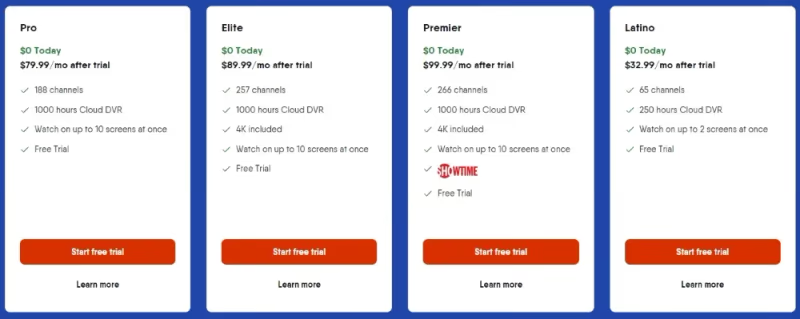
FuboTV offers several base packages, starting at $79.99 per month. Their Pro package includes 188 channels with 1000 hours of DVR storage. The higher-tier Elite plan jumps to 257 channels with 4K streaming capabilities.
For the biggest sports fans, the Premier package for $99.99 per month adds more sports networks, including NFL RedZone. You can also add Sports Plus with NFL RedZone and other premium channels for an additional fee.
Given all the sports offerings, FuboTV provides tremendous value compared to expensive cable TV packages like Spectrum TV. Best of all, there are no contracts so you can cancel anytime. New users can take advantage of FuboTV’s 7-day free trial to test it out.
#How to Get FuboTV on VIZIO Smart TV
It’s simple to start streaming FuboTV on a VIZIO Smart TV. Just follow these steps:
-
Sign Up: First, visit FuboTV’s website to sign up for a subscription. Select your base package and any add-ons. Create your account login credentials.
-
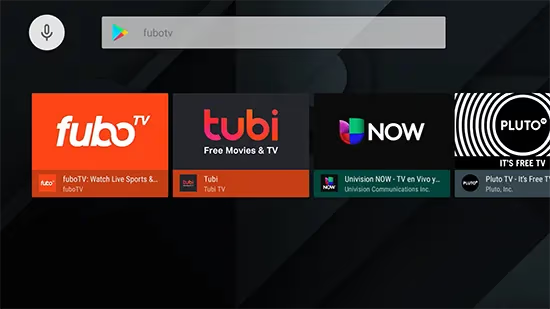
Download App: On your VIZIO TV, go to the SmartCast home screen. Open the app store and search for “FuboTV”. Download and install the app.
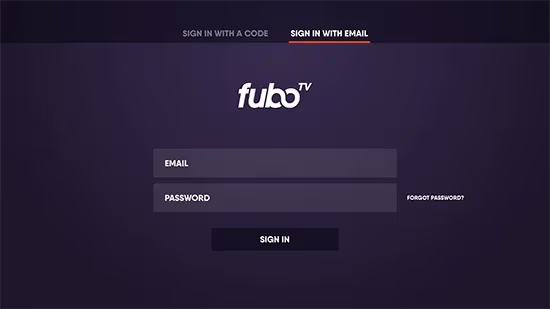
- Log In: Launch the newly installed FuboTV app. Sign in using the account login details you created on the FuboTV website.
-
Explore and Enjoy: You now have full access to stream FuboTV’s lineup of live sports and entertainment! Browse channels, set recordings, and customize your viewing experience.
-
Share Access: Want to watch on more devices? FuboTV allows streaming on up to 10 devices simultaneously. This includes phones, tablets, computers and TV streaming devices. Each user can have their own profile and DVR library.
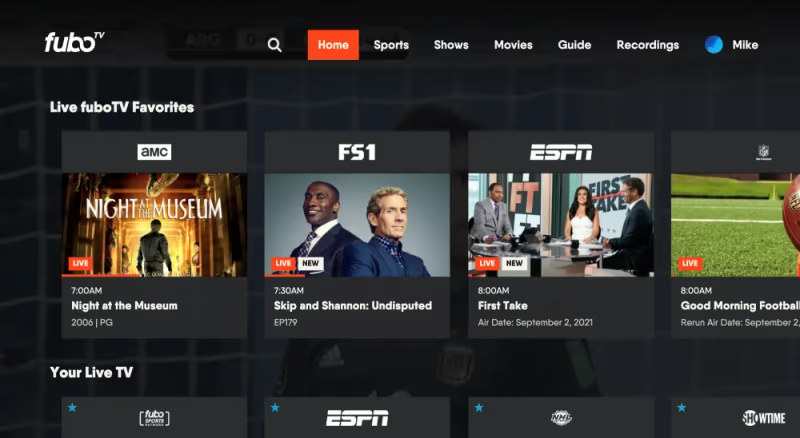
And that’s it! Within minutes you can be streaming FuboTV on your VIZIO Smart TV. Read on for more details about getting a smooth streaming experience.
#What Are the Best Tips for Using FuboTV on VIZIO Smart TV?
Below are some handy tips when using FuboTV on your VIZIO Smart TV:
-
Make sure your TV and mobile devices are on the same WiFi network for easy casting and AirPlay. Connect TV to 5Ghz network if available.
-
Check FuboTV’s system requirements to confirm your VIZIO TV model is compatible. Enable auto app updates.
-
Use FuboTV’s “Lookback” and “Startover” features to replay games and shows that already aired.
-
Set recordings for your favorite teams and shows if you can’t watch live. Up to 1000 hours of cloud DVR storage is included.
-
Customize your channel guide to only show sports networks, entertainment channels, etc.
-
Use multiple user profiles so each person can have their own favorites, recordings and watch history.
-
If you run into playback issues with FuboTV not working, check your internet speeds or restart the app.
Review FuboTV’s support page for the latest troubleshooting tips. Reach out to their customer service for personalized assistance.
#Other Ways to Stream FuboTV on VIZIO
If you prefer, there are alternate methods to stream FuboTV onto your VIZIO Smart TV:
-
Mobile Apps: Install FuboTV app on your iPhone, iPad or Android mobile device. Use AirPlay or Google Cast to mirror to VIZIO. Ensure devices on same WiFi network.
-
Streaming Devices: Connect a Roku, Apple TV 4K, Fire TV or Chromecast device. Download FuboTV app and stream to your VIZIO via HDMI cable.
-
Web Browser: Open FuboTV on VIZIO SmartCast TV browser. Log into account to watch, but casting from mobile apps is easier.
-
Gaming Consoles: Add FuboTV app on Xbox One, Xbox Series X/S or PlayStation 4 and connect to VIZIO. Sub-optimal experience compared to native TV app.
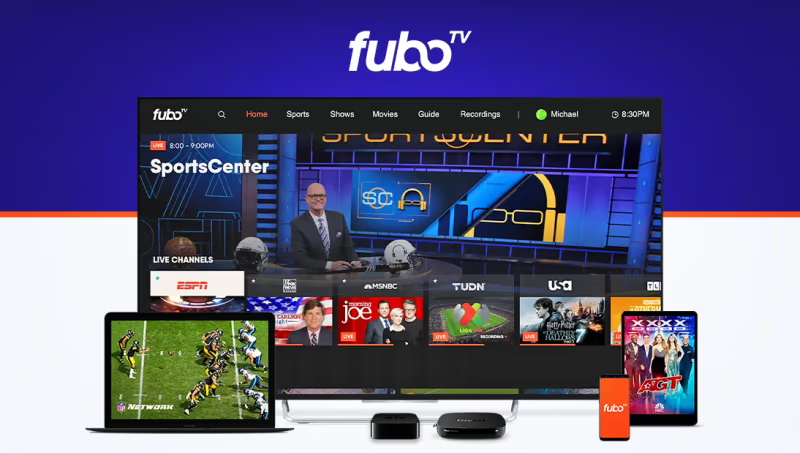
Using the native FuboTV app on the VIZIO Smart TV delivers the best performance and viewing experience. But the options above can work in a pinch.
#Bottom Line
FuboTV is one of the strongest cord-cutting options for sports fans who own a Vizio Smart TV. The native SmartCast app takes minutes to set up, and with plans starting at $79.99 per month you get 188+ channels, 1,000 hours of DVR, and up to 10 simultaneous streams. Grab the 7-day free trial to test it on your own TV before committing.
#Frequently Asked Questions
#What sports channels does FuboTV include?
FuboTV carries ESPN, FS1, NFL Network, MLB Network, NBA TV, Golf Channel, and beIN Sports. You also get regional sports networks from NBC, CBS, and FOX based on your zip code. The Sports Plus add-on brings NFL RedZone and additional niche sports channels into the mix.
#Does FuboTV offer a free trial?
Yes, FuboTV gives new subscribers a 7-day free trial with full access to all channels in your chosen plan. No contract or commitment is required, and you can cancel before the trial ends without being charged.
#Which Vizio TV models support the FuboTV app?
Most Vizio SmartCast TVs manufactured from 2016 onward run the FuboTV app natively. Check your specific model number on FuboTV’s device compatibility page to confirm support. Keeping your TV firmware updated ensures the app runs without issues.
#How many devices can stream FuboTV at the same time?
FuboTV supports up to 10 simultaneous streams on a single account. Each household member can create their own profile with separate favorites, DVR recordings, and watch history across phones, tablets, computers, and smart TVs.
#Can I record shows and games on FuboTV?
All FuboTV plans include 1,000 hours of cloud DVR storage. Recordings are available for up to 9 months, and you can fast-forward through commercials on most recorded content. The Lookback feature also lets you replay content that aired in the past 72 hours without needing to set a recording.
#What internet speed do I need for FuboTV on Vizio?
FuboTV recommends at least 10 Mbps for standard HD streaming and 25 Mbps for 4K content. Connect your Vizio TV to the 5 GHz Wi-Fi band when possible for a more stable connection. Wired Ethernet gives the most reliable performance if your TV has an Ethernet port.
#How do I fix FuboTV buffering on my Vizio TV?
Start by restarting both the FuboTV app and your Vizio TV. If buffering continues, run a speed test to confirm your internet meets the minimum requirements. Clearing the app cache or reinstalling FuboTV from the SmartCast app store resolves most playback problems.