Watching FuboTV on your LG Smart TV is easy if you follow this simple guide. Learn how to sign up, download the app, connect with AirPlay, and start streaming your favorite sports, news and entertainment instantly.
- FuboTV works on 2018+ LG Smart TVs — the app comes pre-installed on WebOS models from 2018 through 2022
- Older LG TVs use AirPlay 2 — 2016-2017 WebOS 3.0 models can stream FuboTV from an iPhone, iPad, or Mac
- Plans start at $79.99/month — bundles include 100+ channels covering sports, entertainment, and local news
- Up to 10 simultaneous streams — one account lets your whole family watch on different devices at no extra cost
- 7-day free trial available — new subscribers can test every channel and feature before committing
#What is FuboTV?
 FuboTV is a popular live TV streaming service dedicated to sports fans. It offers over 100 channels including major sports networks like ESPN, FS1, NBCSN, CBS Sports Network and many more.
In addition to sports, FuboTV also includes entertainment, news, and local channels. Bundles start at $79.99/month and you can add on premium channel packages.
🏈 Over 100 channels
📺 Sports, entertainment, news
🌟 Top bundles from $79.99/month
📱 Stream on tons of devices
#What LG Smart TVs Support FuboTV?
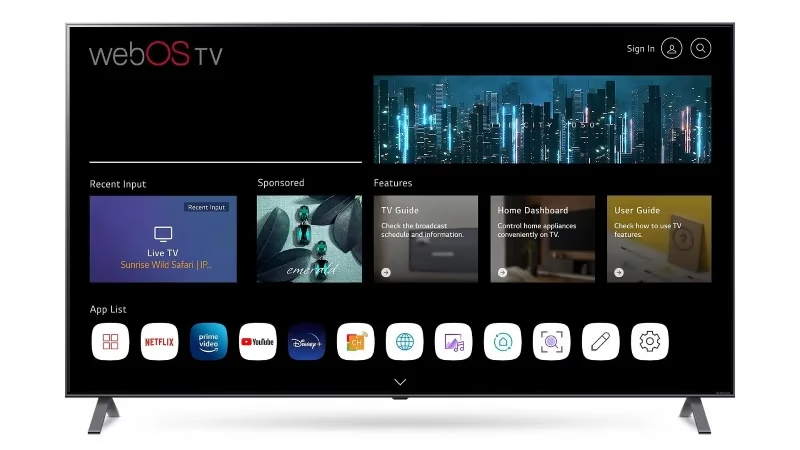
The FuboTV app comes pre-installed on 2018-2022 LG Smart TVs running WebOS. This includes OLED TVs, NanoCell TVs and UHD models.
Earlier LG Smart TVs don’t have the FuboTV app, but can still stream through Apple AirPlay 2. This includes 2016-2017 WebOS 3.0 models and some 2015 WebOS 2.0 TVs after updating.
#Step 1: Sign Up for FuboTV
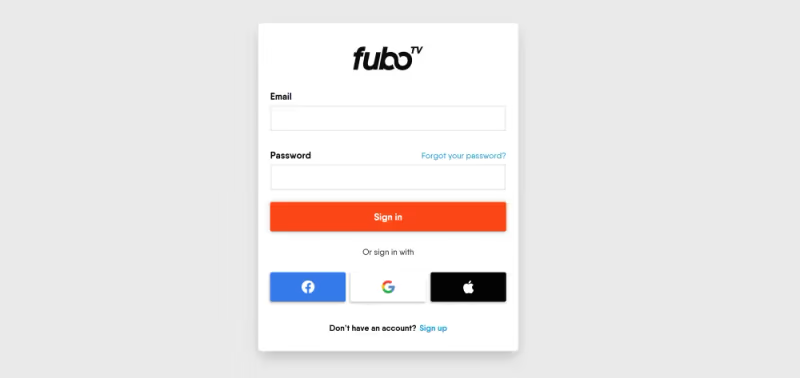
First, you’ll need to sign up for a FuboTV account online. Select any add-ons you want like their Sports Plus with NFL RedZone.
After signing up, you can stream FuboTV on up to 10 devices without paying extra.
👉 Sign up at fubo.tv
🔢 No commitments, cancel anytime
👥 Share with family for free
🔟 Stream on 10 devices
If you run into any issues with FuboTV not working properly, see our troubleshooting guide.
#Step 2: Find and Download the FuboTV App
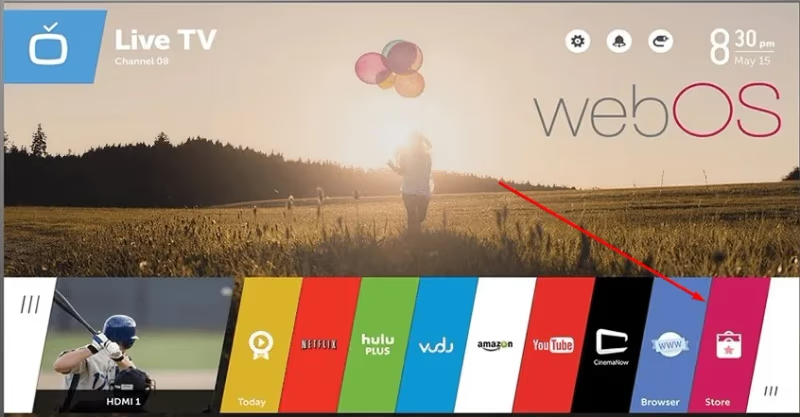
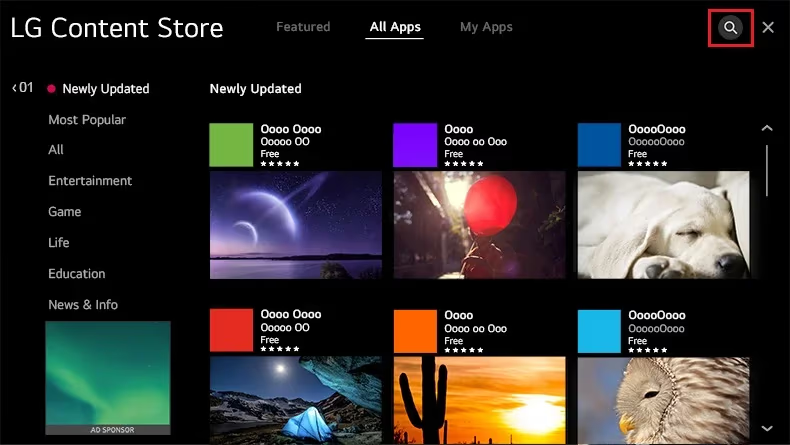
On your LG Smart TV’s home screen, go to the app store icon and search for “FuboTV”. Select the FuboTV app and choose Download.
-
For 2018-2021 WebOS TVs, FuboTV should already be pre-installed.
-
For WebOS 3.0-5.0 models, download it from LG Content Store.
📺 Go to LG Content Store
🔎 Search “FuboTV”
📥 Select Download
💾 App installs in seconds
FuboTV is also available on other devices like Apple TV and Vizio Smart TVs.
#Step 3: Log In and Start Streaming
Open the FuboTV app on your LG Smart TV and select Sign In. Enter your FuboTV email and password to log into your account.
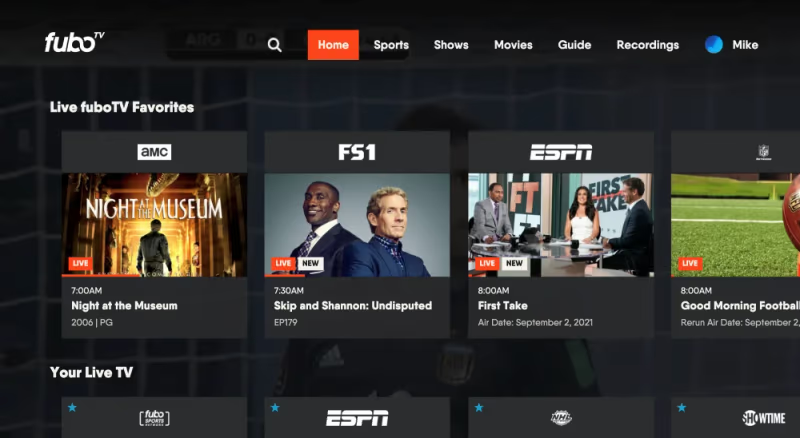
Once logged in, you’ll see your FuboTV homepage with live channels, favorites, recordings and recommendations. Use the browse or search features to find a live channel and select it to start streaming.
🚪 Open FuboTV app
📝 Enter login email & password
🏠 Access account homepage
📺 Select live channel to stream
#How to Use AirPlay to Stream FuboTV
Don’t have one of LG’s WebOS Smart TVs from the last few years? No worries! If your TV supports AirPlay 2, you can still stream FuboTV using an iPhone, iPad or Mac.
Here’s how to set it up:
-
Connect your iOS device and LG Smart TV to the same Wi-Fi network.
-
Launch FuboTV app and start playing a video.
-
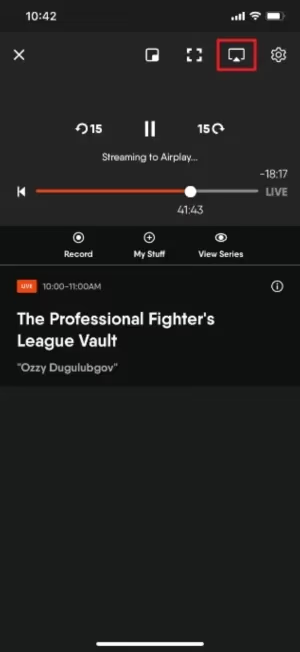
Tap the AirPlay icon and select your LG Smart TV to start streaming.
👆 Enable Wi-Fi on both devices
📱 Start FuboTV on iPhone/iPad
📺 Tap AirPlay > Select LG TV
🔄 Video streams from phone to TV
And that’s all there is to it! With FuboTV set up on your LG Smart TV, you’ll be able to stream live sports, news and shows instantly.
#Frequently Asked Questions
#What channels does FuboTV include?
FuboTV carries 100+ channels including ESPN, FS1, CBS Sports Network, NFL Network, and beIN Sports. Entertainment options cover AMC, FX, HGTV, and local ABC, CBS, NBC, and FOX affiliates in most markets.
#Does FuboTV work on older LG Smart TVs?
LG Smart TVs from 2018 through 2022 with WebOS support the FuboTV app directly. If you own a 2016 or 2017 model, you can still watch by using AirPlay 2 to stream from an iPhone, iPad, or Mac. TVs older than 2016 do not support FuboTV natively or through AirPlay.
#How much does FuboTV cost per month?
The base Pro plan starts at $79.99/month and includes 100+ channels plus 1,000 hours of Cloud DVR storage. Fubo Extra adds more sports and entertainment channels for an additional $8/month. Premium add-ons like Showtime and Starz are available separately.
#Can I try FuboTV for free before paying?
Yes. FuboTV gives every new subscriber a 7-day free trial with full access to all channels and features. You can cancel before the trial ends and pay nothing.
#How many devices can stream FuboTV at the same time?
One FuboTV account supports up to 10 simultaneous streams, so your whole household can watch on different TVs, phones, and tablets without extra fees. This is one of the highest device limits among live TV streaming services.
#What happens to my recordings if I cancel FuboTV?
FuboTV has no contracts, so you can cancel at any time without a penalty. Your access continues until the end of your current billing cycle. After cancellation takes effect, all Cloud DVR recordings are permanently deleted.
#Does FuboTV support 4K streaming on LG TVs?
FuboTV offers select live sports events in 4K resolution on compatible devices. Your LG Smart TV needs to be a 4K model running WebOS 4.0 or later, and you need an internet connection of at least 25 Mbps for stable 4K playback.
#Bottom Line
-
FuboTV offers tons of sports along with entertainment and local channels
-
Works on 2018-2021 LG Smart TVs (pre-installed app)
-
Stream using AirPlay on earlier AirPlay 2-enabled models
-
Sign up at fubo.tv and download app on WebOS TVs
-
Log in to access live channels, Cloud DVR, recommendations
If you want to explore alternatives, see our list of the best FuboTV alternatives.
Now kick back and enjoy streaming FuboTV on your LG television! Check out their free trial to test it out.