Experiencing vertical lines on your Samsung TV? This guide covers the potential causes, troubleshooting steps, and fixes to resolve vertical line issues on Samsung smart TVs. Whether you see wavy lines that move, stationary lines that stay put, double or ghost images, or straight vertical bands across the screen, you can diagnose and repair your Samsung TV with the right approach.
- Loose ribbon cables — the single most common cause of vertical lines on Samsung TVs, fixable by reseating connections
- T-Con board failure — produces uniformly spaced vertical lines across the entire screen and costs $30-$80 to replace
- Factory reset first — software glitches can mimic hardware issues, so always try a reset before opening the TV case
- Repair vs. replace threshold — component repairs on TVs older than 10 years typically exceed the cost of a new set
- Tapping test — if gentle tapping makes lines disappear temporarily, the problem is a loose internal connection, not the panel
#What Causes Vertical Lines on Samsung TVs?
Vertical lines on a Samsung TV can be caused by a few different issues, ranging from software glitches to hardware failures. Here are the most common culprits and how to differentiate them:
#Loose Cable Connections
Loose, corroded, or damaged HDMI or component cables are one of the most likely reasons for vertical lines on a Samsung TV.
- Symptoms: Moving, wavering lines that may disappear with tapping.
#Overheating Components
Dust buildup causing components like the T-Con board to overheat can create vertical lines and other display issues like a Samsung TV green screen.
- Symptoms: Lines appear after TV has been on for longer periods.
#Software Bugs
Bugs or glitches in firmware updates or the TV’s software can also introduce vertical line artifacts.
- Symptoms: Lines are digital, perfectly straight, may be uniformly spaced.
#Hardware Defects
Defective hardware like the T-Con board, LCD panel, or internal ribbon cables can cause vertical lines.
- Symptoms: Permanent lines unaffected by input sources or connectivity resets.
#How Do You Troubleshoot Samsung TV Vertical Lines?
Before attempting repairs, it’s important to thoroughly troubleshoot the issue on your Samsung TV. Follow these steps:
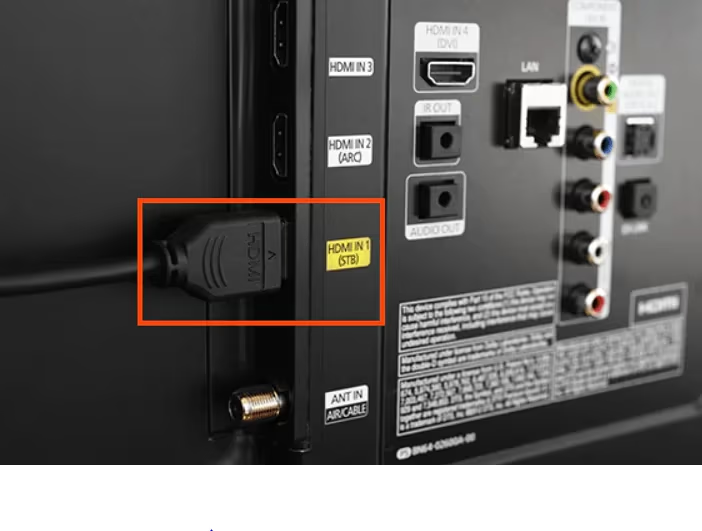
#1. Check Video Input Sources
-
Swap out HDMI cables and ports used for external devices.
-
Directly connect TV tuner cable to verify issue is also present on TV channels.
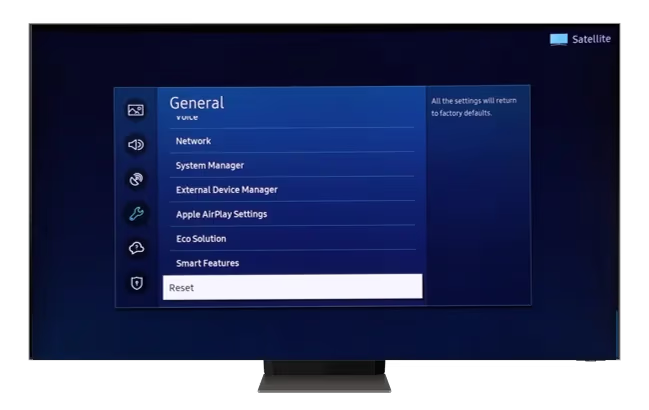
#2. Perform Factory Reset
- Reset your Samsung Smart TV to factory settings in case of software issues causing a LG TV black screen.
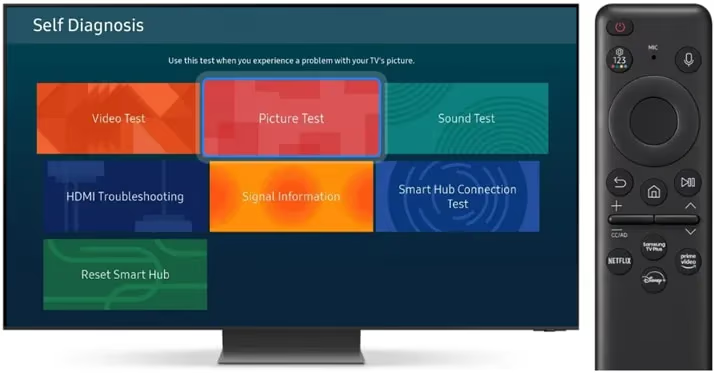
#3. Try External Connectivity Diagnostics
-
Access Built-In Self Test images that utilize the TV’s internal test patterns.
-
Initiate HDMI port diagnostics using cable box or streaming device.
#4. Open TV Case & Check Ribbon Cables
-
Safely open back panel to visually inspect ribbon cables for signs of damage.
-
Reseat ribbon connectors linking boards to panel.
#Fixing Vertical Lines on Samsung TVs
If troubleshooting confirms an issue within your Samsung television itself, here are potential fixes ranked from easiest/cheapest DIY solutions to professional repairs:
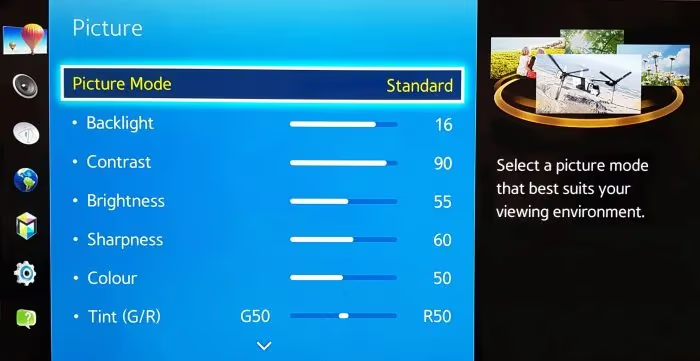
#1. Adjust TV Settings
-
Toggle settings like aspect ratio, overscan, picture calibration
-
Reset values or change to default recommended for your model
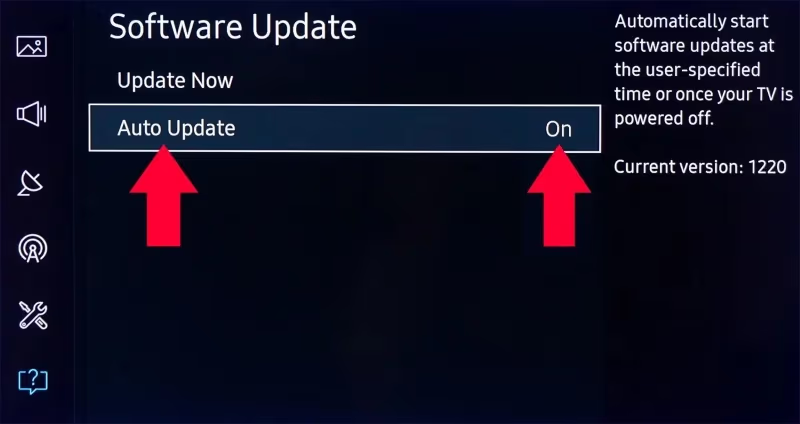
#2. Update TV Firmware/Software
-
Install latest firmware update from Samsung Support site
-
Enable auto-update option for future releases
#3. Replace Damaged HDMI/Component Cables
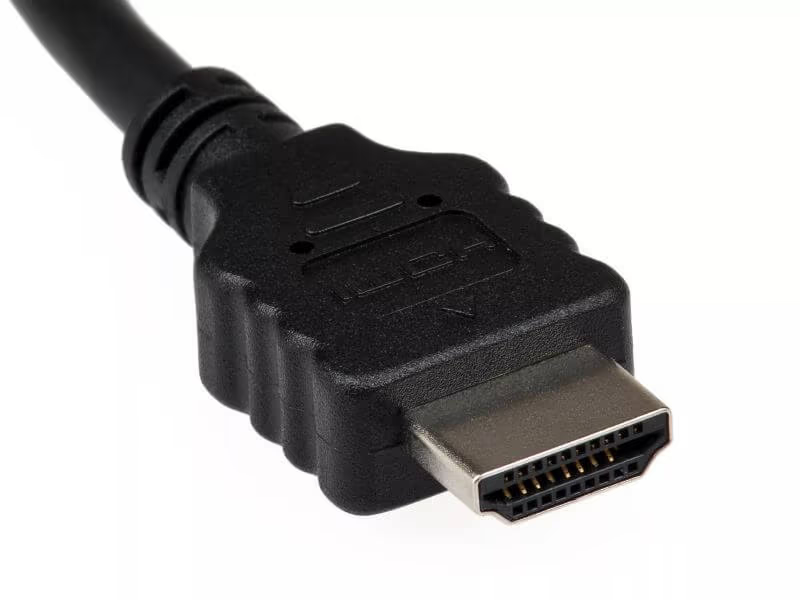
-
Swap out cables connecting devices to TV ports
-
Use HDMI diagnostics to confirm specific faulty cable
#4. Try T-Con Board Repairs
-
Reseat ribbon cables to ensure proper connectivity
-
Use non-conductive tape on cables to block bad signal
-
Replace entire T-Con board if other fixes unsuccessful
#5. Replace Main Board
-
Main board failures can also cause vertical line issues
-
Choose professional installation for main board replacement
#6. Panel Replacement
-
LCD/LED panel defects require entire screen replacement
-
Costly repair – evaluate replacement TV options before proceeding
#DIY T-Con Board Troubleshooting & Repairs
The Timing Control (T-Con) board is a key component that could be causing vertical lines on your Samsung TV. Here is more detail on troubleshooting bad T-Con boards and attempting repairs yourself:
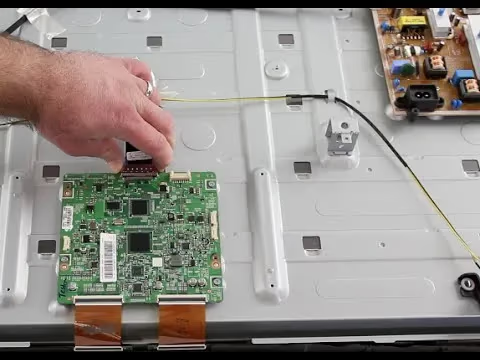
#Accessing the T-Con Board
-
Power off TV and discharge residual electricity
-
Remove back panel cover via screws or plastic clips
-
Locate small T-Con board with attached ribbon cables
#Troubleshooting T-Con Issues
-
Check for loose ribbon cable connections to panel
-
Inspect for cable corrosion or damage
-
Confirm failed signal from one cable on split panels
#Fixing Faulty T-Con Boards
-
Carefully disconnect, clean, and reseat all ribbon cable connections
-
Use non-conductive tape to block vertical line signal
-
Purchase replacement T-Con board online and swap into TV
Replacing a damaged T-Con board or reseating its delicate ribbon cables risks permanent damage if not performed properly – consider hiring an experienced TV repair technician for any advanced repairs requiring disassembly of your Samsung television.
#When to Consider Replacing Your Samsung TV?
With the high cost of replacement TVs and complex repair issues like vertical lines, a common question becomes: “When should I consider upgrading to a new Samsung television?”
Here are a few key factors to weigh when evaluating the repair vs replace dilemma:
#TV Age & Warranty Coverage
-
TV older than 10 years may not be cost-effective to repair
-
Component repairs can exceed replacement cost for aging TVs
-
Review Samsung warranty for vertical line issue coverage
#Parts Availability
-
Older model Samsung TVs may lack available replacement parts
-
Check online suppliers, eBay before deciding on T-Con repairs
#Repair Costs vs New TV Price
-
Compare component repair rates to new model purchase
-
Weigh benefits of upgrading with new features vs fixing old TV
-
Consider Black Friday or holiday sales for optimal pricing
#DIY Abilities
-
Ribbon cable repairs require skill – evaluate your comfort level
-
Complex fixes could require hiring professional technicians
Carefully weighing these variables will help determine whether to repair or replace your Samsung TV experiencing frustrating vertical lines.
#Bottom Line
-
Loose cables are the most common cause – reseat connections
-
Try factory reset for software issues before hardware repairs
-
Replace damaged HDMI/component cables
-
T-Con boards often fail causing vertical lines
-
Consider age, warranty, price, skill for replace vs repair
#Frequently Asked Questions
#What causes vertical colored lines on a Samsung TV?
Loose ribbon cables and a failing T-Con board account for the majority of vertical line cases. Software bugs, HDMI port failures, overheating, and in rare situations Wi-Fi interference can also trigger them.
#Why does tapping my Samsung TV fix the vertical lines?
The vibration from tapping temporarily reseats a loose ribbon cable or component connection inside the TV housing. This confirms the root cause is a hardware connectivity failure rather than a panel defect. You should open the back panel and reseat the ribbon cables properly for a lasting fix.
#How much does it cost to repair vertical lines?
A cable reseat is free if you do it yourself. T-Con board replacements run $30-$80 for the part, while professional labor adds another $50-$100. Full panel replacement is the most expensive option, often exceeding $200 and sometimes approaching the price of a new TV.
#Can I replace a Samsung TV T-Con board myself?
Yes, experienced DIYers can swap a T-Con board at home with basic tools. The key risks are electrocution from residual capacitor charge and ribbon cable damage from improper handling. If you have never opened a TV before, hiring a technician is the safer route.
#Do vertical lines mean my Samsung TV screen is broken?
Not always. Vertical lines caused by loose cables or a bad T-Con board are repairable without touching the screen panel. Only permanent lines that remain after cable reseating and T-Con replacement point to actual panel damage.
#Will a factory reset fix vertical lines on a Samsung TV?
A factory reset resolves vertical lines only when the cause is a software glitch or firmware bug. If lines persist after the reset, the problem is hardware-related. Always try a reset before opening the TV case because it takes two minutes and rules out software issues entirely.
#How can I tell if the T-Con board or the panel is the problem?
Run the TV’s built-in self-test pattern from the support menu. If lines appear on the test pattern, the T-Con board or panel is at fault. Uniformly spaced lines across the full screen usually indicate the T-Con board, while a single fixed line in one spot points to panel damage.
Try cable reseating, firmware updates, and setting resets before moving to component swaps. If vertical lines persist on a Samsung TV older than 10 years, picking up a new television usually makes more financial sense than repairs. You can also check what to do with a broken TV when considering replacement or disposal options.