Watch ESPN, ESPN2, ESPN3, ESPNU, ESPNews, SEC Network and more with Sling TV. Get insider tips on packages, streaming, troubleshooting and content to enhance your sports viewing experience.
Sling TV is one of the most affordable ways to watch ESPN without a cable subscription. With packages starting at $40 per month and access to ESPN, ESPN2, ESPN3 and more, cord cutters can keep up with live sports from any device. This guide covers every Sling TV package that includes ESPN channels, how to sign up, troubleshooting tips and the best alternatives if Sling doesn’t fit your needs.
- Sling Orange ($40/month) includes ESPN, ESPN2 and ESPN3 making it the cheapest live TV plan with ESPN access
- Sling Orange + Blue ($60/month) adds NFL Network and Fox Sports on top of ESPN for the widest sports coverage
- ESPN+ costs just $1 extra through Sling compared to $9.99/month standalone, saving roughly $108 per year
- Sling works on Roku, Fire TV, Apple TV, phones and smart TVs with apps available on all major streaming platforms
- No contracts required so you can cancel or change your Sling TV plan at any time without penalties
#Why Choose Sling TV for ESPN and Sports?
Affordability - Sling TV starts at only $40/month for 30+ channels making it extremely budget-friendly compared to cable.
Flexibility - Pick the Sling TV package that fits your needs be it Sling Orange, Blue or Orange + Blue rather than paying for hundreds of channels you won’t watch.
No Contracts - No long term commitments. Change or cancel your plan at any time.
Stream Anywhere Access - Watch Sling TV and ESPN on Roku, Apple TV, Fire Stick, phones, tablets and more with the easy to use app.
Reliability - Sling offers consistent high quality streams which is vital for live sports.
Cloud DVR - Record ESPN games and shows to watch later with 50 hours of storage space.
On-Demand Content - Access ESPN classics and an on-demand archive of shows and events.
ESPN+ Integration - Add even more sports content with access to ESPN+ originals all in the Sling interface.
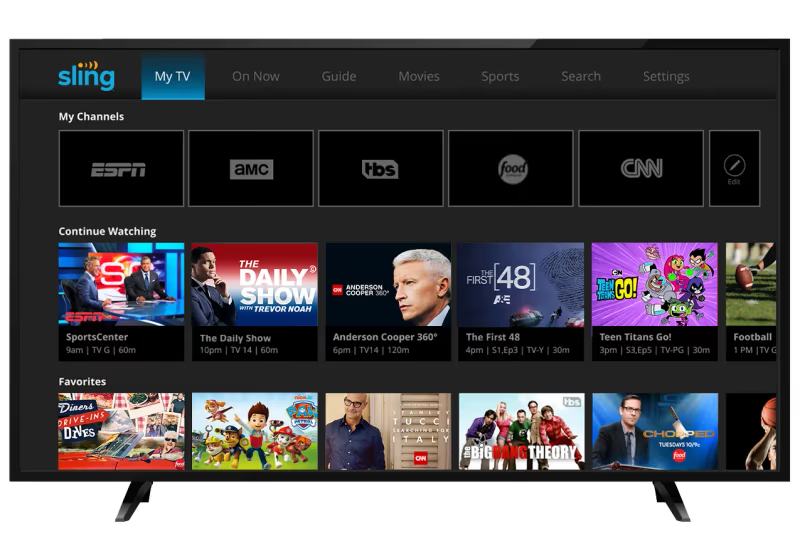
For diehard sports lovers who still want live ESPN access without cable, Sling TV checks all the boxes. Now, let’s explore exactly how you can start watching ESPN on Sling.
#How Do You Sign Up for Sling TV to Watch ESPN?
The process of getting signed up for Sling TV takes less than 10 minutes. Just follow this step-by-step guide:
#Select Your Base Sling TV Package
Sling TV offers three main packages, each with differing ESPN channel availability:
-
Sling Orange ($40/month) - Includes ESPN, ESPN2, ESPN3
-
Sling Blue ($45/month) - No standard ESPN channels
-
Sling Orange + Sling Blue ($60/month) - Combination package with ESPN, ESPN2 and more
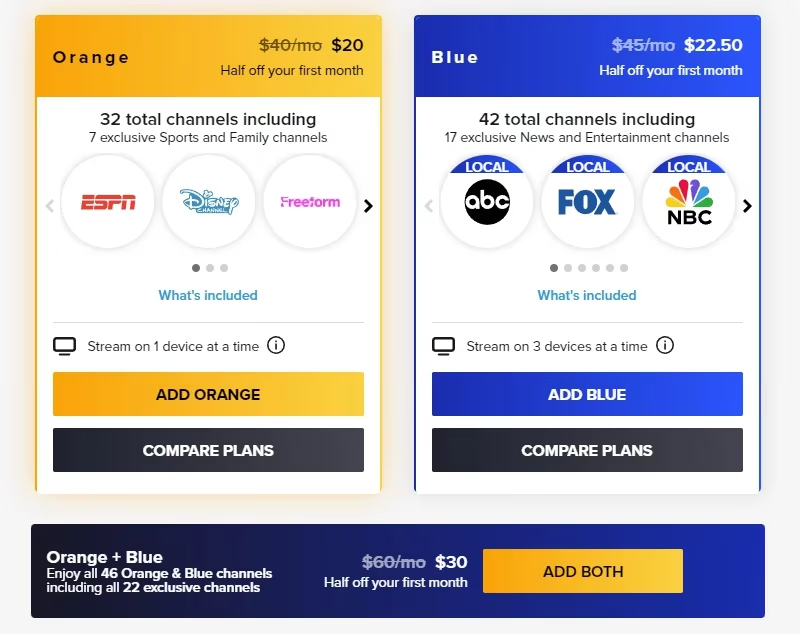
For accessing live sports content, your best options are Sling Orange or Sling Orange + Blue. Later, we’ll explore the differences between packages and extensions in more detail.
#Create Your Sling TV Account
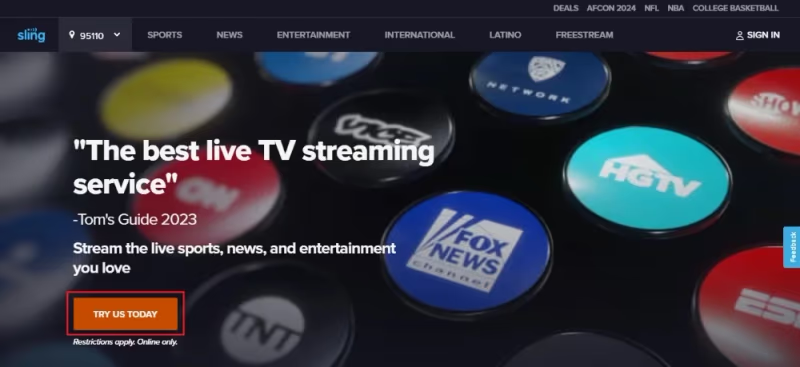
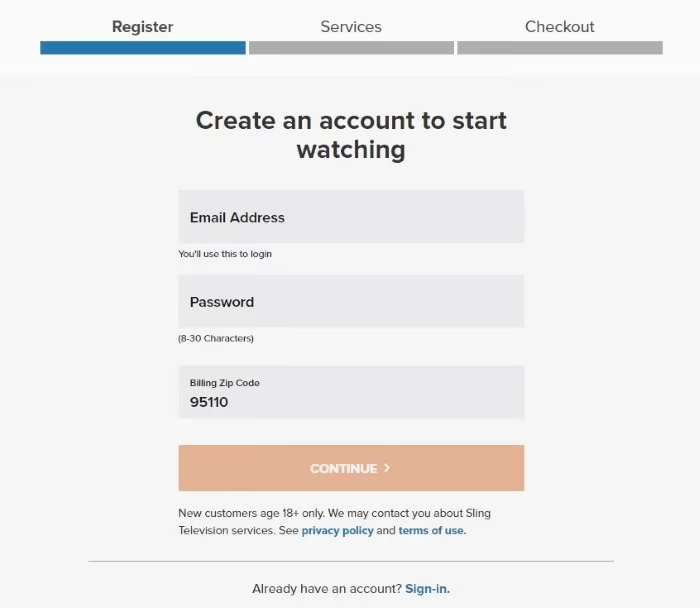
Visit Sling TV and select “Sign Up.” You’ll need to provide your email address and create a password. Completing your zip code enables localized sports and TV programming.
#Enter Billing Information
To complete signup, input your credit card number or Paypal details. Sling offers your first month discounted making it low risk to try it out.
#Confirm Your Order
Carefully review your Sling TV package selection and billing details before confirming your subscription. Once placed, your order cannot be modified until the next billing cycle.
#Download the App and Start Streaming
You can immediately start streaming ESPN and other sports channels with the Sling TV app available for all major platforms and devices including:
-
iOS and Android mobile devices
-
Roku
-
Apple TV
-
Amazon Fire TV and Fire Sticks
-
Android TV
-
Xbox One
-
Chromecast
-
Select smart TVs with built-in support
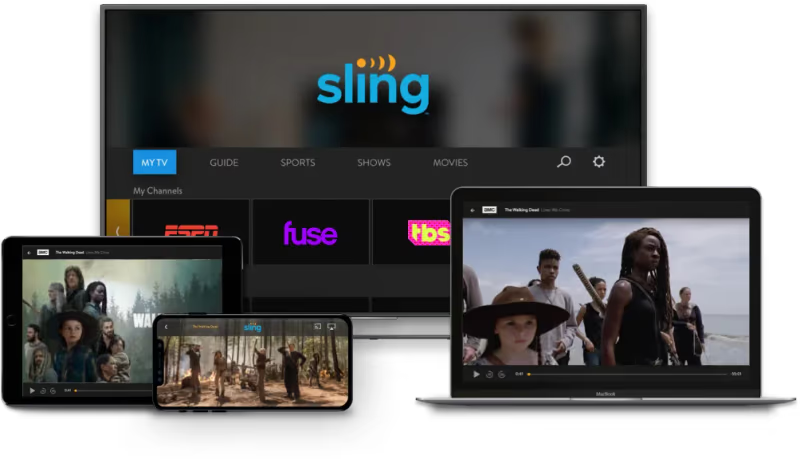
Install the Sling app on your streaming box or smart device, login using your Sling TV credentials and enjoy live ESPN access from anywhere with an internet connection!
#Which Sling TV Package Includes ESPN Channels?
Not all Sling TV base packages are created equal when it comes to ESPN channel availability. Here’s how Orange, Blue and the combined Orange + Blue package compare:
#Sling Orange
Starting at $40 per month, Sling Orange provides 30+ channels including:
-
ESPN
-
ESPN2
-
ESPN3 (digital streaming network accessible within package)
-
Disney Channel
-
TNT
-
CNN
-
AMC
-
A&E
-
History Channel
-
HGTV
-
Food Network
Sling Orange represents excellent value for money to gain live, streaming access to ESPN/ESPN2 while still enjoying top entertainment channels. Diehard sports fans will likely want even more sports programming though.
#Sling Blue
Priced at $45 monthly, Sling Blue focuses less on sports with more lifestyle and entertainment channels including:
-
Fox
-
NBC
-
NFL Network
-
Fox Sports 1
-
NBC Sports Network
-
TBS
-
TNT
-
truTV
-
USA Network
Note that Sling Blue has no ESPN channels so while the package adds more sports from Fox and NBC, it falls short for serious ESPN fans.
#Sling Orange + Sling Blue
For $60 per month, the combined Orange + Blue package offers the best of both worlds with over 50 channels. Sports fans gain access to ESPN, ESPN2, ESPN3 plus NFL Network, NBC Sports Network and more. This is the ultimate cord-cutting package to mirror cable TV with both Orange and Blue content combined.
Beyond evaluating packages, you can further customize your Sling TV subscription with extras like Cloud DVR, simultaneous streams and by adding standalone channels. Next we’ll explore how integrating ESPN+ also enhances the experience.
#ESPN+ Integration with Sling TV
In addition to regular ESPN channels available through Sling TV packages, you can also add ESPN+ for more sports content like UFC fights, soccer matches and original documentaries. If you’re interested in ESPN+ on other platforms, it’s available on most smart TVs as well.
With ESPN+ you get:
-
Thousands of live sports events not shown on TV
-
UFC PPV fights at a discount
-
MLB, NHL, LaLiga, FA Cup and more
-
Original series like Peyton’s Places, Detail with Kobe Bryant
-
Documentaries 30+30, SEC Storied, ESPN Films
-
News, analysis and highlights
An ESPN+ subscription normally starts from $9.99 per month or $99 annually. Sling TV customers can save $8 monthly by adding it on for only $1 more per month! Considering a standalone subscription is almost $120 yearly, this represents incredible value to supercharge your sports streaming.
Including tons more soccer, golf, cricket coverage plus UFC events and original programming, ESPN+ nicely complements Sling TV. Together they offer an unbeatable sports streaming package while saving money.
#How to Add ESPN+ to Sling TV
Adding ESPN+ onto your existing Sling TV subscription takes seconds:
-
Login to your Sling account online or via the mobile app
-
Under “Extras” select ESPN+
-
Follow the prompts to activate a subscription with billing through Sling TV
Once added, you can stream ESPN+ video content directly within the Sling interface. Toggle to the dedicated ESPN+ section to access live events, replays, originals and more on-demand sports programming without switching apps.
By subscribing to ESPN+ through Sling TV rather than directly via ESPN, you simplify your setup and maximize savings as a cord cutter.
#How to Watch ESPN on Sling TV
Watching the ESPN family of sports channels on Sling is quick and easy across any supported device including streaming players, smartphones and computers:
#1. Install Sling TV App
Download and install the Sling TV app from the Play Store, App Store or built-in Roku Channel Store depending on your platform. For desktop streaming, use Sling.com in your browser.
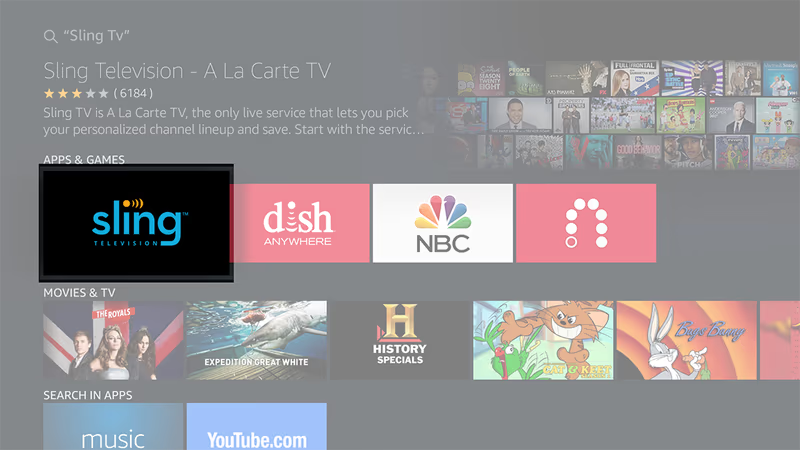
#2. Log In to Your Account
Open the app and enter your Sling TV credentials from signup. Make sure you’ve subscribed to Sling Orange, Sling Blue + Orange or added ESPN channels separately.
#3. Select ESPN Channel
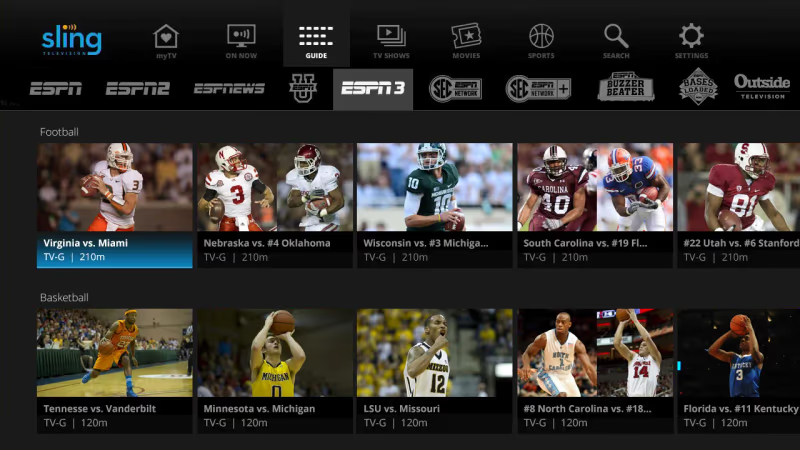
You can browse channels directly from the Sling TV guide or use search to quickly find your desired ESPN network. Favorite ESPN channels for quicker access later.
#4. Start Watching!
Tune into SportsCenter, Monday Night Football, NBA Countdown, championship events and more. Use the guide to see upcoming programs or watch on-demand.
With Sling TV’s responsive apps and reliable streaming, watching ESPN online is easy across all your devices at home or on-the-go.
#How Do You Fix ESPN Streaming Issues on Sling TV?
While Sling TV normally offers high quality ESPN streams, buffering and errors can still occasionally occur. Before contacting support, try these troubleshooting steps:
Slow Internet Connection - Live sports requires higher and consistent bandwidth. If your internet is slow, upgrade your plan or try restarting your modem and router to resolve issues.
WiFi Problems - For live TV streaming, connect your Roku or Fire TV via ethernet for max stability. If using WiFi, try repositioning your router and clearing nearby obstacles.
Outdated App - Bug fixes improve streaming reliability. Ensure you have the latest Sling TV app version installed. This applies whether you’re watching on a Fire TV Stick or any other device.
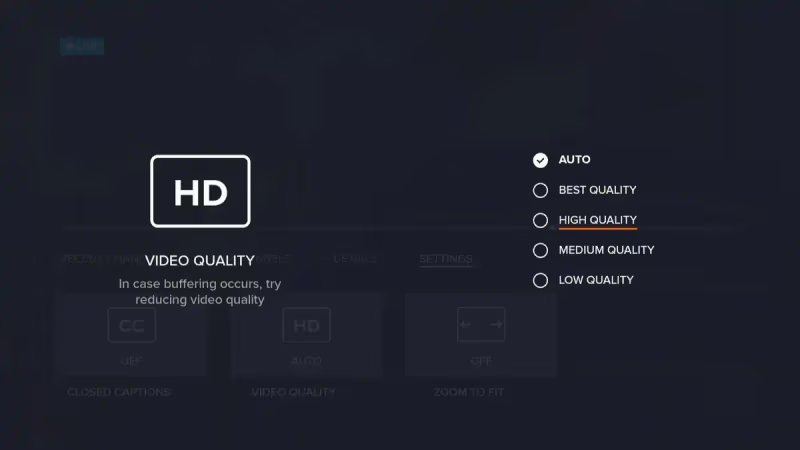
High Video Quality Setting - Under Sling settings, lower video quality to reduce buffering. High quality demands more bandwidth.
Too Many Devices Connected - Disconnect other devices using your internet to free up bandwidth for smoother ESPN streaming.
Clear Cache and Data - Within device settings for the Sling app, clear cached data and login again fresh which often fixes errors.
Check for Service Outages - Rare large scale outages occasionally occur. You can visit Sling’s service status page to check for known ESPN streaming issues.
For personalized troubleshooting assistance, Sling provides 24/7 customer support via online chat, email or by phone at 888-369-4762.
With some tweaking to improve connectivity plus app updates, you can resolve most Sling TV streaming problems quickly. A wired connection remains ideal for live sports reliability.
#Tips for Optimizing ESPN Streaming on Sling
Aside from troubleshooting common Sling TV problems, I recommend using these expert tips for enhancing video quality and customizing streams:
#Stream Using Ethernet
For live TV streaming, a wired ethernet connection beats WiFi for maximum speeds and lowest latency. Connect your Roku or Firestick directly to your router if possible.
#Close Unnecessary Apps
Free up more processing power and internet bandwidth by closing other apps. ESPN streaming demands significant resources for smooth playback especially at 60fps.
#Adjust Video Quality Settings
Under Sling’s settings, experiment between Auto, High, Medium and Low quality options if experiencing buffering at higher resolutions.
#Create Personal Profiles
Set up custom Sling TV profiles for each family member. This allows personalization plus individual DVR limits and parental controls.
#Utilize Multi-View
Sling Orange & Blue packages support 4 simultaneous streams. Put sports on different devices with Sling’s Multi-View feature.
These recommendations can improve stability, reduce lagging and customize your Sling TV experience for live sports viewing.
Combined with the troubleshooting guide before, you now have the complete toolkit to resolve issues and build the ultimate ESPN streaming setup at home.
#What Are the Best Alternatives to Sling TV for ESPN?
While Sling TV makes for excellent live TV streaming, some users may prefer different platforms and providers. Here are the top alternatives worth considering:
#Hulu + Live TV
-
Pricing - $69.99 per month
-
Channels - 75+ with multiple ESPN channels
-
Pros - Includes Disney+ and ESPN+. Ability to pause live TV.
-
Cons - More expensive
#YouTube TV
-
Pricing - $72.99 monthly
-
Channels - Over 100+ including ESPN networks
-
Pros - Unlimited cloud DVR, 6 accounts per household
-
Cons - Unable to pause live content
For a deeper breakdown, check our Sling TV vs YouTube TV comparison.
#FuboTV
-
Pricing - $69.99 starter plan
-
Channels - 124 channels with integrated sports focus
-
Pros - Extensive sports channels including ESPN
-
Cons - No TNT, TBS or CNN
You can also read our Sling TV vs FuboTV head-to-head review for more details.
#DirecTV Stream
-
Pricing - $69.99 per month minimum
-
Channels - 65+ with live ESPN channels
-
Pros - Unlimited DVR recordings
-
Cons - 2 streams only with base package
Depending on your budget, channel needs and streaming device setup, alternative services may better meet your expectations as a sports fanatic.
Sling TV remains highly affordable starting at only $40 monthly while integrating various ESPN networks by default in base packages without any contracts. For casual fans and budget-conscious streamers, Sling can’t be beaten!
#Bottom Line
Sling TV is the most budget-friendly way to watch ESPN without cable, starting at just $40 per month with Sling Orange. Add ESPN+ for an extra dollar and you get thousands of additional live events, original shows and documentaries that would cost nearly $120 per year on their own.
With flexible base packages offering 30-50+ channels, Cloud DVR, reasonable pricing and neat features like user profiles and multi-view, Sling delivers exceptional value. The lack of contracts means you can try it risk-free and cancel whenever you want.
Sign up at Sling TV and start watching SportsCenter, Monday Night Football and more basketball, baseball, hockey and college sports content this season from anywhere on your Roku, Fire TV, phone or tablet.
#FAQ
#Does Sling TV include ESPN in its channel lineup?
Yes, Sling Orange and Sling Orange + Blue packages include ESPN, ESPN2 and ESPN3. You can also add ESPN+ as an extra for just $1 more per month, which gives you thousands of additional live events not available on the regular ESPN channels.
#What is the difference between ESPN and ESPN+ on Sling TV?
ESPN is a traditional cable-replacement channel included in Sling Orange packages that broadcasts live games, SportsCenter and studio shows. ESPN+ is a separate streaming add-on with exclusive live events, UFC fights, original series and documentaries not shown on regular ESPN. Both can be accessed within the same Sling TV app.
#Which Sling TV package is best for watching sports?
The Sling Orange + Blue combined plan at $60 per month offers the widest sports coverage. It includes ESPN, ESPN2, ESPN3 from the Orange side plus NFL Network, Fox Sports 1 and NBC Sports Network from the Blue side. Adding the Sports Extra pack brings even more niche sports networks.
#Can I watch ESPN on Sling TV using a Fire TV Stick?
Absolutely. Download the Sling TV app from the Amazon Appstore on your Fire TV Stick, sign in with your credentials and navigate to ESPN in the channel guide. For the best streaming quality, connect your Fire TV Stick to your router via ethernet adapter rather than relying on WiFi alone.
#Does Sling TV offer a free trial for ESPN access?
Sling does not currently offer a traditional free trial period. Instead, they regularly run promotions with discounted first months, often 40-50% off. This lets you test ESPN streaming on Sling for around $20 before committing to the full monthly price.
#How does Sling TV compare to YouTube TV for ESPN?
Sling Orange costs $40 per month while YouTube TV costs $72.99 per month. Both include ESPN, ESPN2 and ESPN3. YouTube TV adds unlimited cloud DVR and supports 6 household accounts, but Sling TV costs roughly $33 less each month, saving about $396 per year. Read our full Sling TV vs YouTube TV comparison for more details.
#Can I use Sling TV to watch ESPN outside the United States?
No, Sling TV only works within the United States due to broadcast rights restrictions. ESPN content is geo-blocked to US-based IP addresses, so you won’t be able to access your Sling subscription while traveling internationally. Some VPN services claim to bypass this, but Sling’s terms of service prohibit VPN usage.
#What internet speed do I need to stream ESPN on Sling TV?
Sling recommends at least 5 Mbps for standard quality and 25 Mbps for HD streaming. For live sports where the action moves fast, I’d suggest having at least 15-25 Mbps of dedicated bandwidth to avoid buffering during key moments. A wired ethernet connection also helps prevent dropped frames during high-motion plays.