DAZN on a Vizio Smart TV gives you direct access to live boxing, MMA, and wrestling without needing a separate streaming device. The app runs natively on Vizio SmartCast models from 2016 and newer, so most Vizio owners already have what they need. If your TV is older or you run into setup issues, there are workarounds that take just a few minutes.
- DAZN runs on all Vizio SmartCast TVs — every model from 2016 onward supports the app natively
- Setup takes under 3 minutes — select the SmartCast input, open Apps, and launch DAZN
- Monthly plans start at $19.99/month — annual subscriptions cost $149.99/year with no long-term contract
- Older non-SmartCast Vizio TVs need a streaming device — Fire TV Stick, Roku, or Chromecast all support DAZN
- DAZN covers 200+ fight nights per year — including Canelo Alvarez, Anthony Joshua, and major MMA promotions
#What Is DAZN and What Does It Offer?
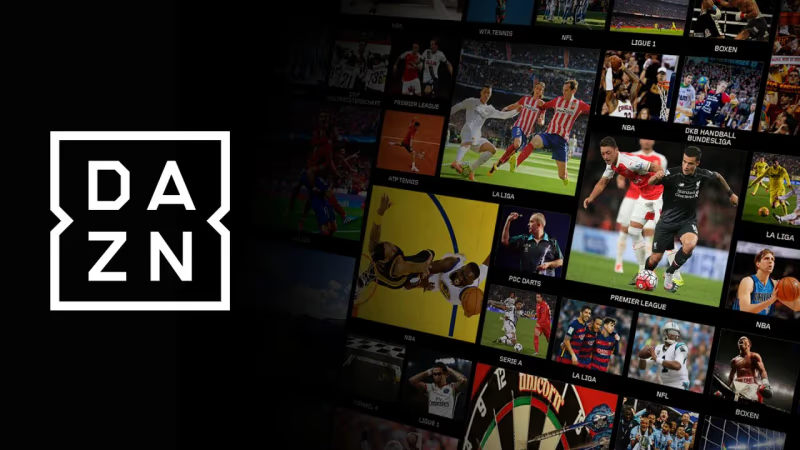
DAZN (pronounced “Da Zone”) is a sports streaming service built around combat sports. It carries live boxing, MMA, kickboxing, and wrestling events throughout the year.
The service also includes on-demand replays, pre-fight analysis, post-fight breakdowns, and original documentary content. There are no pay-per-view fees for most events on the standard plan. You pay one monthly or annual fee and get access to the full library.
DAZN holds broadcasting rights for some of the biggest names in combat sports, including Canelo Alvarez, Anthony Joshua, and Devin Haney. If you follow boxing or MMA regularly, it fills a gap that general sports apps like ESPN+ do not cover as deeply.
#Which Vizio TVs Support DAZN?
The DAZN app works on all Vizio SmartCast TVs manufactured from 2016 onward. That includes these series:
- P-Series Quantum and P-Series: Vizio’s premium 4K lineup
- M-Series: mid-range models with Dolby Vision support
- E-Series and D-Series: entry-level SmartCast TVs
- V-Series: newer budget models (2019+)
Not sure if your TV has SmartCast? Check the input list on your remote. If you see a “SmartCast” input option, your TV supports it. You can also look up your model number on Vizio’s support page to confirm.
Older Vizio TVs that run the VIA or VIA+ platform do not have access to the DAZN app through the built-in app store. Those TVs need an external streaming device.
#How Do You Install DAZN on a Vizio SmartCast TV?
Getting DAZN running on a supported Vizio TV takes just a few steps:
- Press the Input button on your Vizio remote and select SmartCast.
- Scroll down to the Apps row on the SmartCast home screen.
- Search for DAZN or browse the Sports category to find it.
- Select the DAZN app icon and press OK to open it.
- Sign in with your existing account, or select Start Your Subscription to create one.
The app loads within a few seconds on most models. Once signed in, you land on the DAZN home screen where upcoming events and featured replays are listed front and center.
#Creating a DAZN Account on Your TV
If you do not have a DAZN account yet, you can register directly through the app on your Vizio TV:
- Open DAZN and select Start Your Subscription.
- Enter your name, email address, and create a password.
- Choose your plan and enter payment details.
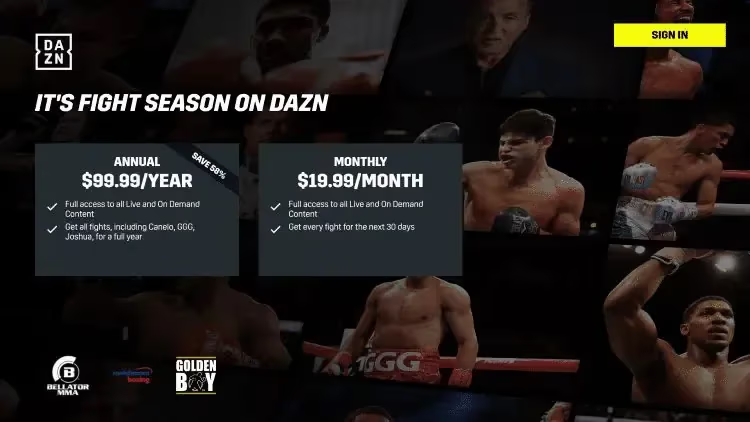
Typing on a TV remote can be slow. A faster option is to sign up on your phone or computer at dazn.com first, then just log in on the TV with those credentials.
#How to Watch DAZN on Older Vizio TVs
If your Vizio TV does not have SmartCast, you can still watch DAZN by connecting a streaming device to one of the HDMI ports. Three reliable options:
Fire TV Stick. Download DAZN from the Amazon Appstore, sign in, and stream. The Fire TV Stick 4K is a strong pick for older Vizio TVs because it adds 4K and HDR support that the TV itself may lack.
Roku. DAZN is available in the Roku Channel Store. Add it to your home screen, sign in, and you are set. Check our DAZN on Roku guide for step-by-step instructions.
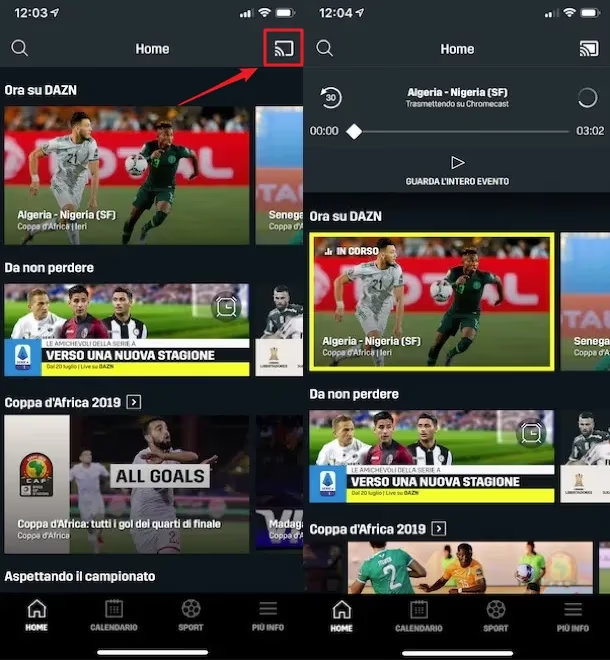
Chromecast. Install the DAZN app on your phone, tap the Cast icon, and select your Chromecast. The stream plays on your TV while your phone acts as the remote.
All three devices plug into any HDMI port on your Vizio TV and take less than 10 minutes to set up from start to finish. Apple TV also supports DAZN if you already own one. Power it on, download DAZN from the App Store, and sign in.
#What to Do When DAZN Is Not Working on Vizio TV
Buffering, app crashes, and login errors are the most common DAZN issues on Vizio TVs. Here is how to fix them:
#Check Your Internet Speed
DAZN needs at least 5 Mbps for standard streams and 8 Mbps for HD quality. Run a speed test on your phone while connected to the same Wi-Fi network. If speeds are low, restart your router and move it closer to your TV if possible.
#Restart the DAZN App
Close DAZN completely by pressing the Home button on your remote, then reopen it. On SmartCast TVs, you can also power cycle the TV by unplugging it for 60 seconds and plugging it back in.
#Update Your Vizio TV Firmware
Go to Menu > System > Check for Updates on your Vizio remote. Outdated firmware can cause app compatibility problems. Vizio pushes SmartCast updates automatically, but manual checks catch updates that have not installed yet.
If the app continues to freeze or crash after these steps, our DAZN keeps freezing guide covers deeper troubleshooting for persistent playback issues.
#DAZN Plans, Pricing, and What You Get
DAZN currently offers two subscription tiers:
| Plan | Price | What Is Included |
|---|---|---|
| DAZN Start | $19.99/month | Boxing, MMA, combat sports, replays |
| DAZN Global | $29.99/month | All sports including football, darts, snooker |
Annual billing saves roughly 15-20% compared to monthly. There is no free trial available as of 2026, but you can cancel anytime since there is no contract.
For viewers who want to compare DAZN with other sports platforms, our DAZN alternatives breakdown covers how it stacks up against fuboTV, ESPN+, and YouTube TV for different sports.
#Bottom Line
Start by checking whether your Vizio TV has SmartCast. If it does, DAZN is already available in the Apps section and you can be streaming within minutes. For older Vizio TVs without SmartCast, a Fire TV Stick 4K is the fastest way to add DAZN and dozens of other streaming apps to your setup. Pick your plan, sign in, and you are ready for the next fight night.
#FAQ
#Does DAZN work on all Vizio Smart TVs?
DAZN works on Vizio SmartCast TVs from 2016 and newer. Older Vizio TVs running VIA or VIA+ do not support the DAZN app natively. You need a streaming device like Fire TV Stick or Roku to watch DAZN on those older models.
#How much does DAZN cost per month?
The DAZN Start plan costs $19.99/month and covers boxing, MMA, and other combat sports. DAZN Global runs $29.99/month and adds football, darts, and more international sports. Annual plans reduce the per-month cost by about 15-20%.
#Can you watch DAZN for free?
No. DAZN discontinued its free trial in most regions. You need a paid subscription to access any content. Occasionally DAZN runs promotional pricing for new subscribers, so check their website before signing up.
#Why is DAZN buffering on my Vizio TV?
Slow Wi-Fi is the most common cause. DAZN needs at least 5 Mbps for a stable stream. Restart your router, move it closer to your TV, or switch to a wired Ethernet connection if your Vizio model has an Ethernet port. Closing other apps on the TV can also free up bandwidth.
#Can you cast DAZN to a Vizio TV from a phone?
Yes. Vizio SmartCast TVs support both Chromecast built-in and AirPlay. Open the DAZN app on your phone, tap the Cast or AirPlay icon, and select your TV. This works even if the DAZN app is not installed directly on the TV.
#Does DAZN support 4K streaming on Vizio?
DAZN streams select events in 1080p but does not currently offer 4K content. The picture quality depends on the event and your internet speed. For the best viewing experience, use a wired connection or sit on a 5 GHz Wi-Fi band.
#What sports are available on DAZN besides boxing?
DAZN carries MMA, kickboxing, professional wrestling, and muay thai on the Start plan. The Global plan adds international football (soccer), darts, snooker, and women’s tennis. The exact lineup varies by region, so check DAZN’s website for your country’s sports catalog.
#How do you cancel a DAZN subscription?
Log in to your DAZN account on a web browser, go to My Account, and select Cancel Subscription. You keep access until the end of your current billing period. Canceling through the app on your TV is not available; you must use the website or contact DAZN support directly.