Watching live sports has never been easier thanks to streaming services like DAZN. With DAZN, you can enjoy boxing, MMA, football, and other sports on your Fire TV Stick without cable.
Follow this guide to set up DAZN on your Amazon Firestick, Fire TV Cube, Fire TV 4K, or older generation Fire TV streaming devices.
- DAZN works on all Firestick models — download the free app from the Amazon Appstore and sign in to start streaming
- Plans start at $19.99/month — or save $120 per year with the $99.99 annual plan
- Two simultaneous streams — watch on your Firestick and phone at the same time
- 200+ countries supported — use a VPN to unlock region-locked content while traveling
- Sports coverage includes boxing, MMA, NFL, soccer, and rugby — plus on-demand replays and original programming
#What Is DAZN?
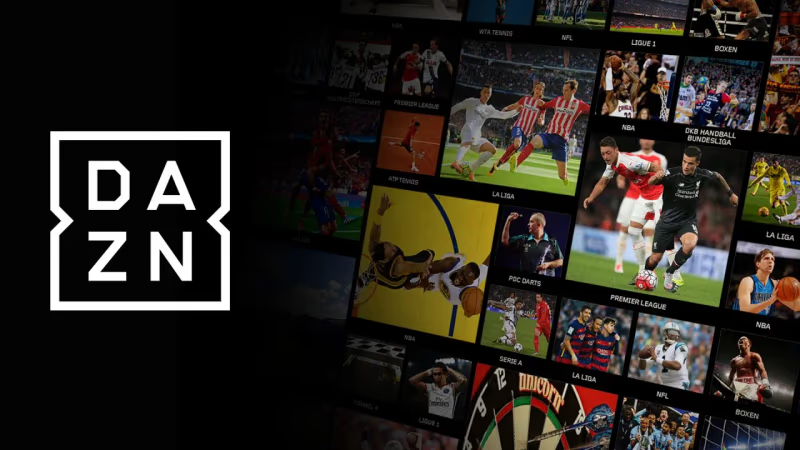
DAZN (pronounced Da-Zone) is a popular sports live streaming service available in over 200 countries worldwide. It’s sometimes referred to as the “Netflix of Sports”.
The service provides live and on-demand streaming access to a wide variety of sports content, including:
-
Boxing
-
Mixed Martial Arts
-
Soccer
-
NFL
-
Rugby
-
Motorsports
-
Darts
-
And much more
One of the best parts about DAZN is that it’s affordable compared to traditional cable packages. Currently, plans start at just $19.99/month or $99.99/year.
#Why Choose DAZN on Firestick?
There are a few reasons why DAZN on Firestick is a great option for cordcutters looking to stream sports:
-
Cost – At just $20/month, it’s much cheaper than a full cable package
-
Flexibility – Stream on your TV via Firestick or on mobile devices on-the-go
-
Broad content library – Access to 1000s of live sporting events and on-demand
-
HD Quality – Streams in smooth HD when internet speeds suffice
-
Intuitive interface – Easy to navigate to find your favorite sports
-
Cloud DVR – Rewind and replay games from the beginning even if you missed part
Next, let’s go over how to get subscribed DAZN and start watching sports on Firestick.
#How to Subscribe to DAZN
Before installing the DAZN app on Fire TV Stick, you’ll need an active subscription. Here are the quick steps to sign up:
-
Open DAZN.com in your web browser
-
Click “Sign Up Now”
-
Enter your personal details and payment information
-
Select your pricing plan (monthly or yearly)
-
Verify email and start watching!
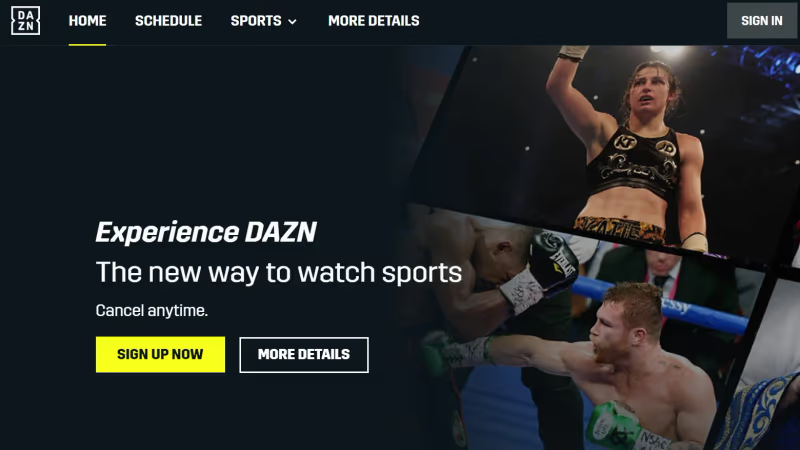
Once subscribed, you can use the same DAZN login credentials across all supported devices, including Firestick. If you later decide to end your DAZN subscription, you can do so easily online.
Tip: Consider the yearly plan at $99.99 to save $120 compared to going month-to-month.
#How to Install DAZN App on Firestick / Fire TV
Once subscribed to DAZN, adding the app to your Firestick only takes a minute.
-
From your Firestick home screen, go to the “Search” option
-
Search for “DAZN”
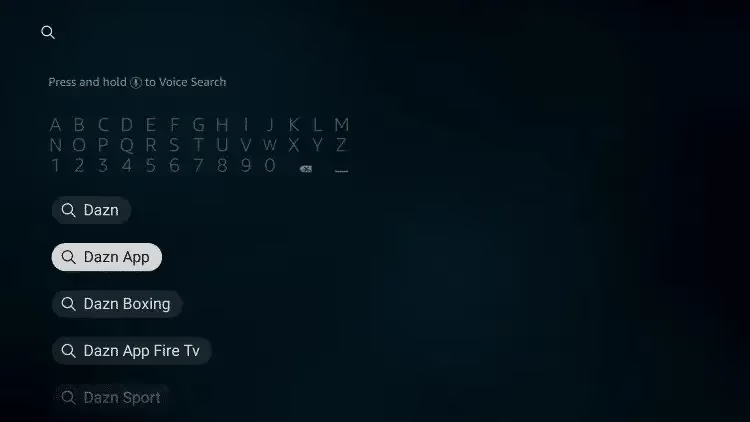
- Select the DAZN app from the results
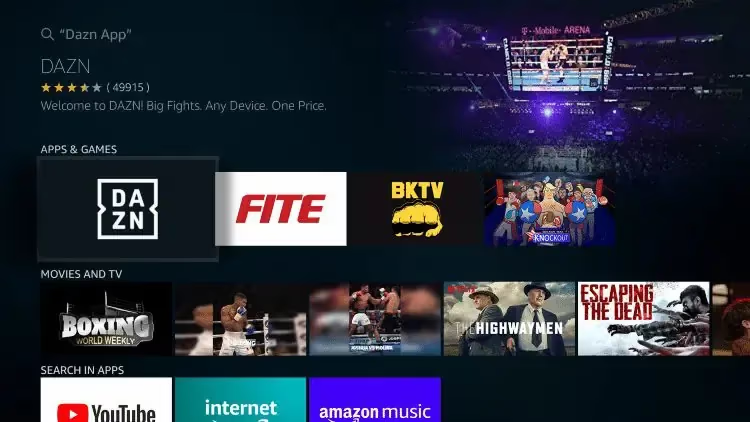
- Click “Download” to install DAZN on Firestick
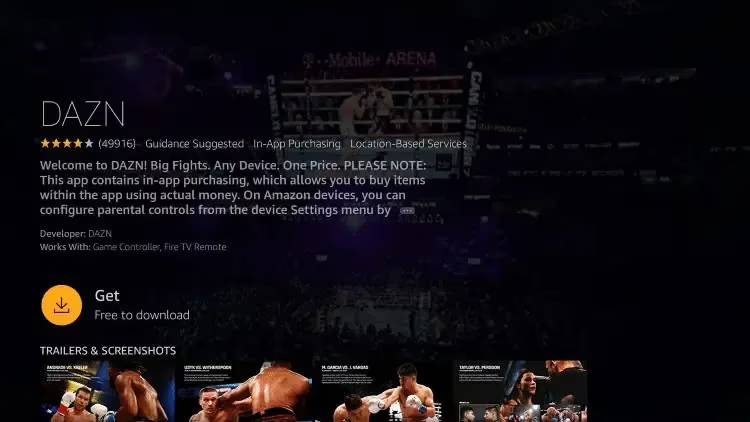
- Once installed, launch the DAZN app
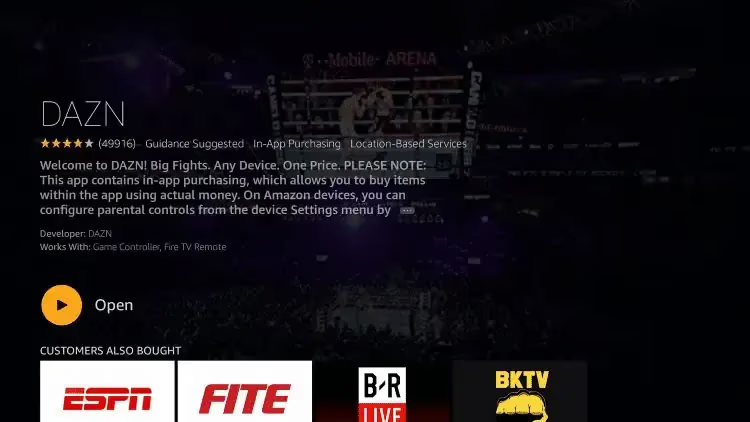
- Sign in using your DAZN email and password
And that’s it! You’re now ready to watch any live sports and events included with your DAZN subscription on your Fire TV streaming device.
#How To Use a VPN With DAZN
While a VPN isn’t required to use DAZN, it can help unlock additional regional sports content.
If you notice certain events or matches are blacked out from your area, a VPN like ExpressVPN or NordVPN can allow you to route your traffic through another city or country to gain access. However, some users experience DAZN freezing or not working properly when using a VPN.
Follow these steps to set up a VPN on Firestick for use with DAZN:
-
Subscribe to a top VPN like ExpressVPN
-
Install VPN app on your Firestick from the Amazon Appstore
-
Launch the app and connect to a server in another country
-
Now open DAZN and you’ll be able access region-locked streams!
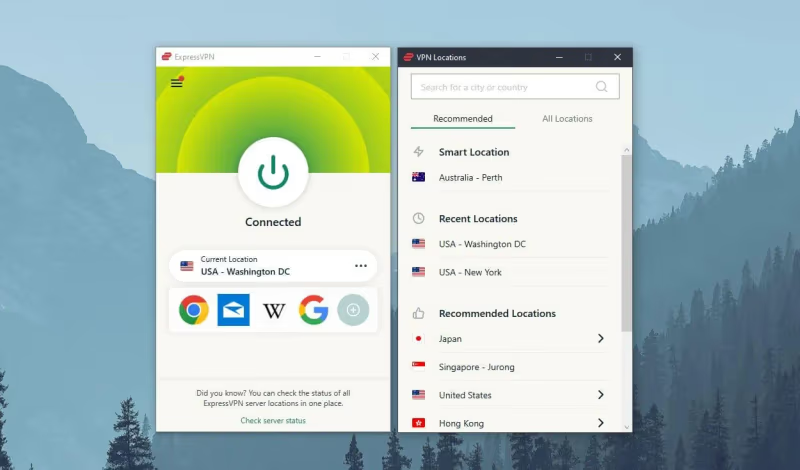
Using a VPN to unblock additional DAZN content takes just minutes but opens up many more live games and matches.
#DAZN App Walkthrough and Features
Now that you have DAZN installed, let’s look at the Firestick app UI and some handy features available:
#App Navigation Menu
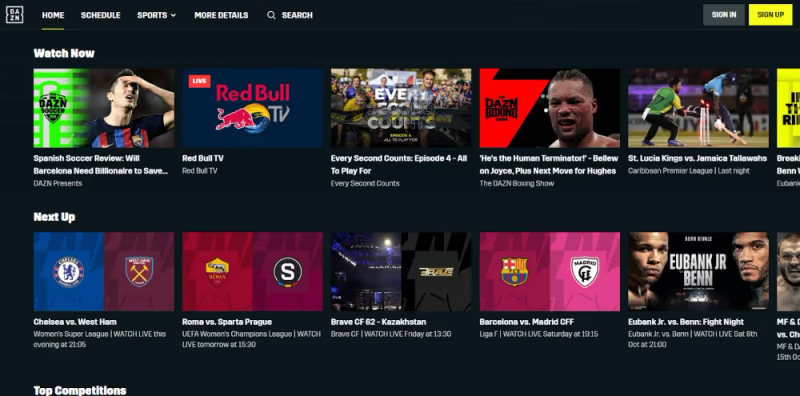
Across the top you’ll find quick access to:
-
Home – Browse sports leagues, view personalized recommendations, and see highlights
-
Schedule – See upcoming games and events schedule by date
-
Search – Search for a specific team, player, event etc
-
Settings – Manage account, payments, notifications, and more
#Viewing Options
While watching DAZN live streams or on-demand replays, you can:
-
Pause, rewind, restart
-
Enable closed captions
-
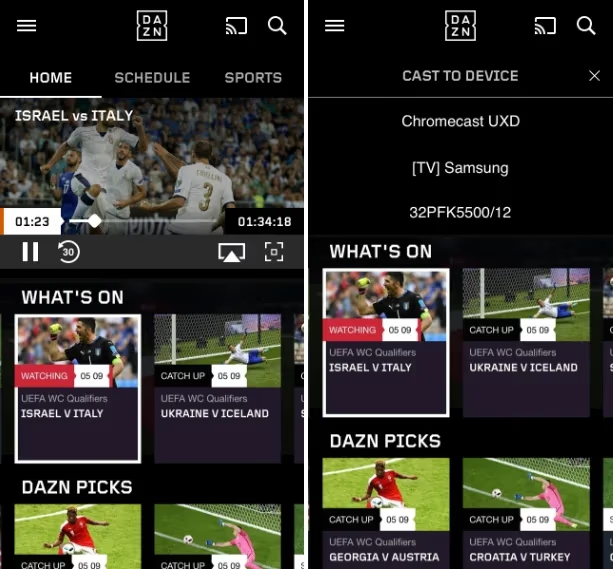
Cast to external devices like Roku and LG Smart TVs
-
Adjust video quality
-
Enter fullscreen
-
And more!
#Multiple Streams
With DAZN, you can enjoy content on two devices simultaneously. This means you can start a boxing match on your phone, then cast it to the Firestick without being kicked off the other device.
#Offline Viewing
For select on-demand DAZN content like documentaries and analysis shows, you can even download programming for offline viewing when traveling or without an internet connection.
#How Do You Fix DAZN Buffering on Firestick?
In most cases, DAZN will install and play streams flawlessly on Firestick. But if you experience choppy playback, buffering, or other issues, try these troubleshooting steps:
-
Restart your Firestick by long-pressing the home button and selecting Settings > Restart
-
Check internet connection speeds using Fast.com Speedtest
-
Upgrade your Wifi router if speeds are consistently below 25 Mbps
-
Contact your ISP if connection issues persist for all services
-
Adjust video quality in the DAZN app settings to use less bandwidth
Following these tips will help optimize streaming reliability through the DAZN Firestick app.
#FAQs About DAZN on Firestick
#Is the DAZN app free to download on Firestick?
The DAZN app is free to download from the Amazon Appstore. You do need an active DAZN subscription to watch any content after installing it. Plans start at $19.99 per month.
#What sports are available on DAZN?
DAZN covers boxing, MMA, NFL, EPL, UEFA Champions League, PGA Tour, cricket, rugby, and hundreds of fight nights per year. The lineup varies by country, so check your region’s catalog for exact availability. For alternatives with some overlapping content, see this comparison of DAZN and ESPN, as well as DAZN vs FuboTV.
#Does DAZN work on older Firestick models?
Yes, DAZN runs on all Fire TV Stick generations, including the basic Fire TV Stick Lite. Older models may take a few extra seconds to load the app, but streaming quality stays the same as long as your internet speed is sufficient.
#Can I watch DAZN in another country?
DAZN is available in over 200 regions. If you travel abroad and find certain events geo-blocked, connecting through a VPN server in your home country usually restores access. Keep in mind that DAZN actively blocks some VPN providers.
#How many devices can stream DAZN at the same time?
A single DAZN account supports two simultaneous streams. You could watch a boxing match on your Firestick in the living room while someone else streams a soccer game on a phone or tablet.
#Does DAZN offer pay-per-view events?
DAZN subscribers can purchase major PPV boxing and MMA fights at a discounted rate directly through the Firestick app. PPV pricing varies by event, and the replay becomes available on-demand shortly after the live broadcast ends.
#What internet speed does DAZN need on Firestick?
DAZN recommends at least 5 Mbps for standard definition and 9 Mbps for HD streaming. For the smoothest experience during live events, a stable connection of 25 Mbps or higher helps prevent buffering during peak traffic.
#Bottom Line
Installing DAZN on your Firestick or Fire TV takes just minutes and provides sports fans affordable access to thousands more live games and events without cable.
The streaming service includes both live and on-demand programming spanning combat sports, football, car racing, rugby, original shows and much more.
Combined with the portability to watch DAZN on smartphones and tablets plus a reasonable monthly price, it’s easy to see why the sports streaming platform grows more popular daily.
Now you know exactly how to get set up with DAZN on Firestick devices for boxing matches, football derbies and additional sports entertainment. Never miss the action again by following this guide!