Android TV supports hundreds of apps, but only a handful are worth your time. With cord-cutting on the rise, the right apps turn your Android TV into a full entertainment hub for streaming, gaming, browsing, and file management. This guide covers 25 apps across six categories so you can get the most from your big screen.
- VLC and Kodi are the top media players — both free, open source, and capable of playing virtually every video and audio format
- Netflix, Hulu + Live TV, and Disney+ lead streaming — with 4K HDR support and massive content libraries on Android TV
- GeForce NOW brings AAA PC gaming to your TV — stream high-end titles at up to 4K HDR with just a Bluetooth controller
- TV Bro is the best Android TV browser — built specifically for remote-based navigation with voice search and tab sync
- X-plore File Manager handles sideloading and storage — dual-pane interface for moving files between internal, external, and network drives
#What Is Android TV?
Android TV is Google’s operating system for smart TVs, streaming devices, and projectors. It runs on a large-screen interface optimized for TV remotes.
The platform gives you instant access to content through deep Google integration. You can cast videos, music, and photos from any Android or Chrome device.
It ships with Netflix, Amazon Prime Video, Disney+, and YouTube pre-installed. The Google Play store has hundreds more apps built specifically for Android TV.
Top hardware options include Sony Bravia TVs, Nvidia Shield TV, and Xiaomi Mi Box. TCL, Hisense, and several other brands also sell Android TV sets, and there are plenty of set-top boxes and HDMI dongles available.
#Which Media Players Should You Install?
Media players that handle a wide range of video and audio formats are a must. Here are our top 3 picks:
#1. VLC

-
The gold standard for cross-platform media playback. VLC plays just about any video or music file imaginable.
-
Tons of customization options for subtitles, aspect ratios, video effects, hotkeys, etc.
-
Can play media files locally and from external drives like USB sticks and hard drives.
-
Available 100% free without any ads. This open source software is maintained by VideoLAN non-profit org.
#2. MX Player

-
Top-rated Android video player with 350M+ downloads. Provides smooth playback despite format or encoding.
-
Kids lock, pop-up play, subtitle gestures, pinch to zoom, etc make it great for TV viewing.
-
Can even play files still downloading with background play.
-
Plays BluRay, UltraHD, HEVC, h264, h263, MPEG1-2-4, RealVideo, and more codecs.
#3. Kodi
-
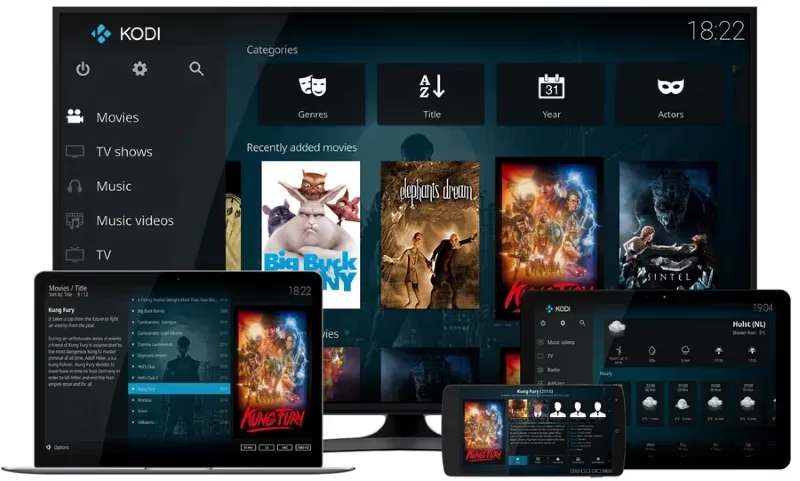
Open source home theater software that works well as an Android TV media center.
-
Massive library integration with automatic offline metadata lookups for info about your media.
-
Addons allow streaming movies, TV, music, and live content from numerous online services.
-
Available 100% free but is maintained by non-profit XBMC Foundation.
#What Are the Best Streaming Apps for Android TV?
From paid services like Netflix and Hulu to free alternatives, streaming apps should be central to any Android TV setup.
#1. Netflix
With over 200 million worldwide subscribers, Netflix needs no introduction. Its deep movie and TV show libraries in ultra high definition 4K HDR quality make it essential Android TV fare.
Refer to these Netflix troubleshooting tips for issues getting Netflix running on your television.
#2. Hulu + Live TV
Live cable channels + Hulu’s on-demand shows and movies make this our top pick for cable-cutters. Their DVR functionality to record live TV to watch later seals the deal.
#3. YouTube / YouTube TV

From viral videos to music hits, YouTube rules online video. For $65/month YouTube TV offers over 100 sports, news and entertainment channels with unlimited DVR storage.
Using a universal remote designed for YouTube TV such as these best YouTube TV remotes can make navigating the interface much easier.
#4. Amazon Prime Video
Included with Amazon Prime, this grants access to Prime Originals like The Boys plus movies like The Batman just 2 months after theatrical release.
#5. Disney+
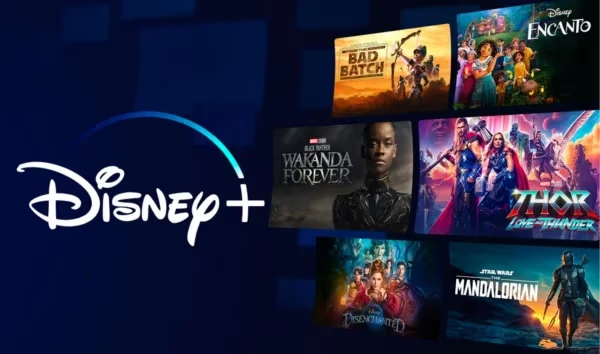
Disney classics, Pixar adventures, Marvel blockbusters, and Star Wars series – all available in HD and even 4K UHD streaming with Dolby Vision HDR.
Trouble getting Disney+ working on your Vizio TV? This guide on fixing Disney+ issues on Vizio smart TVs can help.
#6. HBO Max
Prestige shows like Game of Thrones, Westworld, and The White Lotus plus Warner Bros theatrical movies (often streaming concurrently with theaters) make this a top choice for binge-watching.
Other strong options include ESPN+, discovery+, Paramount+, and Peacock. Android TV owners have plenty of streaming choices.
#Gaming
Gaming capabilities set Android TV apart from competing platforms. Whether streaming AAA games from the cloud or playing native Android games, Android TV is solid for gaming thanks to Google Play Games integration.
#1. GeForce NOW Recommended
Nvidia’s acclaimed game streaming service renders high-end PC games in the cloud and streams them smoothly onto your TV. Connect Bluetooth controllers to play the latest titles in up to 4K HDR quality.
#2. Steam Link
If you have a decent gaming rig, the Steam Link app allows streaming your Steam library over home internet onto Android TV so your big screen can tap into all that GPU firepower.
#3. RetroArch
This open source emulator uses Android TV’s processing power to run vintage game systems like PlayStation, Nintendo 64, Game Boy, and arcade boxes through a single slick interface. Great for playing those nostalgic ROMs you may have!
#Web Browsing
Surprisingly absent on many Android TVs is a proper web browsing app. Install one of these excellent options to enable the full internet on your television.
#1. TV Bro – The Best Android TV Browser
Lightning fast web browser designed specifically for televisions. It has mouse cursor support, voice search, and Chrome tab sync for smooth browsing using just your remote.
#2. Puffin TV Browser
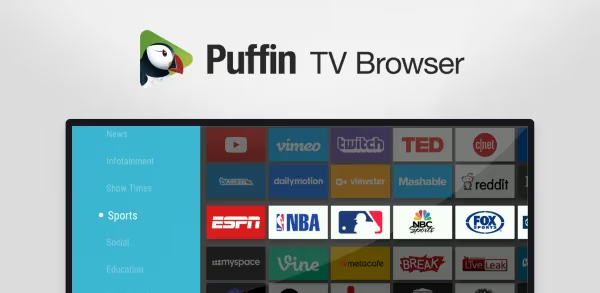
Packed with tools missing from generic mobile ports like Flash support, Puffin TV browser opens up the entire web on Android TVs and set-top boxes.
#3. Firefox Reality Browser
Originally built for virtual reality headsets, this browser uses voice search and immersive interfaces already tailored to Leanback behavior on television screens. Give it a spin!
While they may lack optimizations for television viewing, you can also try sideloading desktop staples like Google Chrome or Microsoft Edge. Just make sure you have a wireless mouse and keyboard ready!
#File Management
Managing content locally is important for getting the most from any Android TV device. The best file manager apps for Android TV include:
#1. X-plore File Manager
Dual pane file management makes it straightforward to transport media files between internal/external storage and network locations on Android TV.
#2. Solid Explorer
Slick dual panel interface with support for cloud storage services like Dropbox and OneDrive. Easily manage, move, copy, unzip, and share files.
#3. FX File Manager
No frills file manager that gets the basics done well. List, launch, delete, copy-paste any file without unnecessary bloat.
File management apps are especially helpful for sideloading additional apps, organizing downloaded media, and storing ROMs. A USB drive or external hard disk to expand storage opens even more possibilities.
#Utility Apps
The rest of our recommended Android TV apps fill critical utility needs:
#AirScreen – Cast iOS/PC Screens
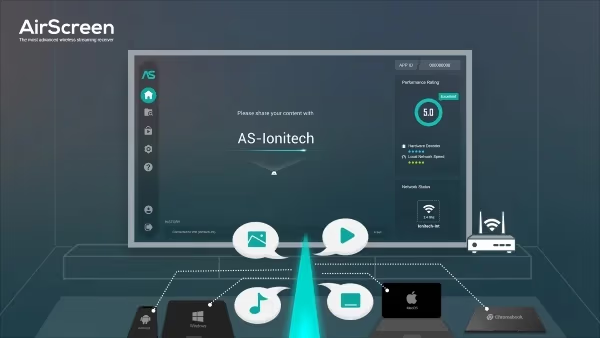
Cast or screencast iPhone/iPad/Mac onto Android televisions via AirPlay. Frame rate up to 60fps makes it smooth for wirelessly sharing video content or mirroring screens from Apple devices.
#Send Files to TV – Transfer Content
Quickly send videos, photos, music, and other files to Android TV from phones/tablets. Transfer using only your local Wi-Fi network without cables.
#Button Mapper – Reprogram Remote
Create custom actions for button presses on your physical Android TV remote. Launch specific apps or shortcuts from different single, double, or long press combinations.
#Wake On LAN – Remote Start PCs
The one app that can remotely boot up PCs necessary for local network streaming solutions. Ensures your home server running Plex/Kodi doesn’t sleep and buffers that 4K HDR video!
#Live Channels – OTA Integration
Integrate over-the-air broadcast channels alongside internet streams and apps. Great DVR functionality for recording free local programming received from an HDTV antenna.
#Bottom Line
Those are the top 25 Android TV apps across six categories. While Android TV already shines for movies, shows, and streaming, these apps add gaming, web browsing, file management, screen casting, and remote customization to the mix.
Here are a few more bonus picks if 25 apps are not enough:
-
SmartTubeNext – Modded YouTube client with no ads, background play
-
Nova Video Player – Media player strong with 4K, subtitles, trakt
-
Flixoid – Streaming hub pulling content from various sites
-
Photo Gallery & Screensaver – Custom Android TV screensavers
-
TV Usage – Parental controls and screen time limits for children
-
Haystack TV – Personalized live news streaming from various networks
-
Pluto TV – Free live online TV with 100+ themed channels
#FAQ
#Can you sideload apps on Android TV that aren’t in the Google Play Store?
Yes, Android TV supports sideloading APK files. You need a file manager like X-plore or Solid Explorer to locate and install the APK. Enable “Install unknown apps” in your TV’s security settings first. Some sideloaded apps may not work well with a remote since they were designed for touchscreens.
#Does Android TV work with Bluetooth game controllers?
Most Bluetooth controllers pair directly with Android TV through the Settings > Remotes & Accessories menu. Xbox Wireless Controllers, PlayStation DualSense, and 8BitDo gamepads all work. For cloud gaming services like GeForce NOW, a controller with low latency Bluetooth is recommended for the best experience.
#Is Kodi legal to use on Android TV?
Kodi itself is completely legal open source software maintained by the XBMC Foundation. The app does not include any pirated content out of the box. However, some third-party addons can access copyrighted material illegally, so stick to official Kodi repository addons to stay on the right side of the law.
#How much storage do Android TV apps use?
Most streaming apps like Netflix and Disney+ take 50-150 MB each. Media players like VLC and Kodi range from 30-100 MB. Games and browsers tend to be larger at 100-500 MB. If your Android TV has limited internal storage, an external USB drive can hold sideloaded apps and media files.
#What is the best free streaming app for Android TV?
Pluto TV stands out with over 100 themed live channels and on-demand content at no cost. Tubi is another strong free option with a large movie and TV show library supported by ads. Both apps are available directly from the Google Play Store on Android TV.
#Can you browse the web on Android TV without a keyboard?
TV Bro is built specifically for remote-only browsing with voice search, mouse cursor emulation, and a D-pad optimized layout. Puffin TV Browser also works well without a keyboard. For anything involving heavy typing like email or forms, pairing a Bluetooth keyboard makes the experience much faster.
#Do all Android TVs support 4K HDR streaming?
No. 4K HDR support depends on your TV hardware and the specific app. Budget Android TV boxes may cap out at 1080p. Even on capable hardware, apps like Netflix require a premium plan for 4K streams, and your internet connection needs at least 25 Mbps for stable 4K playback.