Welcome to the definitive guide on the must-have, top-rated Android TV apps for 2026. With over 25+ handpicked apps spanning entertainment, productivity, customization, gaming and more, you’ll discover how to unlock the full potential of your Android TV box or smart TV.
- Netflix, Disney+, Hulu, and SlingTV — these four streaming apps cover new releases, exclusives, live TV, and family content across every genre
- Send Files to TV and TouchPad Remote — two free productivity apps that turn your phone into a wireless file sender and trackpad controller
- FLauncher replaces the default home screen — ad-free launcher with widget support and custom themes at no cost
- GeForce Now streams AAA PC games — play titles like Fortnite in up to 4K HDR without expensive hardware, starting free
- TiviMate supports 10,000+ IPTV services — a one-time $7.99 purchase gives you a cable-style grid guide with DVR recording
#Why You Should Trust Us
As seasoned Android enthusiasts and cord-cutting experts, we’ve extensively tested dozens of apps across multiple Android TV devices. We’ll be drawing on this first-hand experience to provide insider recommendations so you can build the ultimate Android TV setup.
#What Are the Benefits of Android TV Apps?
Android TV apps provide many advantages over old-fashioned cable TV:
-
Endless entertainment – Access over 5,000 apps covering every genre imaginable. From blockbuster movies to niche documentaries, indie films to live sports, the world of entertainment lies at your fingertips. For reviews of the top channels across networks and streaming services, see our guide on the best TV channels.
-
Watch anywhere – Enjoy your favorite shows on the go by syncing apps across mobile devices, no cables required.
-
Highly customizable – Tailor your setup with personalized recommendations, watchlists, parental controls and more.
-
More affordable – Forget expensive cable bundles. Go à la carte with individual channel subscriptions and free TV apps to save money.
-
Intuitive navigation – Easy-to-use interfaces designed specifically for TV viewing from the comfort of your couch.
But the benefits don’t stop there. Let’s look at some of the top app categories on Android TV.
#Top Entertainment Apps on Android TV
These streaming entertainment apps should be your first download. Offering everything from new releases to vintage classics, you’ll never run out of movies and shows to watch.
#1. Netflix
As the world’s leading streaming platform, Netflix needs no introduction. Enjoy ultra-high definition streams, personalized recommendations, family-friendly parental controls and much more. Drawbacks include no offline viewing support and limited newer releases.
Cost: Basic – $9.99/month
Key features:
-
Adaptive streaming up to 4K HDR
-
Unlimited ad-free access
-
Custom profiles and watchlists
-
Exclusive Originals like Stranger Things
#2. Disney+
Disney+ gives you endless magical entertainment spanning animated classics, Star Wars, Marvel and more. Drawbacks include a limited content library compared to competitors.
If you experience technical issues like Disney+ not working on LG TV or get stuck on the loading screen, we’ve created troubleshooting guides to help.
Cost: $7.99/month
Key features:
-
Stream on 4 devices simultaneously
-
Download for offline viewing
-
IMAX Enhanced movies
-
Exclusive Originals like The Mandalorian
#3. Hulu
Hulu offers latest episodes, Hulu Originals and a massive on-demand library with limited ads in their base plan. The no-ads premium plan unlocks offline downloads and multi-screen viewing.
Check out our guide on how to view your Hulu watch history. If Hulu is not working on your smart TV, refer to our troubleshooting guide.
Cost: Base plan – $6.99/month
Key features:
-
75,000+ TV episodes and movies
-
Watch on 2 screens simultaneously
-
Stream 65+ live channels
-
Original award-winning series
#4. SlingTV
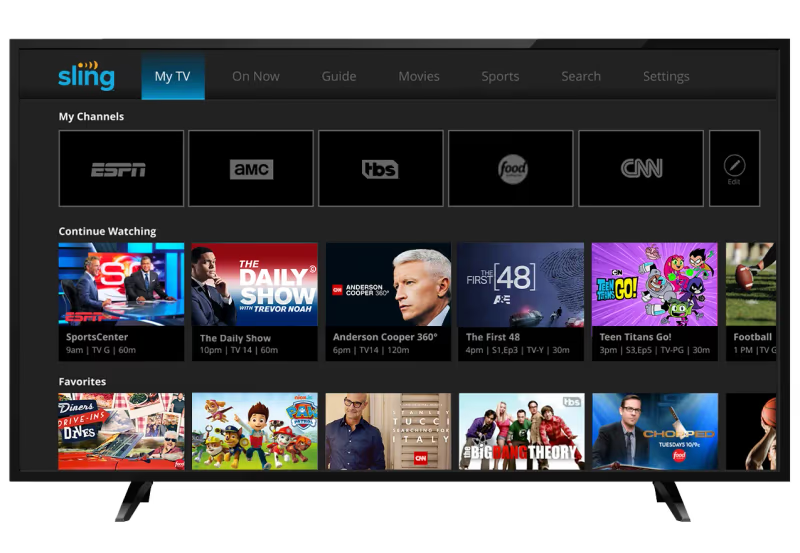
SlingTV is a customizable live TV streaming service allowing you to go à la carte with your channel subscriptions (Orange/Blue plans). The main drawback is limited DVR storage.
Cost: Starting at $35/month
Key features:
-
Stream on 3 devices simultaneously
-
Cloud DVR storage
-
Family-friendly controls
-
Optional premium add-ons
And this is just the tip of the entertainment iceberg. We’ll cover more top-tier streaming apps in the sections below.
#Best Productivity Apps for Android TV
Android TVs allow you to get work done too. These productivity powerhouses make short work of tasks like file-sharing, web-browsing and turning your TV into a giant tablet.
#5. Send Files to TV
The Send Files to TV app provides an easy way to wirelessly transfer photos, videos or documents between your Android TV and phone. Supporting a broad range of media types, this nifty utility should be your first download.
Cost: Free basic version, $4.49 pro
Key features:
-
Share any file type fast over WiFi
-
Organized transfer history
-
Simple intuitive interface
-
No file size limits
#6. TouchPad Remote
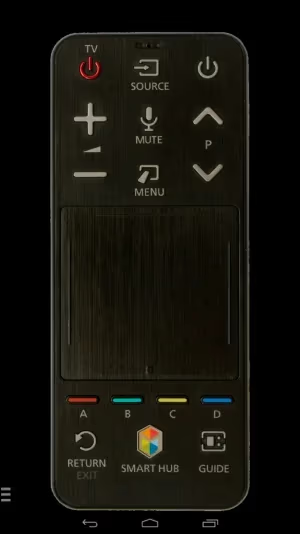
Ever wish your Android TV supported touch? With a few finger taps, the TouchPad Remote app transforms compatible Android phones into wireless trackpad-keyboard combos. This unlocks convenient text entry, mouse-style navigation and precision scrolling using your smartphone as a remote.
Cost: Free
Key features:
-
Wireless keyboard/trackpad remote
-
Customizable gestures
-
Voice input
-
Bi-directional volume/brightness control
And for heavy-duty productivity there’s…
#7. Andronix
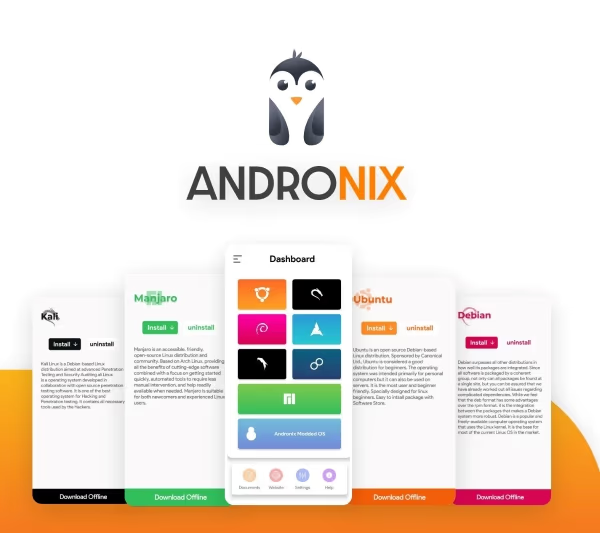
Andronix lets you run full Linux distros like Ubuntu and Kali Linux natively on Android TV. If you need advanced coding tools, terminals or desktop interfaces, this is the ultimate Swiss Army knife. Requirements are beefy hardware (Nvidia Shield recommended) and technical expertise.
Cost: Free/Premium $9.99
Key features:
-
Run Debian/Ubuntu/Kali Linux distros
-
Root Filesystem access
-
SSH Server with port forwarding
-
Desktop Environment GUIs
Now let’s customize your Android TV’s style.
#Must-Have Customization Apps
Personalize your Android TV with these top utility apps for custom launchers, wallpaper galleries and remote re-mapping.
#8. FLauncher
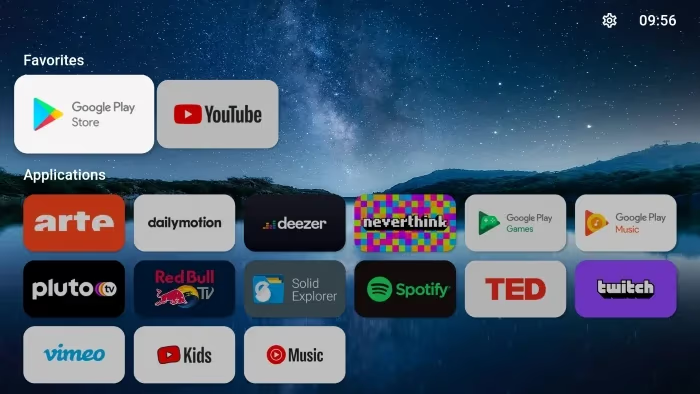
FLauncher provides a customizable Android TV home screen minus the ads and bloat. Edit channel names, sidebar favorites, add widgets and personal flair with themes.
Cost: Free
Key features:
-
Ad-free home screen
-
Support for widgets
-
Customizable channel/app names
-
Themes and icon packs
#9. Wallpaper Gallery
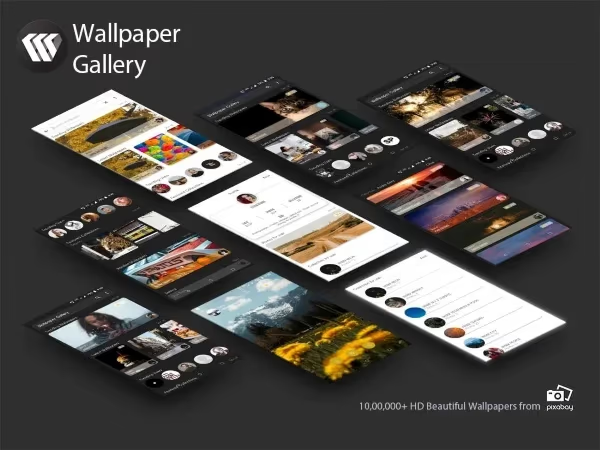
Wallpaper Gallery lets you set custom background images from Unsplash and other providers direct on your Android TV. Available via an ad-supported free tier or premium subscription.
Cost: Free or $2.99 per month subscription
Key features:
-
1000s of HD wallpapers
-
Multiple genre categories
-
Daily updated images
-
Multiple account profiles
#10. Button Mapper
Button Mapper can program long press, double press and touchpad tap actions for your remote. Launch apps instantly or assign complex macros to speed up navigation.
Cost: Free or $2.49 pro version
Key features:
-
Custom actions for all remote buttons
-
Launch apps or shortcuts
-
Program double/long press gestures
-
Create navigation macros
Up next, we’ll explore the expanding world of Android TV gaming with controllers and cloud streaming.
#Which Gaming Apps Work Best on Android TV?
Android TV offers engaging gaming experiences. Access 50+ free titles via the Google Play Store or play console-quality cloud games.
#11. Google Play Games
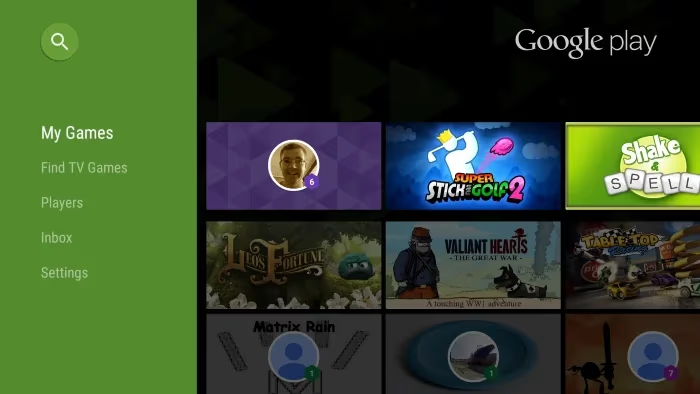
Google Play Games unlocks casual gaming with 50+ free titles across puzzles, arcade, strategy, sports and more. Compete on global leaderboards or unlock in-game achievements. Drawbacks are lackluster graphics and shallow gameplay compared to console titles.
Cost: Free
Key features:
-
50+ free-to-play games
-
Leaderboards and achievements
-
Syncs progress across devices
-
Tailored game recommendations
#12. Nvidia GeForce Now
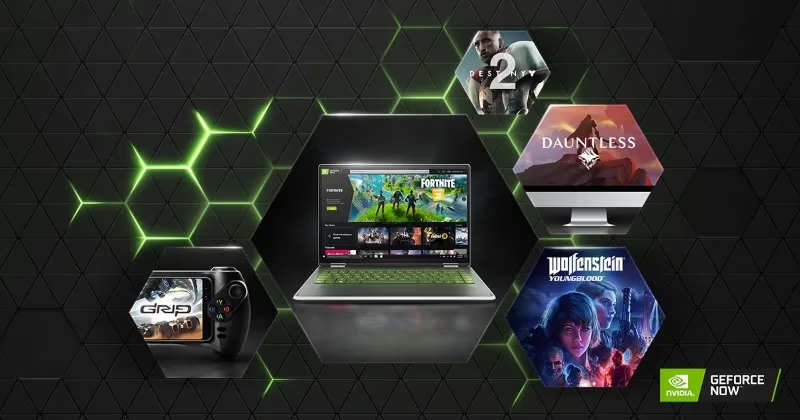
Nvidia GeForce NOW taps the power of cloud gaming so you can stream graphics-intensive PC titles like Fortnite and Apex Legends in up to 4K HDR. Requires compatible Bluetooth controller.
Cost: Free or $19.99/month premium
Key features:
-
Stream AAA games in the cloud
-
Free and premium tiers
-
200+ supported controller models
-
Sessions up to 8 hours
For retro fans, there’s also…
#13. RetroArch
RetroArch bundles dozens of game emulators into one app for vintage consoles like NES, SNES and Arcade. BYOG(ames) by loading your own ROMs via USB. A gamepad like the Logitech F310 is recommended.
Cost: Free
Key features:
-
All-in-one emulation frontend
-
Supports 50+ classic systems
-
BYOG(ames) with own ROMs
-
Customizable touchscreen overlays
Let’s wrap up with a medley of other essential Android TV apps you need to install today.
#Other Must-Have Android TV Apps
Round out your app collection with these picks spanning live TV, browsers, launchers and utilities.
#14. YouTube

Enjoy YouTube’s massive catalog of videos from DIY to music concerts, viral clips to live streams. Downsides include pesky ads and no 4K HDR.
Cost: Free
Key features:
-
Watch videos in up to 1440p
-
Subscribe to channels
-
Playlist creation
-
Recommended video feed
#15. Firefox
Firefox offers speedy web browsing thanks to tracking/ad blocking and Chrome extension support. Clunky interface navigation compared to smartphone version.
Cost: Free
Key features:
-
Blocks ads and cookies
-
Syncs open browser tabs
-
Support for Chrome extensions
-
Voice search capabilities
#16. TiviMate

TiviMate is a highly customizable IPTV player supporting live streams, EPG guides and DVR recording. Interface resembles a classic cable box grid guide.
Cost: $7.99 one-time purchase
Key features:
-
10,000+ compatible IPTV services
-
Grid-style channel guide
-
Record live programming
-
Multi-playlist support
#Frequently Asked Questions
#How do I install apps on Android TV?
Open the Google Play Store from your Android TV home screen and search for the app you want. Tap Install to download it directly to your device. You can also browse by category if you are looking for new apps to try.
#Can I sideload Android apps that are not in the Play Store?
Yes, Android TV supports sideloading APK files. Go to Settings > Security & Restrictions and enable “Unknown Sources” for the file manager you plan to use. Then transfer the APK via USB drive or a file-sharing app like Send Files to TV.
#What are the best free Android TV apps?
YouTube, Google Play Games, FLauncher, and RetroArch are all completely free with no subscription required. Firefox also provides free web browsing with built-in ad blocking. The free tier of GeForce Now lets you stream PC games in short sessions at no cost.
#Do all Android TV apps work on Nvidia Shield TV?
All standard Android TV apps run on the Shield TV without issues. Shield TV also supports exclusive apps like Steam Link and Plex Media Server, and GeForce Now takes full advantage of the Shield’s Nvidia hardware for better cloud gaming performance.
#Can I use a keyboard and mouse with Android TV?
Both Bluetooth and USB keyboards and mice work with Android TV for text entry and cursor navigation. Some TV remotes also include air mouse or keyboard modes built in, which can be faster for quick searches.
#How do I free up storage space on Android TV?
Go to Settings > Apps, select any app, and tap Clear Cache to remove temporary files. If the app still uses too much space, choose Clear Storage to delete all saved data. Uninstalling unused apps is the fastest way to reclaim significant storage.
#Is a game controller required for Android TV gaming?
Casual games from Google Play Games work fine with the standard TV remote. Cloud gaming services like GeForce Now and emulators like RetroArch require a Bluetooth gamepad such as the Xbox Wireless Controller or Logitech F310 for proper controls.
#How do I update apps on Android TV?
Open the Google Play Store, go to My Apps, and select Update All to install the latest versions. You can also enable auto-updates under Settings in the Play Store so apps stay current without manual intervention.
#Bottom Line
-
For entertainment, top-rated apps include Netflix, Disney+, Hulu and SlingTV based on new releases, exclusives and customization.
-
Productivity powerhouses like Send Files to TV, TouchPad Remote and Andronix make the most of your TV’s big screen real estate.
-
Personalize your setup with FLauncher home screen customizations, Wallpaper Gallery backgrounds and Button Mapper remote programming.
-
Gaming apps like GeForce Now and RetroArch emulate classic consoles or let you play graphics-rich AAA PC games.
-
Round out your collection with essentials like YouTube, Firefox, TiviMate and more categorized by purpose.
So which apps will you try first? Transform your living room into a smart entertainment hub tailored to your unique needs with our definitive guide on the best apps for Android TV in 2026.