Apple TV and Roku are the two most popular streaming platforms, but they target different buyers. After testing every current model from both brands, I can say the right pick depends on your budget, your existing devices, and whether gaming matters to you.
- Apple TV 4K starts at $129 — Roku offers 4K streaming from just $40, making it 3x more affordable to get started
- Gaming separates the two platforms — Apple TV runs Apple Arcade and Steam Link, while Roku has no gaming capability at all
- Both match on core streaming specs — 4K Dolby Vision, HDR10, Dolby Atmos, and gigabit ethernet are standard on both flagship models
- Smart home integration favors Apple TV — HomeKit support turns it into a full smart home hub, while Roku only controls Roku-branded accessories
- Roku works with more ecosystems — it supports Alexa, Google Assistant, and runs the Apple TV+ app, giving it broader compatibility than Apple TV
#Overview of Apple TV and Roku Product Lineups
Apple currently offers two Apple TV models:
-
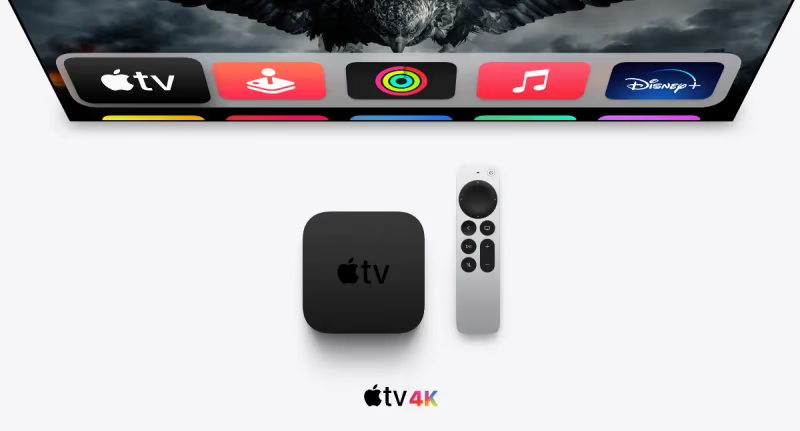
Apple TV 4K (2022) – $129 for 64GB, $149 for 128GB
-
Apple TV HD – $149
Roku has a wider range with over 10 streaming player options, including:
-
Roku Express – $29
-
Roku Express 4K – $39
-
Roku Premiere – $39
-
Roku Streaming Stick 4K – $49
-
Roku Ultra LT – $80
-
Roku Streambar – $130
-
Roku Ultra (2022) – $99
Roku devices span a wider budget range, starting at just $29.99. Apple’s cheapest option is $129. Roku is also a top choice for replacing cable TV compared to options like DirecTV.
However, Roku’s top model, the Ultra, is comparable in price to the entry-level 2021 Apple TV 4K.
#Winner: Roku for Budget Options
#How Do Apple TV and Roku Compare on Streaming Quality?
The most important factor for any streaming device is its ability to play your desired content at the highest quality possible.
Apple TV 4K supports 4K resolution, plus Dolby Vision, HDR10, and HLG high dynamic range formats. The A12 bionic chip provides extremely smooth, fast streaming and navigation. If your Apple TV 4K ever runs into performance issues, our Apple TV lagging troubleshooting guide covers the most common fixes.
The Roku Ultra 2022 equals Apple’s performance specs, with 4K, Dolby Vision, HDR10+, and a speedy quad-core processor.
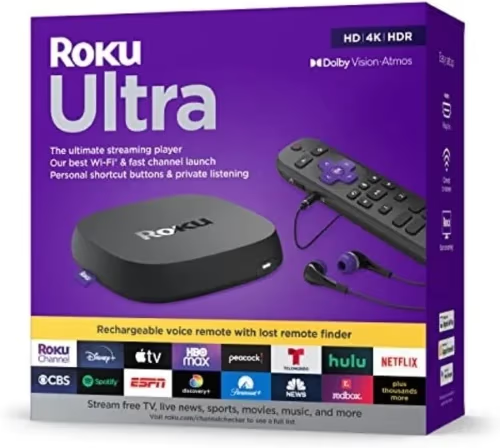
Both devices also offer:
-
Gigabit ethernet for wired streaming
-
Dual-band wireless connectivity
-
Dolby Atmos immersive audio
When it comes to streaming performance, the playing field is level. The only difference is the lower Roku models max out at 1080p HD, while Apple TV models are 4K across the board. For more on how Roku compares to cable TV quality, check out our Roku vs cable guide.
#Winner: Tie (4K Models), Slight Edge to Apple TV (HD)
#Interface and Ease of Use
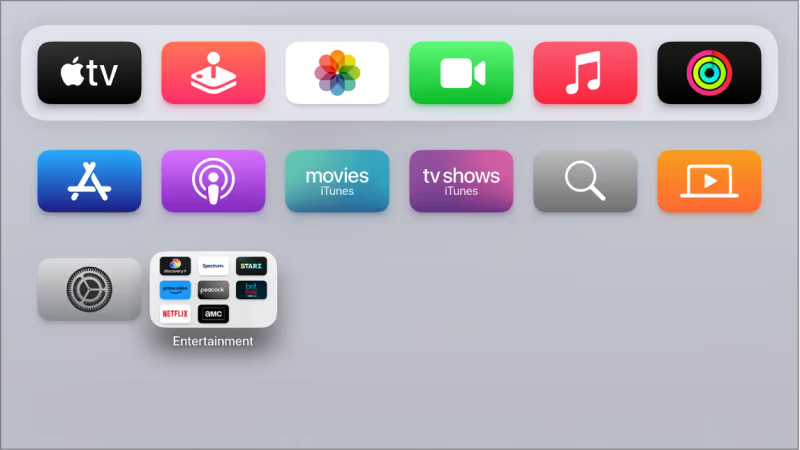
Apple TV uses the intuitive tvOS interface, similar to iOS. It provides a home screen with app icons displayed in a grid. You can customize the top shelf to feature favorite apps.
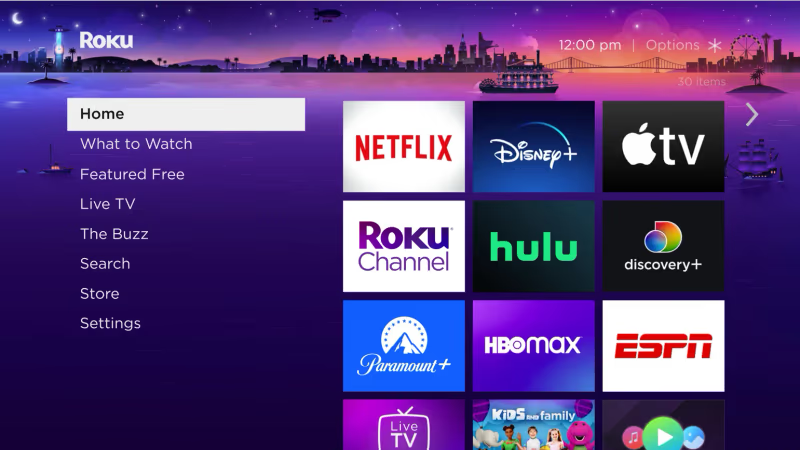
Roku OS offers a comparable grid guide, prioritizing channels based on usage patterns. The left sidebar makes it easy to jump between sections like Search, Channel Store, Settings and Live TV.
Both systems allow rearranging apps to your preferred order. Voice search is deeply integrated on both platforms through the remotes.
Apple TV and Roku platforms are on par for ease of use. The interfaces work well for novice users while offering plenty of personalization for power users.
One advantage of Roku is greater flexibility for accessing content from different sources. For example, you can watch the Apple TV+ app directly on a Roku device. The reverse is not true.
#Winner: Tie
#What Are the Gaming Capabilities of Each Device?
When it comes to gaming, Apple TV is far ahead of Roku.
The Apple TV 4K can run popular titles from the iOS App Store, including Apple Arcade games. With the power of the A12 chip, performance rivals consoles. You can connect Xbox/PlayStation controllers for a true console experience.
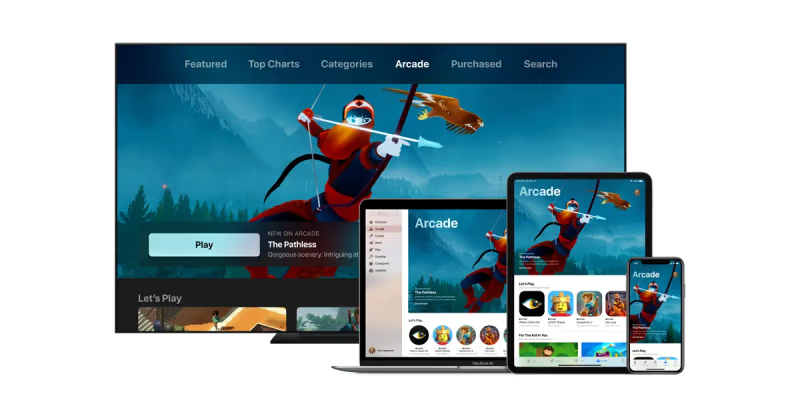
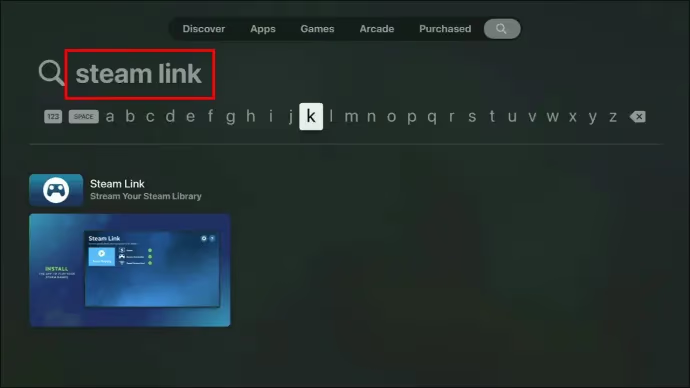
There’s also the Steam Link app for playing your Steam PC game library directly on the Apple TV. Plus Apple Fitness+ for immersive workouts.
Roku devices are designed solely for streaming video and music. There isn’t any real gaming capability or app ecosystem beyond these categories. For more on how Roku stacks up against Amazon’s Fire TV Stick, see our Roku vs Fire TV Stick comparison.
#Winner: Apple TV
#Smart Home Integration
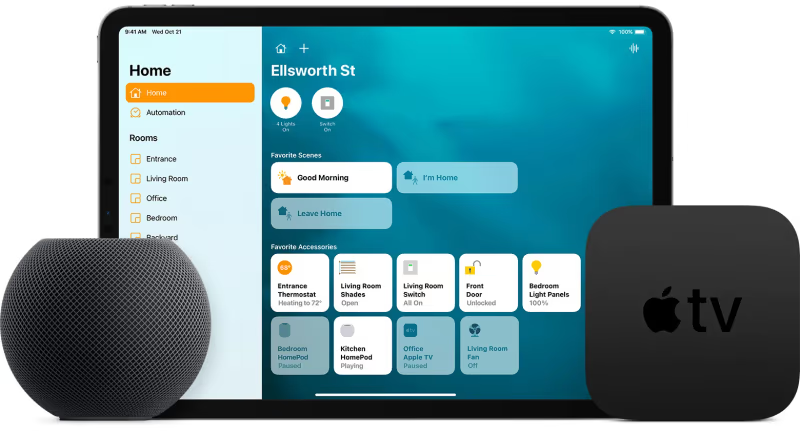
Apple has designed tvOS to connect tightly with other Apple ecosystem devices, including:
-
Controlling Apple TV via HomePod smart speakers or iPad/iPhone
-
Casting content to Apple TV from iOS/Mac devices using AirPlay 2
-
Pairing HomePod minis as Apple TV speakers
-
Automating Apple TV in scenes and routines using Apple Home app
-
Controlling smart home accessories like cameras, lights, thermostats via Apple Home app on Apple TV
-
Using iPhone to calibrate Apple TV video and audio
Roku also offers smart home integration, but primarily focused on Roku-branded accessories:
-
Controlling Roku streaming devices with Alexa or Google Assistant smart speakers
-
Casting personal media from Android/Windows devices via Roku app
-
Limited automation and control of Roku streaming devices only
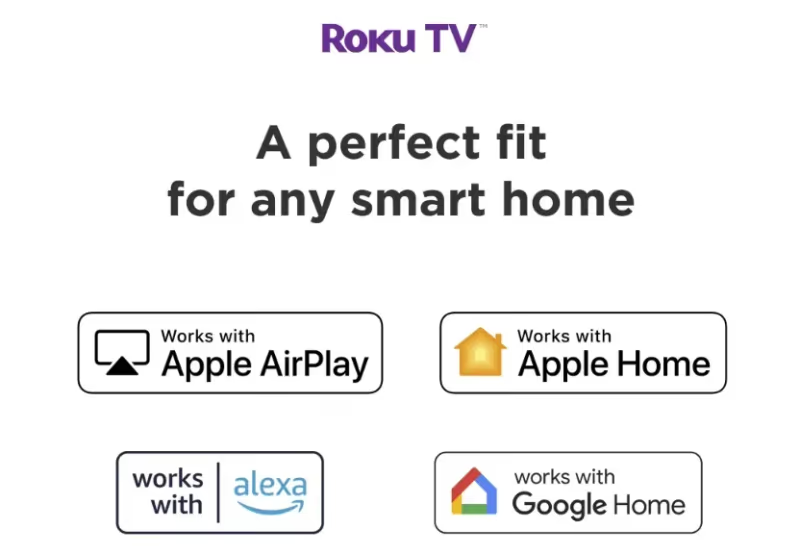
Roku has partnered with Wyze for security cameras, video doorbells, smart lights and plugs that have native integration within Roku OS. However, Apple TV’s extensive smart home capabilities with HomeKit give it a distinct advantage. You can even use AirPlay on a Roku TV for basic casting, but it doesn’t match Apple TV’s full HomeKit hub functionality.
#Winner: Apple TV
#How Does Sound Quality Compare Between Apple TV and Roku?
Both Apple TV and Roku offer strong sound options to create an immersive listening experience.
Apple provides system-wide audio calibration using iPhone’s microphone to automatically tune audio output to your speakers. You can also stream Apple Music in lossless or Dolby Atmos formats. Pairing two HomePod minis as default speakers gives incredible sound.
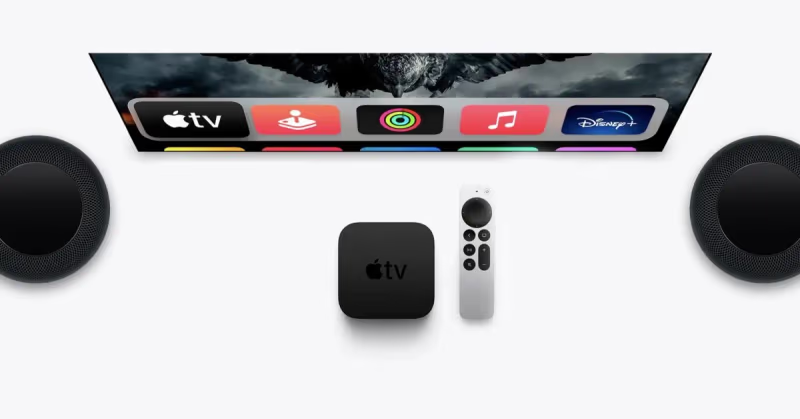
On Roku, there are two soundbar models: the Streambar and Streambar Pro, with dedicated speakers built-in. These produce quality audio and integrate well with Roku OS. You also get audio enhancement processing and Dolby Audio formats.
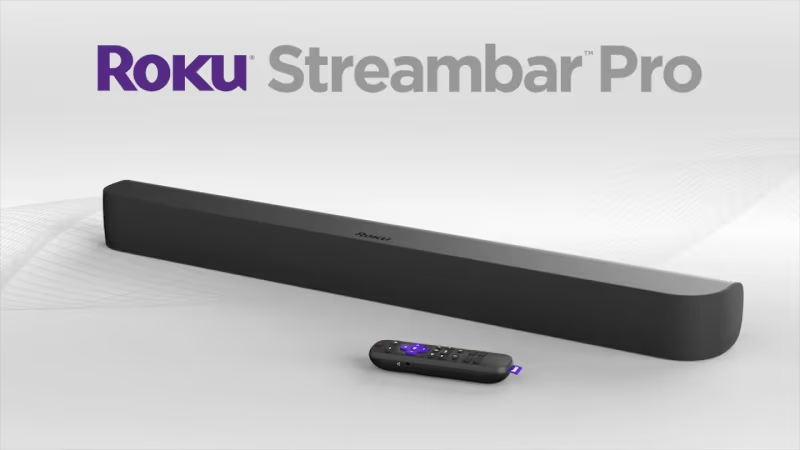
For pure sound quality, Apple has an edge thanks to their tight HomePod mini integration. But Roku soundbars provide a nice 2-in-1 upgrade option. If you’re comparing dedicated sound systems to built-in TV speakers, our soundbars vs TV speakers guide breaks down the differences.
#Winner: Slight Edge to Apple
#Remote Control
The Siri Remote vs Roku Voice Remote Pro face off is one of the closest battles.
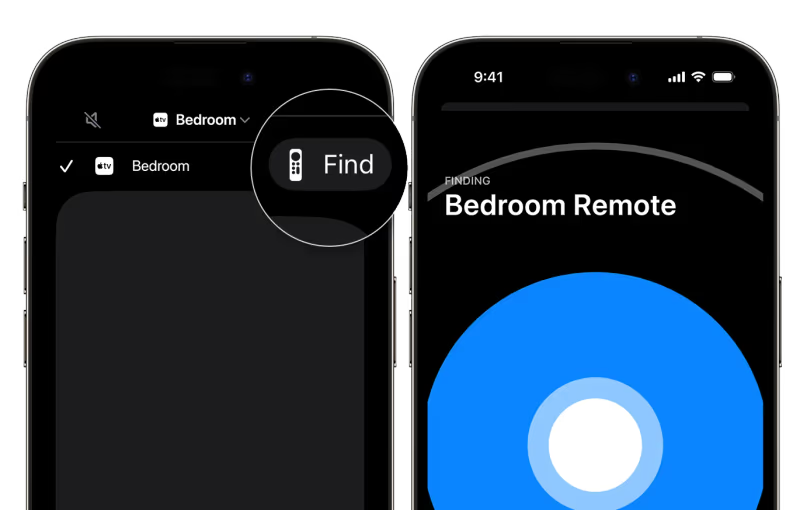
Apple’s Siri Remote received a complete redesign in 2021. The upgraded directional clickpad adds intuitive gesture support while retaining physical buttons. It also has USB-C charging and Find My integration to locate a lost remote.
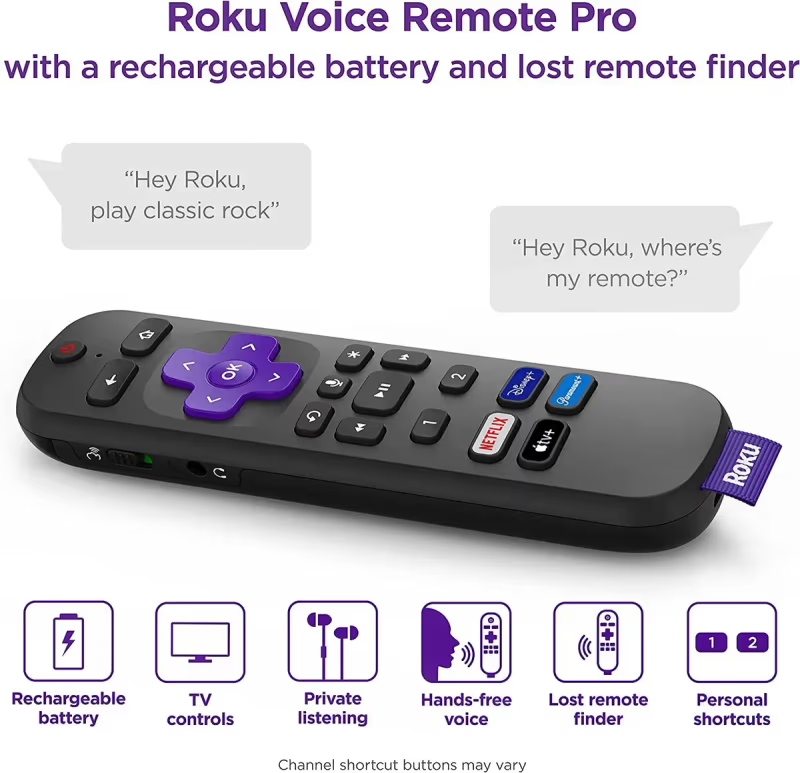
Roku’s Voice Remote Pro comes included with the latest Ultra. It has a hands-free voice assistant, programmable shortcut buttons, a finder function, and rechargeable battery. The headphone jack enables private listening too.
Both remotes use voice control effectively and deliver a premium feel. Roku’s remote may appeal more to those who prefer push button simplicity versus touch gestures. That comes down to personal preference. If your Roku remote stops responding, our Roku remote troubleshooting guide can help.
#Winner: Tie
#Price and Value Comparison
The 32GB Apple TV 4K model retails for $129, while the 64GB Roku Ultra costs $99. Apple comes at a 30% premium.
However, Apple TV delivers extra performance for the price bump with consistently speedy navigation, best-in-class gaming, and tighter smart home integration. Plus you get double the onboard storage for apps and games.
If gaming capabilities or Apple ecosystem integration aren’t priorities, I typically recommend the $69 Roku Streaming Stick 4K as the best value. It equals Apple TV’s core streaming quality and content for 60% less. Even the $39 Premiere performs admirably.
But hardcore Apple fans or those wanting a unified smart home hub will still find Apple TV 4K’s price premium justified. For another budget comparison, see how Chromecast stacks up against Roku.
#Winner: Overall Value - Roku, Overall Quality - Apple
 Apple TV 4K (3rd Gen)
Best Overall
Apple TV 4K (3rd Gen)
Best Overall
Choose this if you want the best streaming performance plus gaming and smart home control in one device.
- A15 Bionic chip for fast navigation and gaming
- Full HomeKit smart home hub built in
- Apple Arcade and Steam Link gaming support
- AirPlay 2 casting from all Apple devices
 Roku Express 4K+
Best Value
Roku Express 4K+
Best Value
Choose this if you want 4K streaming at the lowest possible price without sacrificing picture quality.
- 4K HDR streaming for under $40
- Works with Alexa, Google Assistant, and Apple TV+ app
- Dual-band Wi-Fi with voice remote included
#Bottom Line
While Roku offers outstanding quality at every price point, Apple TV 4K takes the crown overall:
-
Nearly matches Roku Ultra’s performance and content
-
Significantly better gaming capabilities
-
Tighter smart home ecosystem integration
-
More storage; 128GB option available
-
Smoother navigation and graphics
-
Justifies 30% price bump with extra features
The one downside is no budget Apple TV model. I suggest the Roku Express 4K for under $40 or Roku Streaming Stick 4K as best bang for buck.
For those willing to pay a little extra for best-in-class quality, Apple TV wins out. Going all-in on Apple’s ecosystem also maximizes functionality.
#Frequently Asked Questions
#What is the main difference between Apple TV and Roku?
Apple TV focuses on premium performance with gaming support through Apple Arcade and deep HomeKit smart home integration. Roku prioritizes broad compatibility and value, with 4K devices starting at $40 compared to Apple’s $129 entry price.
#Can you watch Apple TV+ and other Apple services on Roku?
Yes, the Apple TV+ app is available directly on Roku devices, so you can access Apple’s original shows and movies without owning Apple hardware. However, Apple-exclusive features like Apple Arcade gaming and Apple Fitness+ workouts are not available on Roku.
#Which device has better gaming capabilities?
Apple TV dominates gaming. It runs thousands of iOS App Store titles, the full Apple Arcade library, and even Steam Link for PC game streaming. You can pair Xbox and PlayStation controllers for console-quality play. Roku has no gaming functionality at all.
#Does Roku work with smart home devices?
Roku supports voice control through both Alexa and Google Assistant smart speakers, and it integrates with Wyze-branded cameras, doorbells, and lights. Apple TV goes further by acting as a full HomeKit hub, controlling any HomeKit-compatible accessory including locks, thermostats, and cameras from third-party brands.
#Is the Siri Remote or Roku Voice Remote Pro better?
Both are excellent. The Siri Remote stands out with its gesture-based clickpad and Find My tracking to locate a lost remote. The Roku Voice Remote Pro has a headphone jack for private listening and hands-free voice commands without pressing a button. Pick based on whether you prefer touch gestures or physical buttons.
#How much does each streaming platform cost?
Apple TV 4K starts at $129 for 64GB and goes up to $149 for 128GB. Roku ranges from $29 for the basic Express to $99 for the flagship Ultra. The $49 Roku Streaming Stick 4K hits the sweet spot for most buyers who want 4K without paying premium prices.
#Can Apple TV replace a gaming console?
Apple TV handles casual and mid-tier gaming well through Apple Arcade’s 200+ titles and Steam Link for PC game streaming. It won’t replace a PlayStation 5 or Xbox Series X for AAA titles, but for family-friendly games and indie titles, it fills the gap at a fraction of the console price.
#Which streaming device should I buy if I use both Android and Apple products?
Roku is the better choice for mixed-device households. It works with Android phones, iPhones, Alexa, Google Assistant, and runs the Apple TV+ app natively. Apple TV is more limited, locking you into AirPlay for casting and offering no native Google Assistant support.